Search...Search plugins and themes...
⌘K
Sign in
  • Get started
  • Download
  • Pricing
  • Enterprise
  • Account
  • Obsidian
  • Overview
  • Sync
  • Publish
  • Canvas
  • Mobile
  • Web Clipper
  • CLI
  • Learn
  • Help
  • Developers
  • Changelog
  • About
  • Roadmap
  • Blog
  • Resources
  • System status
  • License overview
  • Terms of service
  • Privacy policy
  • Security
  • Community
  • Plugins
  • Themes
  • Discord
  • Forum / 中文论坛
  • Merch store
  • Brand guidelines
Follow us
DiscordTwitterBlueskyThreadsMastodonYouTubeGitHub
© 2026 Obsidian

Formative

ElaraElara40 downloads

Simple, fast, and easy-to-use Markdown formatter.

Add to Obsidian
  • Overview
  • Scorecard
  • Updates4
  • Download Plugin
  • Official GitLab Repository
  • GitHub Mirror

Formative is a fork of Formatto. It provides Rust-powered Markdown formatting features on Obsidian. Users can configure the plugin to customize it.
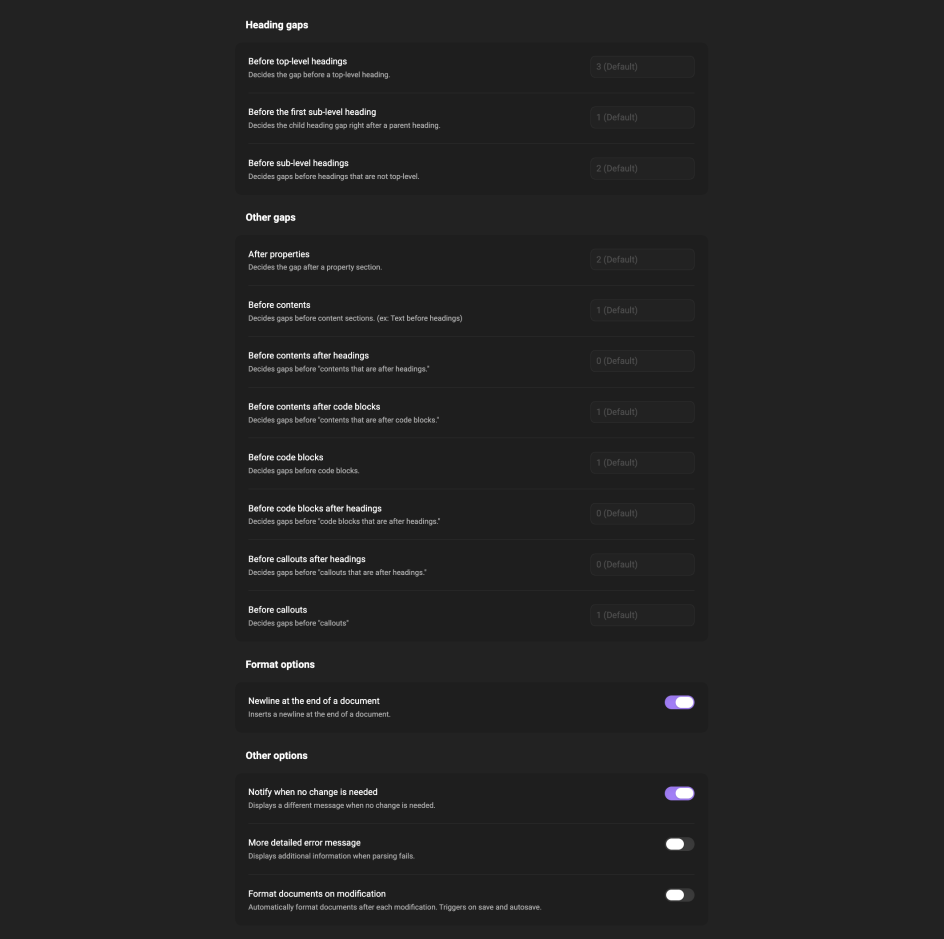
use-example options-example

How to Use

You can use the plugin in following ways:

  • Right click in the editor and select "Format Document"
  • Run a command "Formative: Format Document" (or assign a keyboard shortcut to the command)
  • Click "Format Document" ribbon action

This plugin works best in "source mode."

Obsidian uses "live preview" as the default editing mode. But this plugin was designed to work best in "source mode." You can change the editing mode here:

  • Options -> Editor -> Default editing mode

Contributing

If you're interested in participating in this project, please refer to the contribution guide.

HealthExcellent
ReviewSatisfactory
About
Format Markdown using a Rust-powered formatter directly in Obsidian. Run the Format Document command, use the editor context menu, or click the ribbon action — works best in source mode.
FormattingMarkdown
Details
Current version
1.3.8
Last updated
5 days ago
Created
6 days ago
Updates
4 releases
Downloads
40
Compatible with
Obsidian 1.1.0+
Platforms
Desktop, Mobile
License
GPL-3.0
Report bugRequest featureReport plugin
Author
ElaraElaraelaraspace
elaraspace.net
GitHubelaraspace
elaraspace
  1. Community
  2. Plugins
  3. Formatting
  4. Formative

Related plugins

Linter

Format and style your notes. Linter can be used to format YAML tags, aliases, arrays, and metadata; footnotes; headings; spacing; math blocks; regular Markdown contents like list, italics, and bold styles; and more with the use of custom rule options.

Image Captions

Add captions to images with inline Markdown and link support. The caption format is compatible with the Commonmark spec and other Markdown applications.

PanGu

Add spaces between Chinese characters and English alphabet. A boon for typographically compulsive people.

Blur

Create obfuscated blocks of text.

Format with Prettier

Format files in your vault using Prettier.

Columns

Create columns in Markdown.

rumdl

Lint markdown files with rumdl - a fast markdown linter.

Paste Reformatter

Reformats pasted text for precise control.

Admonition

Admonition block-styled content.

Custom Frames

Turn web apps into panes using iframes with custom styling. Also comes with presets for Google Keep, Todoist and more.