FolderMate
 droidstream87 downloads
Color a folder and all its subfolders in the file explorer, as text color or as fading background bands.
- Overview
- Scorecard
- Updates2
Color your folders. Find anything at a glance.
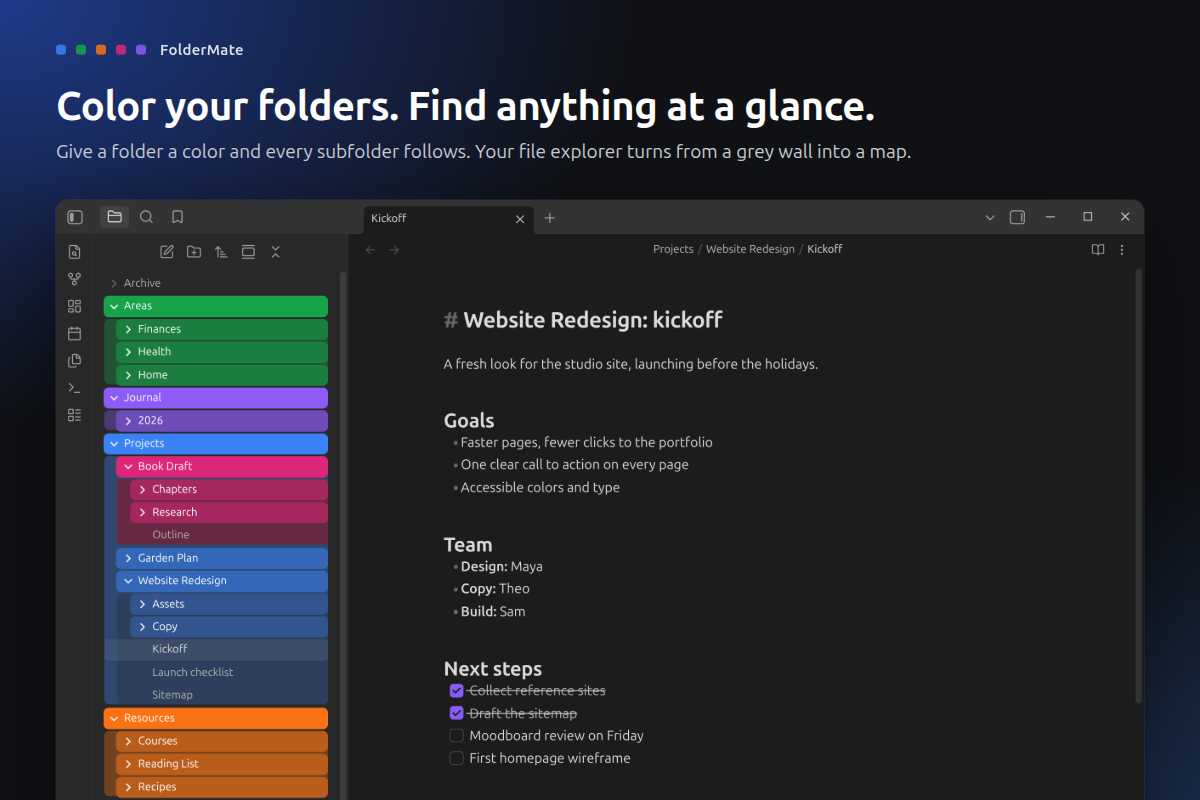
A big vault turns the file explorer into a wall of identical grey rows. FolderMate lets you give a folder a color, and every subfolder and note inside it follows along. Right-click, pick a color, done.
What it does
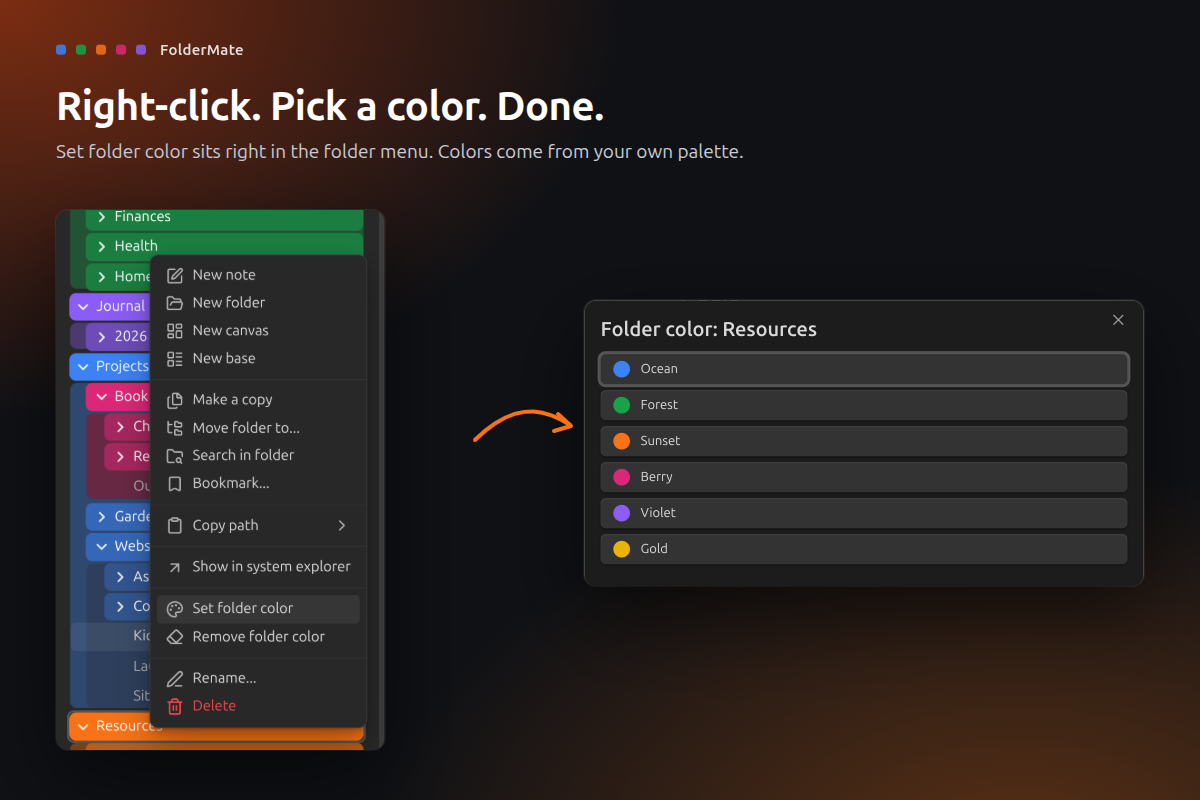
- Right-click to color. Set folder color sits in the folder menu. Pick from your own palette.
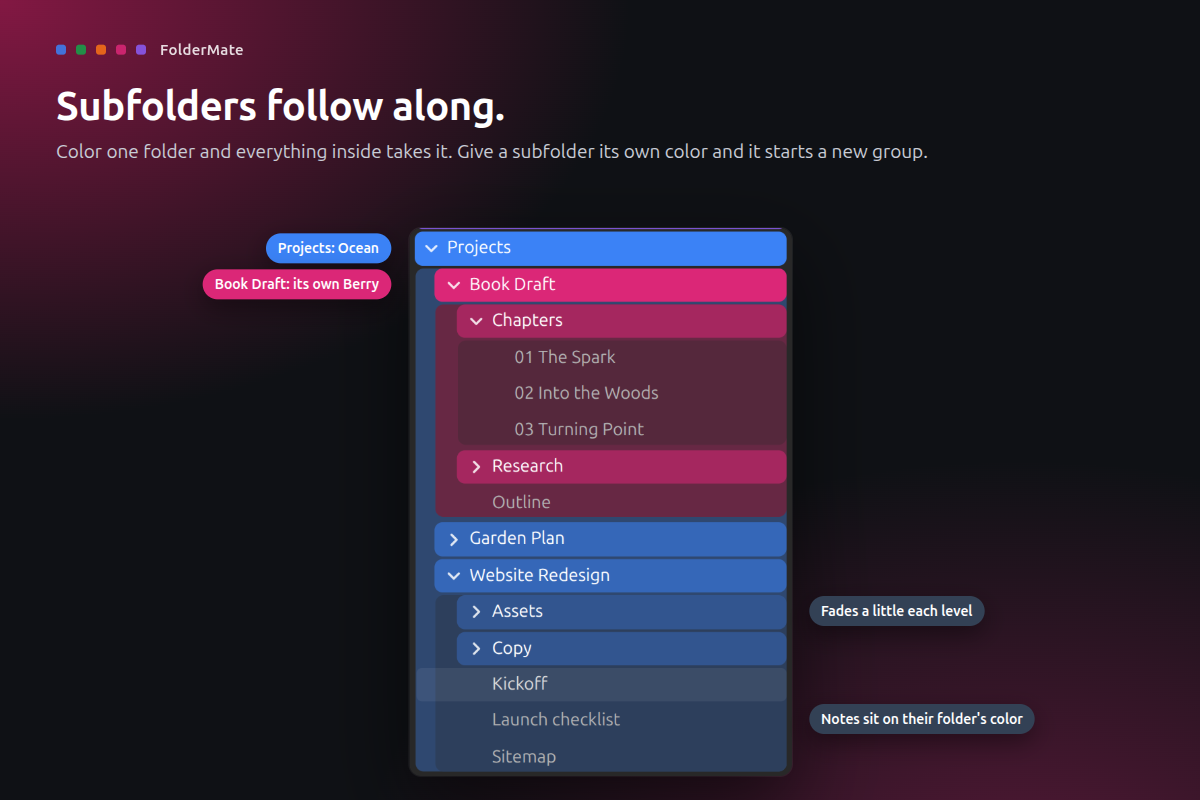
- Subfolders follow along. Everything inside a colored folder takes its color. Give a subfolder its own color and it starts a new group.
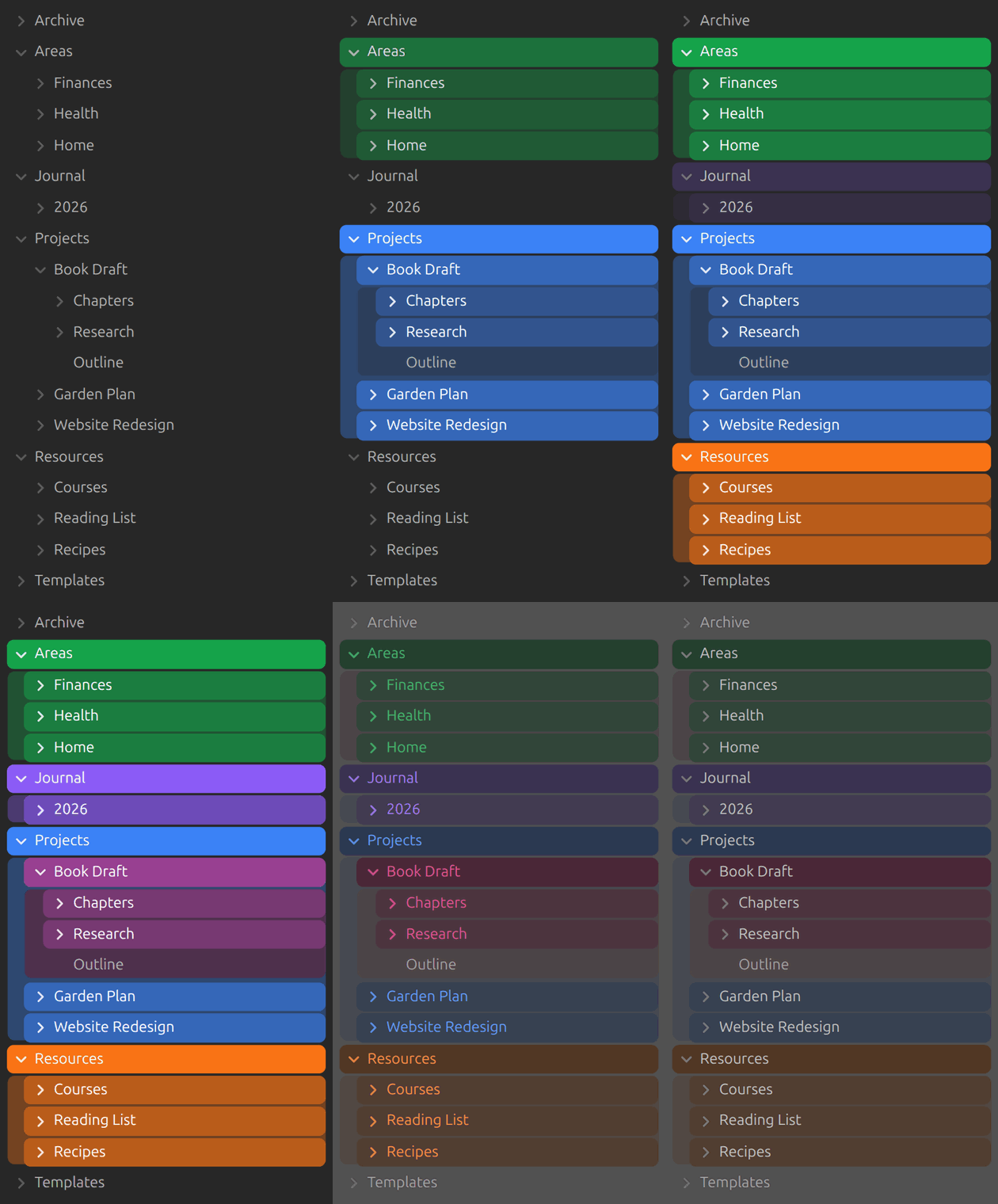
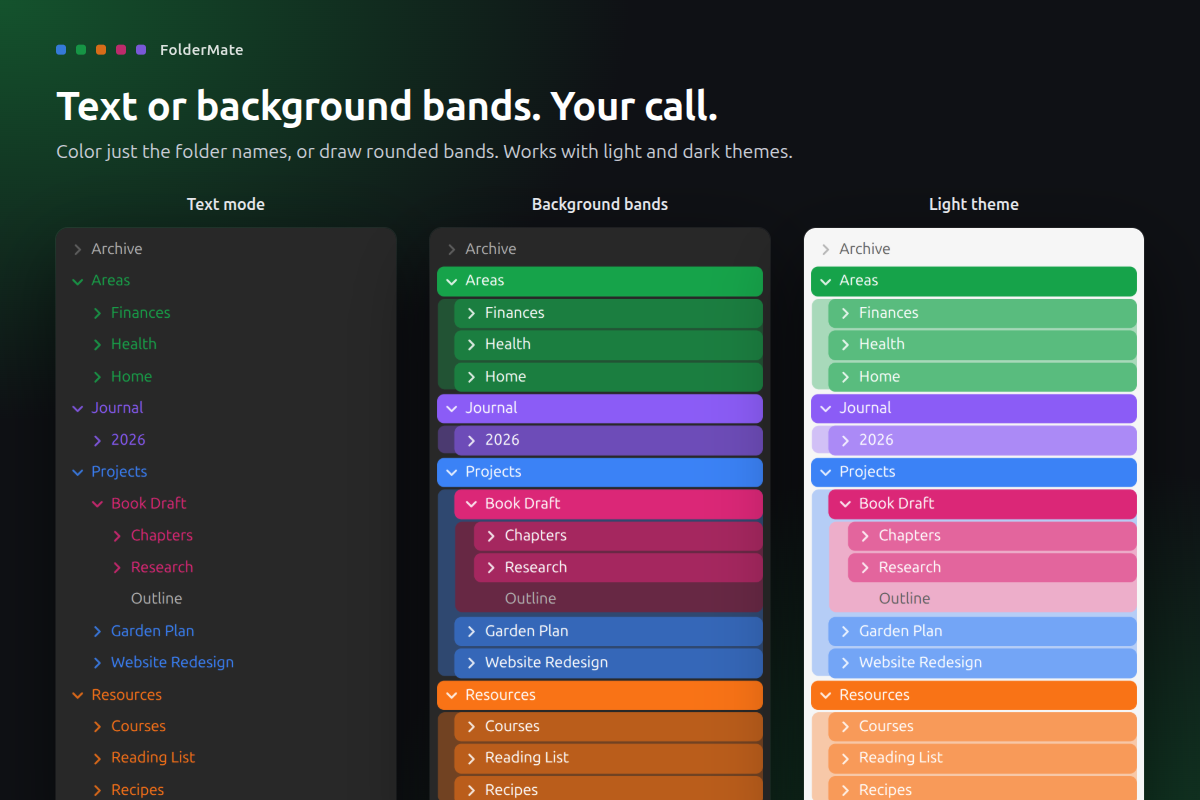
- Two looks. Color just the folder names (text mode), or draw rounded background bands that fade a little with each level.
- Notes sit on their folder's color. An optional soft block behind a folder's contents shows what belongs where.
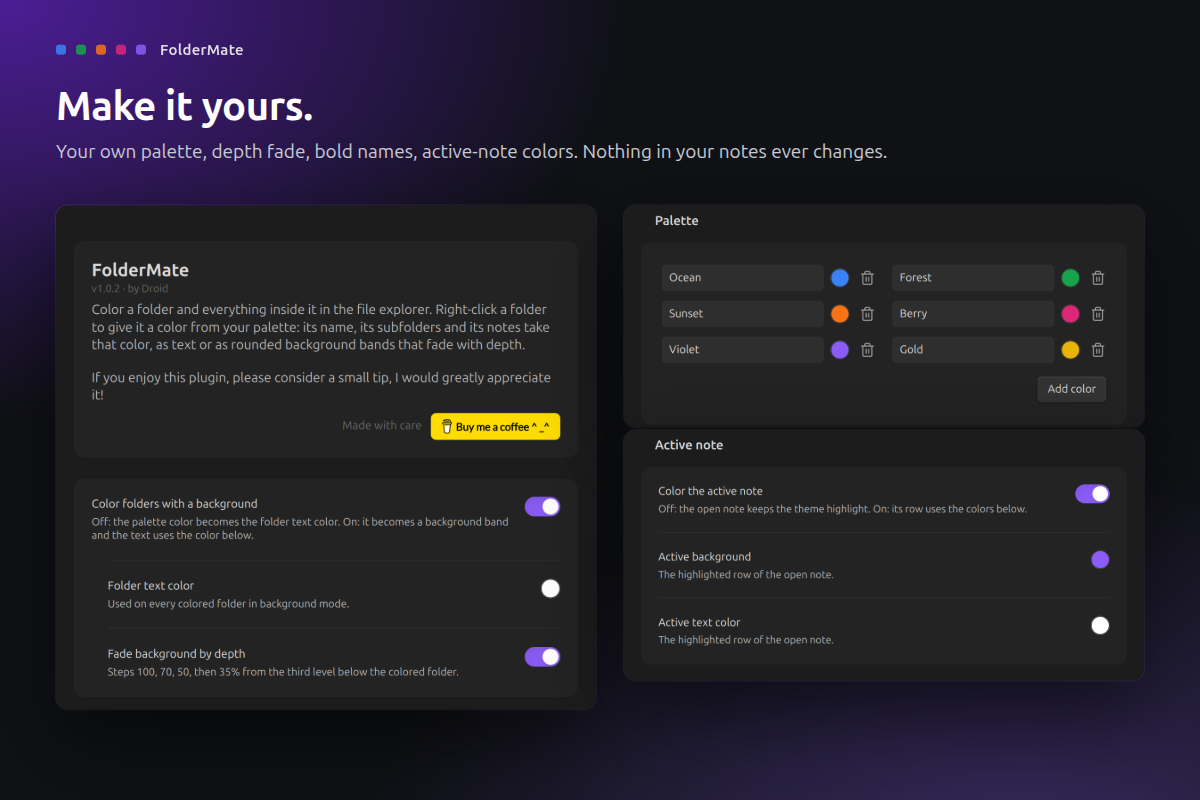
- Make it yours. Your own palette, depth fade, bold folder names, indent lines, file name color and active-note colors.
- Works with light and dark themes.
- Searchable settings. Find any FolderMate option from Obsidian's settings search.
How to use
- Install FolderMate from Settings > Community plugins and enable it.
- Right-click any folder in the file explorer and choose Set folder color.
- To switch looks or edit the palette, open Settings > FolderMate.
- To take a color off, right-click the folder and choose Remove folder color.
If you use another plugin that colors the file explorer, turn it off. Both would style the same rows.
Privacy and safety
- Your notes never change. Colors live in the plugin's own
data.json. Rename or move a folder and its color goes with it. - No network, no telemetry. It also has no runtime dependencies.
- Folder paths only. It reads folder paths and never opens a note's contents.
- Checked colors. A color must be a valid
#RRGGBBvalue before it reaches the page. - Desktop only. Needs Obsidian 1.13 or later.
- Signed releases. Every release is built by GitHub Actions from this repository and carries a build provenance attestation.
Support
If FolderMate makes your vault a little nicer, you can buy me a coffee. Thank you!
Develop
npm ci, npm test, npm run lint, npm run build (installs into ../test-vault), npm run obsidian:check (live checks in a real Obsidian), npm run showcase (store screenshots), npm run ship.
MIT licensed. Made by Droid.
HealthExcellent
ReviewPassed
About
Color folders to spot files at a glance and have colors propagate to all contained subfolders and notes. Pick colors from a custom palette via the folder menu, switch between text-only labels or fading rounded background bands, and let notes inherit their folder's color in light or dark themes.Details
Current version
1.0.2
Last updated
7 days ago
Created
7 days ago
Updates
2 releases
Downloads
87
Compatible with
Obsidian 1.13.0+
Platforms
Desktop only
License
MIT
Sponsor
Author