Folder Readme Tooltip
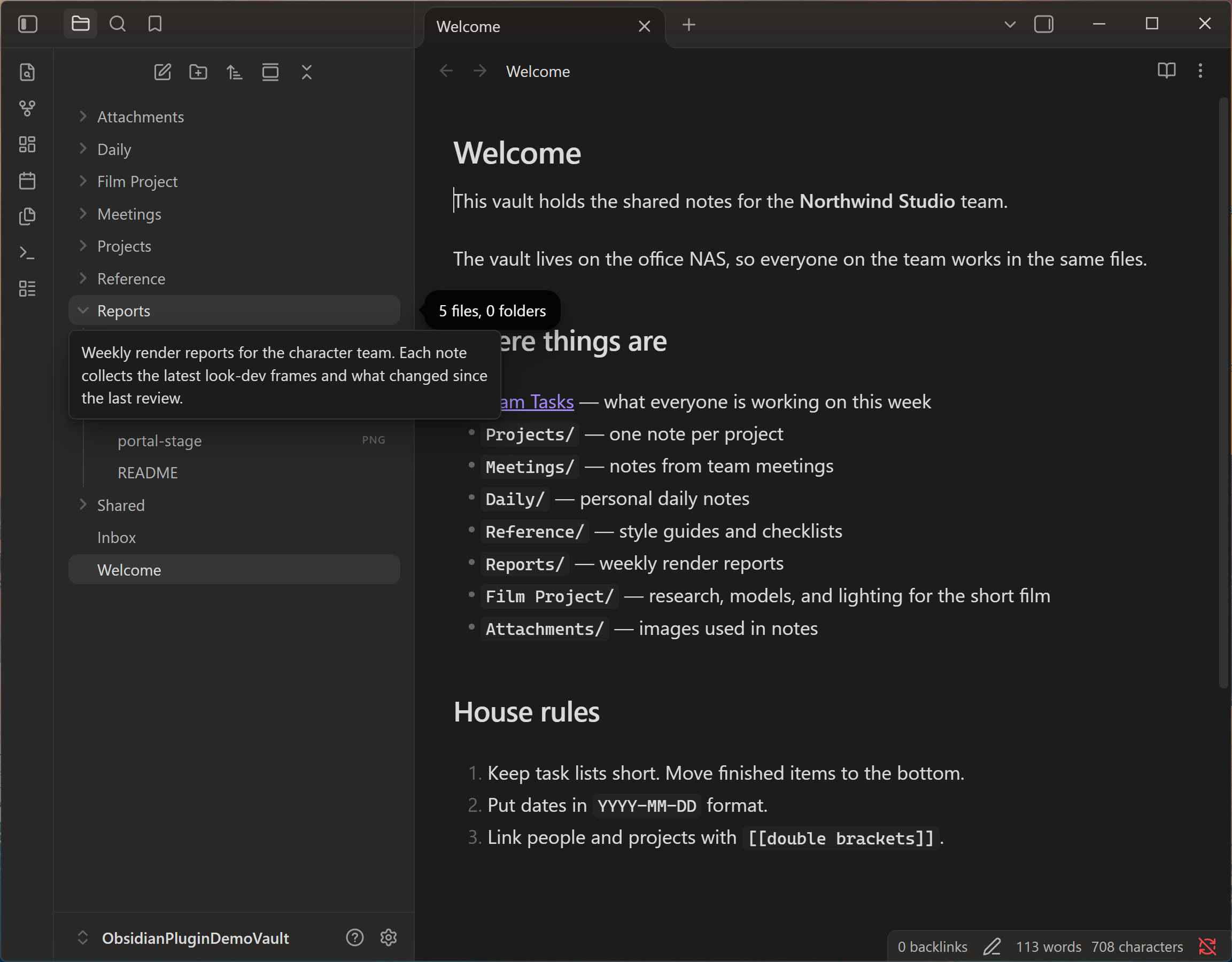
Show a folder's README description when you hover the folder in the file explorer.
- Overview
- Scorecard
- Updates1
Unagi Tech Inc.(株式会社うなぎテック) · MIT License
English | 日本語
An Obsidian plugin that shows a short description of a folder when you hover it in the file explorer.
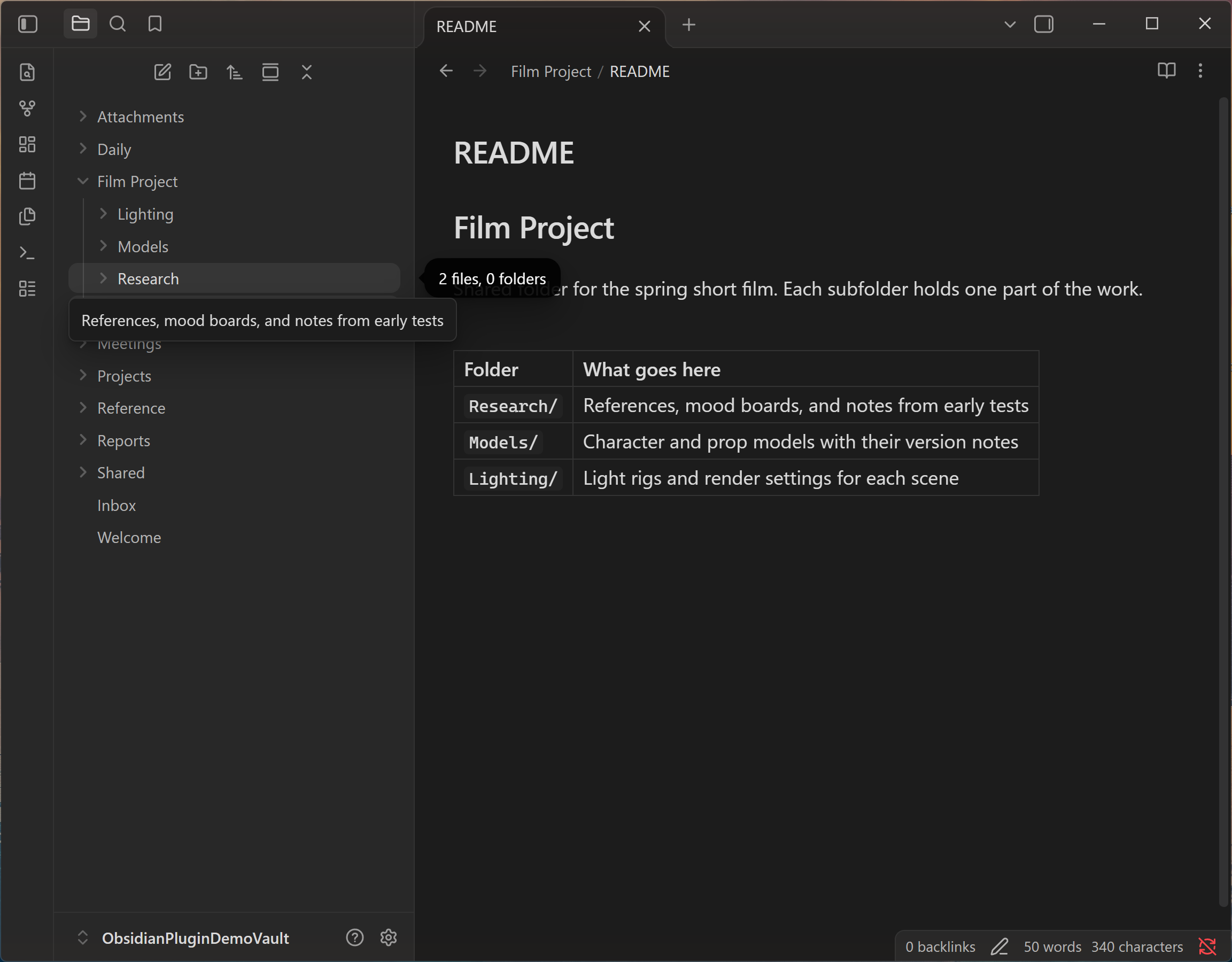
The description comes from a note in the folder, such as README.md. If the note has a description property, that is used. Otherwise, the first paragraph below the title is used. If the folder has no such note, the description is read from a table in the parent folder's README. Put the folder name in the left column and the description in the right column, and that description is shown.
Features
- Hover to see the description: hover a folder in the file explorer to see its description.
- Choose which note to read:
README.md,index.md, or a note with the same name as the folder. - Read from a parent table: read subfolder descriptions from a table in the parent folder's README.
- Show beside the folder name: optionally show the description in faint text beside the folder name. Off by default, because the row is narrow.
- Supports English and Japanese: follows Obsidian's language setting.
Screenshots
A folder without its own README. The description is read from the table in the parent folder's README (shown on the right).
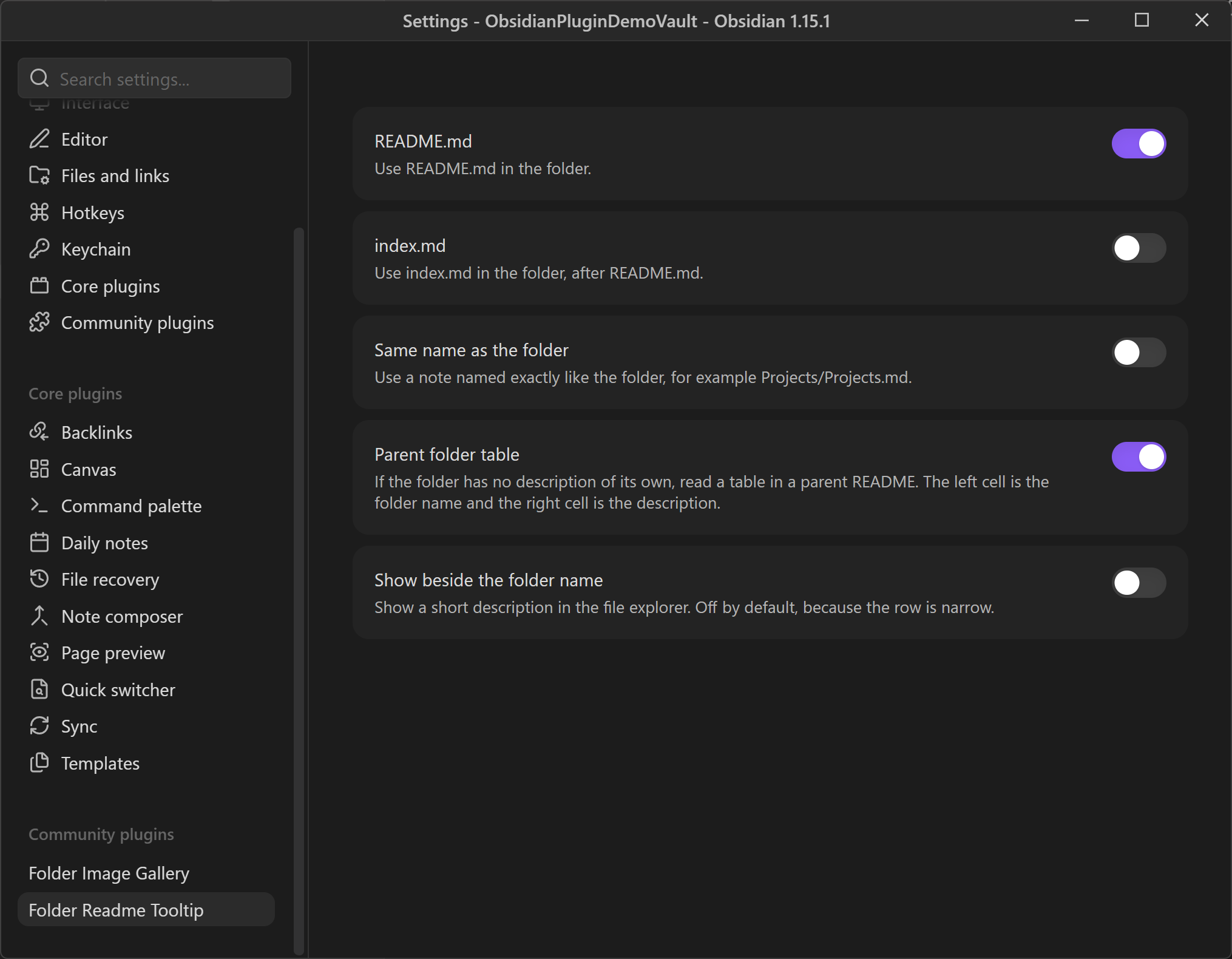
The settings tab.
Settings
| Setting | Default | What it does |
|---|---|---|
| README.md | On | Read README.md in the folder. |
| index.md | Off | Read index.md when there is no README.md. |
| Same name as the folder | Off | Read the note with the same name as the folder (for example, Projects.md in the Projects folder). |
| Parent folder table | On | When the folder has no description of its own, use a table in the parent folder's README. |
| Show beside the folder name | Off | Show the description in the file explorer, not only on hover. |
Install
From Community plugins
- Settings → Community plugins → Browse
- Search for Folder Readme Tooltip and select Install, then Enable.
Manually
- Download
main.js,manifest.json, andstyles.cssfrom the latest release. - Put them in
<your vault>/.obsidian/plugins/folder-readme-tooltip/. - Settings → Community plugins: select the reload button next to Installed plugins, then enable Folder Readme Tooltip.
Good to know
- The description shows up to the first 280 characters.
- Table rows whose heading is "Folder" or "フォルダ" are not used as descriptions. A trailing slash and surrounding backticks are ignored when matching folder names.
- When a note's modified time changes, its description is read again.
- Supported on desktop only, because a phone has no hover.
Privacy
This plugin makes no network requests and collects no data. It only works with notes in your vault.
License
MIT — Copyright (c) 2026 Unagi Tech Inc.
Keep the copyright notice when you modify or redistribute.
Disclaimer
This plugin is provided "as is", as stated in the license. Keep backups of your vault. Unagi Tech Inc. is not liable for any loss of data or other damage arising from its use.
This is an independently developed plugin. It is not made, endorsed or supported by Obsidian (Dynalist Inc.).
Support
Tips are optional (Ko-fi). They help us keep shipping and maintaining free tools.
Links
- Lab org: UnagiTechLab
- Company: unagi.tech
- Bug reports and requests: Issues