FolderFile Splitter
 xuquan-nikkkki6k downloads
Splits folder and file lists into separate views, simplifying navigation, improving clarity, and making it more intuitive to organize your notes
- Overview
- Scorecard
- Updates13
FolderFile Splitter is an Obsidian plugin that brings a fresh approach to file management by splitting folders and files into distinct, visually separated lists. Inspired by Apple's elegant design principles, this plugin offers a cleaner, more intuitive way to browse and organize your notes.
🌟 Love this plugin? If FolderFile Splitter has been helpful to you, you can support its development by clicking the button below. Every contribution is appreciated and goes toward future improvements.
Features
- Split View: Separates folders and files into different panels for a better overview of your note structure.
- Improved Navigation: Navigate through folders and files effortlessly without losing track of your location.
- Enhanced File Management: Focus on what matters most with a streamlined interface that prioritizes usability.
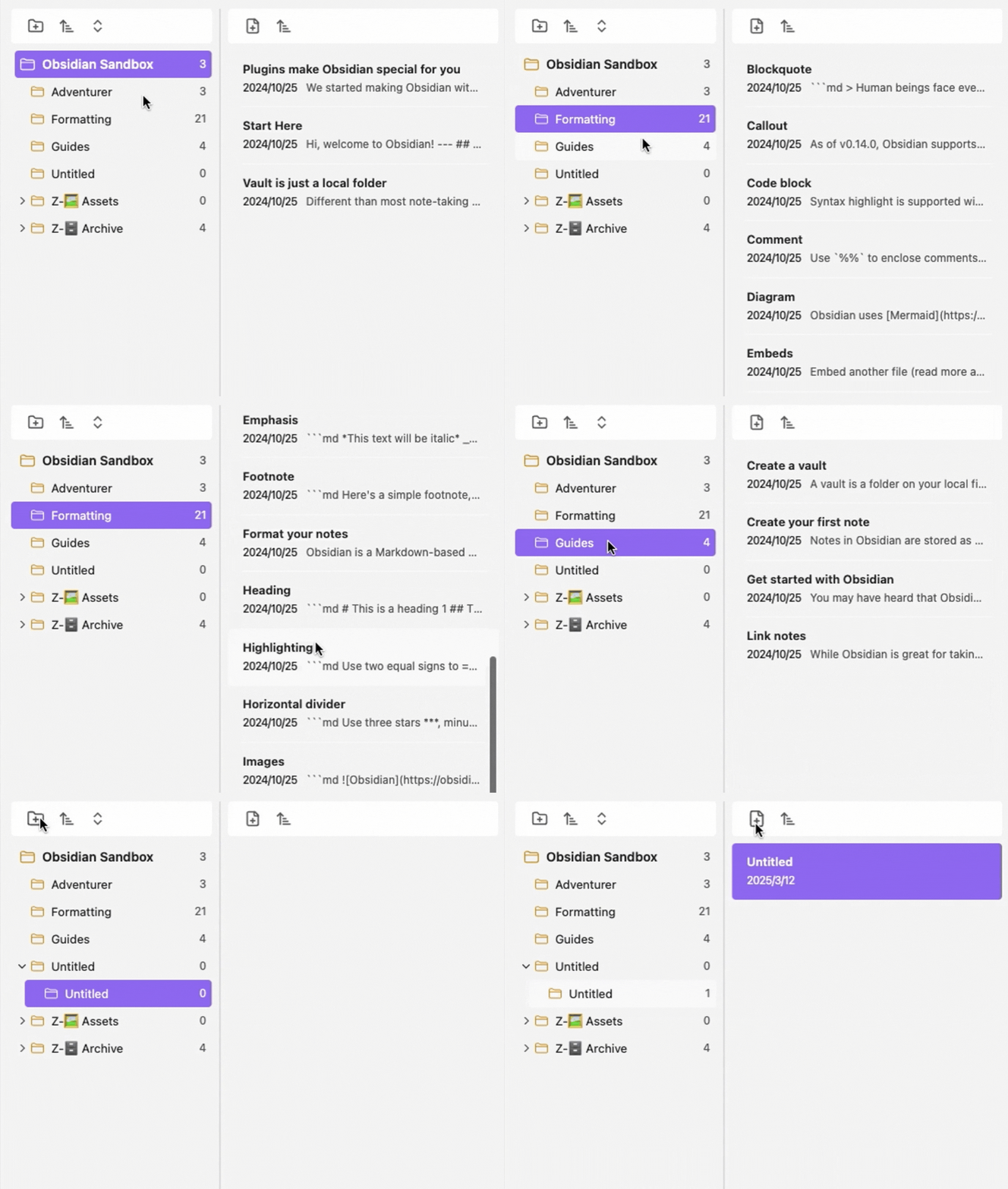
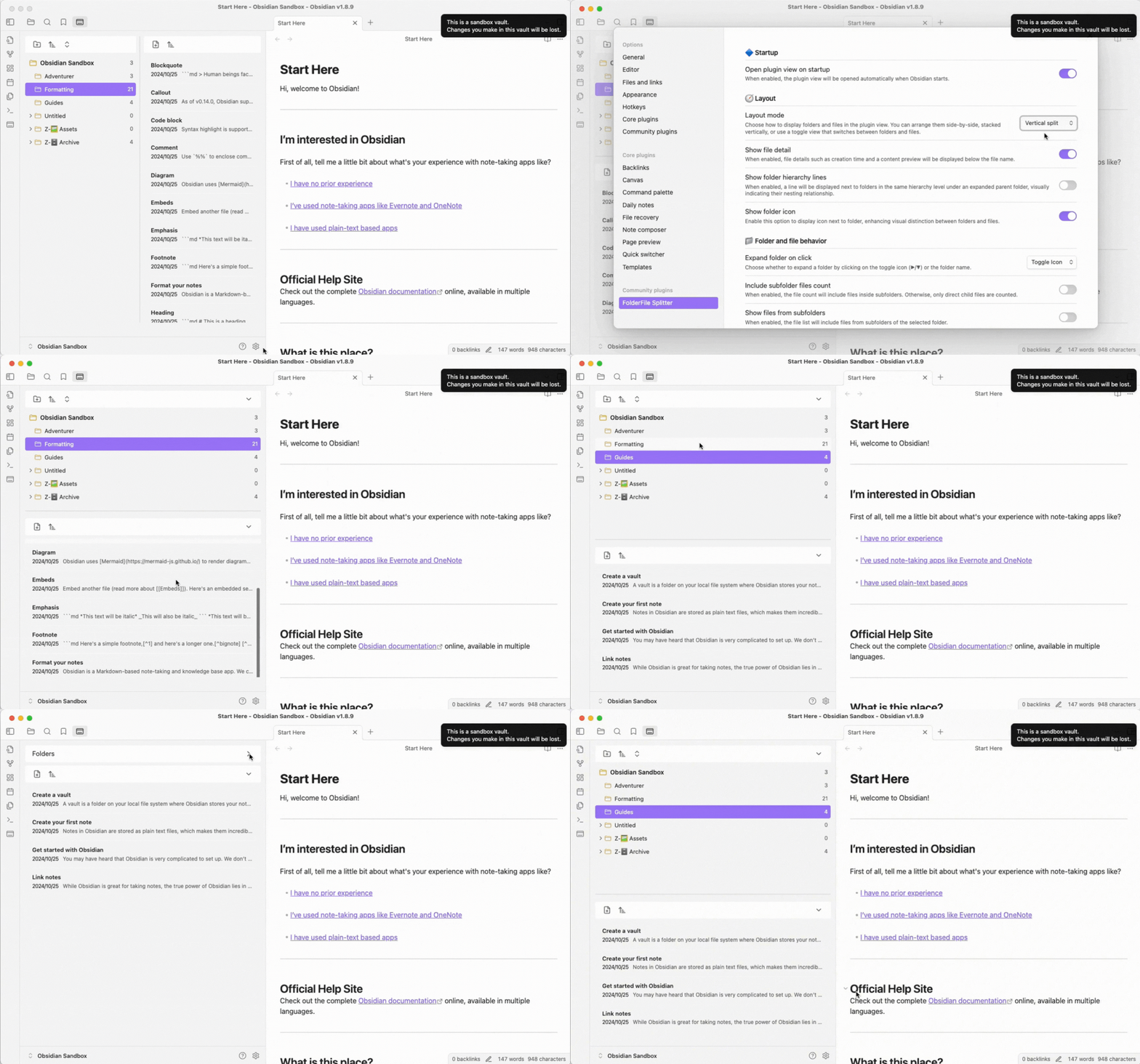
- Layout Mode Toggle: Choose between horizontal split and vertical split layouts to match your workspace preference.
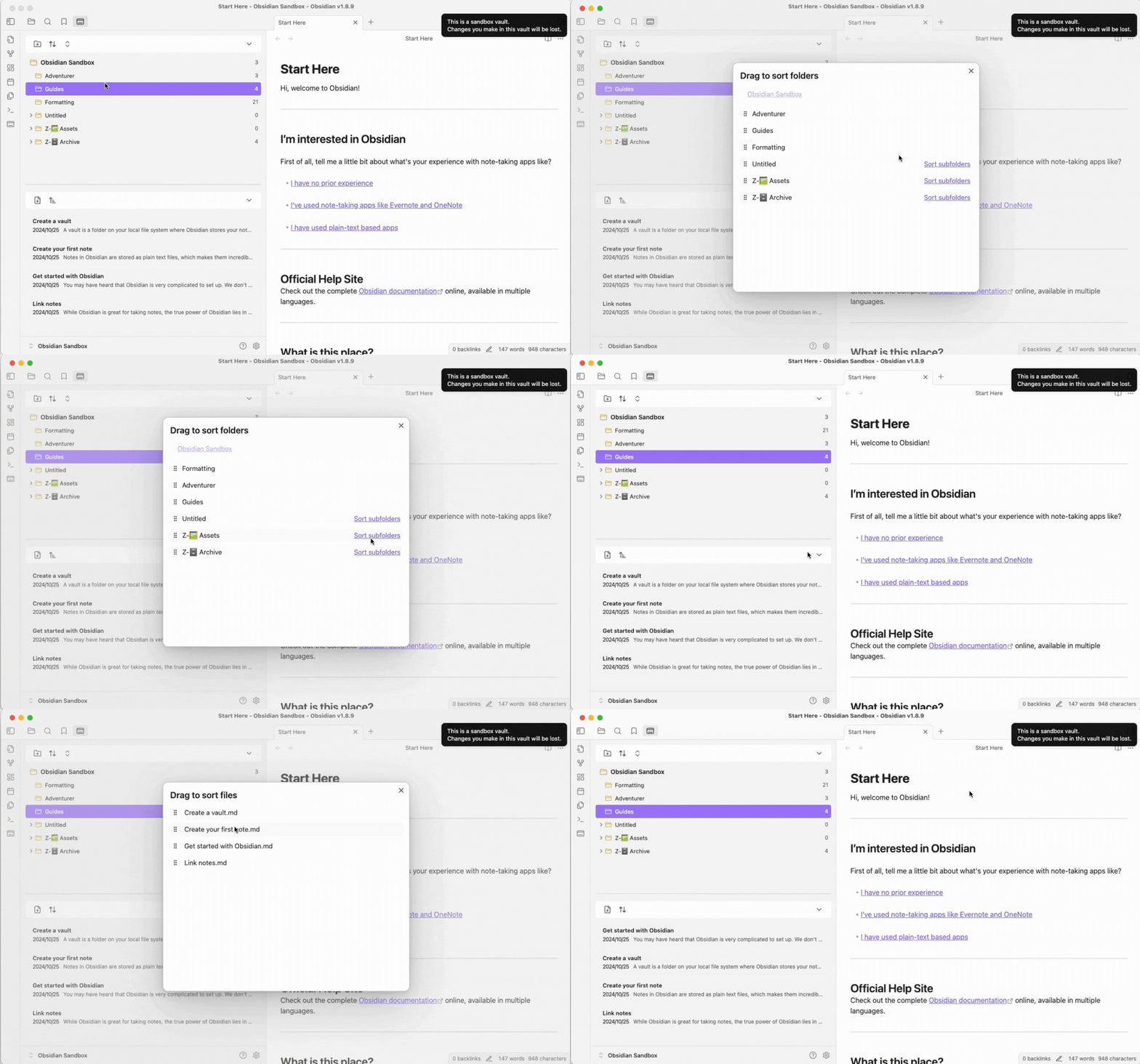
- Customizable Sorting: Allows users to customize the order of files and folders, including the ability to pin specific items to the top for quick access.
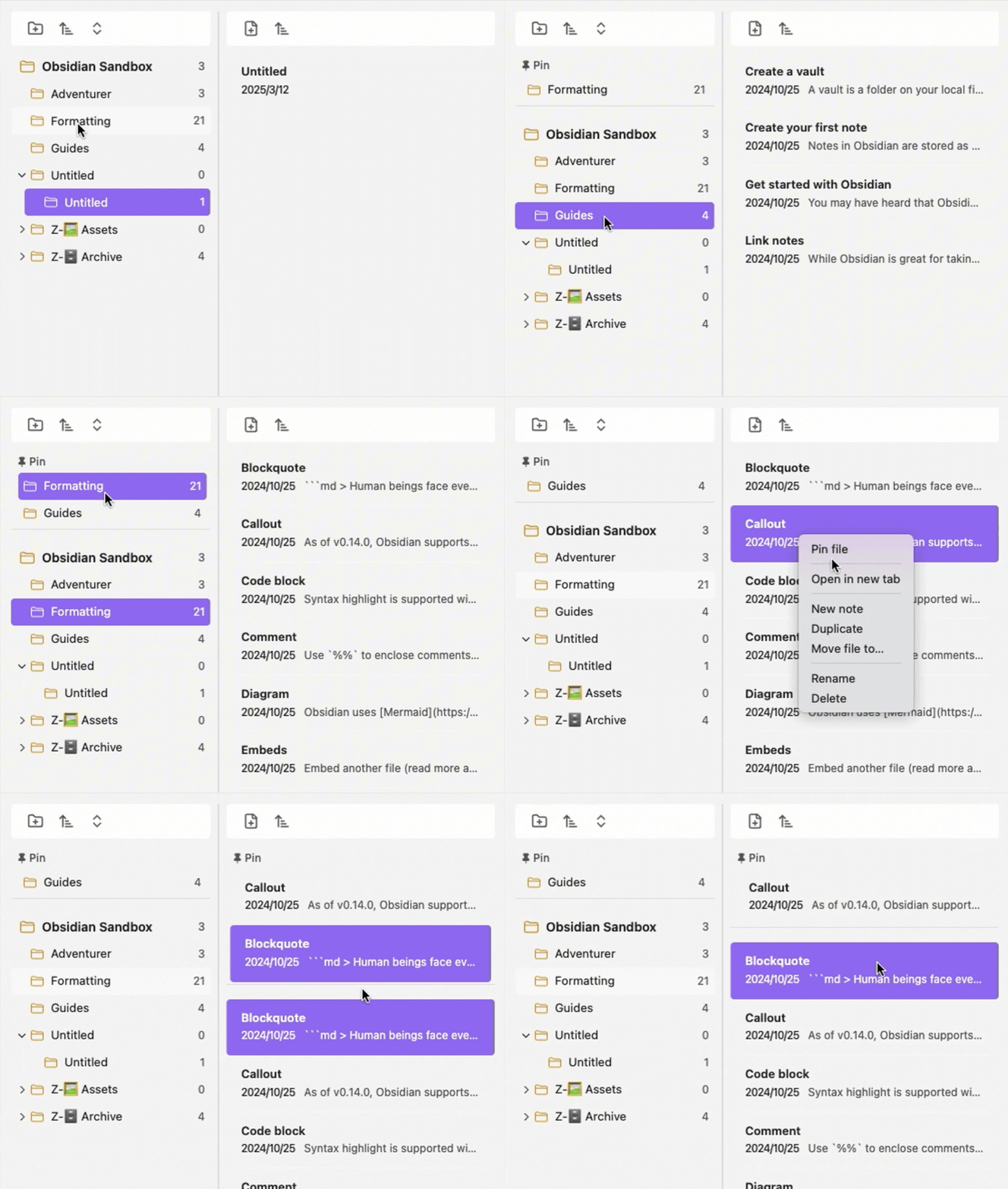
- Pin Files and Folders: Easily pin frequently used files or folders to the top of the list for faster access and better organization.
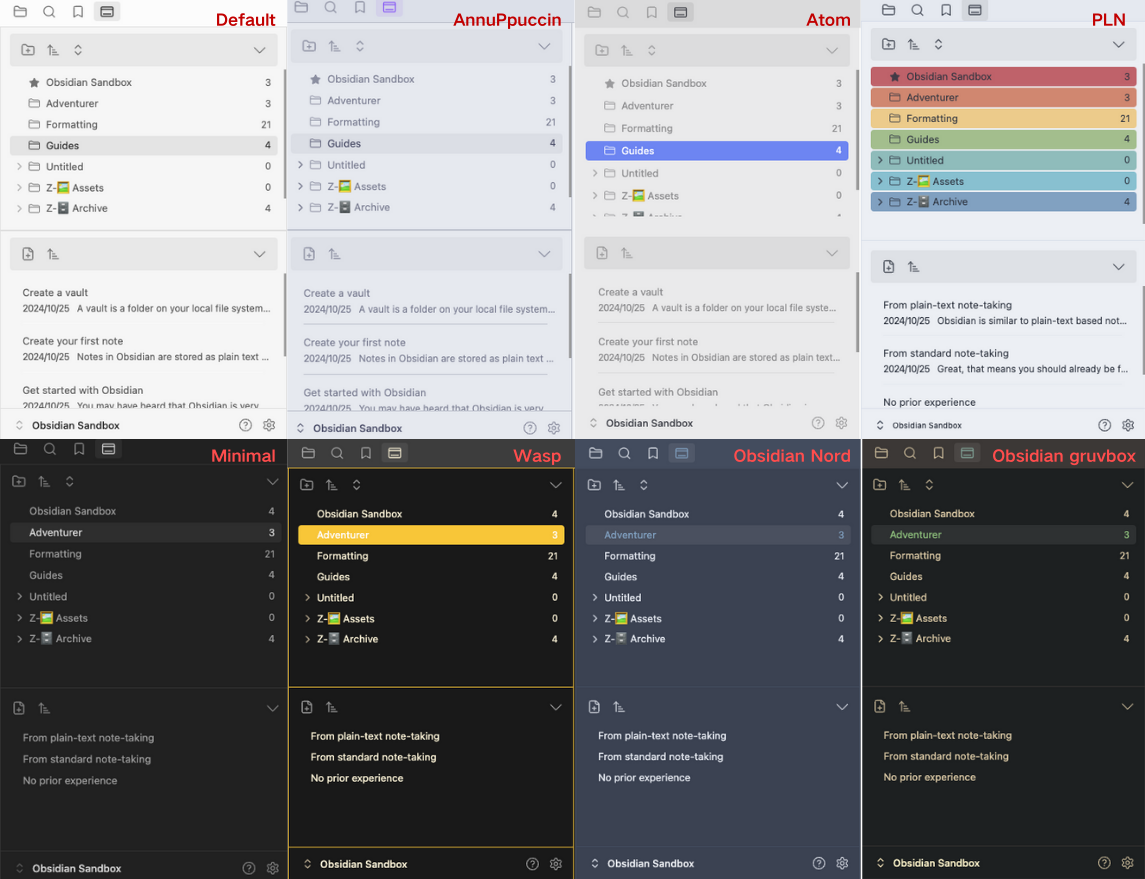
- Theme Adaptation: Automatically adapts to the current Obsidian theme, ensuring a cohesive and visually appealing experience.
Install
Method 1: Install from Obsidian Community Plugins (Recommended)
- Search for the Plugin
- In Obsidian, navigate to Settings → Community Plugins.
- Click Browse and search for FolderFile Splitter.
- Install and Enable the Plugin
- Click Install, then go back to the Installed Plugins section.
- Enable FolderFile Splitter to start using it.
Method 2: Manual Installation
Download the Plugin
- Go to the Releases section of this repository.
- Download the latest
.zipfile.
Extract and Place in the Plugins Folder
- Extract the downloaded
.zipfile. - Move the extracted plugin folder into your Obsidian vault's
.obsidian/pluginsdirectory. - If you can't find the
.obsidianfolder, it might be hidden. You can enable hidden files using:- Windows: Press
Ctrl + Shift + .in File Explorer. - Mac: Press
Cmd + Shift + .in Finder.
- Windows: Press
- Extract the downloaded
Enable the Plugin in Obsidian
- Open Obsidian and go to Settings → Community Plugins.
- Enable the newly installed plugin.
Uninstall
To uninstall the plugin, simply disable or delete it from the Obsidian plugin settings. If you need to reset all settings, clear the plugin settings from the settings menu.
What's Next
- Customizable Settings: Allow users to customize the plugin’s behavior, such as setting the default location for new files or folders.
- Mobile Support: Adapt the plugin for use on Obsidian's mobile app, ensuring seamless file management across devices.
- Tag-Based Management: Introduce the ability to manage files using tags for a more flexible organization system.
Changelog
- v0.1.0: Initial release with folder/file split view and improved navigation.
- v0.2.0: Added customizable sorting, pinning of files and folders, and theme adaptation.
Feedback & Issues
If you encounter any bugs or have feature suggestions, please open an issue on this GitHub repository. Your feedback is invaluable in helping us improve FolderFile Splitter!