Folder Color
 Noe AV1k downloads
Assign gradient colors to folders and files in the file explorer.
- Overview
- Scorecard
- Updates8
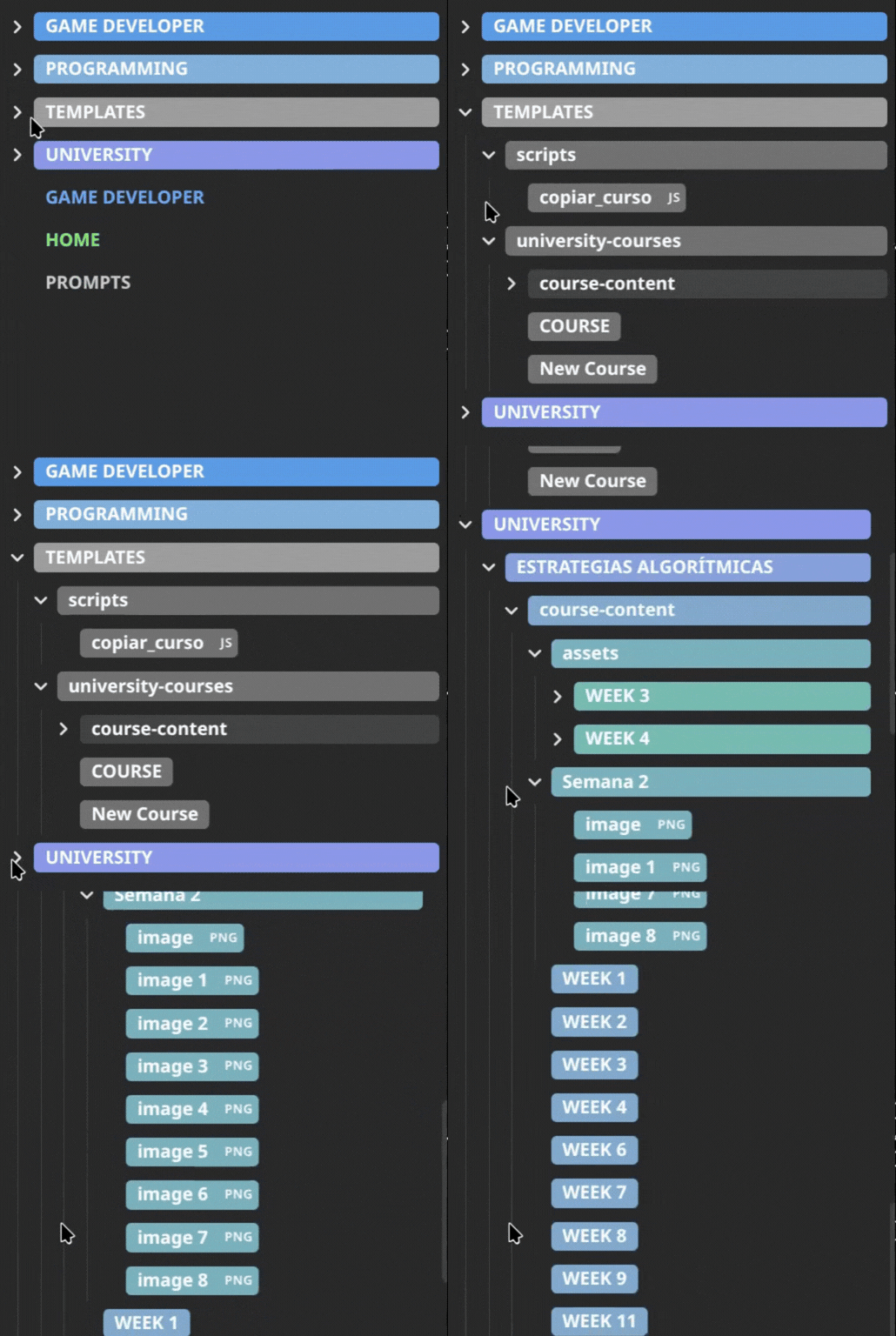
Colorize your file explorer with gradient colors that cascade through subfolders and files — all without touching a single line of CSS.
Features
- Gradient coloring — set a start and end color; the gradient is applied automatically across all subfolders by depth.
- Cascades to files — files inside a colored folder match the color of their direct parent.
- Non-markdown file tags —
.pdf,.canvas,.excalidrawand other files get a split-pill style that includes a file-extension badge.
How to use
Assign a color to a folder
- Right-click any folder in the file explorer.
- Select Assign color.
- Configure the gradient start and end colors, text colors, and any style options.
- Click ✓ Apply.
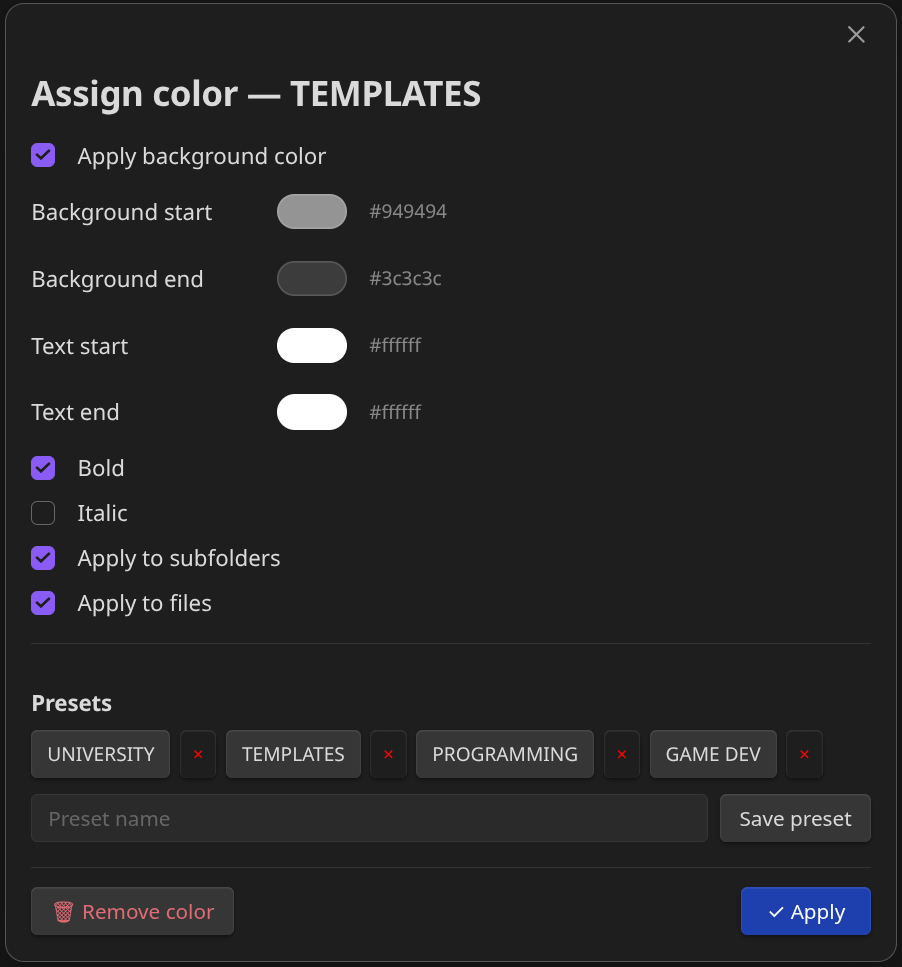
Assign a color to a file
Same steps as above, but right-click a file instead. Files use a single color (no gradient).
Settings
Open Settings → Folder Color to access:
| Option | Description |
|---|---|
| Export configuration | Downloads all your folder/file colors and presets as a folder-color-config.json file. |
| Import configuration | Loads a previously exported JSON file and applies it immediately. |
| Presets | Lists all saved presets with a color preview. You can delete them from here. |
Support
If you want to support me, you can buy me a coffee on Ko-fi.
License
See LICENSE for more information.
HealthGood
ReviewPassed
About
Colorize the file explorer with cascading gradients that span subfolders by depth and apply parent colors to contained files without touching CSS. Display non‑Markdown files as split‑pill items with extension badges and manage color presets via import/export.Details
Current version
1.0.8
Last updated
4 months ago
Created
4 months ago
Updates
8 releases
Downloads
1k
Compatible with
Obsidian 1.7.0+
Platforms
Desktop, Mobile
License
MIT
Sponsor
Author