Flashcards LLM
 crybot8k downloads
Use Large Language Models (such as ChatGPT) to automatically generate flashcards from your notes.
- Overview
- Scorecard
- Updates12
This plugin integrates Large Language Models with Obsidian to help you generate flashcards from your notes. By leveraging OpenAI's models, such as GPT-3.5 and GPT-4, you can streamline your study process directly within Obsidian.
News
- New Integration: The plugin now integrates with the following new models:
gpt-4o-mini,gpt-4.1,gpt-4.1-mini,gpt-4.1-nano - New Integration: Support for the following reasoning models has been added:
o1,o1-mini,o3-mini,o4-mini - You can change reasoning effort for reasoning models in the settings (low, medium, high)
Features
Integration with OpenAI
- Multiple Models: Supports most OpenAI completion models, including reasoning ones. Configure your OpenAI API key in the plugin settings and select the desired model.
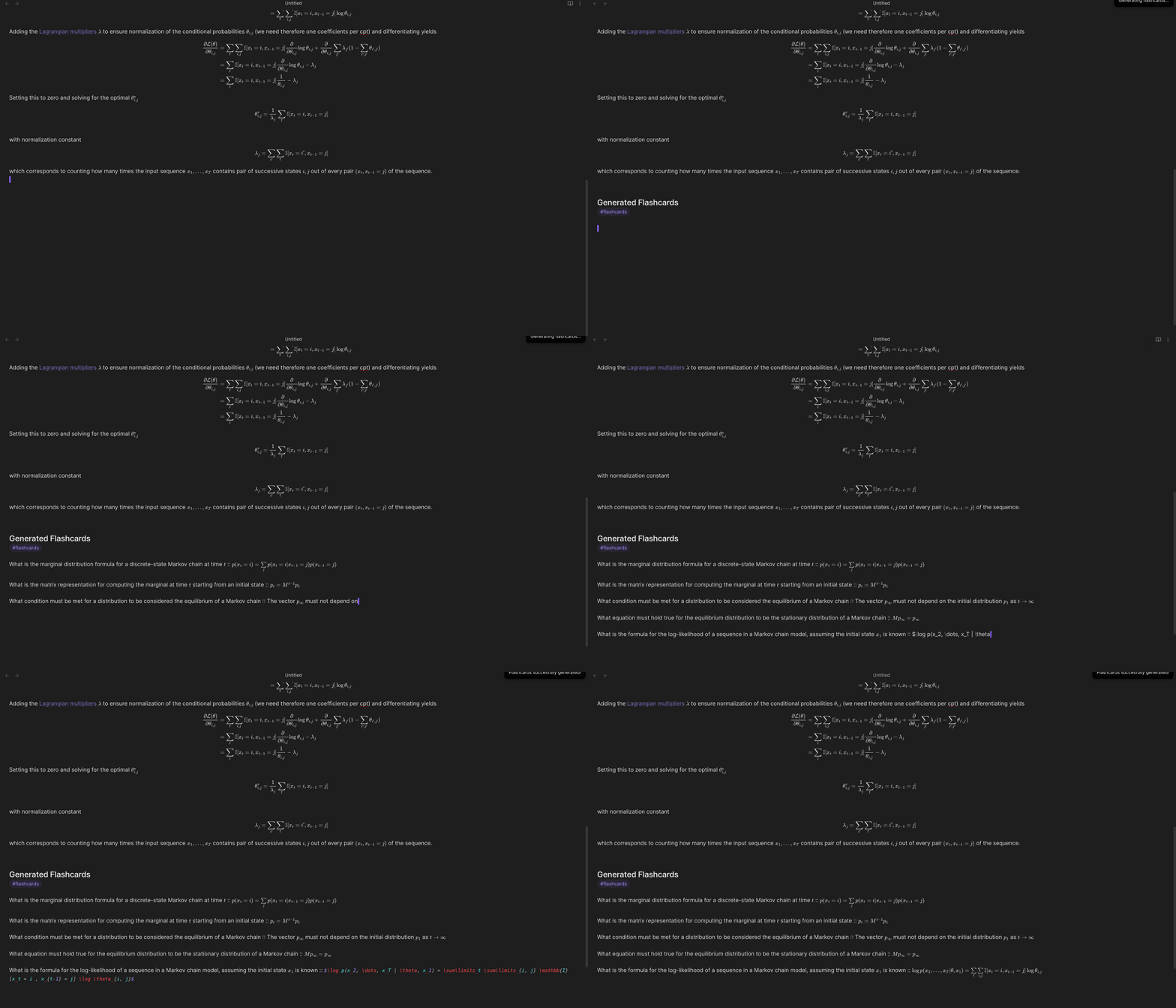
- Flashcard Generation: Generate flashcards from any open note using the available commands. The flashcards are appended to your note within a blockquote.
Customization Options
- Selective Content Generation: Choose to generate flashcards from a specific selection of your note or the entire note.
- Custom Prompts and Quantity: Provide specific prompts and determine the number of flashcards to generate.
- Inline Flashcards: Customize the separator used for generating inline flashcards to match your preferred format.
- Multi-line Flashcards: Provide the separator used for generating multi-line flashcards.
- Flashcards tag: Choose which tag to append to the generated flashcards for managing your decks.
- Max output tokens: Set the maximum number of tokens the model can output to preserve your budget.
- Hide flashcards in preview mode: Toggle this setting to hide the generated flashcards during preview.
If this is on, set
Save scheduling comment on the same line as the flashcard's last lineto on in the Spaced Repetition plugin as well, in order not to break the blockquote formatting. - Change settings on the fly: You can change settings on a per-command basis by running the
Generate flashcards with new settingscommand
Future Plans
- Expanded Flashcard Types: Upcoming updates will support reversed flashcards, automatic deck creation and additional customization options.
Compatibility
- Integration with Obsidian-Spaced-Repetition: This plugin is designed to work with the obsidian-spaced-repetition plugin, ensuring seamless integration of generated flashcards into your study routine.
Demo
Check out this demo to see the plugin in action:
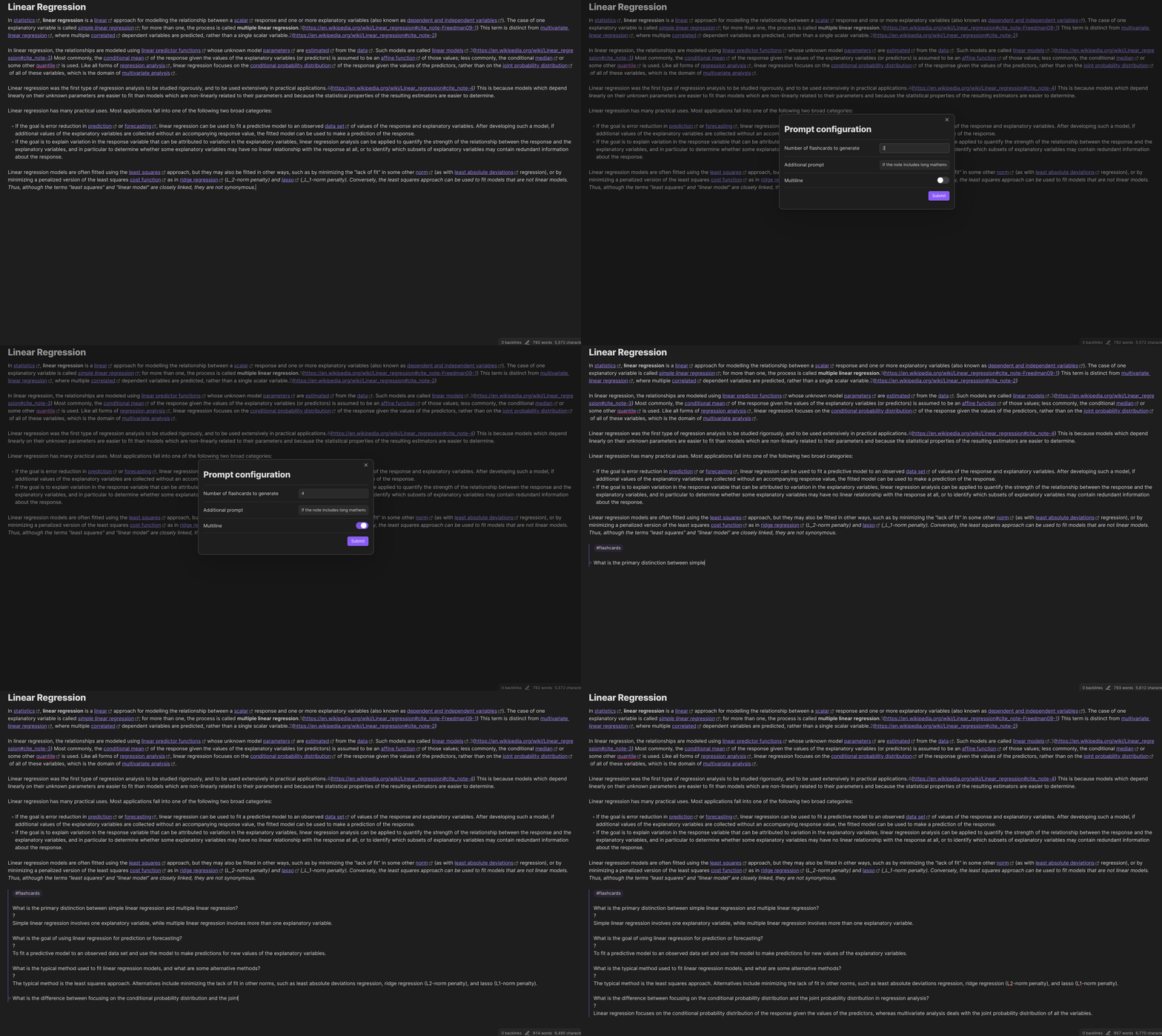
You can also specify new settings on the fly with the Generate flashcards with new settings command:
Try Obsidian Flashcards LLM and transform your notes into a structured study tool. Contributions, feedback, and suggestions are always welcome!
Setup
Follow this quickstart guide to setup your OpenAI api key.
Then open the settings and paste your key in the OpenAI API key field.
Usage
From within any open note you can run one of the following commands:
Generate Inline FlashcardsGenerate Multiline Flashcardswhich will generate the designated number of flashcards with the required format. If visually you select a portion of your note before running the command, the model will only use that selection as context, otherwise, the whole text is used. Unless you see an error on screen, your flashcards should start appearing in a stream-like fashion at the end of your note soon enough. Please note that multi-line flashcard generation sometimes does not work. Consider usinggpt-4oorgpt-4-turbofor better results.- You can also execute the command
Generate flashcards with new settingswhich lets you transiantly customize the settings on the fly by specifying a custom prompt, the number of flashcards to generate and whether they have to be multiline.
Tips
I suggest using gpt-4o for most use cases because it's fast and cheap. For
simple flashcards you can try using gpt-3.5-turbo, but it may sometimes get the formatting wrong.
For more complex cards that require long answers (for example, long mathematical derivations),
I suggest using gpt-4-turbo, which is much slower, but tends to follow more closely
the instructions provided in the Additional prompt setting.
Support
If you find this plugin helpful and want to support its development, consider donating: