Fixation Reader
 theluckystrike1 downloads
Bold the first letters of words in Reading view to guide the eye through long text.
- Overview
- Scorecard
- Updates1
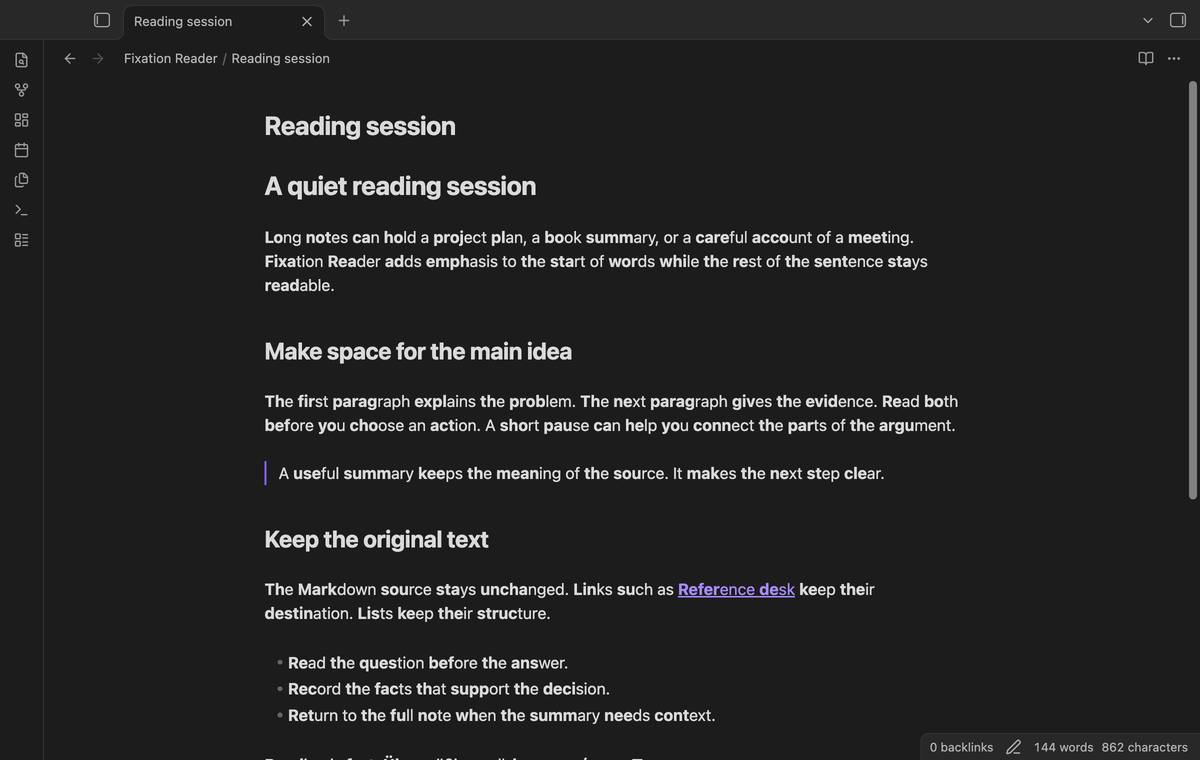
Fixation Reader adds bold word starts to prose in Reading view. Use it when you want a visual guide through a long note. It changes the rendered page and leaves the Markdown source unchanged. Try it on a familiar paragraph, then turn it off to compare the two views.
The free version includes Reading view, the strength and minimum length controls, the toggle command, and a property that excludes one note. Pro adds Live Preview, folder and tag exclusions, and custom styles. The tool controls text display. It makes no claim about reading speed, comprehension, or health.
Features
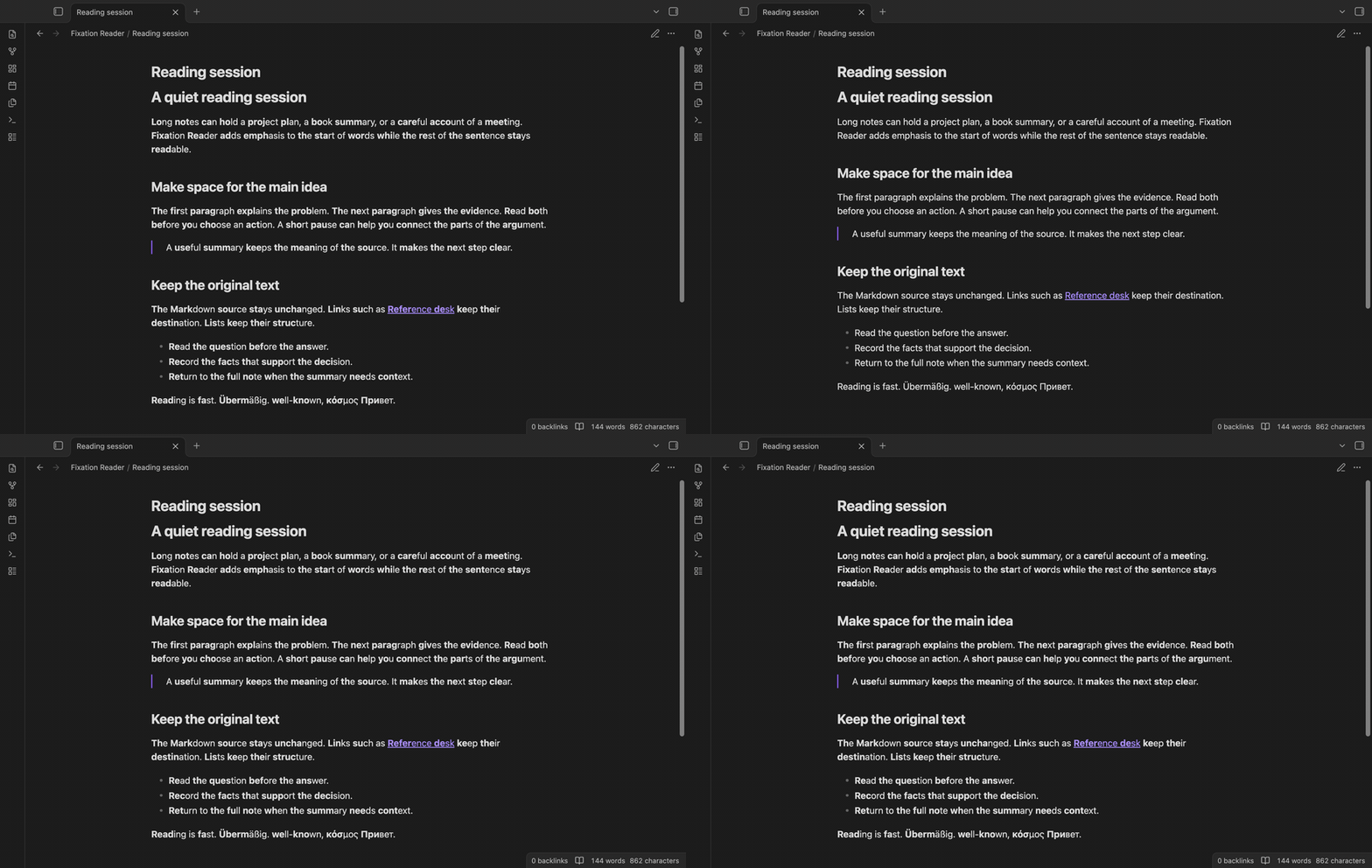
Word starts in Reading view
A word gets emphasis on its first letters. The count is the nearest integer to the number of letters multiplied by the fixation strength, with at least one letter selected. At strength 0.5, Reading becomes Read followed by ing, and fast becomes fa followed by st. A hyphen separates two words, so well-known gets a separate start for well and known. Apostrophes and digits also separate letter runs. Spaces and punctuation are retained.
The default minimum length is three letters. Shorter words keep their normal appearance. Set the minimum to one to include short words such as is. Accents count as letters; combining accent marks stay attached to their letter. Latin, Cyrillic, and Greek words use this rule.
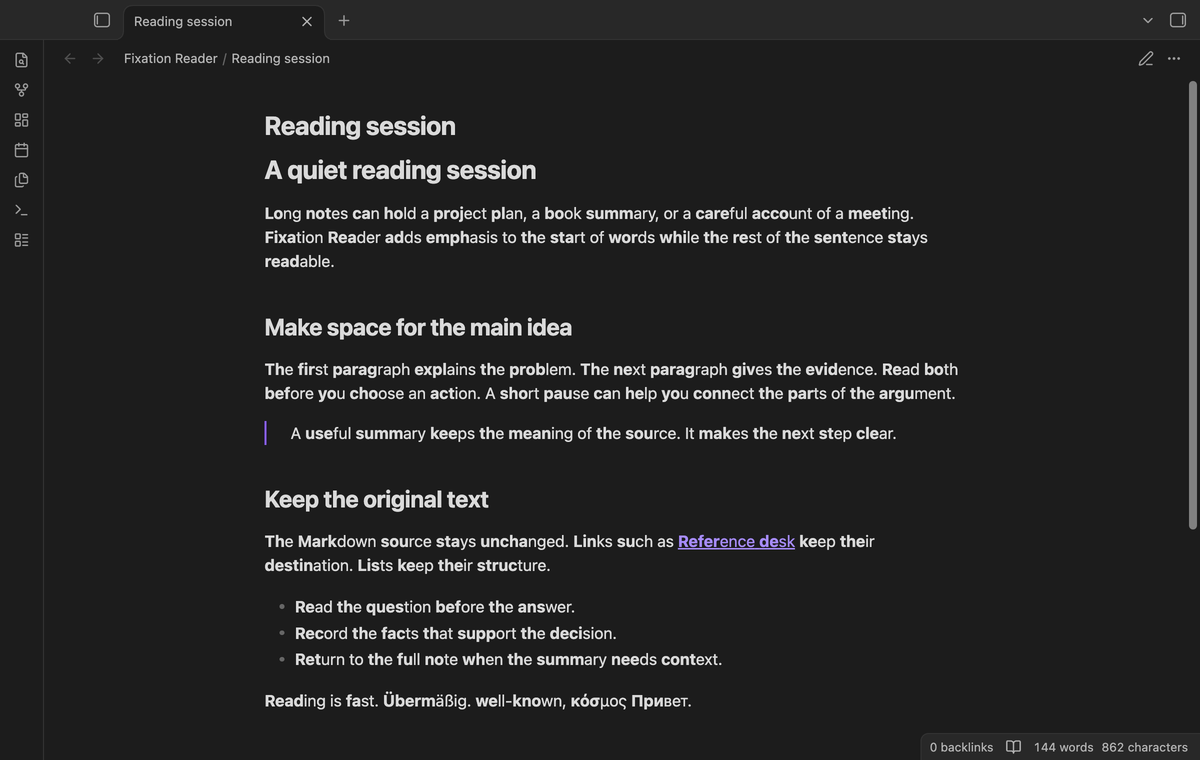
Protected text
Fenced code blocks, inline code, math elements, and existing bold text keep their appearance. Japanese, Chinese, Korean, Arabic, and other scripts outside the supported groups stay unchanged. A word that mixes a supported script with an unsupported script also stays unchanged.
Links keep their destinations. The effect does not insert Markdown bold markers. The processor handles the text nodes in the section that Obsidian renders. It does not rescan the full document for that section. Custom rendered embeds and controls are outside its intended scope.
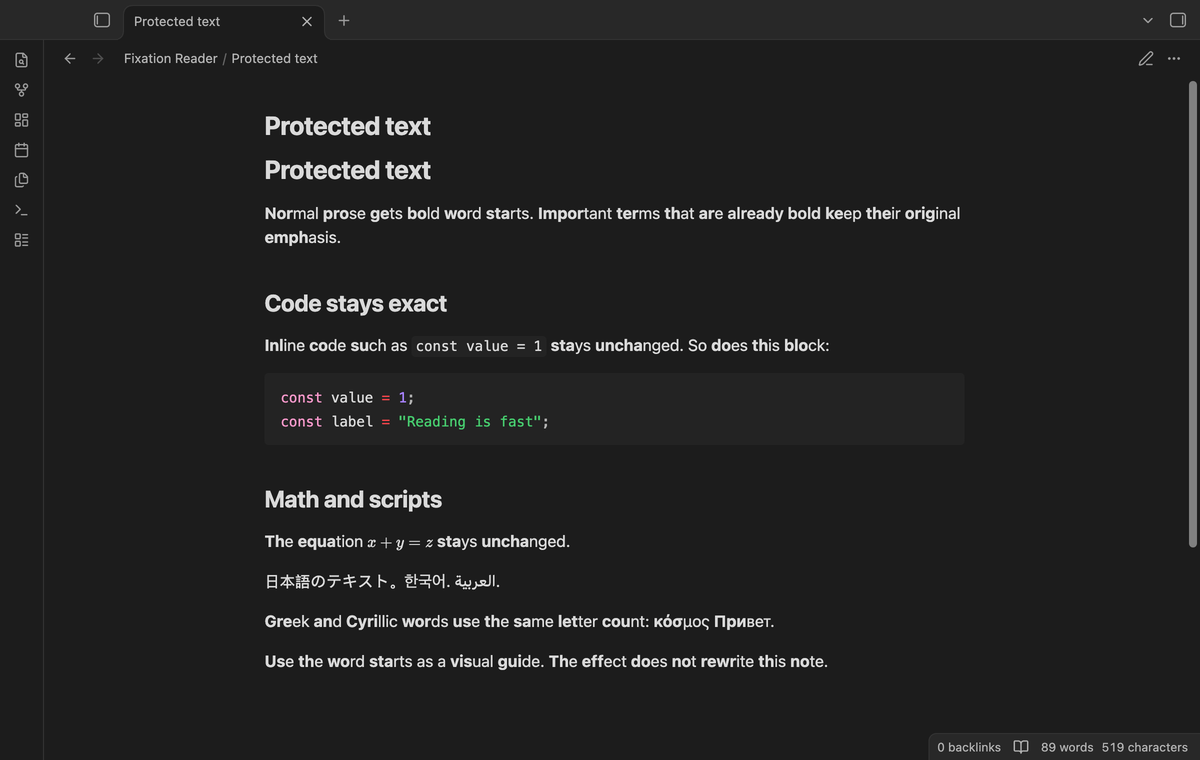
A note switch and a toggle command
Add the boolean property fixation: false to keep one note plain. Use the checkbox type in Properties, or put the property in the YAML block at the top of the note. The text value "false" is not the boolean value and does not turn the effect off.
Run "Fixation Reader: Turn fixation on or off" from the command palette. The command changes the saved vault setting and makes open Markdown previews render again. Assign your own hotkey in Obsidian if you use it often. The note property takes priority when the vault effect is enabled.
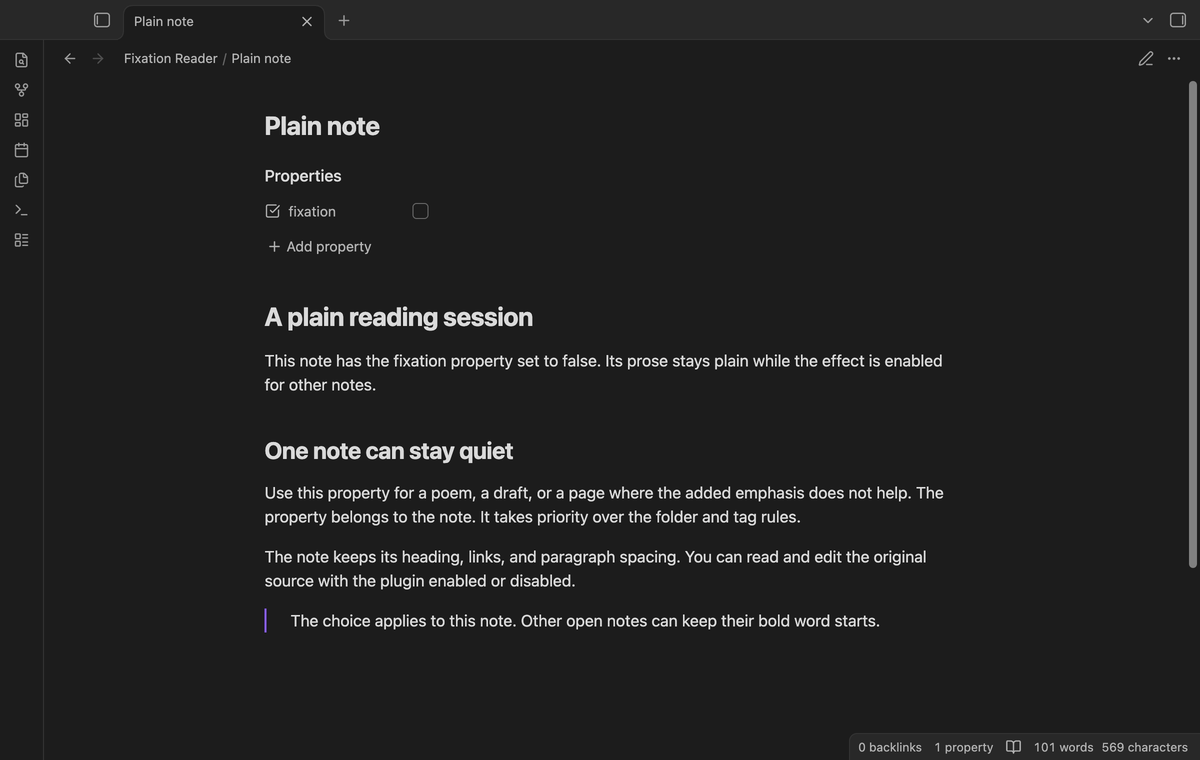
Live Preview (Pro)
Enable "Enable in Live Preview" after the sponsor check turns Pro on. Word starts then appear while you edit in Live Preview. Editor decorations add the emphasis without inserting characters. Source mode stays plain. Callouts and tables that Live Preview renders also stay plain. Code, math, existing bold text, and frontmatter are excluded by the editor syntax tree.
This option starts off. The Reading view controls also apply to the editor, including the minimum length and the note switch. A sponsor sign-out removes the Pro decorations. The text remains available for editing.
Folder and tag rules (Pro)
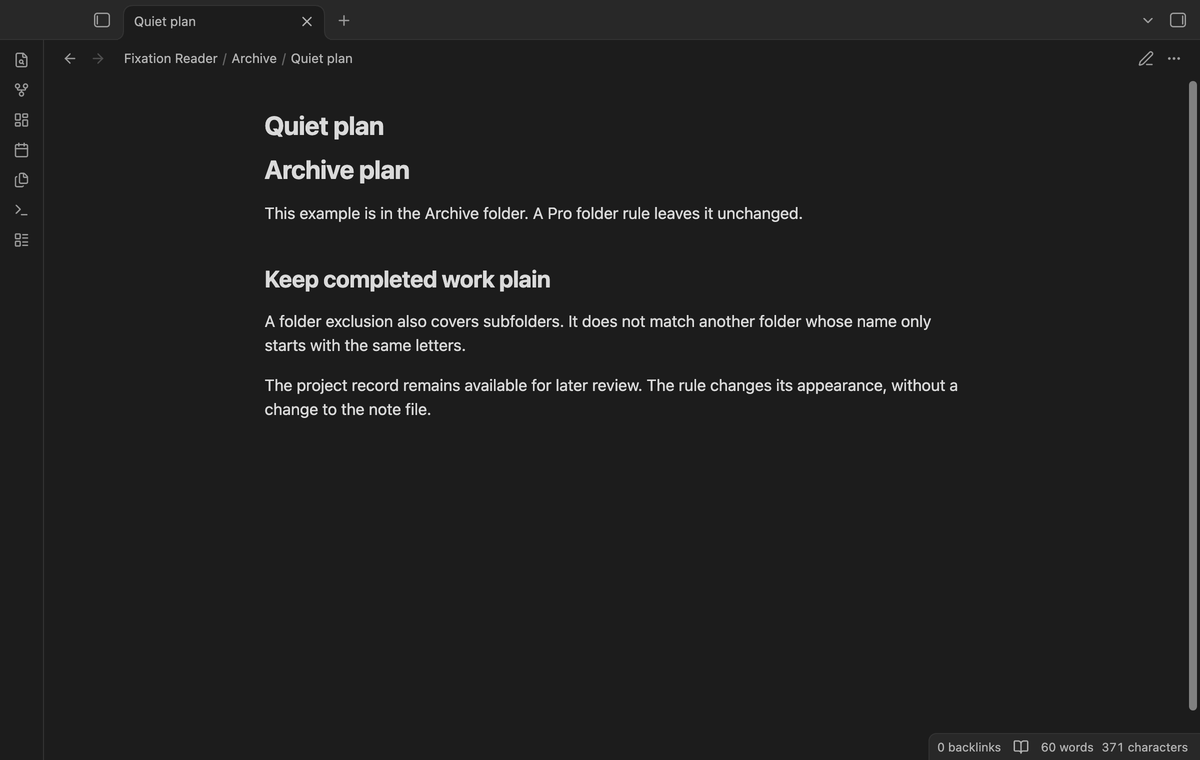
Enter one folder path per line in "Excluded folders". A path such as Archive also excludes Archive/Projects. It does not exclude Archive2. Paths are relative to the vault and are case sensitive. A leading or trailing slash is removed when the setting is saved.
Enter exact tag names in "Excluded tags", separated by commas or new lines. The leading hash is optional. Tag case does not matter, so Skip also matches skip. The rule for skip matches skip but does not match skip/child. Tags in Properties and tags in the note body are read from the local metadata cache. An excluded folder or tag keeps that note plain in Reading view and Live Preview.
Custom style (Pro)
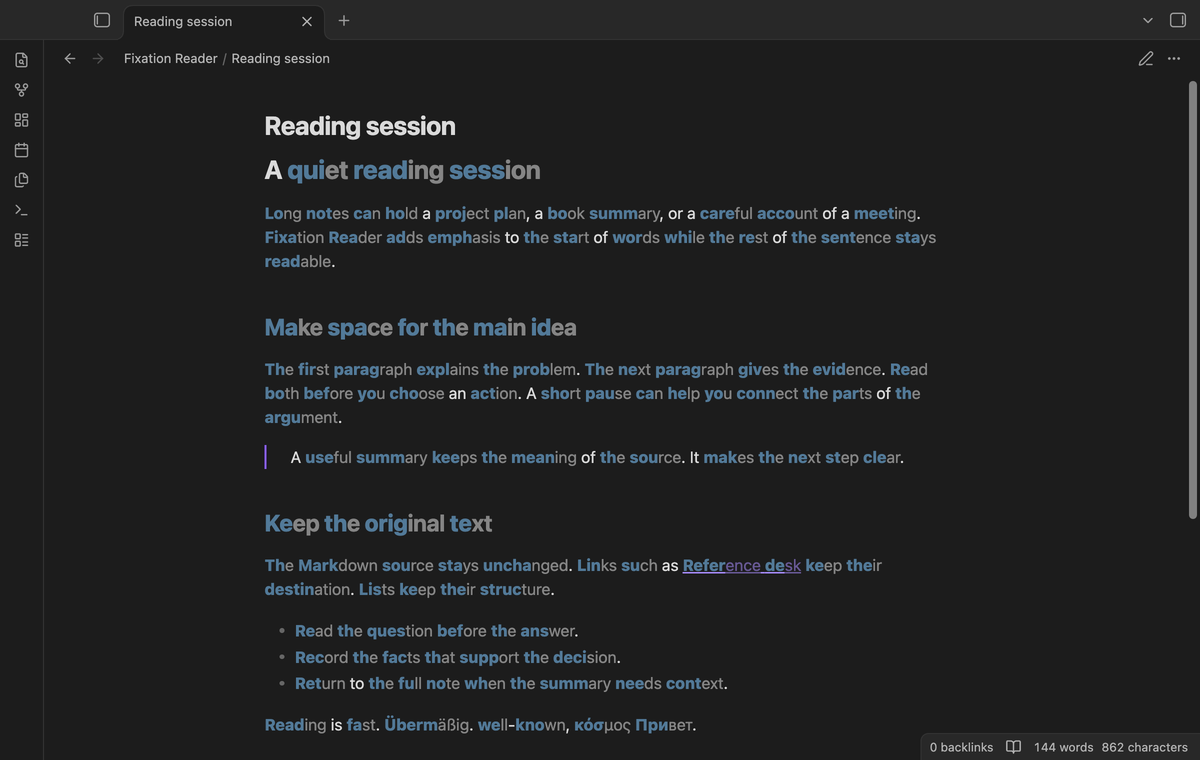
Choose a word start weight from 400 to 900. The font in your theme determines which weights it can show. Set a six digit hex color, such as #527a99, or leave the color empty to use the normal text color. Invalid colors are replaced with the empty value.
Ending opacity can range from 0.3 to 1. Lower values dim the rest of a marked word. Punctuation and spaces keep their appearance. Choose a color and opacity that remain readable in your theme. These options apply to both display modes when Pro is on. The free style uses weight 700 and the normal text color, with full opacity for endings.
Install
This build is prepared for review. A community directory listing is not asserted here. When release files are available, copy main.js, manifest.json, and styles.css into <vault>/.obsidian/plugins/fixation-reader/. Enable community plugins, then enable Fixation Reader. Obsidian 1.13.4 or later is required.
Usage
Open a Markdown note and select Reading view. The effect starts enabled. Read a paragraph, use the toggle command, and compare. Open the plugin tab in Settings to change strength or minimum length. A note with existing code or math is useful for checking which text stays unchanged.
Settings
Settings are saved in the plugin's local data file. Changing a value refreshes open previews and reconfigures open editors. The defaults are strength 0.5, minimum length 3, and Live Preview off. The strength range is 0.2 to 0.7; the minimum range is 1 to 30. Pro values stay saved when Pro is off and are ignored until Pro is active.
FAQ
Does this change my note files?
The display code reads text and creates marks. It does not write note content. The toggle writes the plugin setting. The fixation property is a note change that you make yourself.
What are the limits and what was not tested?
A word split across separate DOM nodes can get separate starts. PDF and canvas text are outside scope. Linux, Windows, mobile devices, screen readers, third-party renderers, and large-vault performance were not tested locally. App tests passed on macOS with Obsidian 1.13.4 and 1.14.4. Live payment and real GitHub sign-in were not tested; Pro tests use a local sponsor response.
Payment, account and network
The core features are free. Pro features need a GitHub Sponsors sponsorship of theluckystrike: $5 a month or more, or $15 once. A total payment of $15 meets the payment requirement for Pro without further payment. Sign-in and the checks below still apply. Your notes stay readable and editable with or without Pro.
GitHub handles the payment. Sponsor at https://github.com/sponsors/theluckystrike. You need no account for the free features. Pro needs the GitHub account that sponsors.
Until you select "Sign in with GitHub" in the settings, Fixation Reader makes no network requests. Sign in uses the GitHub device flow. Fixation Reader sends its public client ID and the scope read:user to https://github.com/login/device/code and shows you a code. While you enter the code at https://github.com/login/device, it asks https://github.com/login/oauth/access_token every few seconds to check the sign-in status. The scope permits profile reads only. GitHub needs this access to show the sponsorship tier. It grants no repository scope and no write access.
After sign in, Fixation Reader sends one query to https://api.github.com/graphql. It checks if the signed-in account sponsors theluckystrike. It asks for the tier and the total payment to theluckystrike. The plugin reuses a successful check for 7 days. Failed checks can retry after 6 hours. Select Refresh to request an earlier check. It sends no note content, file names or other vault data, and it has no telemetry.
After a successful check, Pro can work offline for up to 14 days. Sign out or a negative sponsorship answer turns Pro off. The plugin stores the GitHub token through the secret storage API of Obsidian. It does not put the token in its saved settings or its local sponsorship data. The local storage of this device keeps your GitHub login, the tier and the time of the last check. Sign out clears the token. You can also revoke the access in your GitHub settings, under Applications.
Support
Report a problem in this repository's issues when the repository is available. Include the app version, display mode, strength, minimum length, and a short sample that shows the result. Remove private text before you share it. The publisher is theluckystrike at notemods.com. The source is provided under the MIT license.