Extreme Wikilinks
 bobstanton913 downloads
Take your Wikilinks to the eXtreme! by using frontmatter to customize their appearance.
- Overview
- Scorecard
- Updates7
Take your Wikilinks to the eXtreme! by using frontmatter to customize their appearance. EXTREME!
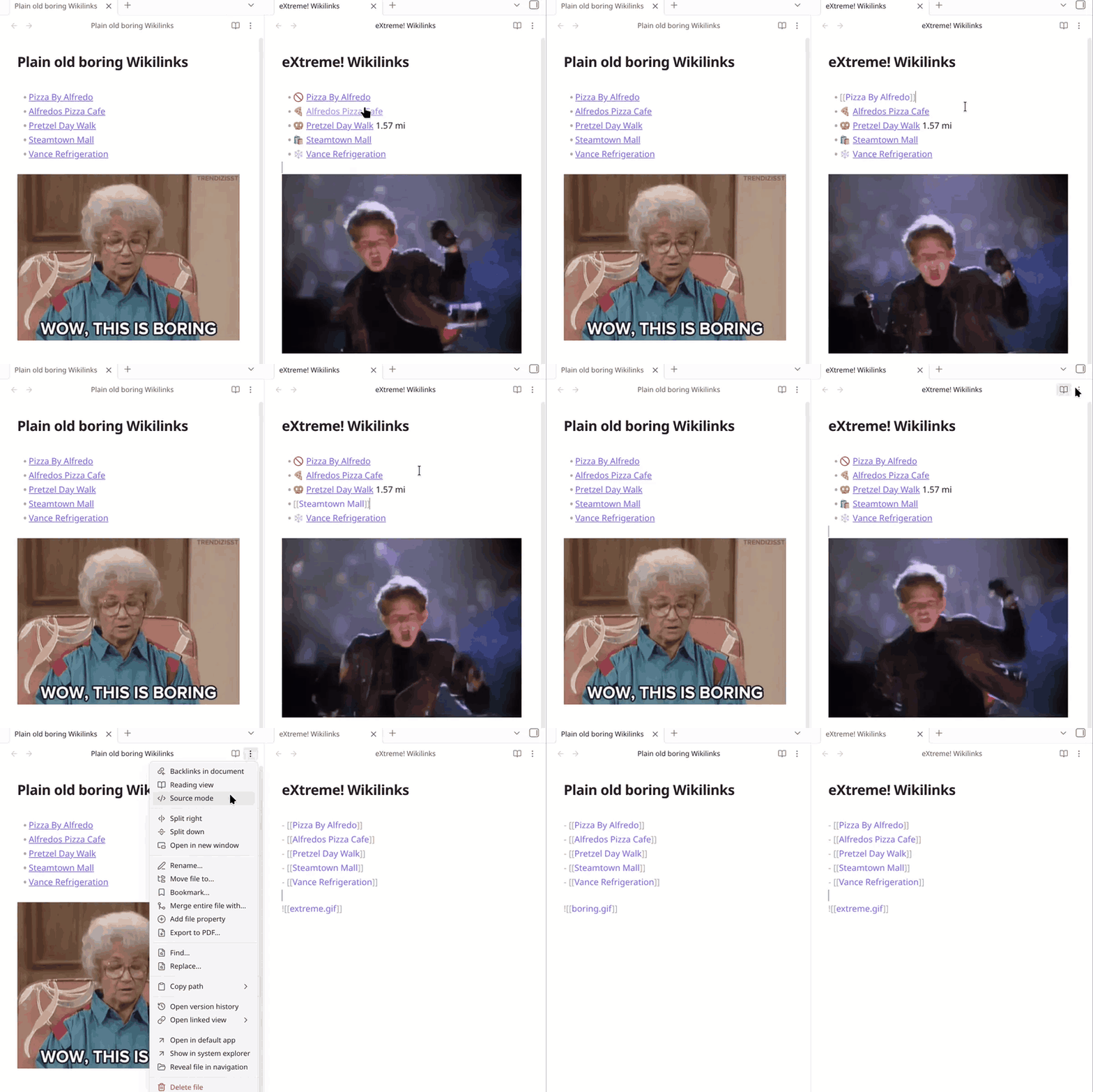
Using frontmatter such as:
---
Address: 1040 S Washington Ave, Scranton, Pennsylvania 18505
icon: 🍕
---
With a template like:
{this.icon} {this.wikilink}
Will result in:
🍕 [[Alfredos Pizza Cafe]]
Or with frontmatter:
---
Distance: 1.57 mi
icon: 🥨
---
And template:
{this.icon} [[{this.linkDestination}|{this.title} {this.Distance}]]
Results in:
🥨 [[Pretzel Day Walk|Pretzel Day Walk 1.57 mi]]
Templates can be conditionally applied based on headings or target links.
Skip an individual link
Add %%ew:skip%% immediately after a wikilink to skip extreme processing:
[[Alfredos Pizza Cafe]]%%ew:skip%%
[[Alfredos Pizza Cafe|Pizza]]%%ew:skip%%
[[Alfredos Pizza Cafe#Menu|Menu]]%%ew:skip%%
Choose a template for an individual link
Add %%ew:template=compact%% immediately after a wikilink to use the enabled template named compact, regardless of its conditions or position in the template list:
[[Alfredos Pizza Cafe]]%%ew:template=compact%%
[[Alfredos Pizza Cafe#Menu|Dinner]]%%ew:template=compact%%
Names are case-sensitive. Missing, disabled, or duplicate names leave the ordinary wikilink. Exclude patterns still apply.
Templates
Templates are managed in plugin settings.
Built-in values:
{this.title}- linked file basename{this.basename}- linked file basename{this.path}- linked file path{this.tags}- linked file frontmatter tags, without the leading#{this.bodyTags}- tags written in the linked file's body, without the leading#{this.wikilink}- Wikilink to the original link destination using the original display text{this.linkDestination}- original link destination, including headings or block anchors{this.linkDisplayText}- original link display text, such asPizzafrom[[Alfredos Pizza Cafe|Pizza]]{this.frontmatter}- linked file frontmatter object
Linked file frontmatter is also available directly, such as {this.icon}, {this.Address}.
For frontmatter names with spaces or punctuation, use bracket syntax:
{this['Property With Spaces']}
Template expressions can use JavaScript:
{h.hasTag(this.tags, 'online-ordering') && this.Website ? this.Website : ''}
Styling
Every rendered link is wrapped in a span.extreme-wikilinks-link, with a data attribute for the template name, custom CSS can style each template:
[data-extreme-wikilinks-template="Archived"] {
  --link-color: var(--text-muted);
  --link-color-hover: var(--text-normal);
}
And there are built in classes for extreme-wikilinks-faint and extreme-wikilinks-highlight:
<span class="extreme-wikilinks-faint">{this.wikilink}</span>