Enhanced Homepage
 Saurabh17 downloads
Transform your new tab into a responsive, multi-page homepage dashboard with customizable widgets, global fuzzy search, and local-first storage.
- Overview
- Scorecard
- Updates5
Transform your new tab into a fast, responsive, multi-page dashboard.
Enhanced Homepage replaces Obsidian's blank new tab with a customizable workspace featuring 16 built-in productivity and knowledge widgets, global fuzzy search (Ctrl+K), multi-page tabs, and built-in backdrop presets—running 100% locally on both Desktop and Obsidian Mobile (iOS / Android).
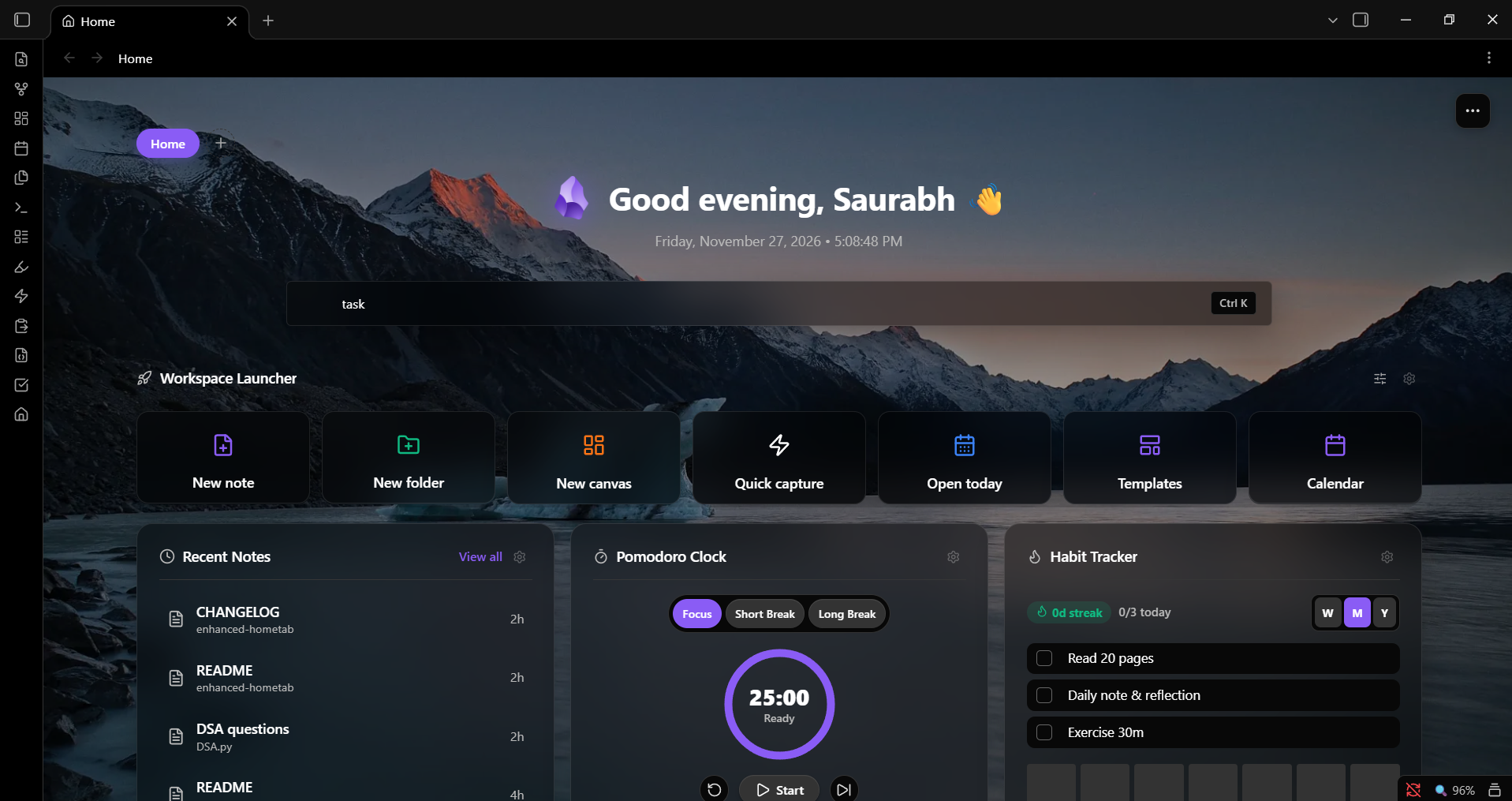
Why Enhanced Homepage?
Most Obsidian homepage setups require stitching together multiple plugins, writing custom Dataview queries, and fighting CSS snippets that break on mobile. Enhanced Homepage gives you a complete, cohesive command center out of the box:
- Multi-Page Workspaces: Organize separate contexts like Home, Work, and Focus from the top tab bar (
+to create, right-click to rename, duplicate, move, or delete). - Effortless Widget Management: Add, configure, duplicate, resize, or remove widgets from anywhere—via Edit Layout mode, a widget's Gear settings modal, right-clicking any widget header, or the Page Widgets list in the top-right
...menu. - Instant Global Fuzzy Search (
Ctrl+K): Jump to any note, tag, or Obsidian command right from your homepage without opening another modal. - Fast & Local-First on Every Device: Built with async chunked vault scanning (
yieldToMain) so even large vaults open smoothly without UI freezes, with full support for Desktop and Obsidian Mobile (iOS / Android).
16 Widgets Included — No Extra Plugins Needed
| Category | Widgets |
|---|---|
| 🚀 Productivity | Workspace Launcher · Pomodoro Clock · Task Kanban · Pending Tasks · Habit Tracker · Countdown & Anniversaries |
| 📚 Knowledge | Continue Working · Recent Notes · On This Day · Pinned Notes · Daily Quote · Note Embed · Most Connected Notes |
| 🏗️ Workspace | Quick Access · Vault Statistics · Recently Used Tags |
Every widget is configurable, resizable, and removable — no Dataview, no JavaScript, no extra plugins.
Screenshots
| Layout Editing & Resizing | Global Fuzzy Search (Ctrl+K) |
|---|---|
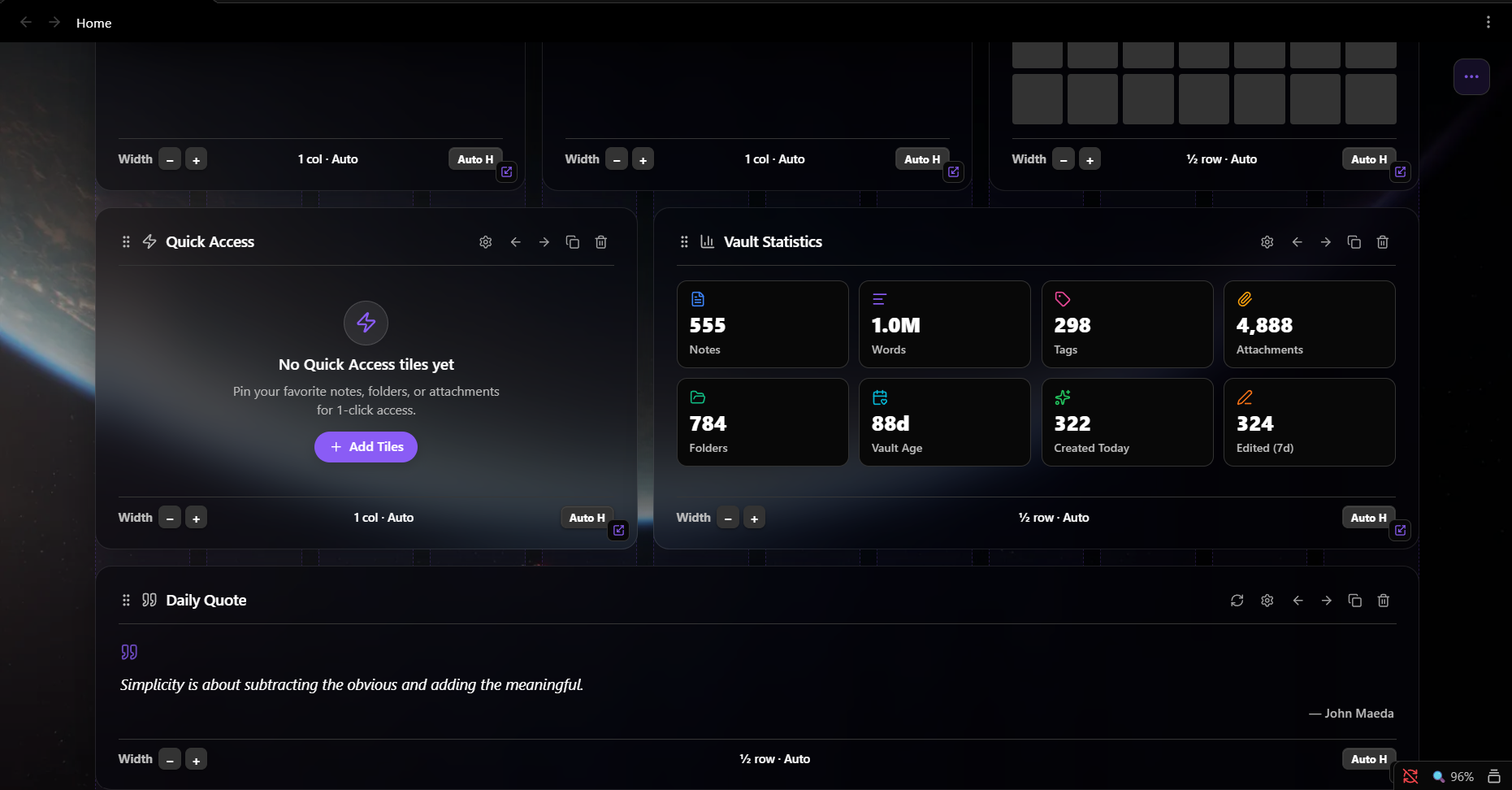 |
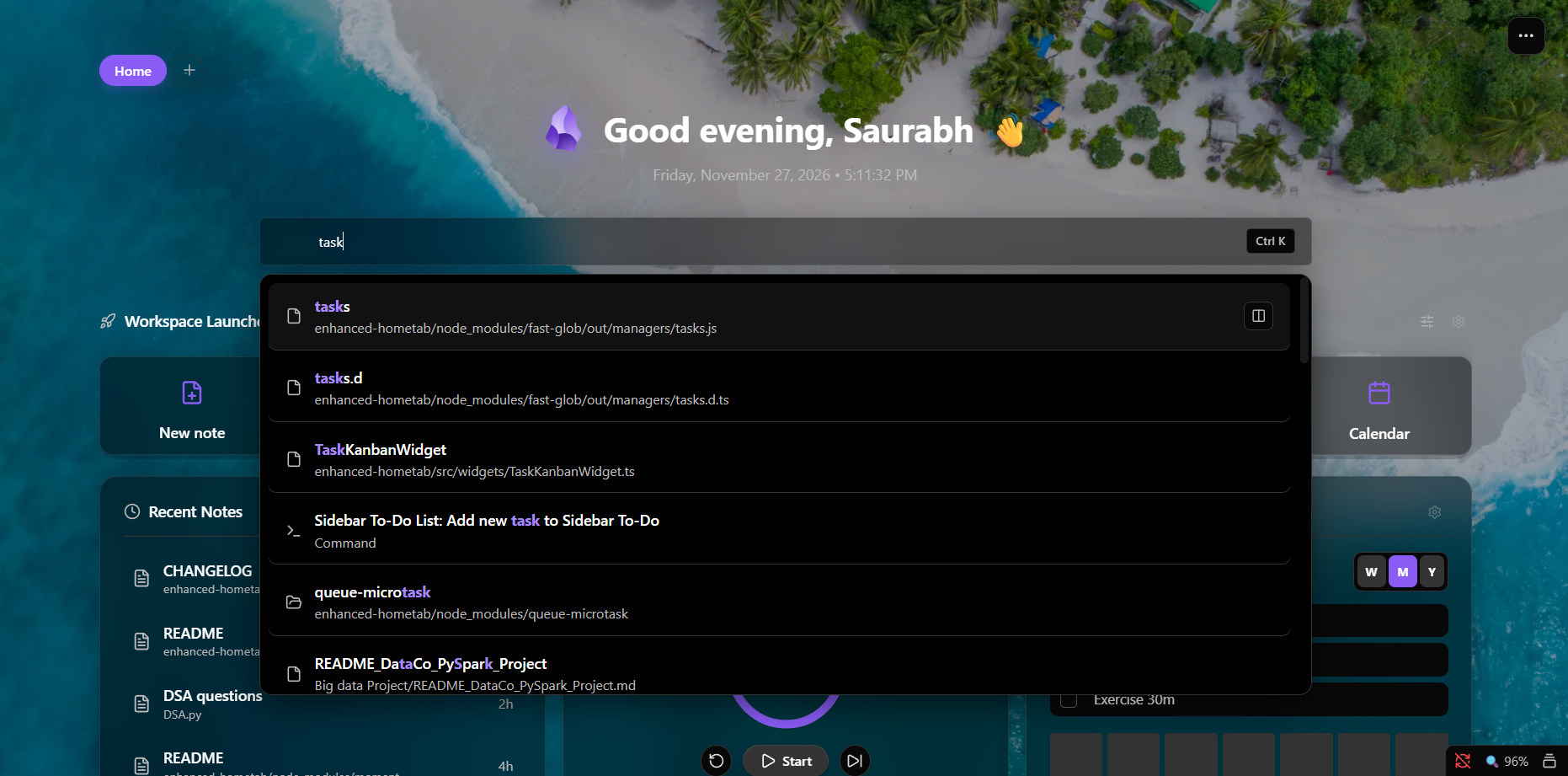 |
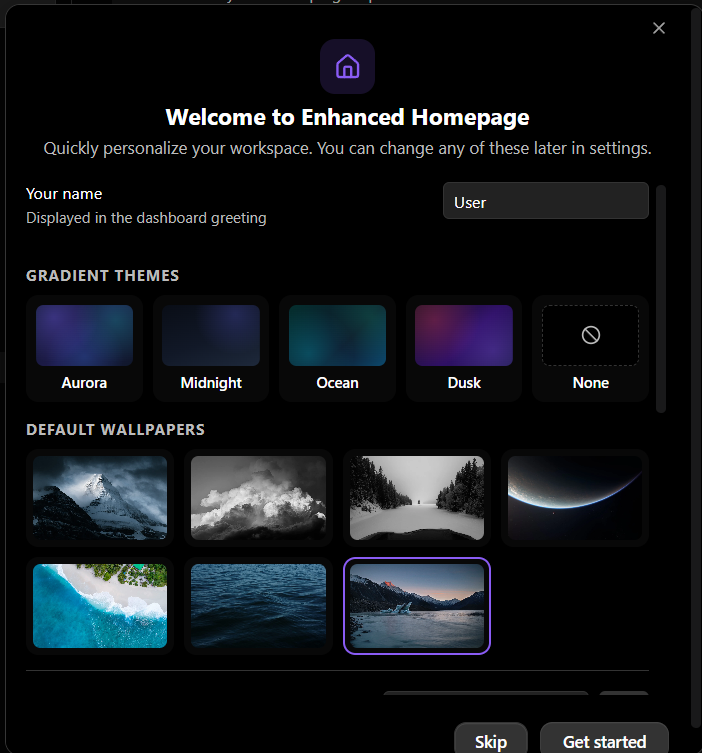
| Task Kanban & Pomodoro | First-Run Setup Wizard |
|---|---|
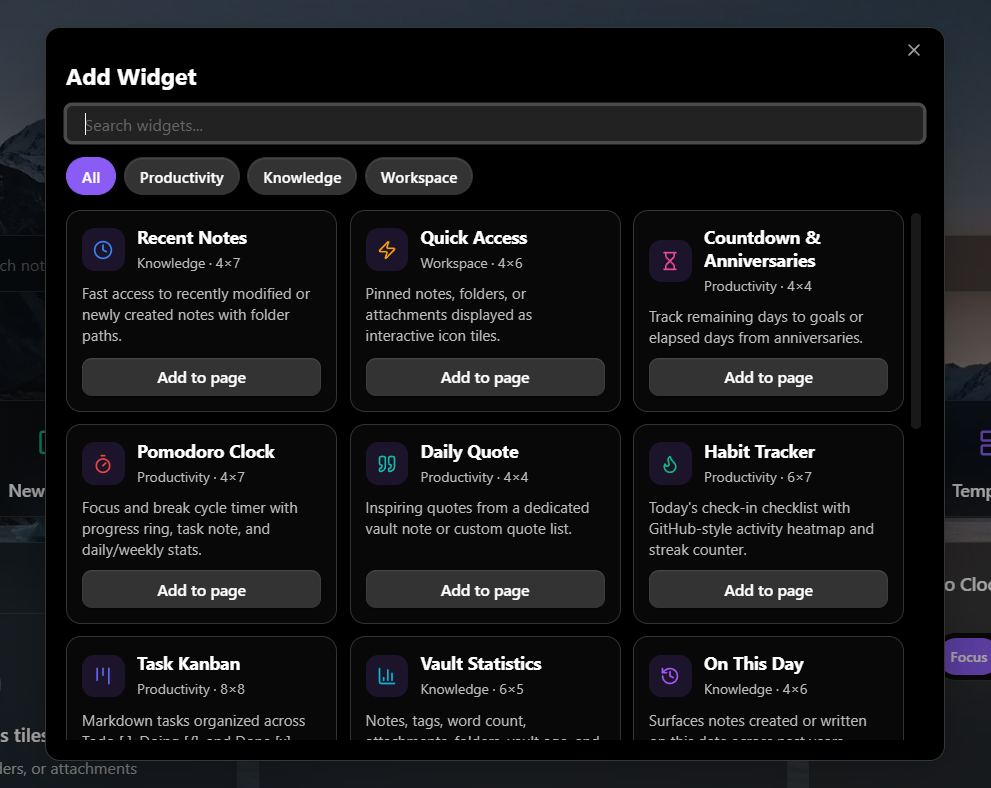 |
 |
Built-in Widgets (16)
Click Add Widget in the top-right ... menu to insert any widget, and click the Gear icon on any card header to configure it:
| Widget | Description | Key Configurations |
|---|---|---|
| Workspace Launcher | One-click shortcuts for new notes, folders, canvas, quick capture, today's note, templates, and calendar modal | Toggle & drag-reorder launcher buttons |
| Continue Working | Resume your last edited note, opened note, canvas, or previous tab session | Automatic activity tracking |
| Recent Notes | Fast access to recently modified or created notes | Limit, sort (mtime/ctime), include/exclude folders, show folder paths |
| Quick Access | Pin favorite notes, folders, or attachments as icon tiles | Path autocomplete, custom label, Lucide icon picker, column count |
| Task Kanban | Scans - [ ], - [/], and - [x] tasks across Todo, Doing, and Done with drag-and-drop & inline creation |
Vault/folder/file scope, inbox file, column titles, hide completed |
| Pending Tasks | Quick checklist of recent open - [ ] tasks with today's note link |
Item count limit |
| Pomodoro Clock | Focus, short break, and long break cycle timer with progress ring and stats (persists across restarts) | Stage durations, long-break interval, linked task note, audio & notifications |
| Habit Tracker | Today's check-in checklist with week/month/year activity heatmap and streak counter | Habit items, heatmap range, local data or Daily Note sync |
| Vault Statistics | Notes, word count, tags, attachments, folders, vault age, created today, edited this week | Grid columns, metric toggles, founding date, excluded folders |
| On This Day | Surfaces notes created or written on today's date across past years | Item limit, frontmatter date property, filename & ctime fallbacks |
| Countdown & Anniversaries | Track remaining days to goals or elapsed days from past milestones | Target date, future/past direction, title & subtitle |
| Daily Quote | Inspiring quotes from a vault note or custom quote list | Source note or custom list, daily rotation vs. random |
| Note Embed | Render any note or specific # Heading section directly inside a card |
Note autocomplete, heading selector, hide YAML frontmatter |
| Pinned Notes | Displays your bookmarked files from Obsidian's core Bookmarks plugin | Item count limit |
| Recently Used Tags | Colorful tag pills showing your most used vault tags with one-click search | Item count limit |
| Most Connected Notes | Surfaces notes with the highest number of incoming backlinks | Item count limit |
Layout & Customization
- Top-Right
...Menu: One unified menu for Add Widget, Edit Layout, Page Widgets (quick configure or remove active widgets), Wallpaper (7 built-in scenic wallpapers, 5 gradient themes, custom image URL, or local media upload with automatic WebP compression), and Display toggles (Glassmorphism UI, Greeting Header, Global Search Bar). - Edit Layout Mode:
- Drag card headers to reorder widgets (with drop markers and edge auto-scroll).
- Drag the bottom-right corner handle to resize card widths (
1 col,½ row,2 cols,Full) or minimum height (double-click to reset toAuto). - Move backward/forward, duplicate, configure, or delete any card.
- Settings & Backup (Settings → Enhanced Homepage):
- Configure startup behavior (
Open on startup,Open in new tab,Replace new empty tabs), grid gap/max width, page management, and JSON Import / Export for easy backup and cross-vault migration.
- Configure startup behavior (
Privacy, Network & Data Disclosure
- 100% Local Storage: All pages, widget configurations, Pomodoro timers, and habit records are stored locally inside your vault's
data.json. - No Accounts, No Subscriptions, No Telemetry: Free, open-source (MIT), with zero analytics or background tracking.
- Network Usage: Makes no background network requests. Remote network requests only occur if you manually enter a remote image URL as a custom wallpaper.
- Vault-Only File Access: Only reads and writes files inside your Obsidian vault.
- Vault Search Scope: Global search and vault-backed widgets inspect note metadata and paths across the vault only when those features are used; no vault data is sent outside Obsidian.
- Clipboard Scope: The layout export button writes the generated JSON only after you click it; the plugin does not read the existing clipboard.
Installation
From Obsidian Community Plugins
- Open Settings → Community plugins and turn off Restricted mode.
- Click Browse and search for Enhanced Homepage.
- Click Install, then Enable.
Manual Installation
- Download
main.js,manifest.json, andstyles.cssfrom the latest GitHub Release. - Copy them into
<vault>/.obsidian/plugins/enhanced-homepage/. - Reload Obsidian and enable Enhanced Homepage in Settings → Community plugins.
Development
npm install
npm run dev    # start watch build
npm run build  # production build
License
MIT License — © 2026 Saurabh