
- Overview
- Scorecard
- Updates9
This plugin lets you add emoji to your Obsidian notes more easiy using an enhanced keyword search.
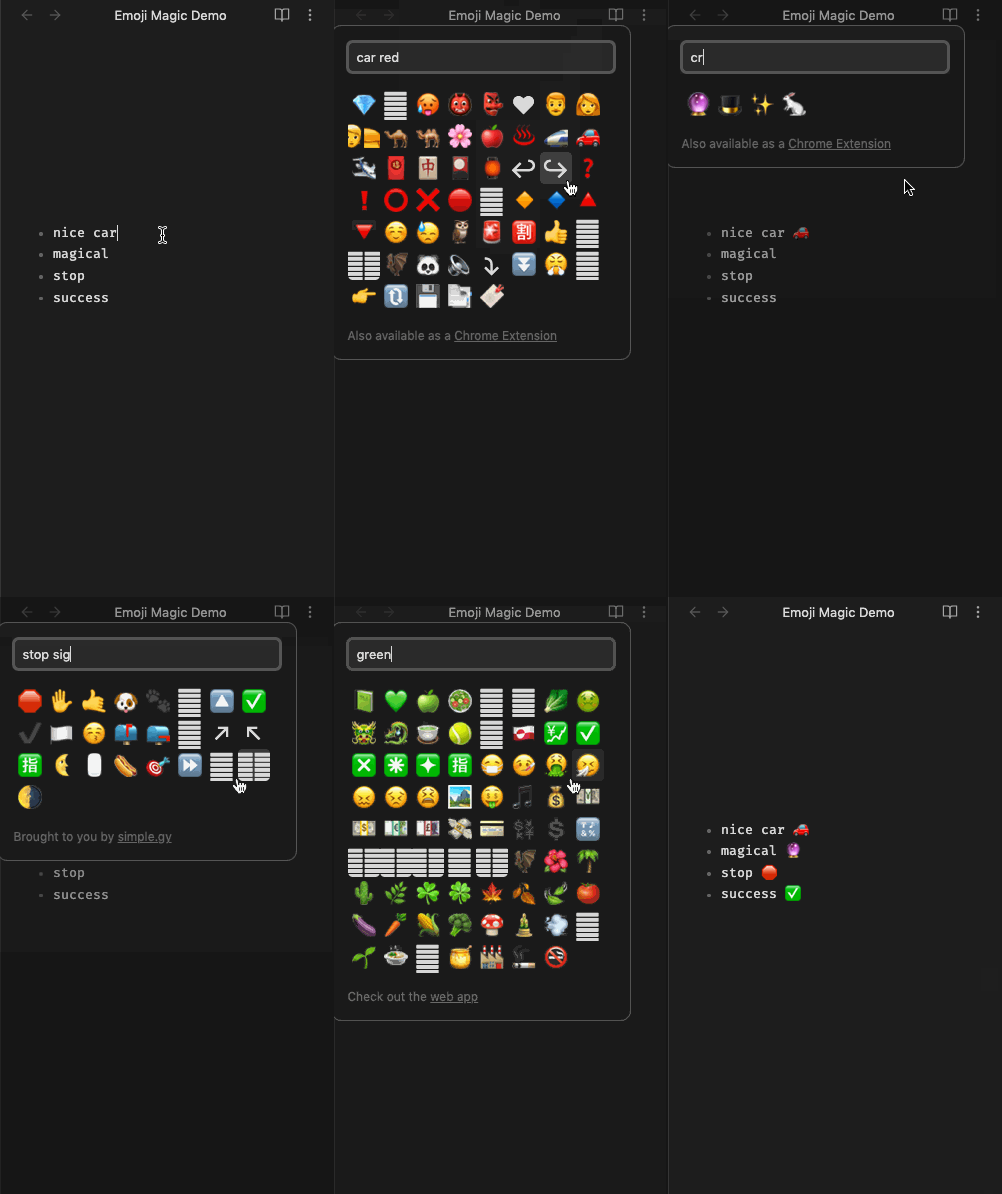
It has a large dictionary of keywords so you can find emoji you wouldn't find otherwise:
- broad terms like "car" ->
🚓🚋🚔🏎️🚐🚕🚖 - colors like "orange" ->
📙🧡🍊🥕🚼
Animated Screenshot:
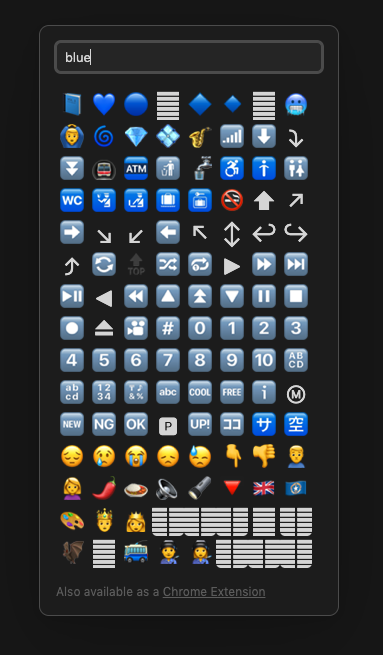
Still Screenshot:
Features
- Secure -- local only, no internet
- Rich keyword search -- the dictionary contains
1,812emoji with199,658searchable keywords and thesaurus entries. - Fast -- just keyboard shortcut and click
- Keyboard friendly -- arrow keys, tab, however you want.
Note: This is an Obsidian-compatible fork of the Emoji Magic Chrome Extension I wrote.
Installing this Plugin
- Open settings. (if you haven't yet, one time: Third party plugin -> Disable Safe mode)
- Click "Browse community plugins" -> Search for "Magic File Hotkey"
- Install it, then click "enable"
- Add a hotkey. I like
cmd + shift + e("e" for "emoji").
Guiding Principles
Goals and Non-goals
- Easy find
- an effort is made to include lots of possible matches
- eg: the color "green" or the feeling "happy"
- Keyboard friendly.
- Eg:
keyboard shortcut->search phrase->enterand done. - Because this plugin shows a 2d grid of emoji, built two-dimensional arrow key support for navigating.
- Eg:
- Actual emoji. No images.
- This means: no custom emoji
- Also means: will render platform-appropriate versions. The visual you see can vary depending on where you're viewing the file
- Also means: you may see empty rectangles for emoji that are defined, but not supported by your device. (eg: 🦩 "flamingo" won't be there if you're on an older Mac)
Similar Obsidian Plugins
AKA: "why did I need to build this?"
- Emoji Shortcodes
- Excellent plugin, seems to work great, but I like having a popup search panel instead of using the
:smile:kind of syntax
- Excellent plugin, seems to work great, but I like having a popup search panel instead of using the
- Emoji Toolbar
- Currently the most popular "emoji" plugin for Obsidian
- Uses images instead of the text emoji char itself. That means some emoji can look different in the picker VS when I actually insert them in my file. There is a setting that might be related, but I wasn't able to get it to work. (Update: appears fixed in v0.4.0)
- Started breaking for me (might be a "live preview" only bug). Would insert emoji at the start of the file instead of where my cursor is. (Update: appears fixed in v0.4.0 or earlier)
Developing this Plugin
Building
# npm install
npm run dev
(for auto refreshing) install git clone https://github.com/pjeby/hot-reload.git and turn it on
(one time) symlink from dev environment to Obsidian plugin dir
right click on the obsidian plugins folder, "new terminal at folder". then:
ln -s /Users/eric/Projects/obsidian-emoji-magic obsidian-emoji-magic
(rarely) Sync with the upstream project
rm -rf lib/emoji-magic
git clone https://github.com/SimplGy/emoji-magic.git lib/emoji-magic
Releasing
- Update the version in
package.json(only) npm run version
This will trigger
.github/workflows/release.yml.Verify the workflow is running here. Verify releases here
(you're done) simply doing a github release and running release.yml will make the new version of the plugin available on the Obsidian marketplace. Nice!
TODO
PRs welcome.
- change from 3 -> 2 chars required to see search results, and blank out defaults during inital typing so it doesn't look like there's a bug
- improve startup time -- 2023-03-18: took a look, but not seeing anything obvious here. I think I have to find a way to defer parsing of the large
emojilib_thesaurus.jsfile. AFAIK there is no actual processing happening at startup, it's just JS parse time dragging things out. - solve the
zwjproblem (eg: "plane") - (upstream) improve some of the ranking (car, plane) and
- (upstream) fix the lack of "stemming" problem (eg: "race car")
- (upstream) adapt the headless stuff to be easier to reuse.
Future
- consider using Obsidian's native SuggestModal or FuzzySuggestModal -- https://marcus.se.net/obsidian-plugin-docs/user-interface/modals -- I thought this couldn't work with a grid UI, but there's prior art here
Contributing
Contributions welcome. See CONTRIBUTING.md.
Disclaimer
This is not an officially supported Google product.