ecu-codekit
 Eren Can9 downloads
Code in your notes: detects pasted code, runs commands in the terminal, edits code files and previews HTML.
- Overview
- Scorecard
- Updates3
Better code in your Obsidian notes: paste code and it lands in the right code block, run commands straight from a note, edit code files with highlighting and preview HTML side by side.
Features
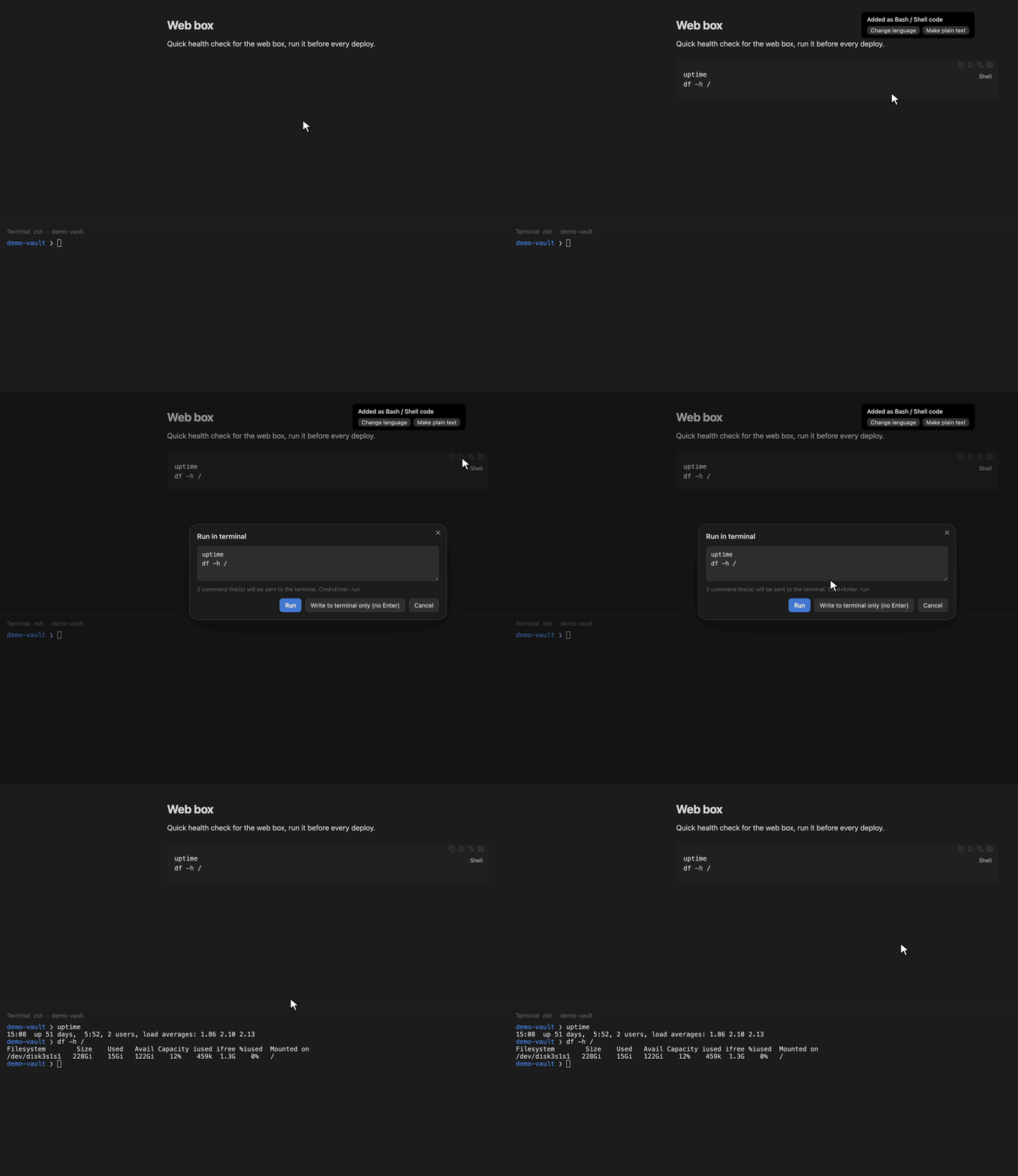
- Paste detection: paste a snippet and it is wrapped in a fenced code block with the
right language (bash, Go, Python, YAML, JSON, SQL, Dockerfile, HTML and 20+ more).
A small notice lets you change the language or keep it as plain text.
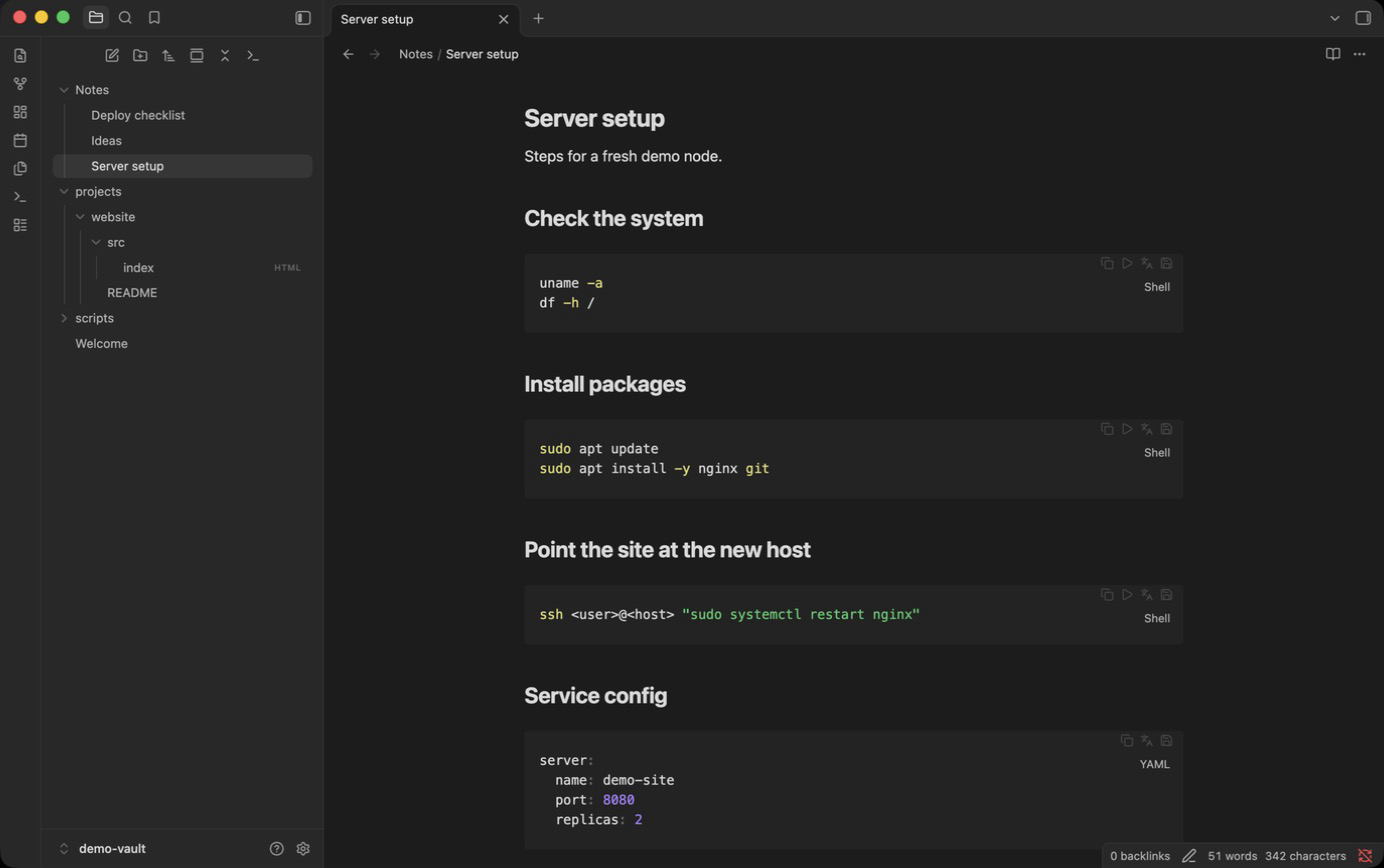
Cmd/Ctrl+Shift+Vpastes without detection. - Code block buttons on every block: copy, run in terminal (shell blocks), change language, save as file.
- Run in terminal (needs ecu-terminal):
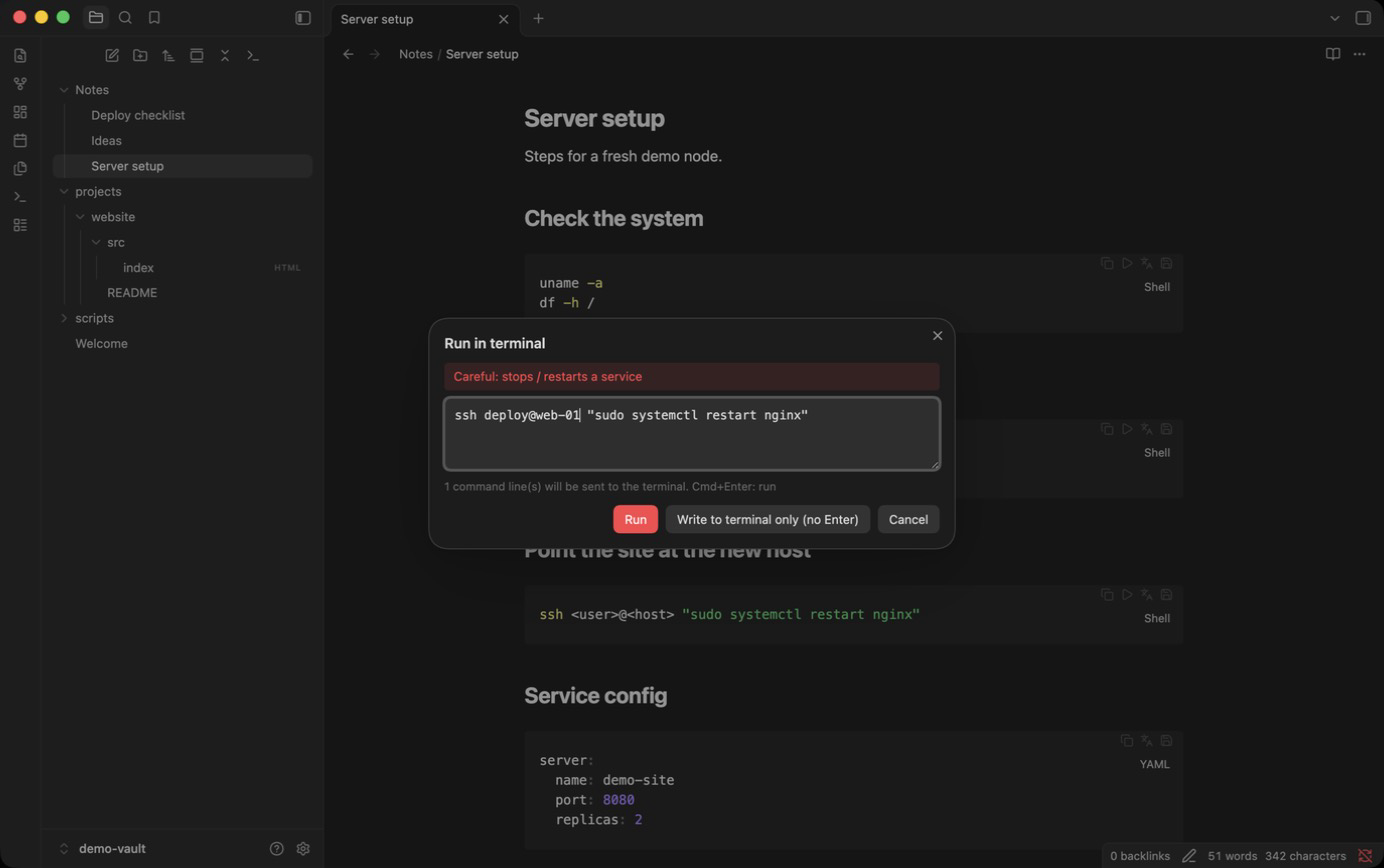
sends a block or the current line to the terminal (give "Run line / selection in terminal"
a hotkey such as
Cmd/Ctrl+Shift+Enterunder Settings > Hotkeys). Prompts likeuser@host $and command output are stripped first.<placeholders>are filled in a small form, and risky commands (rm -rf,reboot,kubectl delete,git push --force,curl … | sh,DROP TABLE,terraform destroy, …) ask before running. Blocks with no language tag always ask too. - Code files:
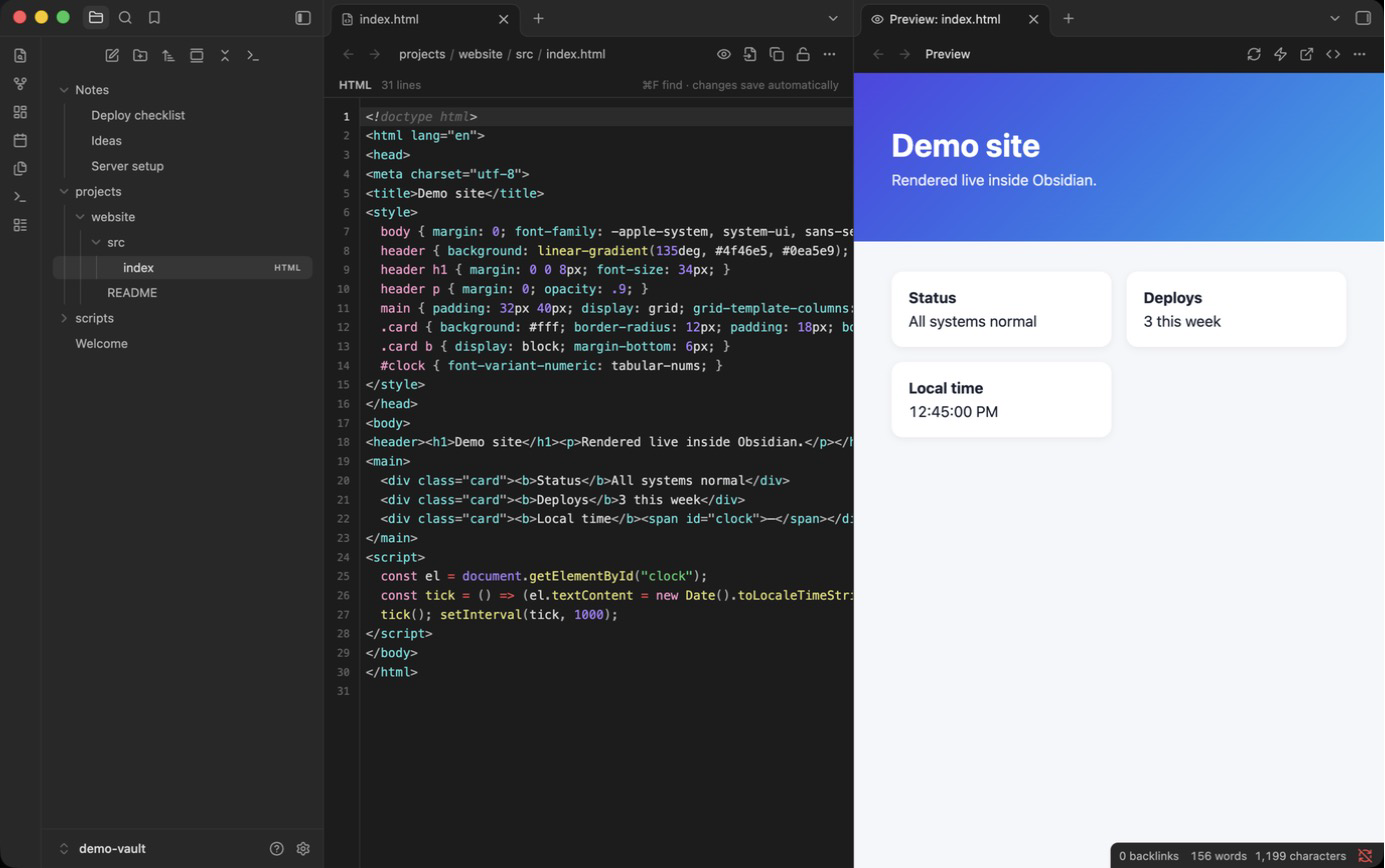
.sh .go .py .yaml .json .sql .conf .logand more open in a CodeMirror editor with highlighting, search, a read-only lock and a "run this script" button. - HTML preview: right-click an
.htmlfile and choose Preview or Preview beside. The preview reloads when the file changes and runs in a sandboxed frame with no access to Obsidian or your vault. Obsidian doesn't let the frame load other vault files, so images and stylesheets next to the HTML file aren't shown; inline<style>anddata:images work. JavaScript is off by default and can be switched on per preview; network access is a separate setting, also off by default. - Save a block as a file into a folder of your choice, with a link back in the note.
Install
Desktop only (macOS, Windows, Linux).
- From the latest release,
download
main.js,manifest.jsonandstyles.cssinto<your vault>/.obsidian/plugins/ecu-codekit/. - In Obsidian, open Settings > Community plugins, turn off Restricted mode if needed, and enable ecu-codekit.
- Optional: install ecu-terminal to run commands from notes.
The plugin itself makes no network requests. An HTML file you preview can load resources from the internet only if you turn on Allow network in HTML preview.
Commands
All of these are in the command palette and in the right-click menu of a code block: paste as code, wrap selection in a code block, change language, copy block, save block as file, unwrap block, run line / block in terminal, new code file, insert a code file into a note, preview HTML beside, toggle paste detection.
Language
The interface is available in English and Turkish. By default it follows Obsidian's language; you can pick one under Settings > ecu-codekit > Language.
License
MIT, see LICENSE.