Easy Tracker
 hunter-ji6k downloads
Instantly track goals and habits. Simple, beautiful, and configuration-free.
- Overview
- Scorecard
- Updates7
English | 简体中文
Easy Tracker is an Obsidian plugin for ultra-simple goal and habit tracking in any note.
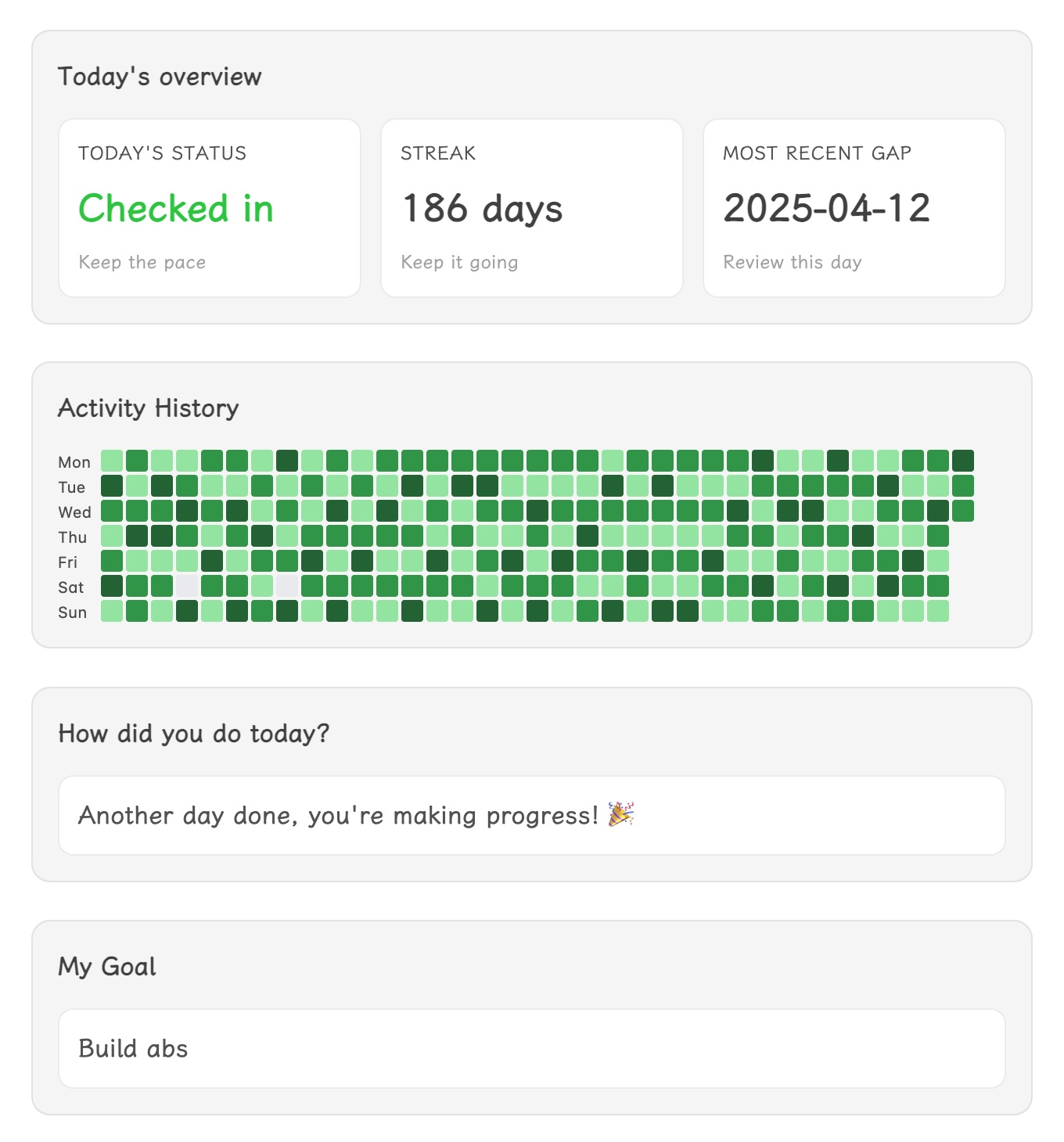
Track progress toward a single goal directly inside one file—just insert the ready-made tracker modules and log your daily effort with one click. No setup, no system building: add all you need with a single command.
What It Does
- Instantly insert a set of tracker modules (overview, heatmap, buttons, goal card) into any note.
- Log your daily progress by clicking a button—your check-ins are saved as plain text.
- Review streaks, gaps, and annual progress in a glance.
- Customize modules: add, remove, or rearrange blocks as you like.
- Supports English and Simplified Chinese, and lets you choose week start day.
How To Use
- Install and enable Easy Tracker in Settings → Community plugins.
- Open any note you want to use for tracking.
- Run the command palette and select
Insert check-in componentto add all modules at once. - Click a button each day to record your effort—no extra setup required.
- Optionally, use commands to insert or remove individual modules.
Modules
- Daily overview: Shows today's status, streak, and last missed day.
- Year calendar heatmap: Visualizes your annual progress.
- Check-in buttons: One-click logging; labels and values are editable.
- Goal card: Displays your motivational message.
All data is stored as plain text in your note—easy to search, sync, or edit.
Customization
- Edit button labels/values by changing the text inside the block.
- Move or remove modules as you wish.
- Adjust week start in Settings → Easy Tracker.
No complex setup—just insert, click, and track.
HealthGood
ReviewSatisfactory
About
Insert ready-made tracker modules (overview, heatmap, buttons, goal card) into any note to track a single goal or habit. Log daily progress with one click, review streaks, gaps and an annual heatmap, and keep all check-ins as plain text for easy search and sync. Use in English or Simplified Chinese.Details
Current version
1.0.6
Last updated
8 months ago
Created
11 months ago
Updates
7 releases
Downloads
6k
Compatible with
Obsidian 1.8.0+
Platforms
Desktop, Mobile
License
MIT