Easy Push
 Arturs Bridaks100 downloads
Review changes and push them without the terminal.
- Overview
- Scorecard
- Updates1
Review changes and push them without the terminal.
Easy Push shows the files that changed, lets you choose what to push, creates a commit, and sends it to your Git remote.
It is intentionally small:
- review changed files
- push the current file, selected files, or all changes
- edit the commit message before pushing
- choose the branch to push to
- push pending local commits
- see file status markers in the file explorer
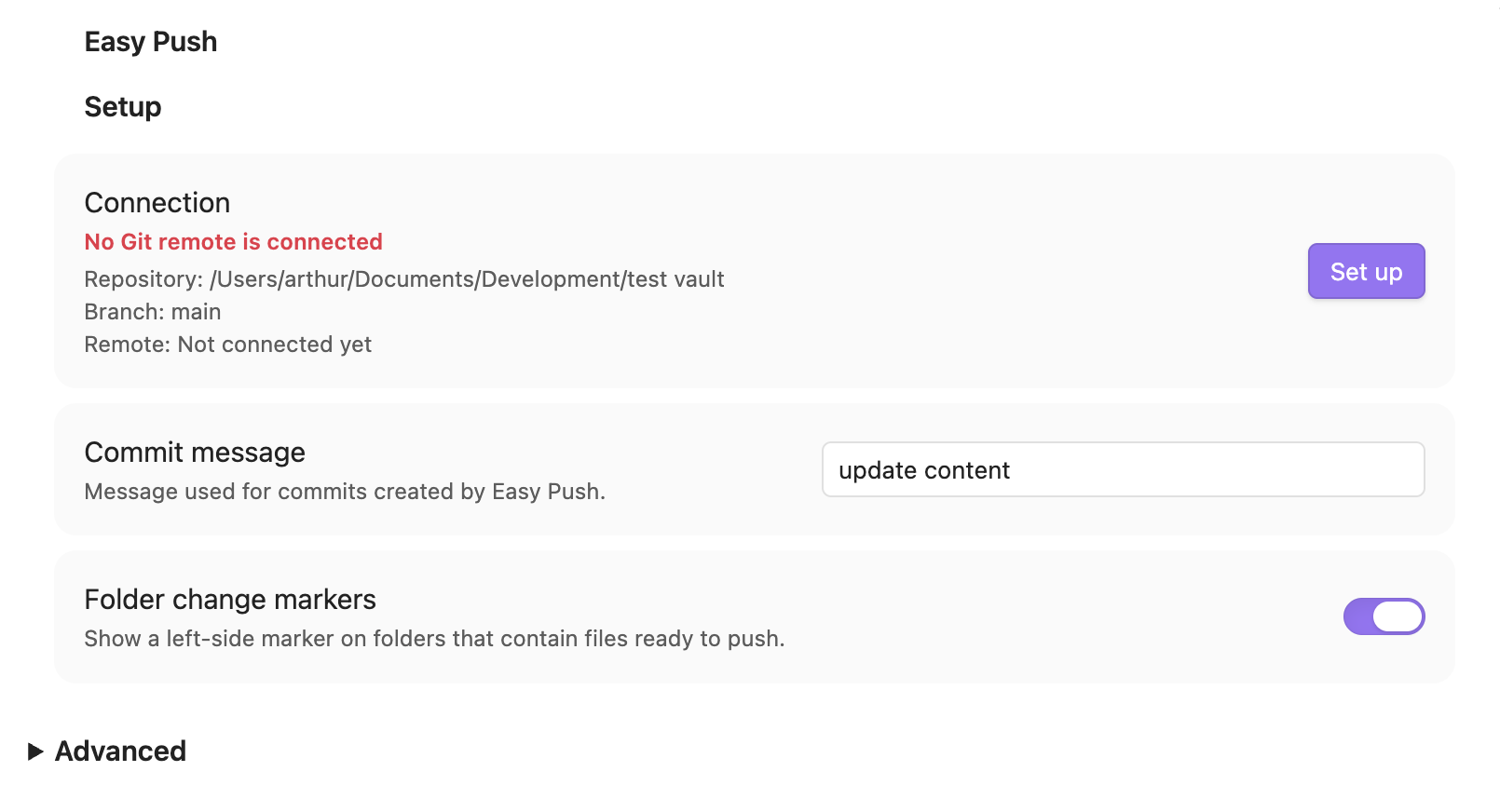
- set up a remote from inside Obsidian
No accounts, sync service, telemetry, backend, or GitHub-specific API. It only runs local git commands in your vault.
Set up the git remote:
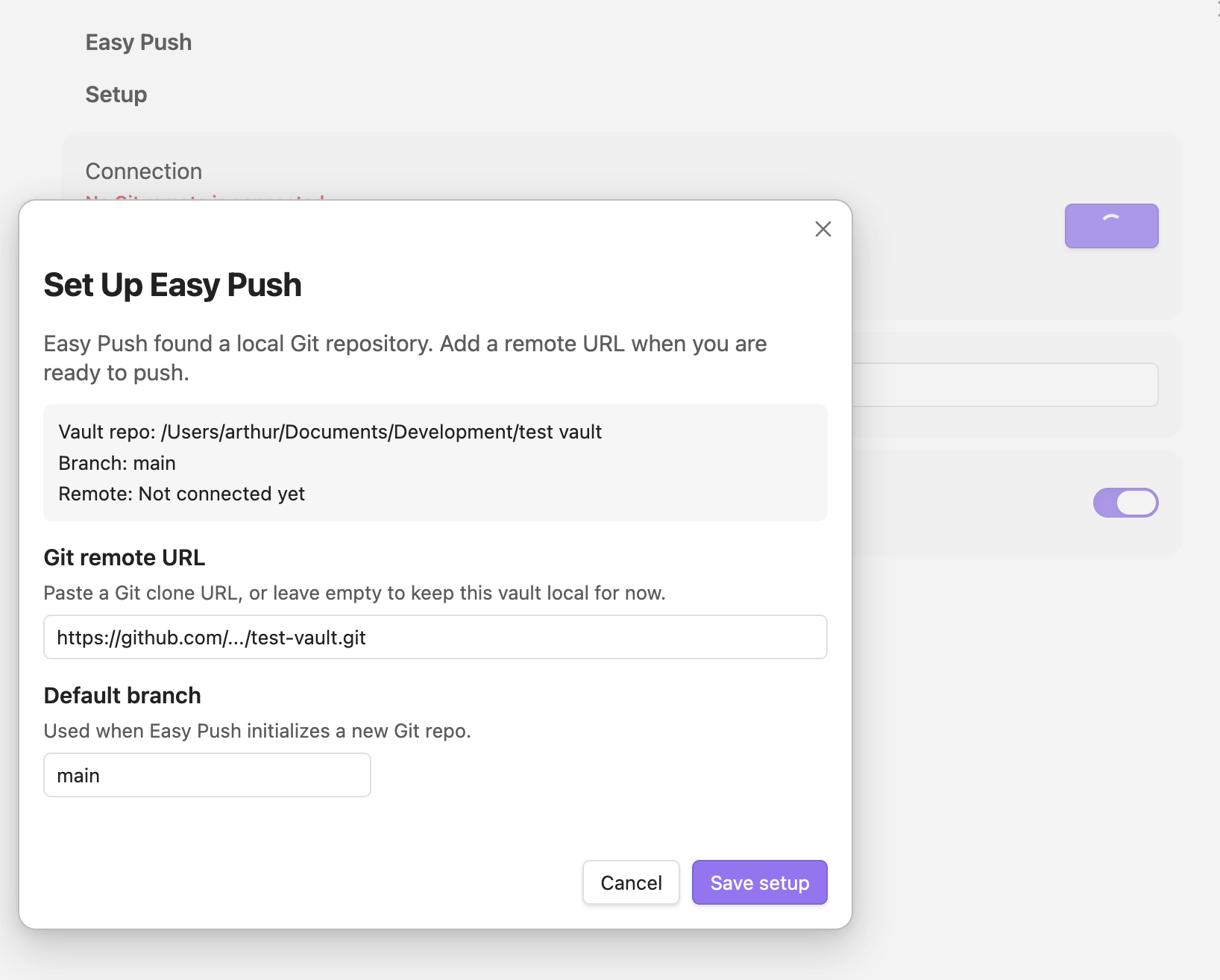
Just provide git clone link:
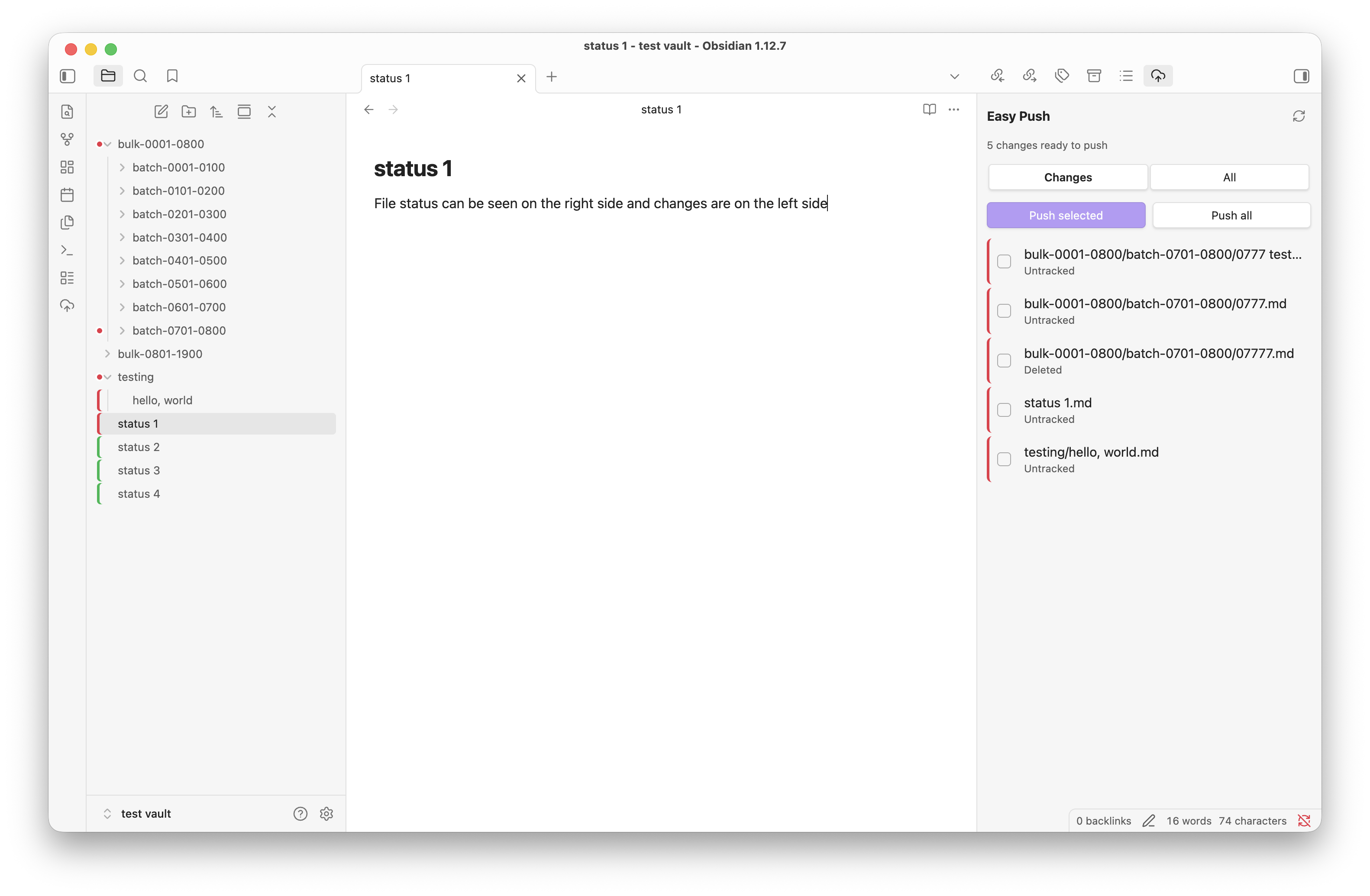
Review status on the right and left sidebars:
Setup
Create an empty repository on GitHub, GitLab, Bitbucket, Gitea, Forgejo, or any normal Git host.
In Obsidian, run:
Easy Push: Set up Easy Push
Paste the remote URL, then push from the ribbon icon, sidebar view, command palette, or file context menu.
If your vault is already a Git repository, Easy Push uses it. If not, it initializes one for you.
Status Colors
In the file explorer:
- green means the file is already pushed
- red means the file has local changes or belongs to an unpushed commit
Markers are shown on files by default. A setting can add matching left-side markers to folders that contain files ready to push.
Easy Push hides common local files such as .obsidian/, .trash/, .DS_Store, .git/, .vscode/, and ignored files.
Notes
Easy Push is desktop-only. Obsidian mobile does not expose the local shell environment needed to run Git.
The plugin works with any Git remote that your local git command can push to.
When pushing to a non-default branch that already exists locally, Easy Push warns before continuing and recommends a fresh branch name. It does not fetch, merge, delete branches, or resolve conflicts for you.
Manual Installation
Copy these files into:
VaultFolder/.obsidian/plugins/easy-push/
Files:
main.js
manifest.json
styles.css
Then enable Easy Push in Obsidian’s Community Plugins settings.
Development
npm install
npm run build
For watch mode:
npm run dev
Community plugin releases should attach main.js, manifest.json, and styles.css.
Support
If Easy Push saves you time, you can support development through GitHub Sponsors or Buy Me a Coffee.