Dualyze Structure


Turn long notes into structured knowledge: split notes, parent links, structure index, and MOC.
- Overview
- Scorecard
- Updates4
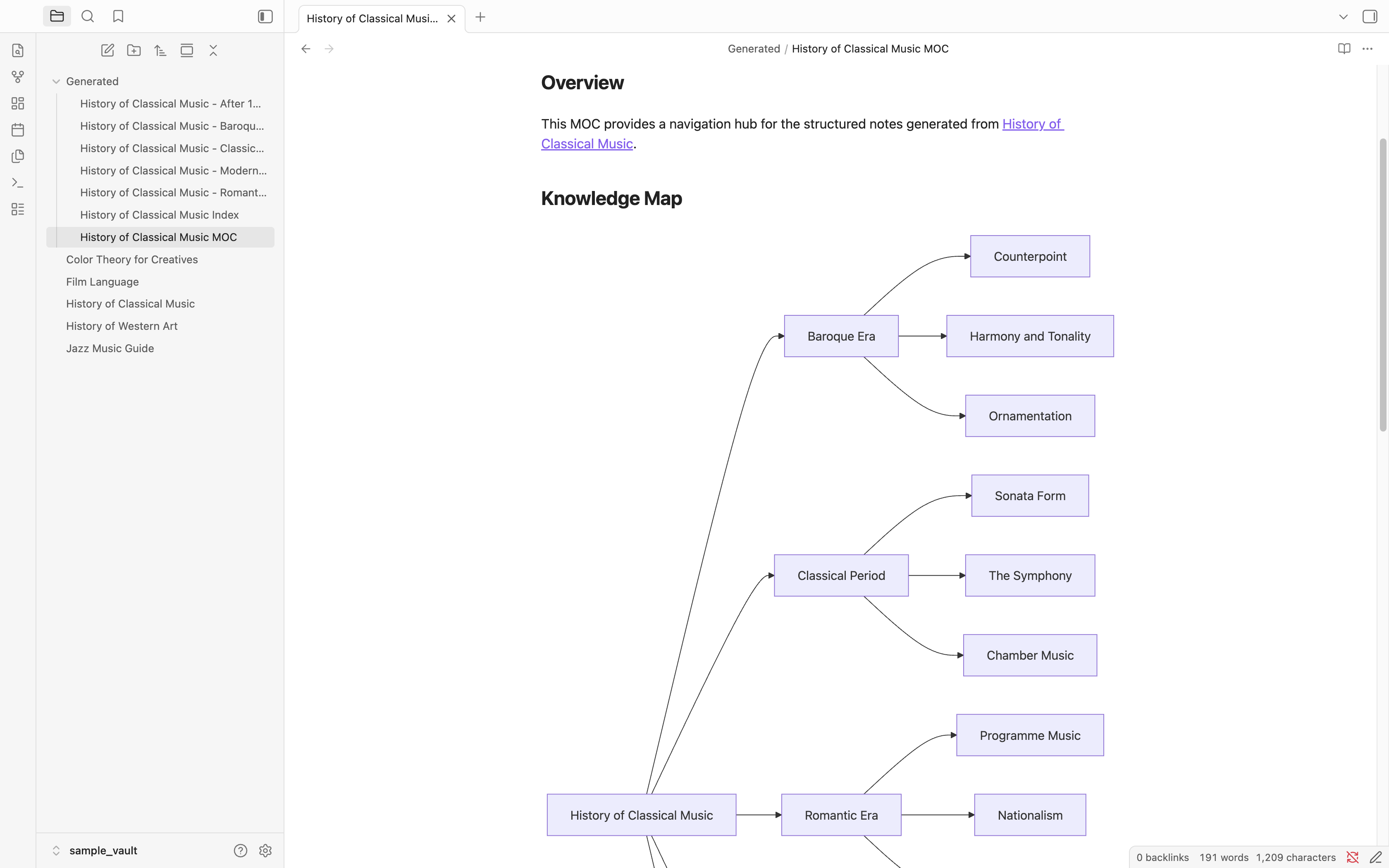
Turn long notes into structured notes, indexes, and visual knowledge maps automatically.
Before
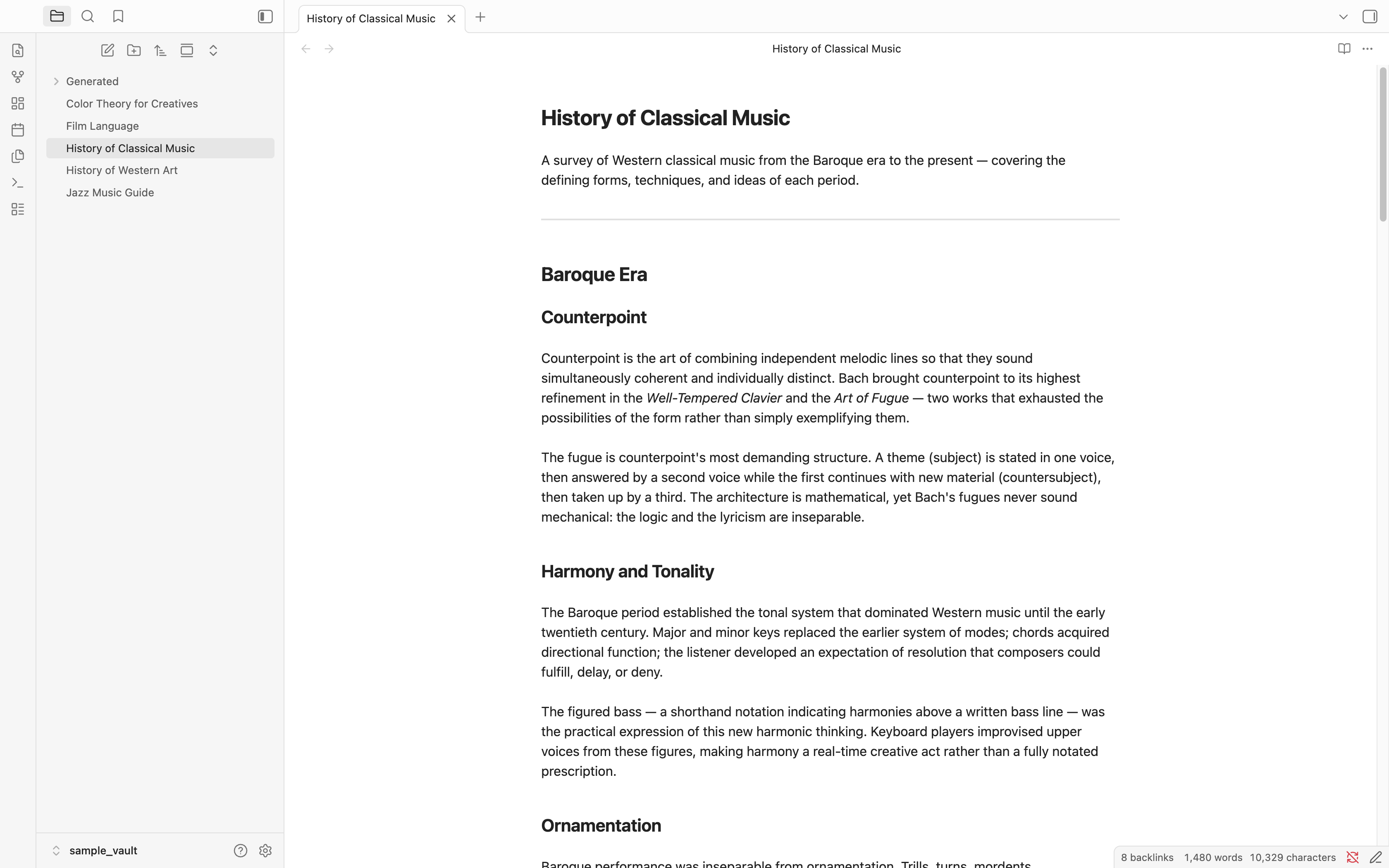
A long note with multiple sections and subtopics.
Create Structure
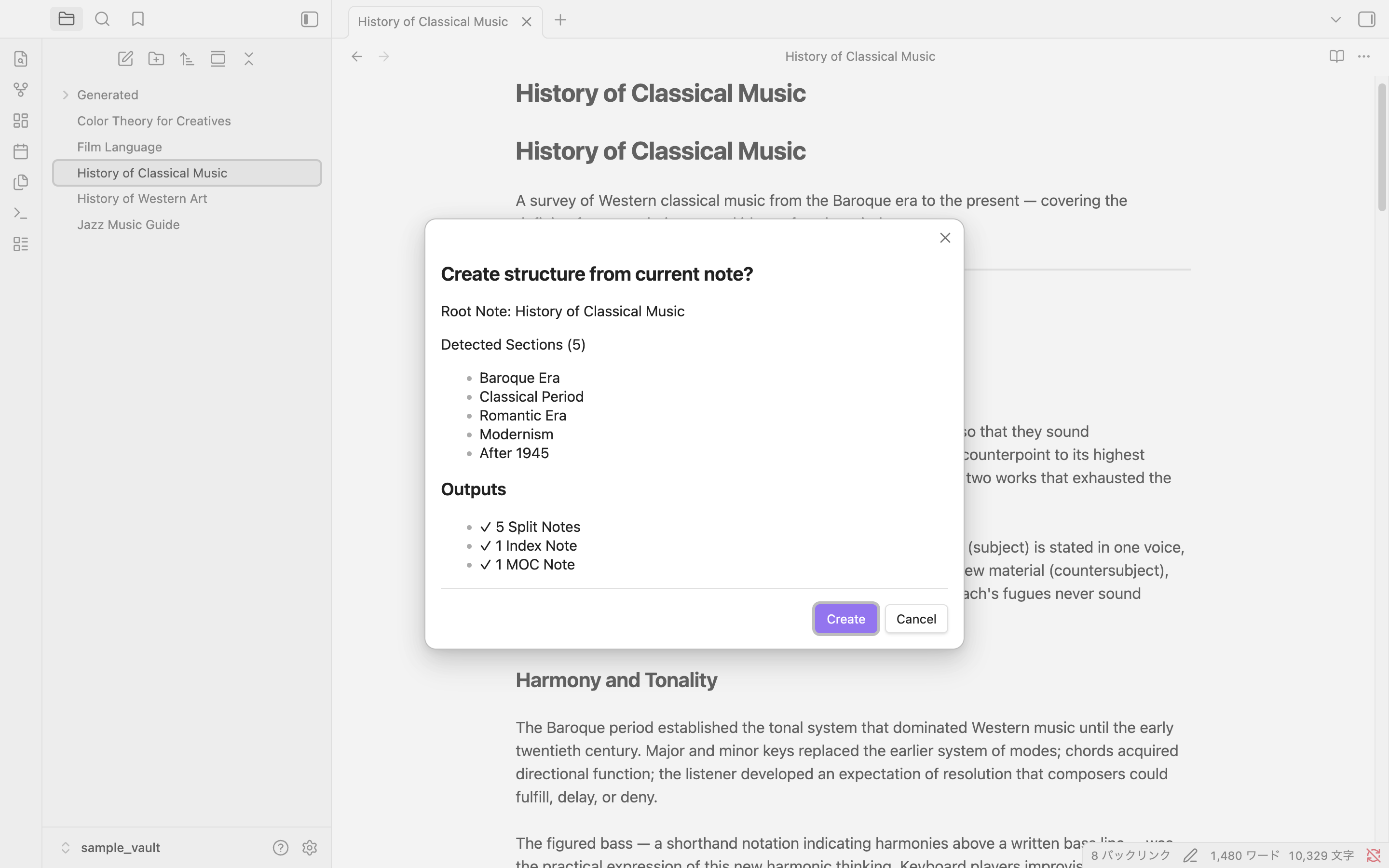
Preview detected sections before generating.
After
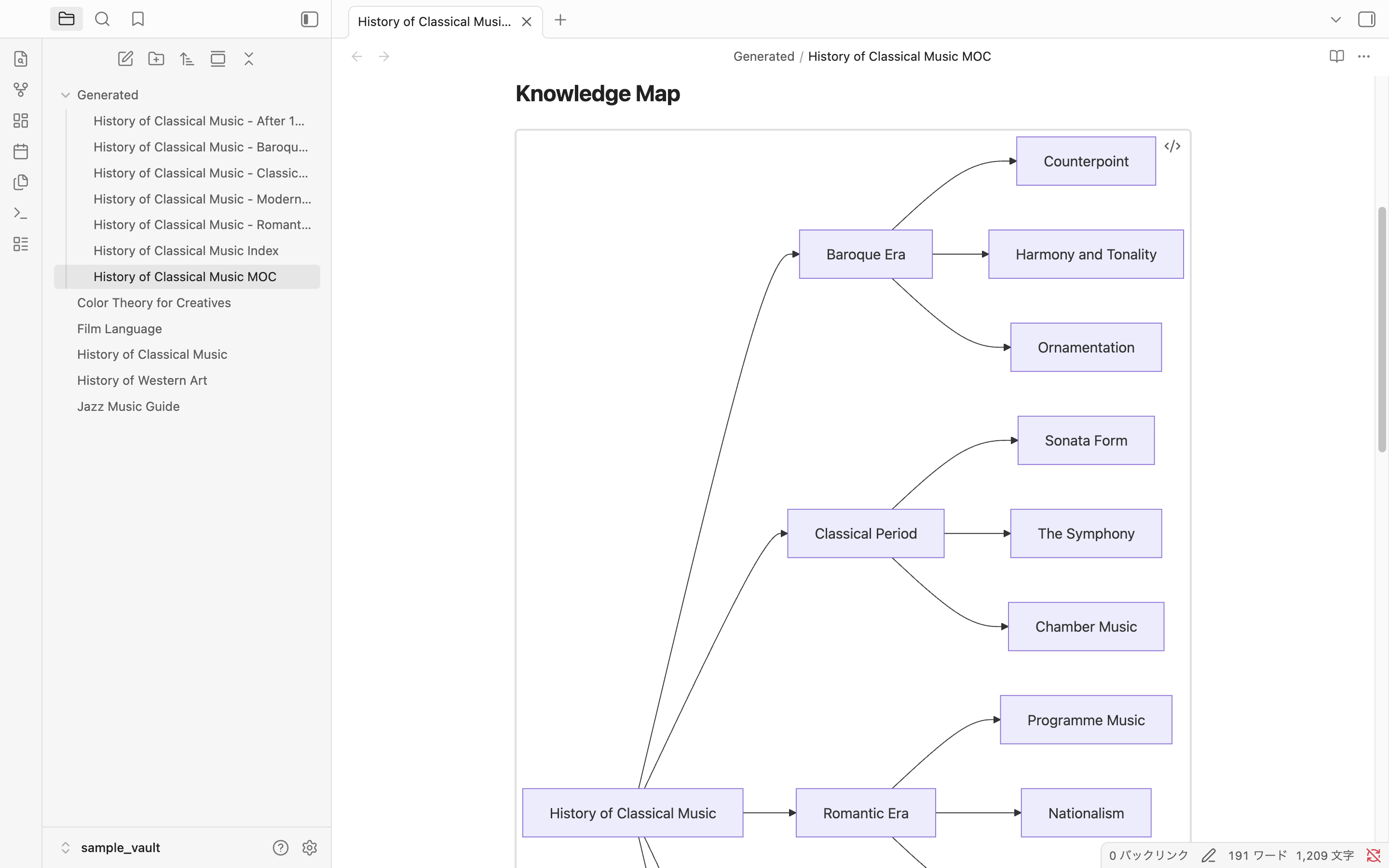
Generate split notes, structure index and visual knowledge maps.
📖 Step-by-step Tutorial
See how Alice turns a 5,000-line AWS note into:
- 11 focused notes
- A Structure Index
- An MOC
- A navigable knowledge base
→ Read the complete tutorial: How Alice Turned a 5,000-Line Note into a Structured Knowledge Base
Features
| Feature | Description |
|---|---|
| Structure Split | Each ## section becomes an independent note. ### and deeper headings stay inside their parent. |
| Parent Links | Every split note gets parent: "[[Source Note]]" in its frontmatter for backlink navigation. |
| Structure Index | The original note is converted to a clean link list — your navigation hub. |
| Knowledge Map | Automatically generates a visual knowledge map in the MOC using Mermaid flowcharts. |
| MOC Generation | A Map of Content lists all related notes and serves as an overview of the whole topic. |
Example
See a complete AWS example:
How to Run It
Three ways to trigger the command:
Right-click in the editor — open any note, right-click the body, select Create Structure.
Right-click in the file explorer — right-click a note in the left sidebar, select Create Structure.
Command palette — Cmd+P (Windows: Ctrl+P), type Dualyze Structure: Create Structure.
Confirmation Dialog
Before writing any files, the plugin shows a preview of what will be created.
The dialog lists every section it detected, and shows exactly how many files will be generated. Click Create to proceed or Cancel to abort — nothing is written until you confirm.
Generated Files
Structure Index (the original note, rewritten)
# History of Classical Music

## Structure

- [[History of Classical Music - Baroque Era]]
- [[History of Classical Music - Classical Period]]
- [[History of Classical Music - Romantic Era]]
- [[History of Classical Music - Modernism]]
- [[History of Classical Music - After 1945]]
Split Note (with parent link)
---
parent: "[[History of Classical Music]]"
---

# Baroque Era

Counterpoint is the art of combining independent melodic lines...
MOC (with Knowledge Map)
# History of Classical Music MOC

Generated from:
[[History of Classical Music]]

Sections: 5

## Overview

This MOC provides a navigation hub for the structured notes generated from [[History of Classical Music]].

## Knowledge Map

(Mermaid flowchart generated automatically)

## Related Notes

- [[History of Classical Music - Baroque Era]]
- [[History of Classical Music - Classical Period]]
...
Learn by Example
See how Structure Split automatically generates an MOC and Knowledge Map:
Settings
Settings → Community Plugins → Dualyze Structure (gear icon).
| Setting | Default | Description |
|---|---|---|
| Output folder | Generated |
Folder for split notes and MOC (relative to vault root) |
| Generate MOC | On | Whether to generate the MOC file |
| Knowledge visualization | Mermaid Flowchart | Visual style for the Knowledge Map in the MOC: Mermaid Flowchart / Text Tree / None |
| File naming style | Spaced | Spaced: Title Index.md / Title MOC.md — Dot: Title.structure.md / Title.moc.md |
Sample Vault
The docs/ folder in this repository is a ready-to-open Obsidian vault with five demo notes and the plugin pre-installed.
| Note | H2 Sections | H3 Sections | Best for |
|---|---|---|---|
| History of Classical Music | 5 | 3 per section | Flowchart depth demo |
| History of Western Art | 6 | 2–3 per section | Large note demo |
| Film Language | 5 | 2–3 per section | Narrative structure |
| Jazz Music Guide | 5 | 0–3 per section | Mixed hierarchy |
| Color Theory for Creatives | 5 | 2–3 per section | Creative topic |
To try the sample vault:
- Download or clone this repository
- Open the
docs/folder as a vault in Obsidian - Trust community plugins when prompted
- Open any sample note → right-click → Create Structure
Documentation
Tutorials
Installation
Community Plugins (recommended)
- Obsidian Settings → Community Plugins → Browse
- Search for Dualyze Structure
- Install → Enable
Manual
- Download
main.jsandmanifest.jsonfrom Releases - Place them in your vault's
.obsidian/plugins/dualyze-structure/folder - Restart Obsidian → Settings → Community Plugins → enable Dualyze Structure
How Splitting Works
- Notes are split at every
##(H2) heading ###(H3) and deeper headings stay inside their parent H2 note- Lead text before the first
##is not included in split notes - File names follow the pattern
<Note Title> - <Section Heading>(example:History of Classical Music - Baroque Era) - Characters invalid in file names (
/ \ : # ^ [ ] |) are replaced with-or removed - Running the plugin a second time on the same note appends
-1,-2, etc. — the original is never overwritten
License
MIT