DocWen Assistant
 ZhengYX265 downloads
Open files, convert, proofread, and control local DocWen through the public DocWenCLI protocol.
- Overview
- Scorecard
- Updates21
English · 简体中文 · 繁體中文 · 日本語 · 한국어 · Deutsch · Français · Español · Português (Brasil) · Русский · Tiếng Việt · العربية
Use DocWen without leaving Obsidian. Export notes to Word, convert documents and spreadsheets, check text for problems, and number headings. The work is done by DocWen installed on your computer; this plugin is the connection between the two.
DocWen is required. Install a compatible DocWen 0.17.0 or later version from Microsoft Store, or fully extract the portable package from DocWen Releases.
The interface language changes Assistant’s own text and layout, including proofreading reports that are already open. Conversion language, templates and OCR are controlled by the task options and DocWen settings.
Screenshots
Desktop interface examples. The proofreading example uses a synthetic note.
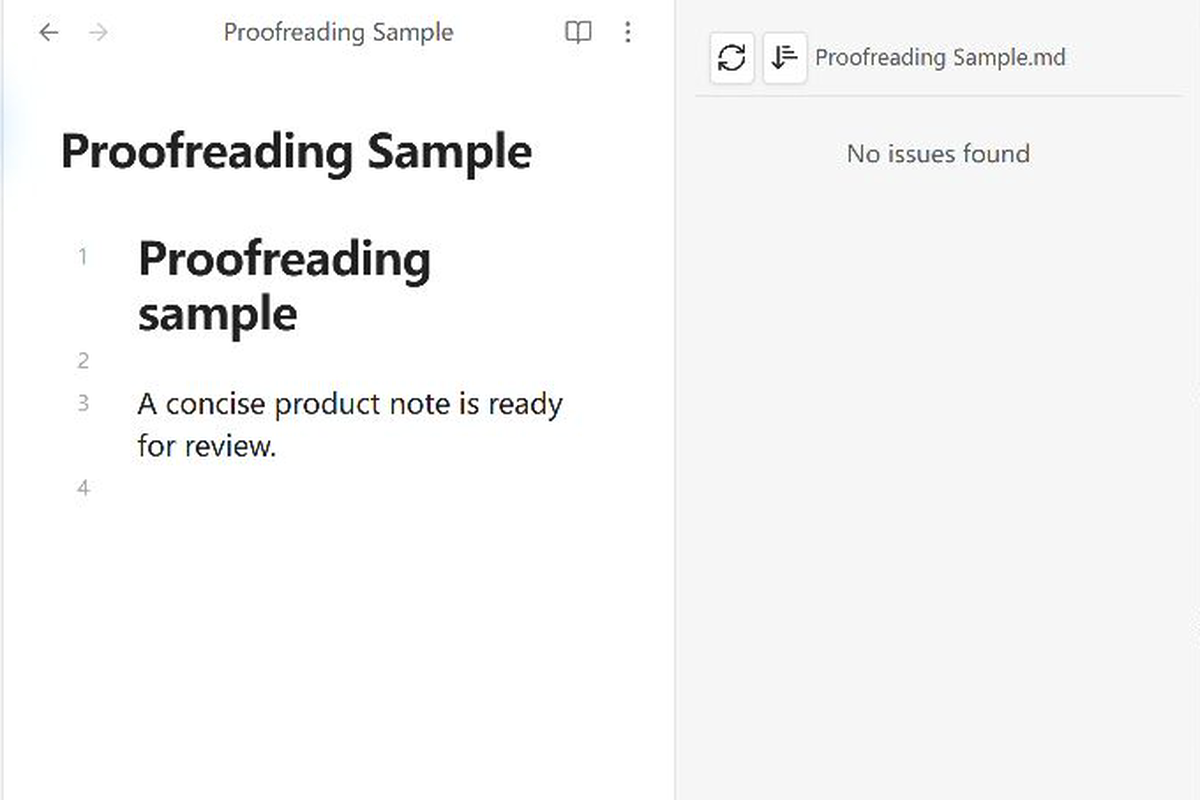
Proofreading sidebar
Read the issues found during proofreading and jump to the relevant line in your note. Proofreading never edits the note.
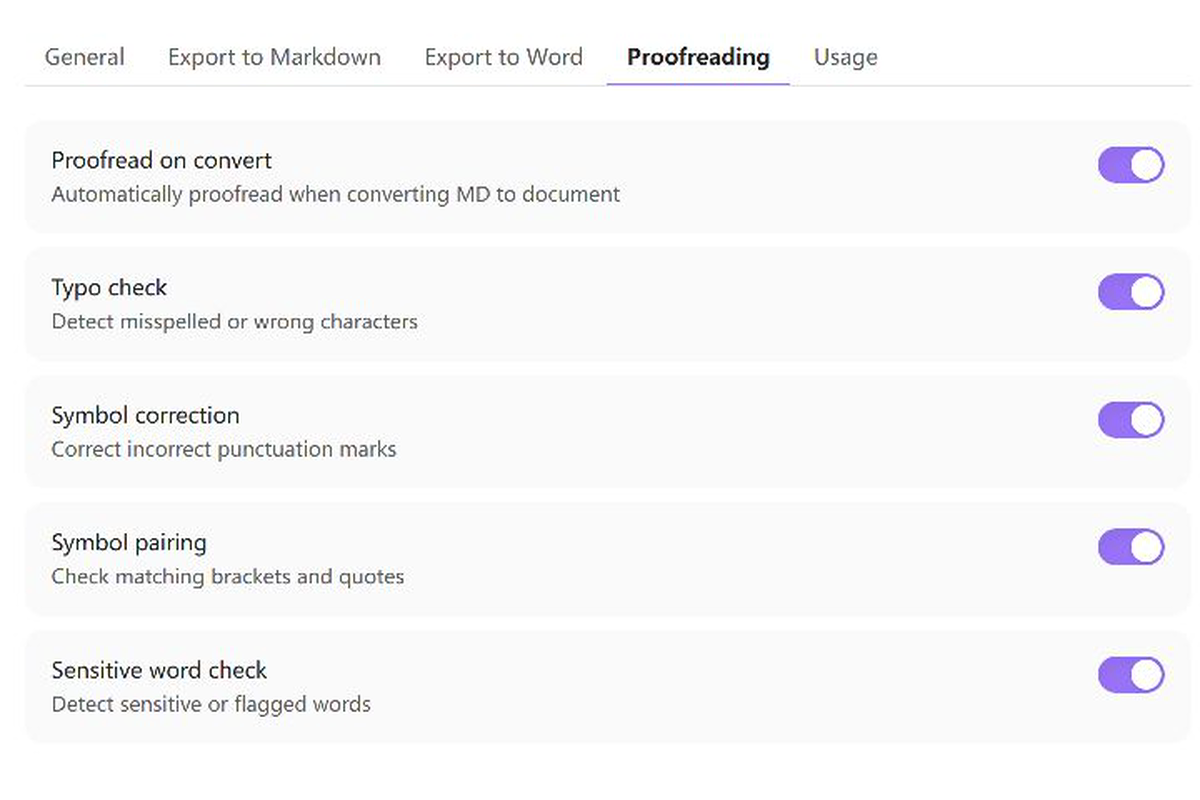
Proofreading settings
Choose the checks on the Proofreading tab shown here. DocWen installation selection and connection checks are on the separate General tab.
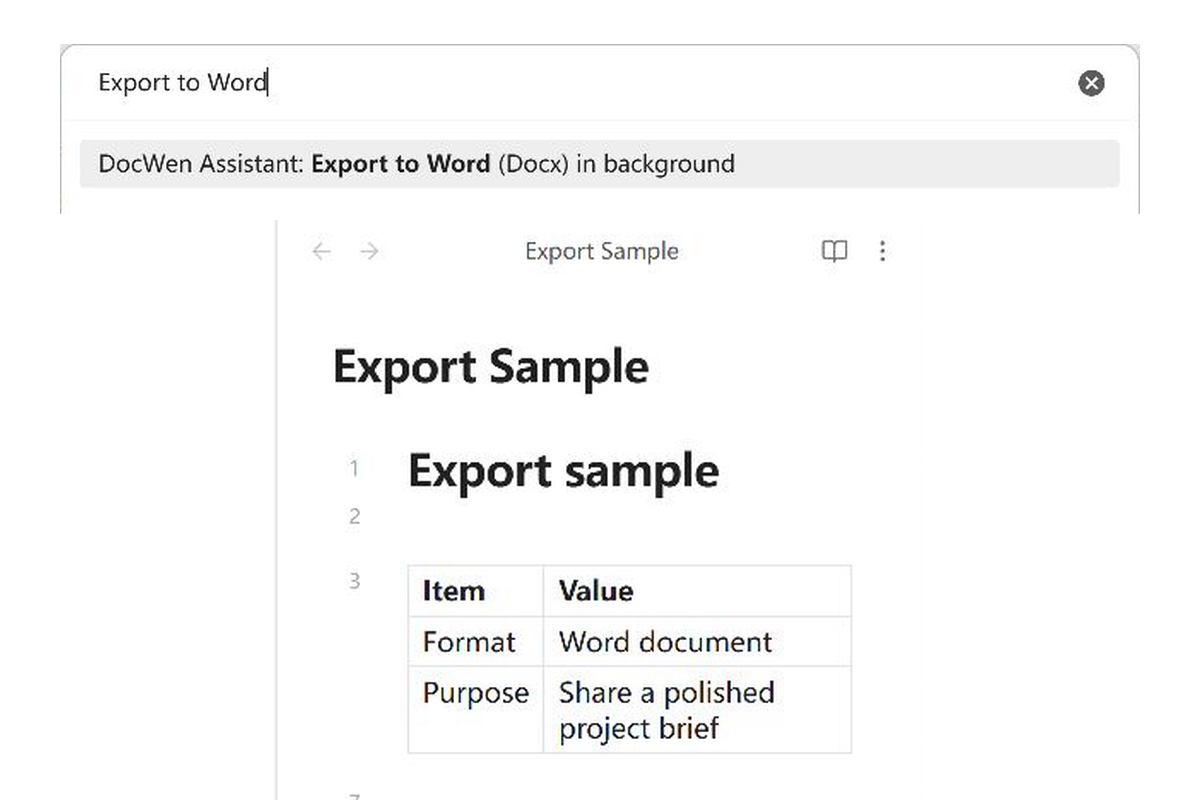
Export files
Choose the output format, review the options and select where to save the result.
Features
- Open the active Obsidian file in DocWen or activate the DocWen window.
- Export to Word, Excel, or Markdown with an explicit output location.
- Add or remove Markdown heading numbering.
- Proofread Markdown in an Obsidian sidebar.
- Check the local DocWen connection.
- Use file-explorer context menu actions.
Requirements and compatibility
- Obsidian Desktop 1.12.7 or later on Windows or Linux. Mobile Obsidian is not supported.
- On Windows, use a compatible DocWen 0.17.0 or later installation from Microsoft Store or a fully extracted portable package. On Linux, use a compatible fully extracted package and select it manually. Exporting on Linux requires x64 and a filesystem that can save new result folders without overwriting existing data. The plugin does not download DocWen automatically.
- Export, proofreading, and numbering require DocWen's Machine Protocol v2 and Artifact Bundle v3. If your DocWen version is incompatible, the plugin explains what needs updating rather than attempting an older protocol.
- You can still try opening the DocWen desktop app if its background conversion connection is incompatible.
If the Windows Store installation does not meet these requirements, use a compatible portable package and select its location in the plugin settings. Linux installations also require manual selection.
On Windows, the plugin can detect the Microsoft Store installation using the registered docwen.exe app alias. For a portable Windows installation or Linux, select the extracted DocWen folder or executable manually. Windows accepts DocWen.exe or DocWenCLI.exe; Linux accepts DocWen or DocWenCLI. The plugin does not search your disk for programs or download DocWen for you.
Installation
Install DocWen and the plugin
- On Windows, install compatible DocWen 0.17.0 or later from Microsoft Store, or extract the Windows package from DocWen Releases. On Linux x64, extract the Linux package from the same Releases page.
- Install DocWen Assistant from Community Plugins. For manual installation, download
docwen-assistant-x.y.z.zipfrom plugin Releases and copymain.js,manifest.jsonandstyles.cssto<Vault>/.obsidian/plugins/docwen-assistant/. - Reload Community plugins and enable DocWen Assistant.
- Windows Store installations can use automatic detection. For portable Windows or Linux, open Settings → DocWen Assistant → General, choose Choose installation manually, then select the extracted folder or executable.
Keep your settings when updating
When updating manually, replace only main.js, manifest.json and styles.css. Keep data.json to preserve your settings; delete it only if you want to reset them. Keep the folder name docwen-assistant.
Usage
Choose the action for the current file. Export commands appear only when the file and the connected DocWen capabilities support the conversion. Export saves separate output; proofreading reports issues without editing the note. Add/Remove numbering changes Markdown text after checking the current editor or saved-file snapshot for conflicts. Unsaved edits in the matching open editor are included; ambiguous multiple editors for one path are rejected.
Use the ribbon icon, file-explorer DocWen submenu, or Command Palette:
- Launch DocWen opens or activates the app; Launch DocWen with current file also opens the active file.
- Export to Word (Docx) in background
- Export to Excel (XLSX) in background
- Export to Markdown (MD) in background
- Add numbering to Markdown headings
- Remove numbering from Markdown headings
- Proofread current Markdown file
- Check DocWen connection
Choose a template or conversion preset when offered, then an output folder. Review the source, format, destination and applicable options, then choose Export. The review uses the captured task settings; cancelling closes it without starting conversion. A single DOCX or XLSX is saved directly in that folder when DocWen returns one file. Markdown and grouped outputs retain their own result folder with linked resources and attachments. After completion, choose Open result folder in the notice to open the containing folder. Existing output files and result folders are never replaced.
Settings
Before Word export, enable the needed input extensions in DocWen → Settings → Parse Markdown. They are off in a new installation; the Use Obsidian extensions input preset enables the related group.
| Note content or task | Setting in DocWen |
|---|---|
| Merged Structural Tables cells | Structural Tables input extension |
| Number Suite captions and cross-references | Captions and references input extension |
| H7–H9 headings / typed endnotes | Matching heading / endnote input extensions |
| Word back to extended Markdown | Settings → Generate Markdown: Matching output extensions |
Word export reads Number Suite syntax from Markdown even when Number Suite is not installed. Exported numbers follow DocWen export options, not Number Suite’s display-only numbers. The separate Add/Remove numbering commands change the source note; exporting does not.
Where changes happen
| Project and guide | Display, source edits and output |
|---|---|
| DocWen (Core) | Creates converted files. Input extensions interpret source syntax; export settings control the output and its numbering. |
| DocWen Assistant | Export saves separate output; proofreading is read-only. Explicit heading-number actions edit the source Markdown. |
| Chrono Notes | Calendar and task views read the index. Completion and date edits update source Markdown; creation actions create notes. |
| Property Order | Suggestions change menus. Reordering or moving values edits the affected YAML lists and can turn nontext values into strings. |
| Link Integrity | Rules filter analysis results or change which graph connections count. They do not rewrite links in notes. |
| Folder Nodes | Views show node structure. Create, move, rename, merge and delete actions change notes, folders or structural Properties. |
| Number Suite | Virtual numbers affect display. Per-note choices save Properties; write, remove and renumber actions change heading text. |
| Structural Tables | Viewing and the Appearance sample do not edit notes. Table edits write Markdown; Base conversion creates record files. |
- Settings are grouped into four tabs: General, Export to Markdown, Export to Word, and Proofreading. Each tab includes help for its options, and the tab bar scrolls horizontally when needed.
- The interface language defaults to Follow Obsidian. You can also choose it manually in General.
- Connection method can detect Windows Microsoft Store installations automatically. For Linux or portable Windows installations, choose the installation manually. The connection status tells you whether DocWen is ready or needs updating.
- Use the arrow keys or Home/End to switch tabs. Buttons also provide larger targets on touchscreens.
Limitations
- DocWen Assistant supports Windows and Linux desktop hosts and requires a compatible local DocWen installation. Exporting on Linux requires x64; the plugin stops if the filesystem cannot save the result safely.
- Windows automatic mode uses the registered Microsoft Store installation. Manual mode accepts the selected DocWen folder/
DocWen.exe/DocWenCLI.exeon Windows and folder/DocWen/DocWenCLIon Linux; neither mode searches arbitrary folders. - Background export requires an explicit output folder, and proofreading does not rewrite the source note.
- If the file changes during processing or the result cannot be saved safely, the plugin stops and asks you to check it.
Word round trips have limits. Visible supported content is converted back, but it is not an exact backup of the original Markdown. Unsupported syntax, embedded-note expansion and some layout details may not survive; keep the source note and review the returned document.
Privacy and security
Your documents stay on your computer. The plugin gives local DocWen a temporary copy of the selected file, including unsaved text from its matching editor. It includes images explicitly referenced by that note; it does not scan the Vault for unrelated files or upload documents.
Export writes to the folder you choose. Proofreading does not edit the note. Heading-number changes are applied only while the original note remains at the same path with unchanged text; if a note is renamed or replaced during processing, run the action again on the current note. The Store installation path is not saved in plugin settings. See the integration specification for developer details.
Development
Use Node.js 24.19.0 and npm 11.17.0.
npm ci
npm run check
npm run release
Runtime source is under src/; the DocWen boundary is under src/docwen/; tests are under tests/. Generated dist/ and release/ files are not source.
Stable documents: Product requirements · UX specification · Architecture · Testing strategy
Repository governance: Changelog · Contributing · Security
Support
For help from inside Obsidian, open General → Help and choose User guide or Report a problem.
- Q&A: Usage and configuration questions.
- Ideas: Early feature and workflow ideas.
- Show and tell: Tips, workflows, and reference implementations.
- Use the structured DocWen Assistant issue forms for reproducible Obsidian integration bugs and concrete feature requests.
- DocWen core issues: conversion, OCR, proofreading, or CLI behavior outside Obsidian.
- Report vulnerabilities privately through the repository's security policy.
Remove private document content, file and Vault paths, CLI logs, executable locations, and credentials before posting publicly.
License
MIT © ZhengYX