Doc Works
 Miles130 downloads
View and edit Word (.docx) and PowerPoint (.pptx) files inside Obsidian.
- Overview
- Scorecard
- Updates10
Open and edit Word, PowerPoint and Excel files right inside Obsidian.
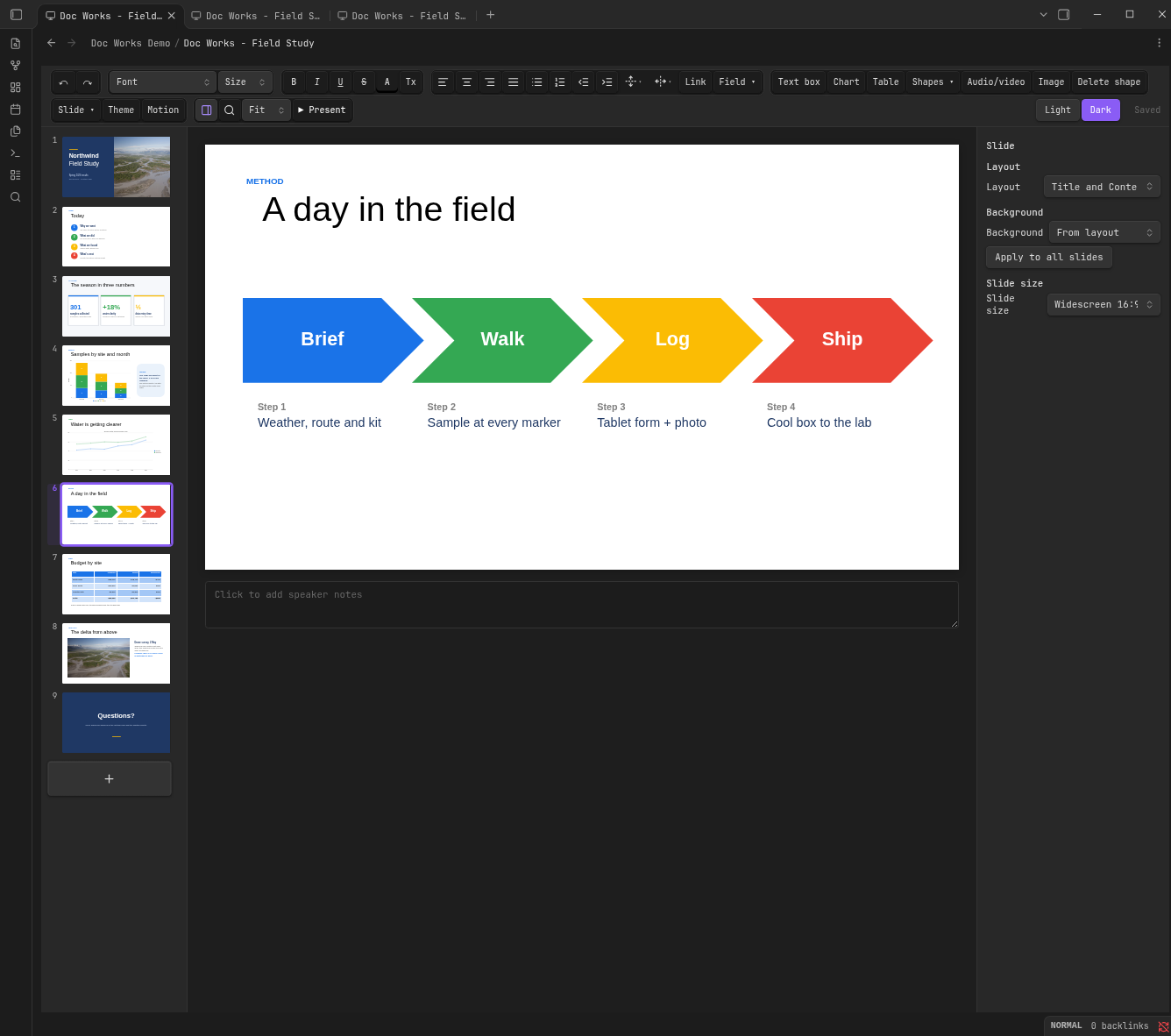
- Looks like PowerPoint, Word and Excel. Themes, layouts, shapes, SmartArt, tables, document styles and cell formats render faithfully, even without Office fonts.
- Doesn't break your files. Only what you edit is rewritten; everything else is saved back byte-for-byte.
- Self-contained. No Office, no LibreOffice, no system dependencies. Works offline.
If it saves you a trip to Office, please ⭐ the repo.
Features
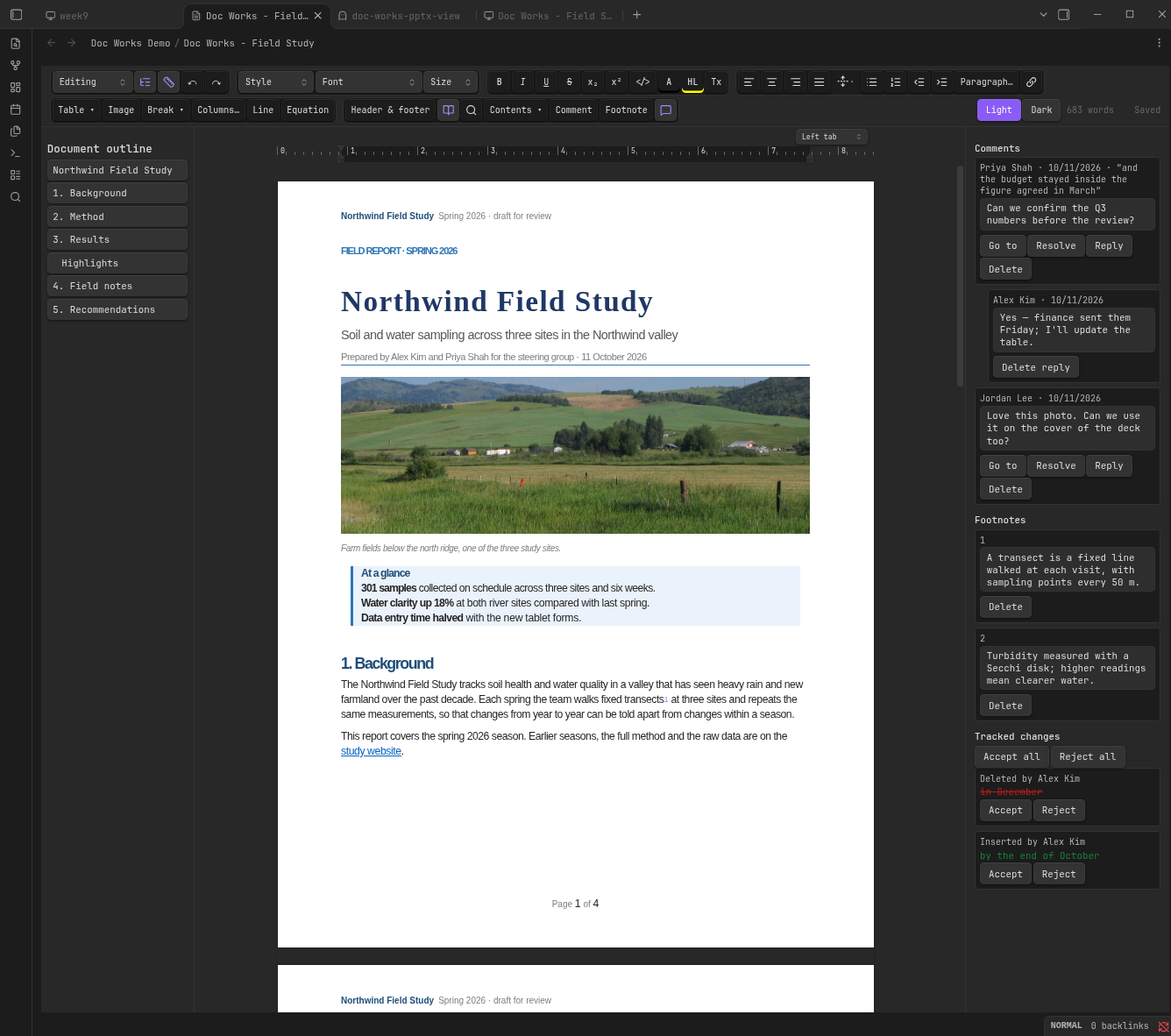
Word: styles, fonts and formatting, paragraph borders and shading, lists, links, tables (merge, borders, header rows), draggable floating pictures with wrapping (on both sides of a picture mid-column), text spacing and cropping, shapes, lines and text boxes, code boxes, page view (true page size per section, so landscape sections get landscape pages, breaks inside tables and paragraphs, including column sections, headers and footers with pictures and page numbers, per section or linked to the previous one), comment replies and resolve/reopen, footnotes, table of contents, suggestion mode and tracked changes (accept / reject), including new paragraphs, joined paragraphs, table columns, merged cells and header / footer edits, document outline, ruler for margins, indents and tab stops, find and replace, word count.
Choose Suggesting from the editing mode menu to record proposed text and formatting edits. Use the review panel to accept or reject changes and reply to or resolve comments. The outline and ruler buttons toggle navigation and page controls; drag ruler handles to adjust margins and indents, or click the ruler to add a tab stop. Floating pictures have a move handle and text spacing control. Pages fit the available space when sidebars are open.
PowerPoint: text editing on the slide, all 187 preset shapes, connectors, group / align / distribute with snapping, tables with table styles, picture crop, layouts, backgrounds, slide size, sections, speaker notes, slideshow with presenter view, slide transitions and object animations, find and replace, zoom, fonts embedded in the deck (e.g. from Google Slides).
Click Motion to add a slide transition or animate a selected object with appear / disappear, fade in / out, fly in / out, zoom in / out or spin. Choose on-click, with-previous or after-previous playback, animate text by paragraph, set duration and delay, reorder or remove effects, and use Play preview to check them in present mode. Changes save into the presentation and support undo/redo. Imported compound steps retain their original effects; expand individual effects to edit timing or motion paths. The Slide dropdown includes New slide and the other slide actions.
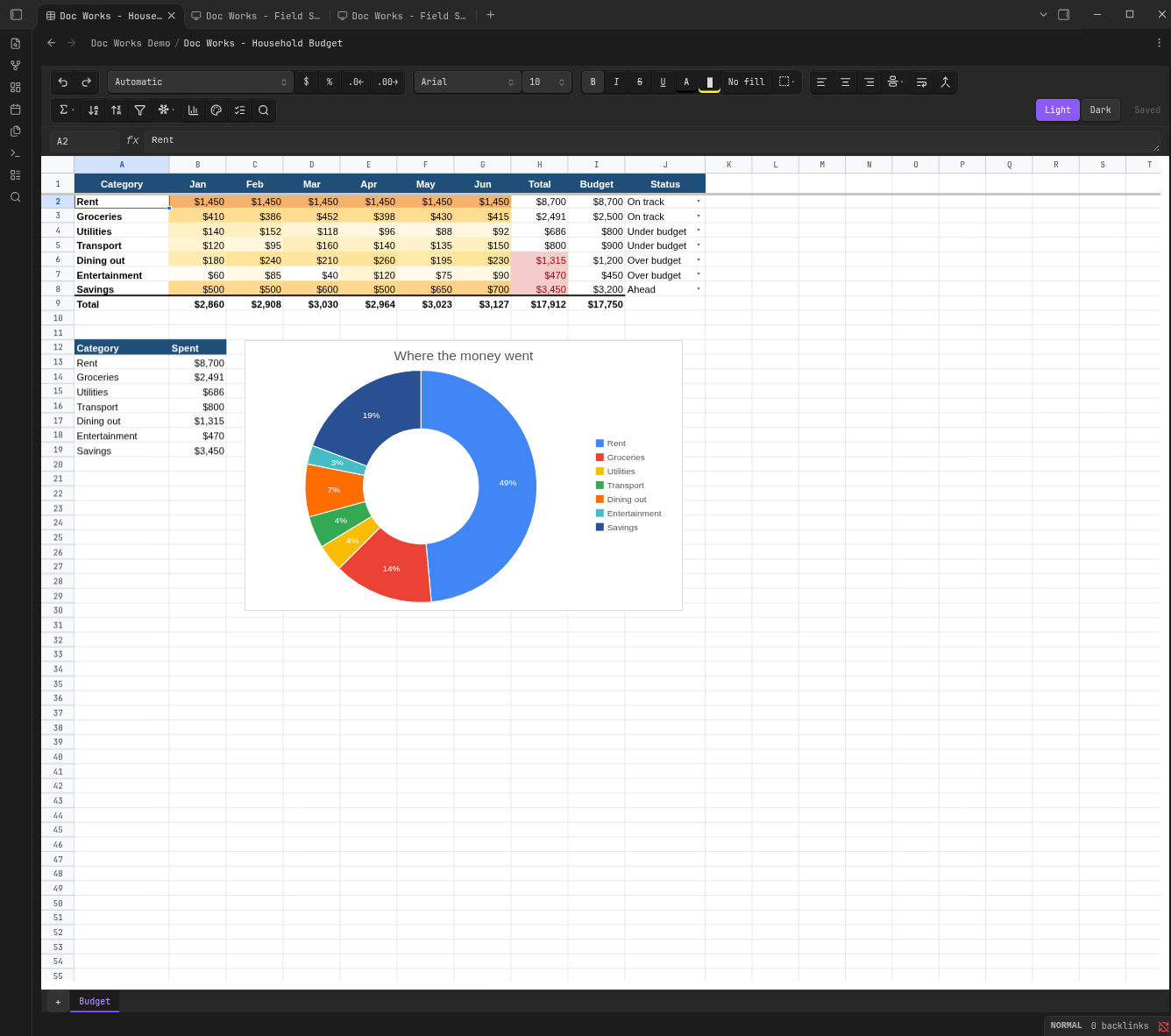
Excel: a fast grid that stays smooth on sheets with 100,000+ cells, frozen rows and columns, merged cells, number formats (currency, percent, dates, custom codes with colors), fonts, fills, borders, alignment and wrapping, pictures, hidden rows / columns / sheets. Type values or formulas (click cells to insert references), and dependent cells recalculate across sheets with about 90 common functions (SUM, IF, VLOOKUP, XLOOKUP, INDEX / MATCH, SUMIFS, COUNTIFS, TEXT, DATE, ...). Copy and paste within the grid and to other apps, fill handle with number series, sort, filters, insert / delete / hide / resize rows and columns, freeze panes, merge, add / rename / duplicate / move / hide sheets, find and replace, name box, Export to PDF. Conditional formatting is drawn (colour scales, data bars, value / text / blank / custom formula rules, top / bottom, duplicates) and edited in a rules dialog; dropdowns (data validation lists, from items or a range) show an arrow with a menu of choices, and number / custom formula rules refuse or flag bad input. Charts are drawn from the sheet's current values, inserted from a selection, dragged and resized with the mouse, and edited in a chart editor (type, data range, title, legend, labels, axes, colours). Notes and threaded comments, icon sets (including Excel 2010 custom ones) and date rules (today, last 7 days, this month, ...), sparklines (line, column, win/loss), pivot tables (refresh, and Google's editor for rows, columns and values), sheet protection with locked cells (password-protected sheets unlock with their password), structured table references, dynamic arrays (SEQUENCE, FILTER, SORT, UNIQUE, TRANSPOSE), zoom, and print settings (paper, orientation, fit to width, margins, gridlines) for Export to PDF. Formulas using functions it can't calculate keep the file's result and are marked; Excel recalculates them on open.
Not yet in spreadsheets: creating pivot tables, and pivot tables with report filters (kept, refreshed in Excel).
All: New presentation / New document / New spreadsheet commands, undo / redo, autosave, light and dark themes. Settings choose the default paper size and which file types Doc Works opens.
Theme edits theme colors/fonts and opens the master or layout canvas. Create custom layouts and add title/body placeholders, then apply them from the slide layout selector.
Chart inserts column, bar, stacked and 100% stacked, line, area, pie, doughnut, combo (columns and lines) or scatter charts with an editable data grid. Select a chart and click Edit chart to change its type, title, legend position, data labels, gridlines, axis titles and range, series colours, and its categories, series names and values; embedded workbook cells are updated too. Formatting the editor doesn't cover is preserved. Externally linked workbooks and named/multi-level ranges need conversion to embedded cell ranges in Office first. Charts and SmartArt can be copied between presentations with their linked resources, and whole slides can be copied, cut and pasted between decks (thumbnail menu or Ctrl+C / Ctrl+V on the thumbnails), keeping their original look.
Audio/video embeds MP4, WebM, MP3, WAV, Ogg or M4A files. Media a deck links to instead of embedding plays in present mode when the file is in your vault (next to the deck, or at its relative path); web videos and files outside the vault are never loaded. Select media to choose automatic playback or looping; present mode provides playback controls. Playback depends on the codecs supported by the device.
SmartArt text is edited with Edit diagram text, which also adds and removes top-level items in row and column layouts; 3-D charts are drawn flat and become flat charts when their type changes.
Not yet: adding SmartArt items to cycle or hierarchy layouts, and complete Office layout fidelity for complex floating objects.
Install
- Community plugins (once listed): search "Doc Works".
- BRAT: add
zarnuq/DocWorks. - Manual: copy
main.js,manifest.jsonandstyles.cssfrom the latest release into<vault>/.obsidian/plugins/doc-works/and enable it.
If another plugin already opens .docx, .pptx or .xlsx, disable it to use Doc Works for that type.
Contributing
Found a file that renders wrong? Open an issue with the file or a screenshot next to Office's rendering. PRs welcome; see CLAUDE.md for the architecture.
npm run dev    # watch build
npm test       # vitest
npm run lint   # Obsidian plugin rules
License
GPL-3.0