- Overview
- Scorecard
- Updates2
Prose diagrams in your notes. Write what to show in a
declartcode block — the plugin draws it.
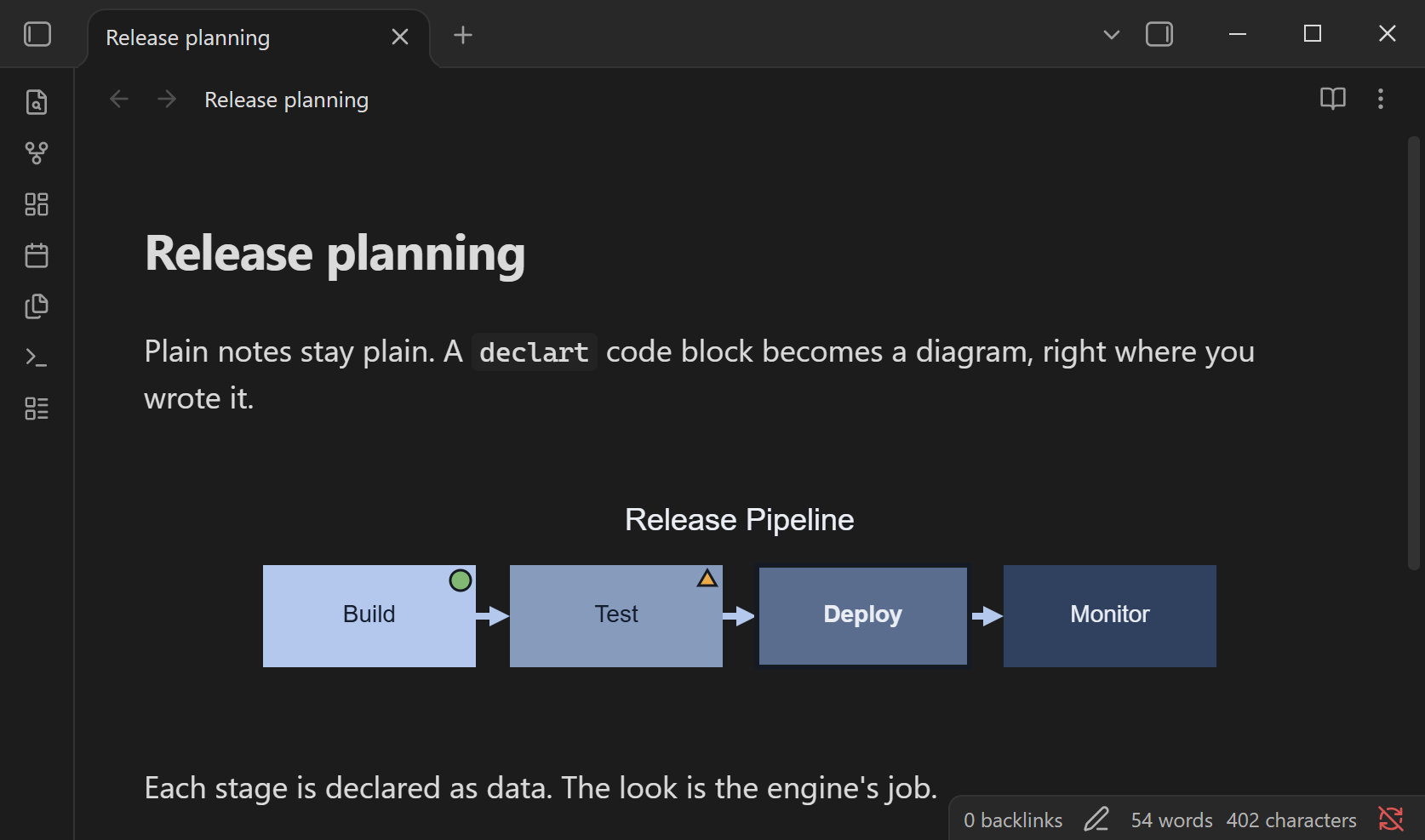
Declart is a declarative diagram language for written content. A
diagram is data — kinds, labels, a little meaning — and the engine decides layout, typography and
color. This plugin renders declart code blocks as SVG diagrams in Obsidian, the way Mermaid blocks
render. No colors, coordinates or fonts to manage, and the source stays plain text in your vault.
```declart
kind = "flow"
title = "Release Pipeline"

[[items]]
label = "Build"
status = "success"

[[items]]
label = "Test"
status = "warning"

[[items]]
label = "Deploy"
emphasis = "primary"

[[items]]
label = "Monitor"
```
In Live Preview a block shows the diagram by default; use the </> ("Edit this block") button
to edit the declaration, and move the cursor out to see the diagram again.
Diagram kinds
Nine kinds, each with semantic views: flow (process, cycle, funnel, swimlane), tier (pyramid,
concentric), hierarchy (org chart, fishbone, mind map), timeline, matrix, hub_spoke, venn,
comparison and state. See the documentation and spec for each
kind's fields, or try declarations in the
live playground.
TOML and JSON declarations are both supported. A declaration that fails to parse is shown as an error message inside the block; the rest of the note is unaffected.
Install (manual)
- Build the plugin (see below) or take
main.js,manifest.jsonandstyles.cssfrom a release. - Copy the three files to
<your vault>/.obsidian/plugins/declart/. - In Obsidian, open Settings → Community plugins and enable Declart.
The WebAssembly renderer is inlined into main.js, so no other files are needed.
The plugin is currently marked desktop-only: it does not use desktop-only APIs, but it has not been tested on mobile yet.
Settings
- Theme —
Autofollows Obsidian's light and dark mode (default/dark); or pick a built-in theme. Diagram backgrounds are transparent. - Width — canvas width in pixels; leave empty for automatic.
Build
Requires Node.js 22.18 or later.
npm ci
npm run build   # copies the renderer into src/wasm/, then bundles main.js
npm run typecheck
npm test
The renderer is the WebAssembly build published as
@iyulab/declart-web (source:
declart). It is pinned to an exact version in package.json;
copy-wasm.js copies it into src/wasm/ and esbuild.js inlines it into main.js. To take a newer
renderer, bump that dependency.
Release assets are built by CI and carry GitHub artifact attestations.
Privacy
The plugin makes no network requests, collects no telemetry, and does not read or write any files outside your vault. Diagrams are rendered locally by a bundled WebAssembly module.
License
MIT. See LICENSE. Third-party components bundled into the renderer (including the embedded
Noto Sans font, under the SIL Open Font License 1.1) are listed in THIRD-PARTY-NOTICES.md.