
- Overview
- Scorecard
- Updates2
Stuck overanalyzing a decision? Too many options cluttering your workflow? Stop wasting mental bandwidth. Drop your choices into a visual wheel, give it a spin, and let destiny handle the rest—right inside your Obsidian sidebar.
The Obsidian Decision Wheel is a clean, interactive canvas utility designed to break decision paralysis. Built natively for Obsidian with fluid spinning physics, customizable style pallets, and a persistent vault manager to index your setups.
✨ Features
- HTML5 Canvas Vector Rendering: A responsive, sharp visual wheel drawn on the fly. No heavy imagery or external lag.
- Friction & Inertia Physics: Click 'SPIN' and watch the wheel spin and land on a winner.
- Smart Contrast Algorithm: Your slices will never share a border color with an identical color block unless mathematically unavoidable. No more adjacent color clashing.
- Modular Theme Browser: Filter style palettes by length (2 to 7 color slots) or search by category. Design custom hex packs and group them natively.
- Persistent Choice Vault: Save your standard wheels (like the default Yes/No/Maybe wheel) into dedicated categories. Edit, duplicate, re-tag, or delete configuration arrays instantly.
📸 Interface Preview
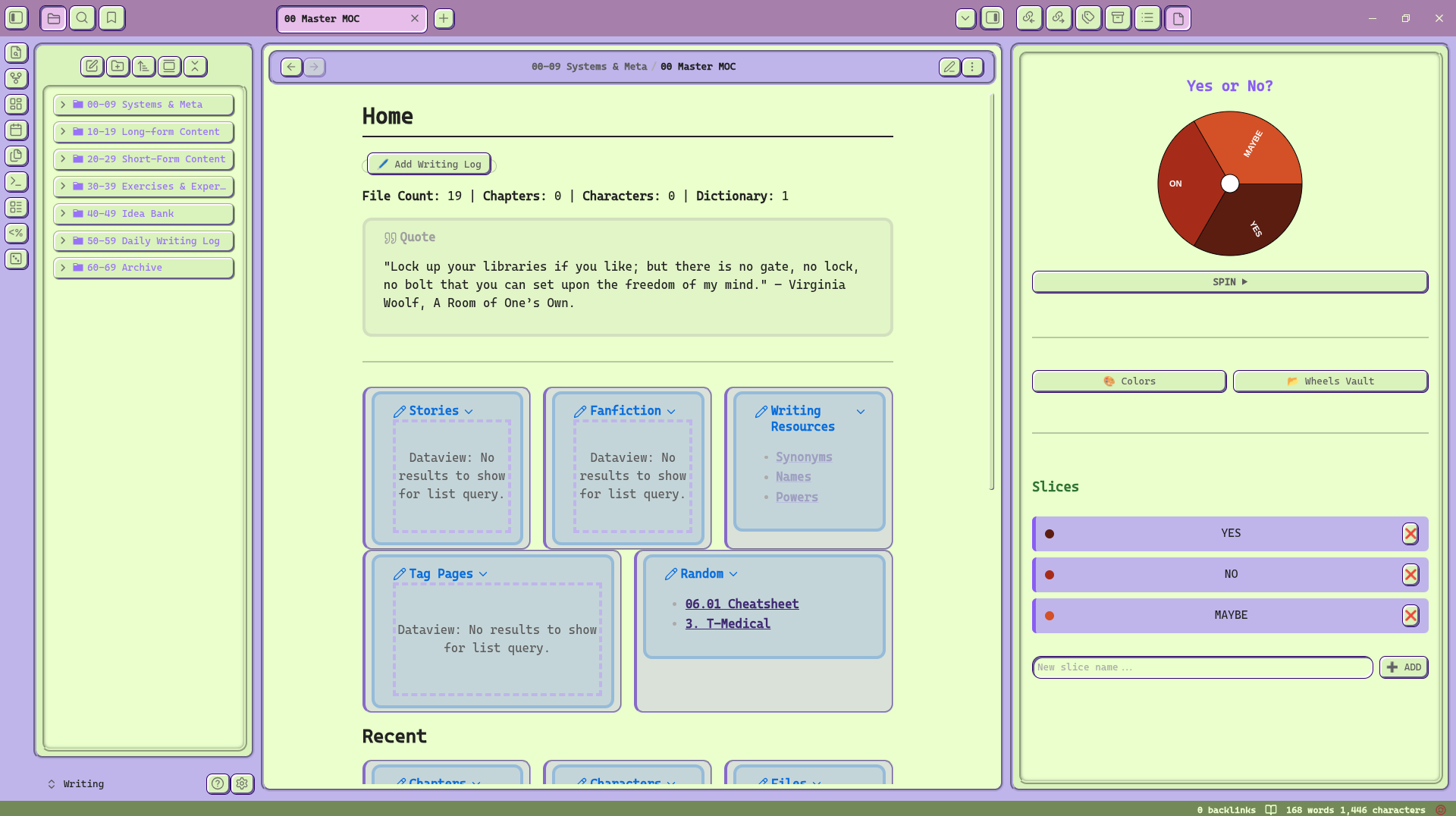
Note: I am using the retroma theme. It may not look the same for you.
🛠️ Installation (Local Git Deployment)
Since this plugin is in an active build phase and not yet listed on the public Obsidian community marketplace, you can install it instantly by cloning the source code directly into your vault using your local terminal.
1. Clone the Repository
Open your terminal and navigate straight into your active vault's hidden plugin directory. Run the clone command to pull down the source files:
cd "/path/to/your/Obsidian Vault/.obsidian/plugins"
git clone https://github.com/Moonsand79/obsidian-decision-wheel.git
cd obsidian-decision-wheel
2. Build the Production Script
Install the necessary developer dependencies and trigger the production compiler to build your standalone execution script:
npm install
npm run build
3. Activate the Plugin
Once the build script outputs your compiled main.js asset, open your Obsidian application window:
- Head over to Settings -> Community Plugins.
- Hit the circular Refresh arrow next to your installed list.
- Find Decision Wheel in the menu list and toggle the switch to ON.
🧭 How It Works & Control Guide
- Click the Dice Icon (🎲) sitting on your left ribbon framework to unfold the view pane.
- Add Items: Type your choices into the sleek text bar at the bottom and hit
Enter. - Customize Style: Tap 🎨 Colors to invoke the style browser. Switch to a pre-built color palette, filter by choice array lengths, or inject raw hex strings to map your own palette.
- Manage Vault Arrays: Click 📂 Wheels Vault to name and save your current configuration block under custom category labels (e.g., Life, Work, Food). Use the canvas grid matrix to load or duplicate them later.
- Mobile Integration: Swipe down to open the command palette and type 'Decision Wheel: Open Decision Wheel' to open the wheel on the mobile app.
📄 License
This open-source plugin project architecture is registered under the terms of the Apache License 2.0. Check out the LICENSE file template inside this folder for comprehensive coverage parameters.
☕ Support
If this plugin saved you time, broke your decision fatigue, or simply looked sharp in your sidebar workflow layout, feel free to let me know!