Daily Prompt
 erl-koenig1k downloads
Set up custom prompts and automatically fill them into your daily notes.
- Overview
- Scorecard
- Updates1
This Obsidian plugin allows you to set up daily prompts and automatically fill them into your daily notes.
Demo
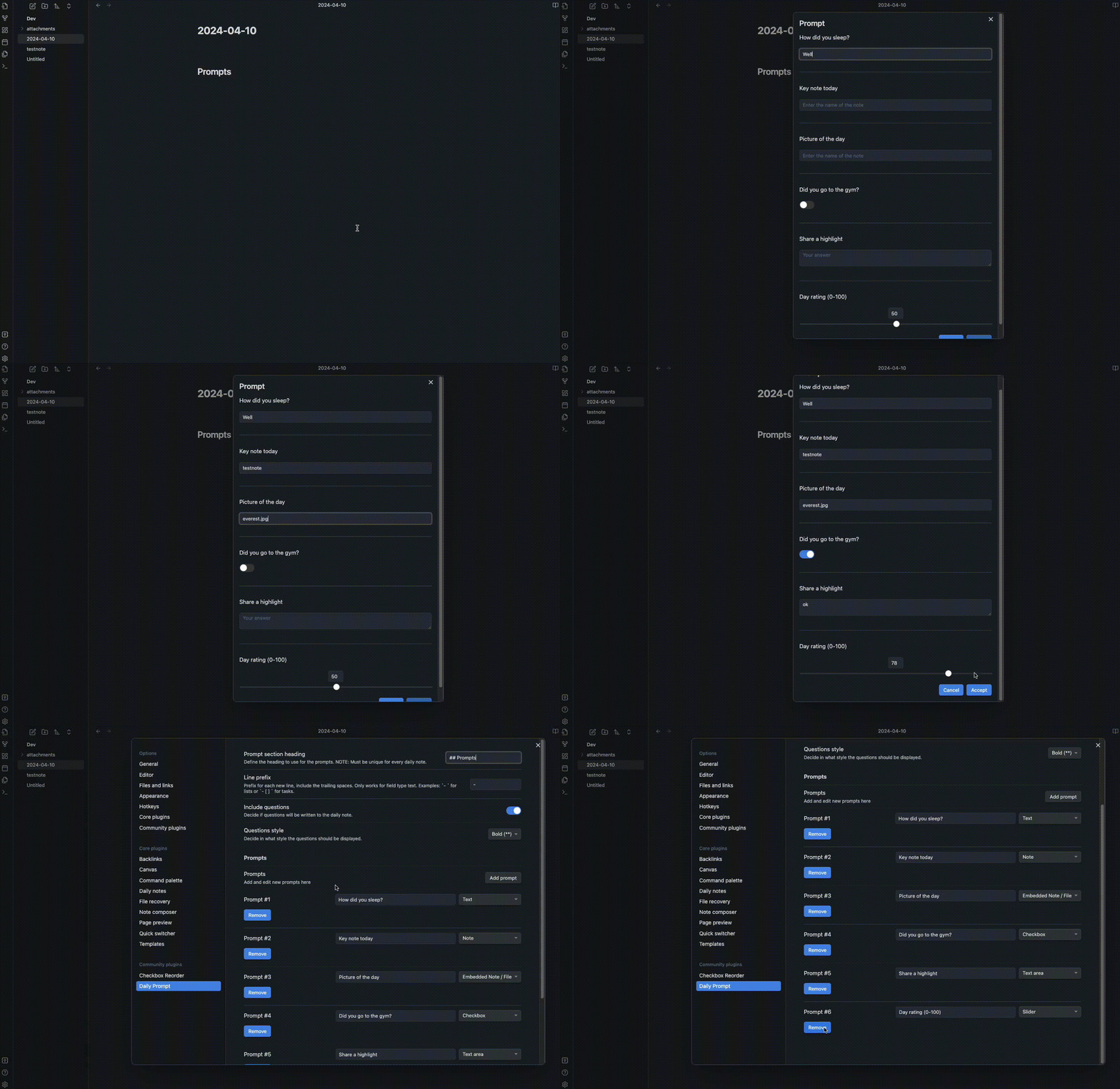
Features
- Define a set of prompts for each day.
- Specify the file type (Text, Note, Embedded Note / File, Checkbox, Text area, slider)
- Automatically fill prompts into your daily notes.
- Creates a daily note if it doesn't already exist.
- Customize prompt section heading and line prefix.
Usage
Setting up Prompts
- Open the plugin settings by navigating to Settings > Daily Prompt.
- Under "Prompts", you can add, edit, and remove prompts.
- Define the prompt section heading and line prefix under "General settings".
Using Prompts
- Use the command palette (
Ctrl/Cmd + P) and type "Open prompt" to open the prompt dialog. - Answer the prompts provided.
- Click "Accept" to fill the prompts into your daily note.
Settings
Prompt section heading
Define the heading to use for the prompts. Note: Must be unique for every daily note.
Line prefix
Prefix for each new line, include the trailing spaces. Examples: - for lists or - [ ] for tasks.
Support
For questions, issues, or feature requests, please visit the plugin's GitHub repository.
Say Thanks 🙏
This plugin is developed by Erl-koenig.
If you find this plugin helpful, consider supporting its development
HealthFair
ReviewCaution
About
Define daily prompts with multiple field types (text, embedded note/file, checkbox, textarea, slider) and auto-fill answers into your daily notes. Create the daily note if missing and insert prompts under a unique heading with customizable line prefixes.Details
Current version
1.0.0
Last updated
2 years ago
Created
2 years ago
Updates
1 release
Downloads
1k
Compatible with
Obsidian 0.15.0+
Platforms
Desktop, Mobile
License
MIT
Sponsor