Cut The Fluff
 adamfletcher2k downloads
Make your writing clearer by checking for unnecessary complexity and clutter.
- Overview
- Scorecard
- Updates4
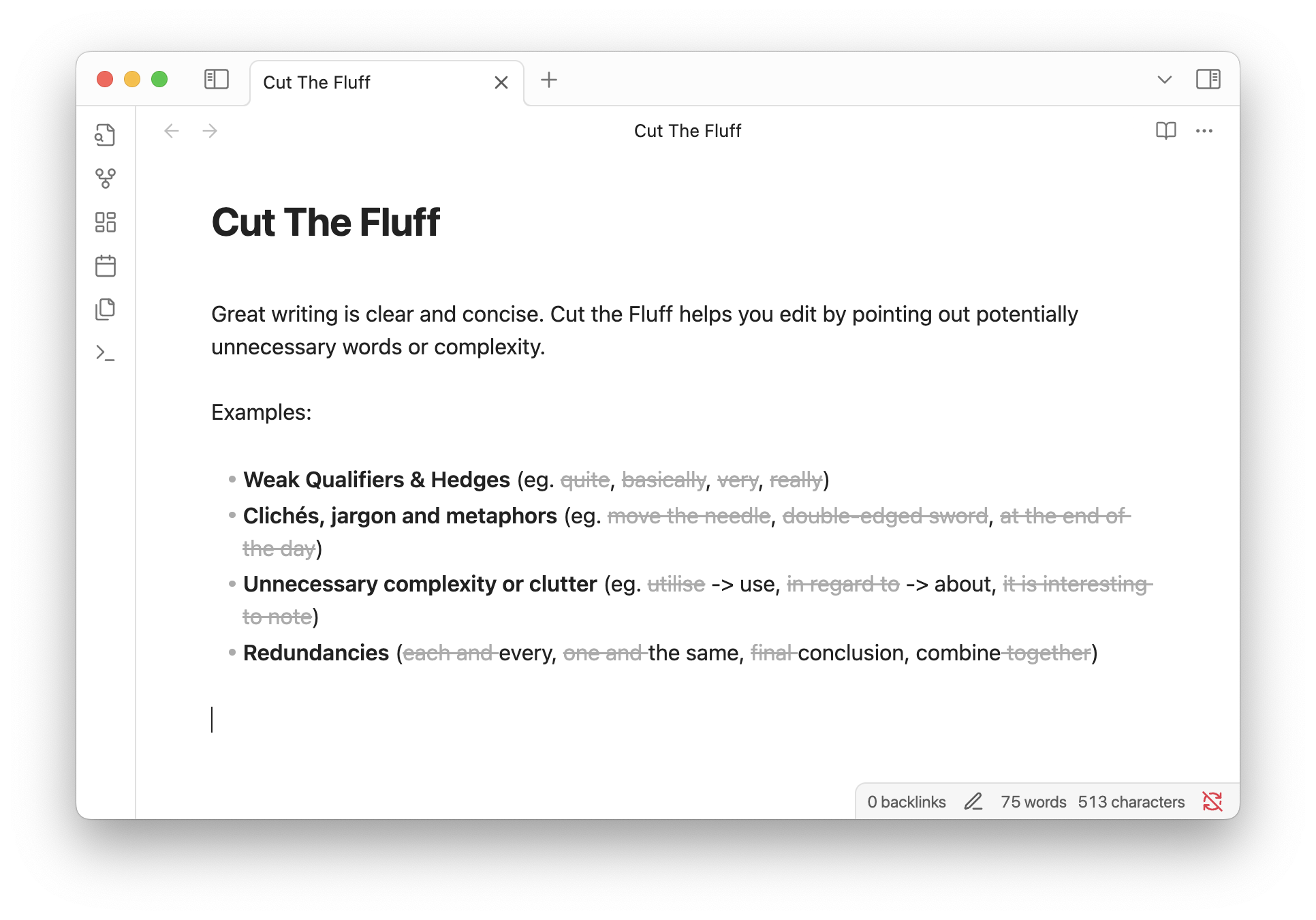
Great writing is clear and concise. Cut the Fluff helps you edit by pointing out potentially unnecessary words or complexity.
Examples:
- Weak Qualifiers & Hedges (eg.
quite,basically,very,really) - Clichés, jargon and metaphors (eg.
move the needle,double-edged sword,at the end of the day) - Unnecessary complexity or clutter (eg.
utilise-> use,in regard to-> about,it is interesting to note) - Redundancies (
each andevery,one andthe same,finalconclusion, combinetogether)
Installation
Install via the Obsidian Plugins Directory
Privacy
All processing happens locally on your device. Your text or any other data is never sent to a remote server by this plugin.
Customization
Rules
There are 4 built-in rulesets matching the categories from the examples above which can each be enabled and disabled. You can add custom words and phrases, or add an exception for any of the built-in matches.
Display
- Dim
- Strikethrough
- Underline
- None
If you select 'None' the plugin will apply a fluff class to any matches allowing you to apply custom formatting in your user stylesheet.
HealthExcellent
ReviewSatisfactory
About
Identify and mark unnecessary words and phrases—weak qualifiers, clichés, jargon, wordy constructions and redundancies—to make writing clearer and more concise. Process all checks locally for privacy, enable built-in rulesets or add custom phrases and exceptions, and choose display styles or apply a fluff CSS class for custom formatting.Details
Current version
0.2.0
Last updated
5 months ago
Created
2 years ago
Updates
4 releases
Downloads
2k
Compatible with
Obsidian 0.15.0+
Platforms
Desktop, Mobile
License
MIT