Customization Studio
 Ahmed Adel6 downloads
Customize Obsidian and supported community plugin interfaces with profiles and scoped CSS.
- Overview
- Scorecard
- Updates2
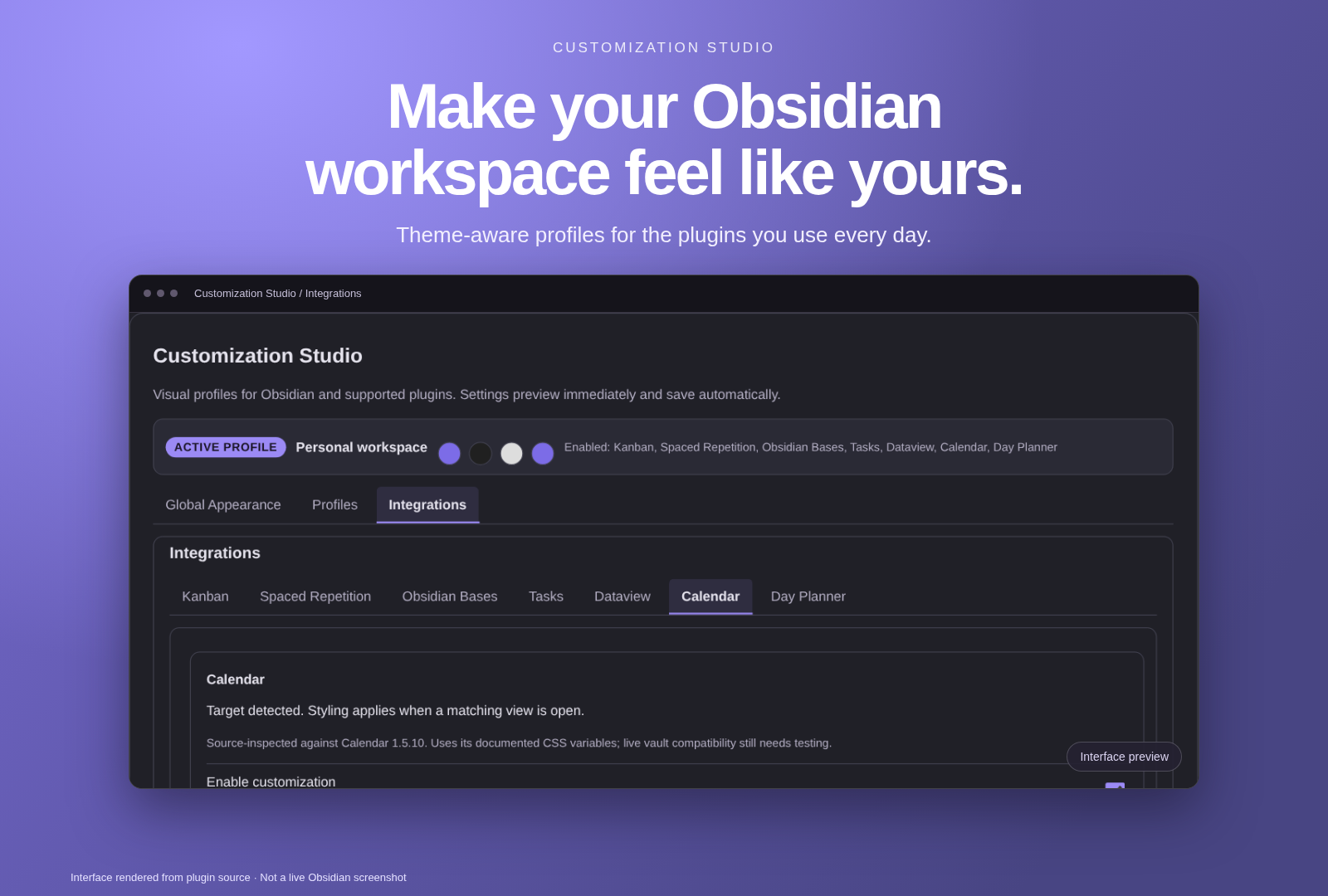
Interface preview rendered from the plugin UI. Not a live Obsidian screenshot.
Customization Studio is a non-invasive Obsidian plugin for personalizing the appearance of Kanban, Spaced Repetition, Obsidian Bases, Tasks, Dataview, Calendar, and Day Planner. It keeps module logic separate, applies plugin-owned styles, and stores customization profiles through Obsidian's plugin data API. It does not edit target plugin sources, settings, review schedules, Base definitions, or user content.
Author: Ahmed Adel
Minimum Obsidian version: 1.9.0 (required for Bases support)
Screenshots
Screenshots are not available yet.
Features
- Five built-in appearance presets: Minimal, Dark Academia, Glassmorphism, Colorful, and Focus Mode.
- Custom profiles can be created, duplicated, renamed, deleted, imported, exported, and switched.
- Global accent, surface, and text colors; profile-level custom CSS.
- Tab-header-only background transparency, backdrop blur, and configurable linear, elliptical radial, or circular radial gradients.
- Accessible tabbed navigation for Global Appearance, Profiles, and Integrations, with a separate integration tab for each supported module.
- Navigation section, selected integration, and scroll position persist independently for the Community Plugins settings tab and ribbon modal.
- The active profile name and status are visible across sections and settings surfaces; profile switching updates all open views immediately.
- Organized visual settings with color pickers, sliders, toggles, dropdowns, collapsible groups, active-profile color previews, live preview, and automatic persistence.
- A ribbon shortcut opens the visual settings in a plugin-owned modal.
- Independent module enablement and settings for each supported integration.
- Optional module-scoped custom CSS.
- Styles and observers are owned by the plugin and cleaned up when modules are disabled or the plugin unloads.
- Modular source architecture supports future integrations without adding placeholder modules to the current release.
Network and privacy
Customization Studio has no required account, paid feature, analytics service, or backend. Its runtime code does not upload notes or task content. Profiles, visual settings, and custom CSS are stored locally through Obsidian's plugin data API. Exporting a profile copies its settings and CSS to your clipboard; review them before sharing, as they may include vault-relative paths or URLs.
Network requests are optional and depend on what you configure:
- A remote Kanban background is loaded directly by your device from the HTTP(S) image URL you enter. The image host receives your IP address and ordinary request information. There is no fixed image service or proxy. Use a vault-local image to avoid this remote request.
- Custom CSS can also load remote resources, for example through
url()or fonts. Global profile CSS can use@import. Module CSS rejects@importand scopes selectors, but does not block resource URLs. Selector scoping is not a security sandbox. Imported profiles can contain CSS and image URLs, so only import profiles or paste CSS from sources you trust. - Opening the optional Buy Me a Coffee support link visits that service in your browser. It is not needed to use the plugin.
The runtime reads its own stylesheet in Obsidian's configuration folder and resolves user-selected local background images inside the vault. It does not require access to files outside the vault. It does not modify note content, other plugins' settings, task dates, or review schedules. Obsidian's own sync or installed extensions may handle data separately from this plugin.
Supported integrations
Kanban
Column/card colors and opacity, automatic and manual column coloring, spacing, padding, radii, column blur, board image and overlay options, independent card and column glow, and visual drag states. Local image paths are resolved through Obsidian's vault resource-path API; external images accept HTTP(S) URLs. Column override colors are keyed by visible title and assigned separate temporary DOM tokens, so distinct columns remain distinct during reordering while their DOM elements remain mounted. Overrides cannot distinguish columns with duplicate titles, and title-based overrides do not follow a renamed column.
The inspected selectors correspond to Kanban 2.0.51. The installed target version and live drag interactions have not been tested in a vault. A right-click card color menu is not provided: the inspected Kanban component passes card IDs to its drag/drop components but does not expose a verified stable ID on rendered card DOM; adding DOM context handlers risks interfering with Kanban's native card menu.
Spaced Repetition
Flashcard appearance, shared question/answer typography, review controls, answer/review button colors and states, spacing, and transitions. The inspected selectors correspond to Spaced Repetition 1.15.4. The inspected DOM uses shared content rather than distinct question/answer text containers; progress styling is not provided. Live study-session compatibility has not been tested.
Obsidian Bases
Table and cards-view settings using documented native Bases CSS variables. Bases is detected as an Obsidian core plugin. Some requested visual details have no verified supported hook and are intentionally not exposed. Requires Obsidian 1.9.0 or later.
Tasks
Query row spacing and dividers, group headings, date metadata chips, and edit
form section spacing. Checkbox status, urgency colors, priority, validation,
and click handlers remain owned by Tasks. Source-inspected at Tasks 8.6.0,
commit 9fecdd6; this version of Tasks requires Obsidian 1.13.1.
Dataview
Standard result-table padding, text size, headers, alternating rows and
borders, list spacing, and inline-field surfaces. Arbitrary DataviewJS-generated
HTML is not covered. Source-inspected at Dataview 0.5.68, commit 5ad0994.
Calendar
Calendar text size and outer spacing, today/day/heading/dot colors, and an
optional weekend surface. Uses documented #calendar-container variables,
not generated Svelte class names. Source-inspected at Calendar 1.5.10,
commit ef3f269.
Day Planner
Timeline background and hour separators, time-block font, corner radius,
inner content spacing, and shadow. Time positions, duration geometry, event
colors, native active borders, and drag/resize handlers are not changed.
Source-inspected at Day Planner 0.35.1, commit 9c483b3.
The four new integrations are off by default, including when older profiles load. Duplicate a built-in profile, open Integrations, select the target, and enable customization. Their colors follow the active theme by default; turn off Follow theme colors to apply custom colors. All four support independent settings, module-scoped CSS, profile import/export, and cleanup on disable/unload. These source checks do not certify live-vault behavior; the four installed target plugins still need real in-app tests.
Installation
Install from a GitHub release
- Download
main.js,manifest.json, andstyles.cssfrom the same published release. Put them directly into<vault>/.obsidian/plugins/customization-studio/. - Keep your existing
data.jsonif updating, then reload Obsidian and enable Customization Studio under Community plugins.
For releases after the original 0.1.0, only the three standard assets are
attached. The original 0.1.0 also has an installable ZIP and LICENSE; those
published files are left unchanged. Do not install GitHub's automatic
source-code archive as if it were the runtime package. The MIT license remains
in the repository and its full notice is included in main.js.
Install with BRAT
BRAT can install a repository that publishes releases containing the plugin files. Install BRAT from Community plugins, then:
- Open Settings → BRAT → Add Beta plugin.
- Enter
Ahmedadel200066/Obsidian-Customization-Suite.(including the final period). - Select the published Customization Studio release and enable it under Community plugins.
BRAT and release installation have not been tested in an Obsidian vault.
Manual installation from the repository
The repository root is kept installable: it contains the generated main.js,
manifest.json, and generated styles.css. Clone/copy the repository contents
directly into <vault>/.obsidian/plugins/customization-studio/, then enable
the plugin in Obsidian. Do not copy the repository into an additional nested
folder.
Development
Requirements: Node.js 20 or later and npm.
npm ci
npm run build
npm test
npm run build bundles src/main.js and local modules into the root-level
main.js. The Obsidian obsidian API remains external. The build rejects
unresolved local imports and validates the root manifest and generated stylesheet.
It copies styles/core.css to the standard root-level styles.css, which is
the runtime stylesheet distributed with the plugin. Edit the source stylesheet
and run the build rather than editing the generated copy.
To rebuild on source changes:
npm run dev
The workflow in .github/workflows/release.yml runs when a version tag is pushed,
installs locked dependencies, builds and tests the project, validates the
bundle, verifies that the tag matches manifest/package versions and versions.json,
attests main.js, manifest.json, and styles.css using GitHub build
provenance, and publishes those three files as the release assets. It stages the
assets in a draft and publishes only after upload. It refuses to overwrite
an already published release. Attestations are stored by GitHub, not uploaded
as additional release files.
Compatibility and known limitations
- Minimum Obsidian version is 1.9.0 for the Bases integration.
- Kanban and Spaced Repetition selectors were inspected against upstream Kanban 2.0.51 and Spaced Repetition 1.15.4 source. This does not certify other versions.
- No live Obsidian vault or installed target plugins were available for validation. Real theme compatibility, restart persistence, current plugin DOM, and native drag/review behavior require manual testing.
- Spaced Repetition's inspected markup does not expose separate question and answer text containers or a verified progress bar selector.
- The documented Bases variables do not provide verified hooks for card radius, cover positioning, property visibility, or a specific responsive grid selector; those controls are omitted.
- A missing runtime
styles.cssproduces a warning but does not prevent startup. - The tab bar appearance targets Obsidian's
.workspace-tab-header-containerUI class. Zero opacity sets a transparent background without applying opacity to tab labels or icons. Backdrop blur is ignored by browsers that do not supportbackdrop-filter. Neither behavior has been verified against a live Obsidian window or every theme. - The ribbon shortcut opens the shared settings UI in a plugin-owned modal; navigation directly to the Obsidian settings tab is not exposed through the public Obsidian API.
- Profile recommendations are not implemented: the inspected source contains no recommendation rules or theme detection, so the UI states that suggestions are unavailable rather than inferring a profile.
- Support uses the standard manifest
fundingUrllink. There is no direct donation button in the plugin settings. No integration context-menu action is registered because no stable, verified menu hook for the supported plugin views was found. - Column blur uses a translucent lane surface (capped at 75% effective opacity while blur is active) so the backdrop can be visible; the exact appearance depends on what is behind the Kanban lane.
- External background URLs are syntactically checked but remote availability cannot be guaranteed or tested from the plugin settings.
- Kanban visual drag-state CSS is based on the pinned source DOM. Native pickup/drop behavior and visual continuity after the installed plugin replaces elements require live testing.
- Profile-wide custom CSS can affect any matching Obsidian element. Module CSS
is scoped to its module root and rejects global at-rules such as
@import. - Licensed under MIT; see LICENSE. Upstream plugins remain under their own licenses. This plugin does not bundle their code.
Bug reports
Report bugs through the repository Issues tab. Include your Obsidian version, target plugin and version, steps to reproduce, expected and actual behavior, and relevant console errors. Do not attach vault data, private notes, or credentials.
Contributing
Before proposing changes:
- Check existing issues and describe the problem or feature.
- Keep integrations isolated under
modules/<module-id>/. - Verify selectors and APIs against documented or upstream sources; do not invent hooks.
- Add or update tests, then run
npm ci,npm run build, andnpm test. - Clearly state what was and was not verified inside Obsidian.
Please do not commit secrets, user-vault content, or generated dependency directories. Changes to licensing terms require confirmation from the project owner. See LICENSE for the current MIT terms.
See bug-fix verification, growth-change verification, and publishing checklist.
Manual Obsidian test checklist
These checks remain necessary before claiming runtime compatibility:
- Install the root plugin files or release ZIP into
.obsidian/plugins/customization-studio/, enable the plugin, and confirm the ribbon shortcut opens the settings tab. - Switch profiles, change global and module controls, restart Obsidian, and confirm settings and active profile persist.
- Reset global appearance and confirm tab-bar opacity/gradient controls and live preview return to their Minimal values.
- On a Kanban 2.0.51 board, use two uniquely named columns with different manual colors; reorder columns and create a new lane.
- Test a local vault image and a reachable HTTPS image as board backgrounds; verify a missing local path reports an error without altering board data.
- With lane opacity below 100%, change column blur and test glow/drag styles
during native card pickup, movement, and drop. Repeat with
prefers-reduced-motionenabled. - Test Spaced Repetition controls in a real review and Bases controls in both table and cards views, including module disable and plugin unload cleanup.
Author
Support
If Customization Studio helps you, you can support Ahmed on Buy Me a Coffee. The same destination is available through the plugin details support link.
Upstream references
- Kanban, inspected version 2.0.51.
- Spaced Repetition, inspected version 1.15.4.
- Obsidian Bases CSS variables.