Search...Search plugins and themes...
⌘K
Sign in
  • Get started
  • Download
  • Pricing
  • Enterprise
  • Account
  • Obsidian
  • Overview
  • Sync
  • Publish
  • Canvas
  • Mobile
  • Web Clipper
  • CLI
  • Learn
  • Help
  • Developers
  • Changelog
  • About
  • Roadmap
  • Blog
  • Resources
  • System status
  • License overview
  • Terms of service
  • Privacy policy
  • Security
  • Community
  • Plugins
  • Themes
  • Discord
  • Forum / 中文论坛
  • Merch store
  • Brand guidelines
Follow us
DiscordTwitterBlueskyThreadsMastodonYouTubeGitHub
© 2026 Obsidian

cursor-goaway

liuxingyu521liuxingyu52123k downloads

Hide the cursor after opening a note

Add to Obsidian
  • Overview
  • Scorecard
  • Updates6

make cursor goaway after open a text file

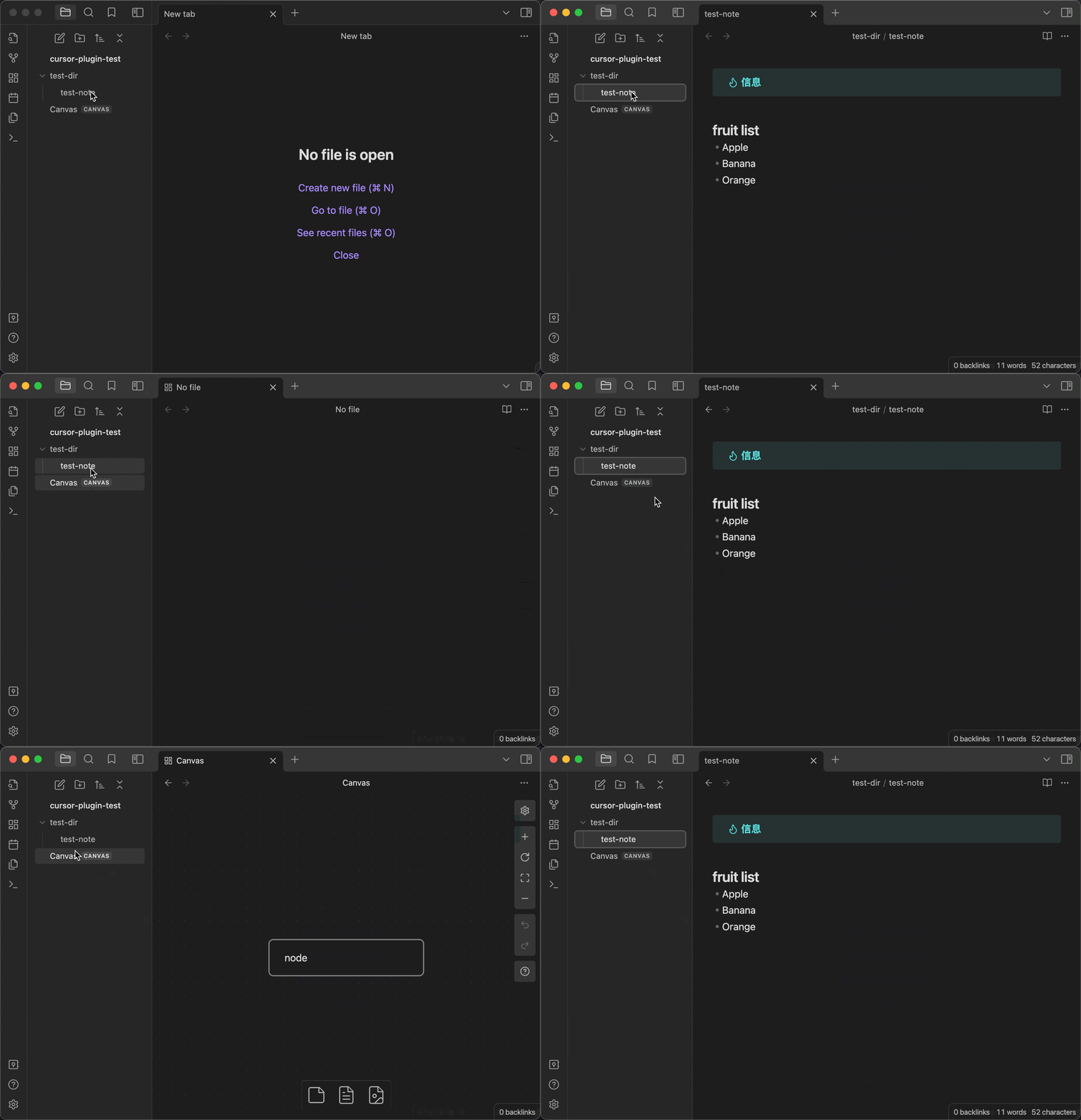
before vs after

before 😑

When the file is opened, the cursor is automatically positioned in the first line and enters the editing mode, which affects the display effect of the first line
cursor-goaway-before

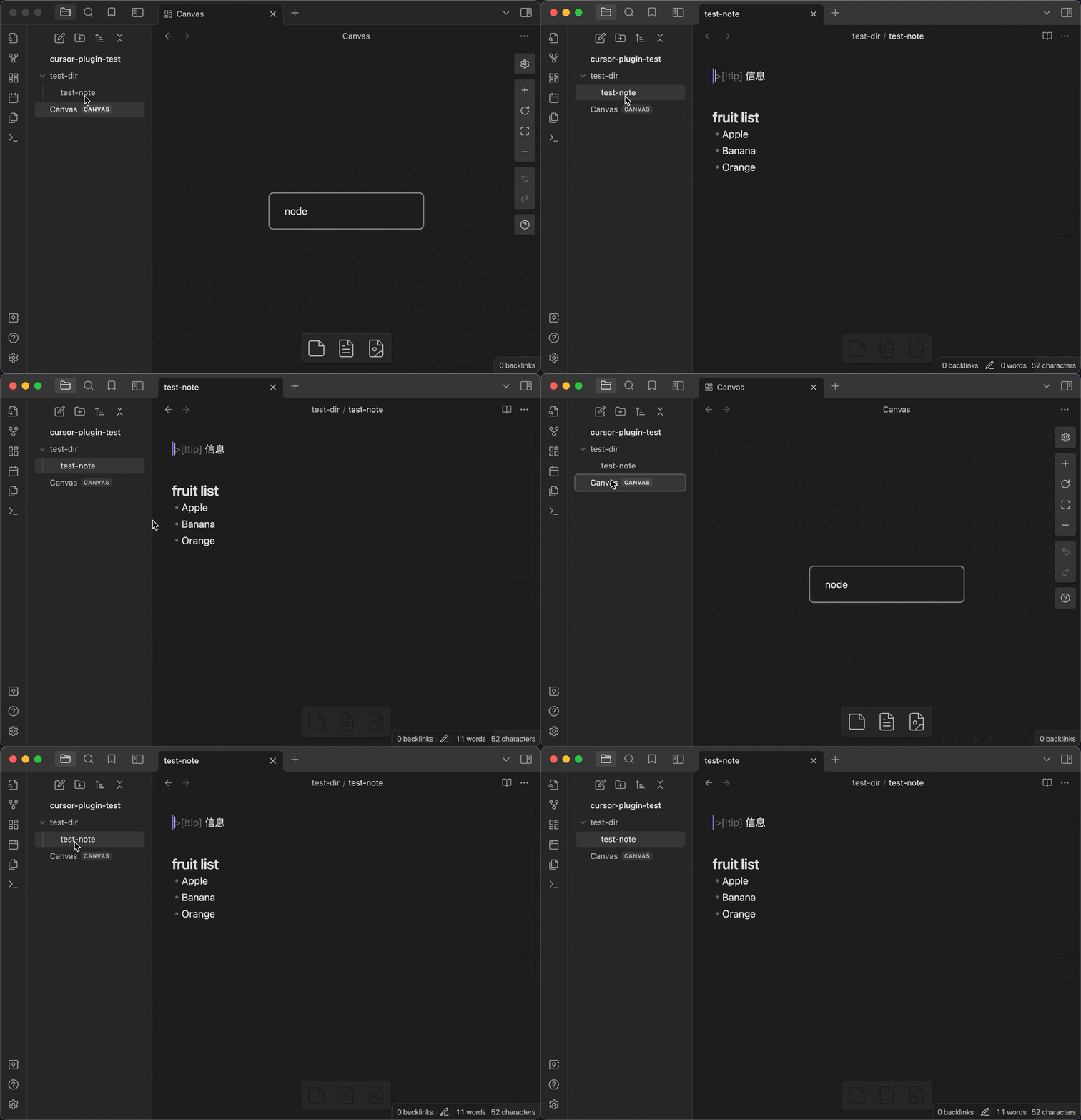
after 😀

cursor-goaway-after

Usage

  • When a Markdown file is opened, the plugin temporarily removes the editor focus (about 500 ms) to hide the cursor and prevent the first line's style from being affected.
  • To immediately show the cursor and start editing, press ArrowDown (↓).
    • Focus will return to the editor and the cursor will be placed at the beginning of the first line.
    • This is a one-time trigger: it works on the first press after each file open/switch. It resets after you switch or reopen the file.
    • If it doesn't take effect, wait ~0.5 s and press it again (the key is ignored while the defocus window is active).

Local Dev

  • Clone this repo.
  • Make sure your NodeJS is at least v16 (node --version).
  • npm i or yarn to install dependencies.
  • npm run dev to start compilation in watch mode.
76%
HealthGood
ReviewSatisfactory
About
Hide the editor cursor briefly when opening a Markdown file to prevent the cursor from affecting the first line’s display. Restore focus and place the cursor at the start of the first line by pressing ArrowDown; applies once per file open or switch.
EditingInterface
Details
Current version
1.5.0
Last updated
6 months ago
Created
3 years ago
Updates
6 releases
Downloads
23k
Compatible with
Obsidian 0.15.0+
Platforms
Desktop, Mobile
License
MIT
Report bugRequest featureReport plugin
Author
liuxingyu521liuxingyu521
xuer.tech
GitHubliuxingyu521
  1. Community
  2. Plugins
  3. Editing
  4. cursor-goaway

Related plugins

Meta Bind

Make your notes interactive with inline input fields, metadata displays, and buttons.

Hover Editor

Transform the Page Preview hover popover into a fully working editor instance.

Dragger

Drag and drop any block (paragraphs, headings, lists, etc.) to rearrange content like Notion.

Feed Bases

Adds a feed layout to bases so you can display notes with their content in an editable feed view.

Slash Commander

Customize the slash command list, assign each command an icon.

Lineage

A writing interface that combines structure and content. Inspired by Gingko Writer.

Advanced Tables

Improved table navigation, formatting, and manipulation.

Hider

Hide interface elements such as tooltips, status bar, titlebar, and more.

Outliner

Work with your lists like in Workflowy or Roam Research.

Commander

Customize your workspace by adding commands everywhere, create macros and supercharge your mobile toolbar.