Search...Search plugins and themes...
⌘K
Sign in
  • Get started
  • Download
  • Pricing
  • Enterprise
  • Account
  • Obsidian
  • Overview
  • Sync
  • Publish
  • Canvas
  • Mobile
  • Web Clipper
  • CLI
  • Learn
  • Help
  • Developers
  • Changelog
  • About
  • Roadmap
  • Blog
  • Resources
  • System status
  • License overview
  • Terms of service
  • Privacy policy
  • Security
  • Community
  • Plugins
  • Themes
  • Discord
  • Forum / 中文论坛
  • Merch store
  • Brand guidelines
Follow us
DiscordTwitterBlueskyThreadsMastodonYouTubeGitHub
© 2026 Obsidian

Coverly

EdgarEdgar9 downloads

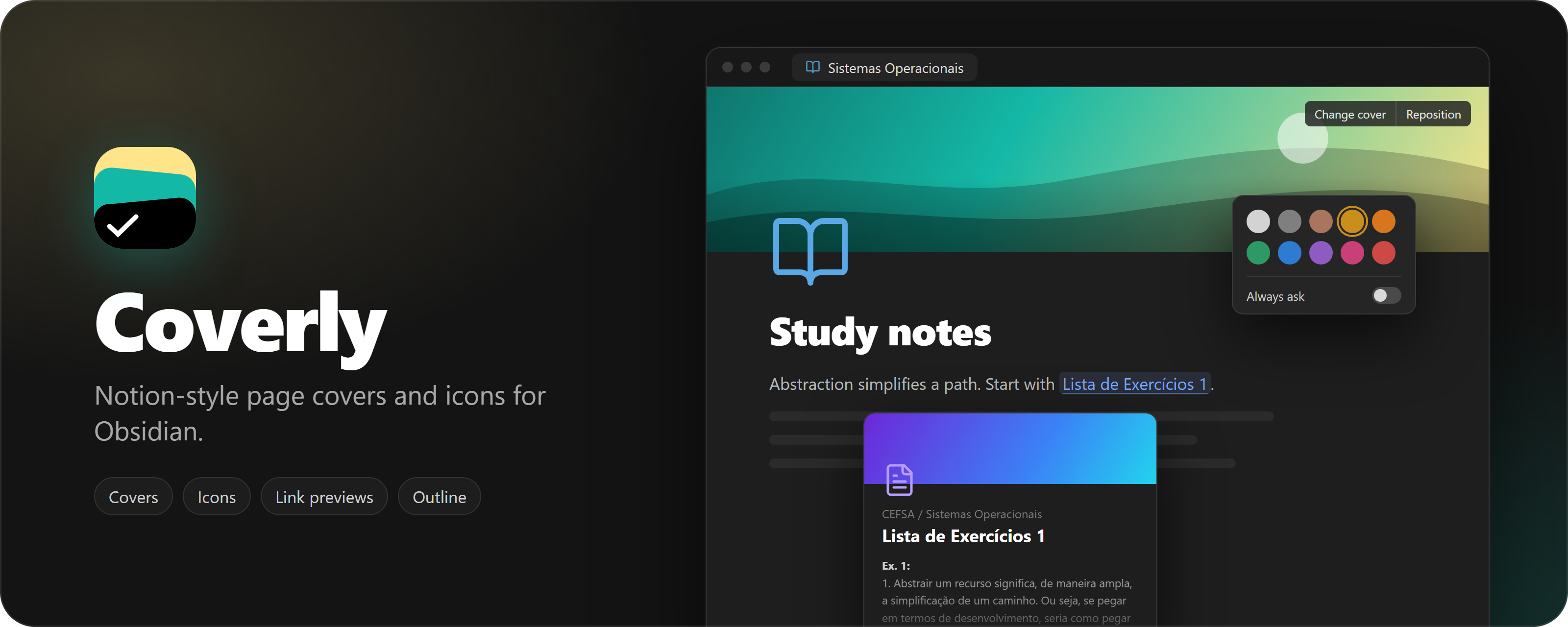
Add Notion-style covers and icons to your notes.

Add to Obsidian
  • Overview
  • Scorecard
  • Updates6
Coverly: Notion-style page covers and icons for Obsidian


Downloads Obsidian 1.13.0+ License

Features

  • Page covers: pick a color or gradient, a public domain artwork, an Unsplash photo, an uploaded image, a link, or paste an image with Ctrl+V. Drag to reposition. Height, rounded corners, bottom fade and bottom shade are configurable.
  • Page icons: any Unicode emoji (optionally drawn with Twemoji), any Lucide icon in a color of your choice, or a custom image.
  • Icons everywhere: the note icon also shows in the tab title and the file explorer.
  • Heading outline: a slim outline on the right edge of the note that expands on hover and jumps to a heading on click.
  • English and Portuguese interface, following Obsidian's language by default.

Covers and icons are stored in the note's frontmatter (cover, cover-position, cover-credit, cover-credit-url, icon), so your notes stay plain Markdown.

Network use

Coverly works offline. It only reaches the network for these features:

  • Unsplash (api.unsplash.com, images.unsplash.com): searching photos and loading the ones you pick, only after you add your own Unsplash access key in the settings. Picking a photo also sends Unsplash a download notice, as their API guidelines require.
  • Twemoji (cdn.jsdelivr.net): downloading emoji images the first time they appear. They are cached in the plugin folder. Turn off X-style emojis in the settings to use system emojis instead.
  • Gallery artworks (images.metmuseum.org, commons.wikimedia.org, which redirects to upload.wikimedia.org): loading the public domain images shown in the cover gallery.
  • Images from links: if a cover or icon comes from a web address, Obsidian loads that image from its host each time the note is shown.

No note content, file names or personal data are sent anywhere.

Installation

Until Coverly is listed in the community catalog, install it manually:

  1. Download main.js, manifest.json and styles.css from the latest release.
  2. Copy them to <Vault>/.obsidian/plugins/coverly/.
  3. Reload Obsidian and enable Coverly in Settings → Community plugins.

Development

bun install
bun run dev

bun run build makes a production build and bun run check runs the linter and formatter checks.

Releasing

Releases are automated. Bump the version in manifest.json, package.json and versions.json (bun run version does it from package.json), then push to main. If that version has no release yet, the Release Obsidian plugin workflow builds the plugin, creates the tag (no v prefix) and publishes the release with main.js, manifest.json and styles.css.

License

MIT

HealthExcellent
ReviewSatisfactory
About
Add customizable page covers from colors, gradients, public-domain art, Unsplash, uploaded or linked images, or clipboard pastes; drag to reposition and adjust height, corner radius and bottom fade. Set page icons as Unicode emoji (Twemoji optional), Lucide icons or custom images and display them in tabs and the file explorer. Save cover, position and icon info in each note's frontmatter and use a slim right-edge outline to jump to headings.
AppearanceIconsNavigation
Details
Current version
0.5.2
Last updated
4 hours ago
Created
15 hours ago
Updates
6 releases
Downloads
9
Compatible with
Obsidian 1.13.0+
Platforms
Desktop only
License
MIT
Report bugRequest featureReport plugin
Author
EdgarEdgaredgar
GitHubedgarcsr
  1. Community
  2. Plugins
  3. Appearance
  4. Coverly

Related plugins

Link Favicons

See the favicon for a linked website.

Inline Callouts

Add inline callouts/badges/icons to notes.

Galaxy View

Cinematic 3D graph view of your vault — fly through your notes like NASA Eyes.

Notebook Navigator

A better file browser and calendar inspired by Apple Notes, Bear, Evernote and Day One.

Minimal Theme Settings

Control the colors and fonts in Minimal Theme.

Homepage

Open a note, base, or workspace on startup, or set it for quick access later.

Hider

Hide interface elements such as tooltips, status bar, titlebar, and more.

Breadcrumbs

Visualise the hierarchy of your vault using a breadcrumb trail or matrix view.

Quick Switcher++

Enhanced Quick Switcher, search open panels, and symbols.

Quick Explorer

Perform file explorer operations (and see your current file path) from the title bar, using the mouse or keyboard.