Search...Search plugins and themes...
⌘K
Sign in
  • Get started
  • Download
  • Pricing
  • Enterprise
  • Account
  • Obsidian
  • Overview
  • Sync
  • Publish
  • Canvas
  • Mobile
  • Web Clipper
  • CLI
  • Learn
  • Help
  • Developers
  • Changelog
  • About
  • Roadmap
  • Blog
  • Resources
  • System status
  • License overview
  • Terms of service
  • Privacy policy
  • Security
  • Community
  • Plugins
  • Themes
  • Discord
  • Forum / 中文论坛
  • Merch store
  • Brand guidelines
Follow us
DiscordTwitterBlueskyThreadsMastodonYouTubeGitHub
© 2026 Obsidian

Cooklang Rich Preview

shepherdjerredshepherdjerred61 downloads

Preview Cooklang .cook files.

Add to Obsidian
  • Overview
  • Scorecard
  • Updates8

An Obsidian plugin for previewing Cooklang .cook recipe files.
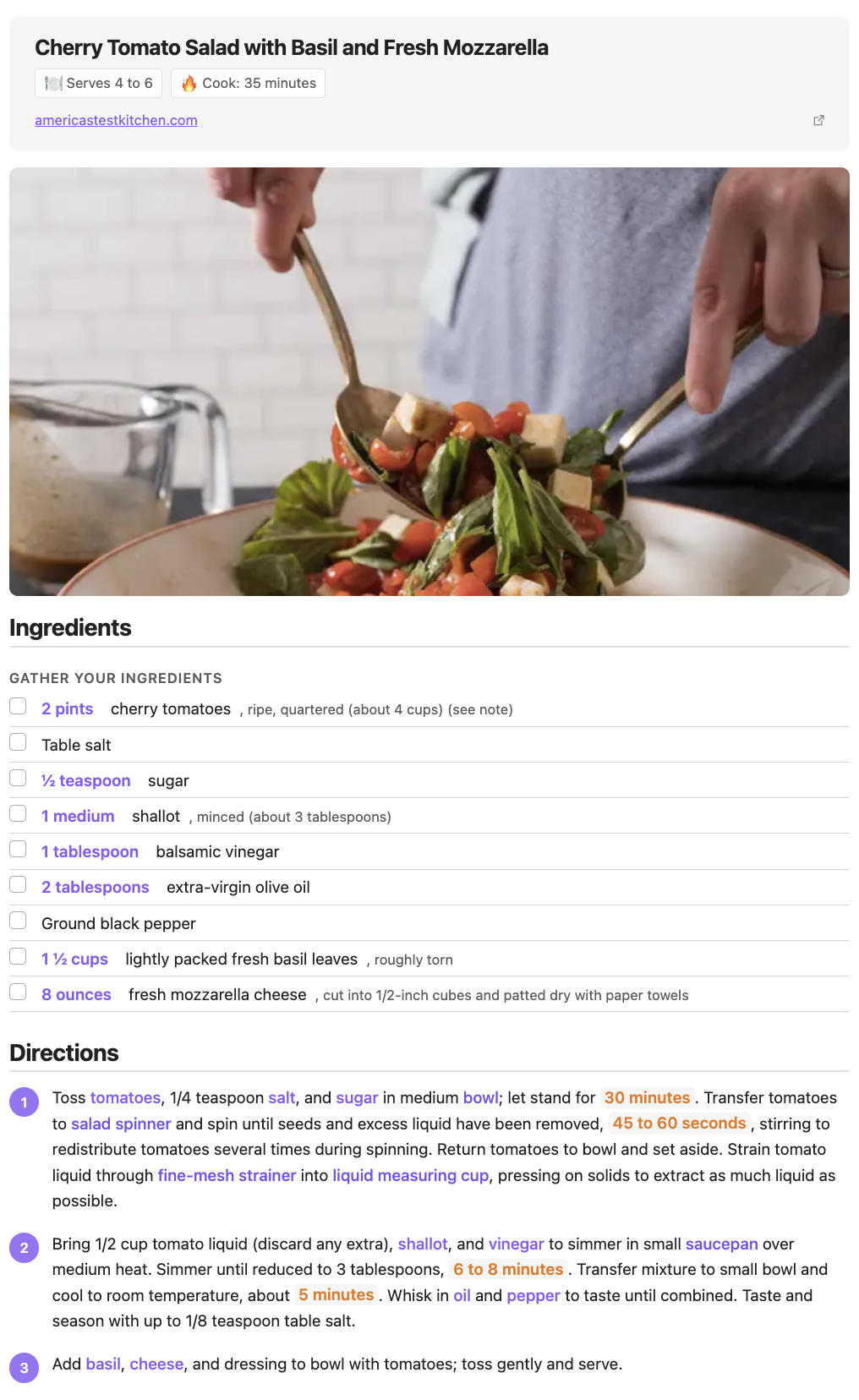
Rich recipe preview with ingredients, directions, and metadata

Features

  • Rich recipe rendering with ingredients, cookware, and timers highlighted
  • YAML frontmatter support for metadata (title, servings, prep time, etc.)
  • Section-aware rendering (ingredients list, directions with step numbers)
  • Inline quantity display for ingredients
  • Checkbox support for ingredient lists
  • Syntax highlighting for .cook files
  • Supports both Cooklang markup and plain-text recipes

Installation

From Obsidian Community Plugins

  1. Open Settings > Community plugins
  2. Search for "Cooklang"
  3. Click Install, then Enable

Manual Installation

  1. Download main.js, manifest.json, and styles.css from the latest release
  2. Create a folder cooklang-rich-preview in your vault's .obsidian/plugins/ directory
  3. Copy the downloaded files into that folder
  4. Restart Obsidian and enable the plugin in Settings > Community plugins

Screenshots

File Explorer

.cook files appear in your vault alongside your other notes.
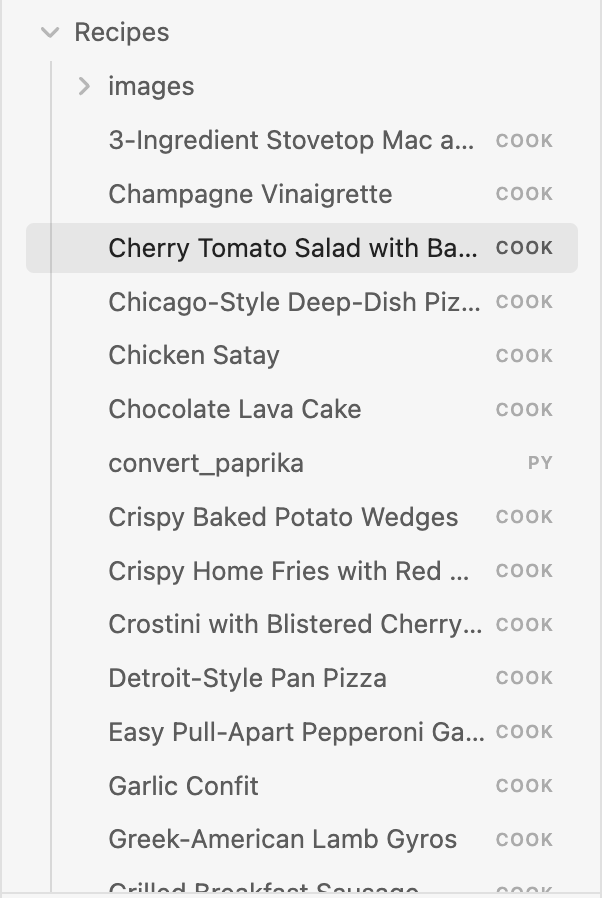
File explorer showing .cook recipe files

Source View

Write recipes using Cooklang syntax with YAML frontmatter for metadata.
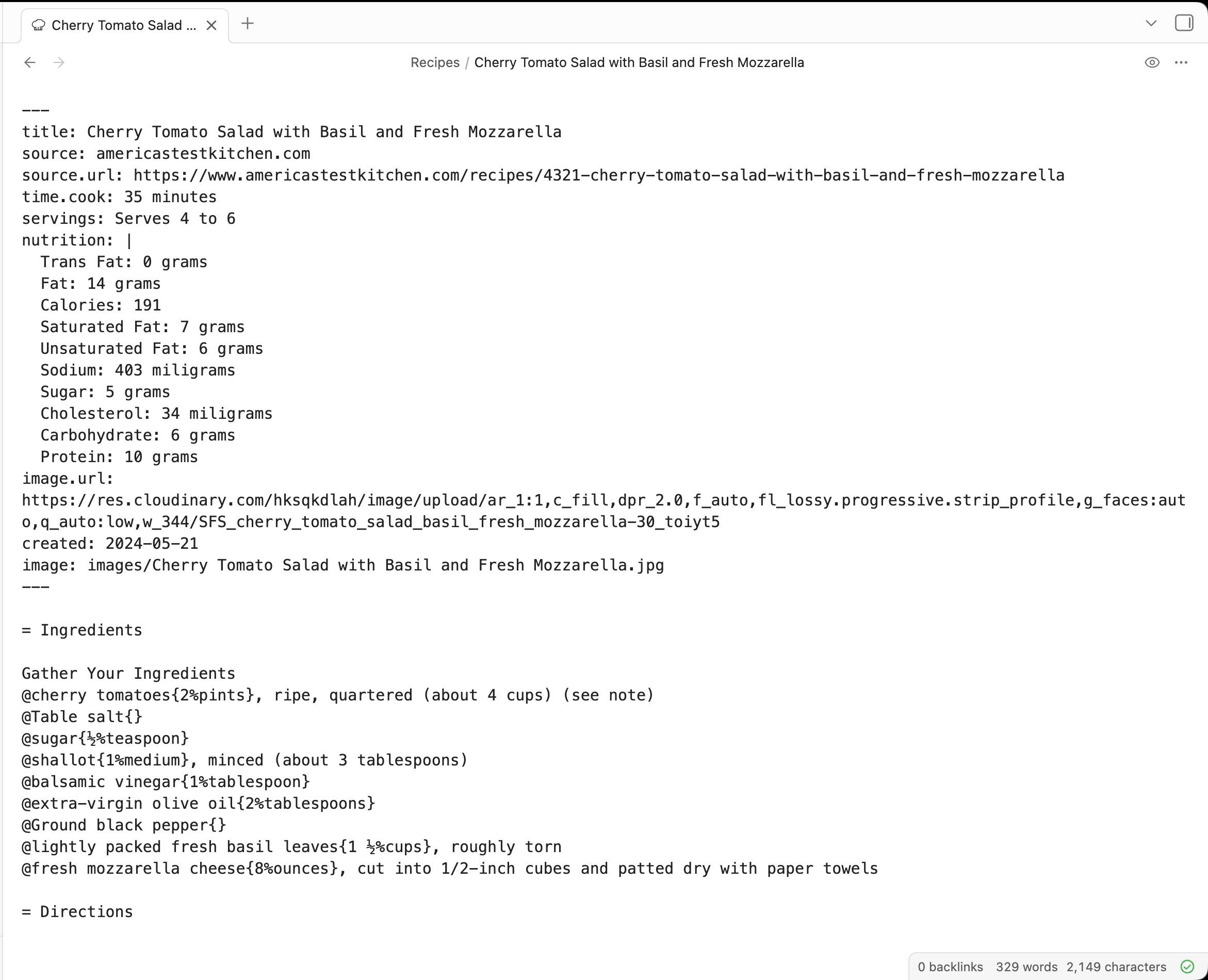
Source view of a .cook file

Rich Preview

Ingredients are highlighted with quantities, directions are numbered, and timers stand out.

Rich preview rendering of a recipe

Cooklang Syntax

Preheat #oven{} to 350°F.

Mix @flour{2%cups} and @sugar{1%cup} in a #bowl{}.

Bake for ~{30%minutes}.
  • @ingredient{quantity%unit} — ingredients
  • #cookware{} — cookware
  • ~{quantity%unit} — timers

License

GPL-3.0 — see LICENSE for details.

96%
HealthExcellent
ReviewSatisfactory
About
Preview Cooklang .cook recipes with rich rendering that highlights ingredients, cookware, timers, and shows inline quantities and checkboxes. Render section-aware output with YAML frontmatter metadata, numbered directions, and syntax highlighting for Cooklang and plain-text recipes.
FormatsSyntaxProperties
Details
Current version
1.0.7
Last updated
3 days ago
Created
3 months ago
Updates
8 releases
Downloads
61
Compatible with
Obsidian 1.0.0+
Platforms
Desktop, Mobile
License
GPL-3.0
Report bugRequest featureReport plugin
Author
shepherdjerredshepherdjerred
sjer.red
GitHubshepherdjerred
  1. Community
  2. Plugins
  3. Formats
  4. Cooklang Rich Preview

Related plugins

Org Mode

Add Org Mode support.

Advanced Canvas

Supercharge your canvas experience. Create presentations, flowcharts and more.

Importer

Import data from Notion, Evernote, Apple Notes, Microsoft OneNote, Google Keep, Bear, Roam, and HTML files.

Meta Bind

Make your notes interactive with inline input fields, metadata displays, and buttons.

Pandoc Plugin

Commands to export to Pandoc-supported formats like DOCX, ePub and PDF.

Badges

Add inline badges/callouts to notes.

Pretty Properties

Makes note properties look more fun: adds side image, banners, list property colors and allows to hide specific properties.

Multi Properties

Add properties to multiple notes at once. Either right-click a folder or select multiple notes and right-click the selection.

Colored Bases Properties

Color property lists and formula properties in Bases.

Docxer

Import Word files easily. Adds a preview mode for .docx files and the ability to convert them to markdown (.md) files.