Context Trees
 theluckystrike3 downloads
A side view that shows search results and backlinks with their heading path and parent list items.
- Overview
- Scorecard
- Updates1
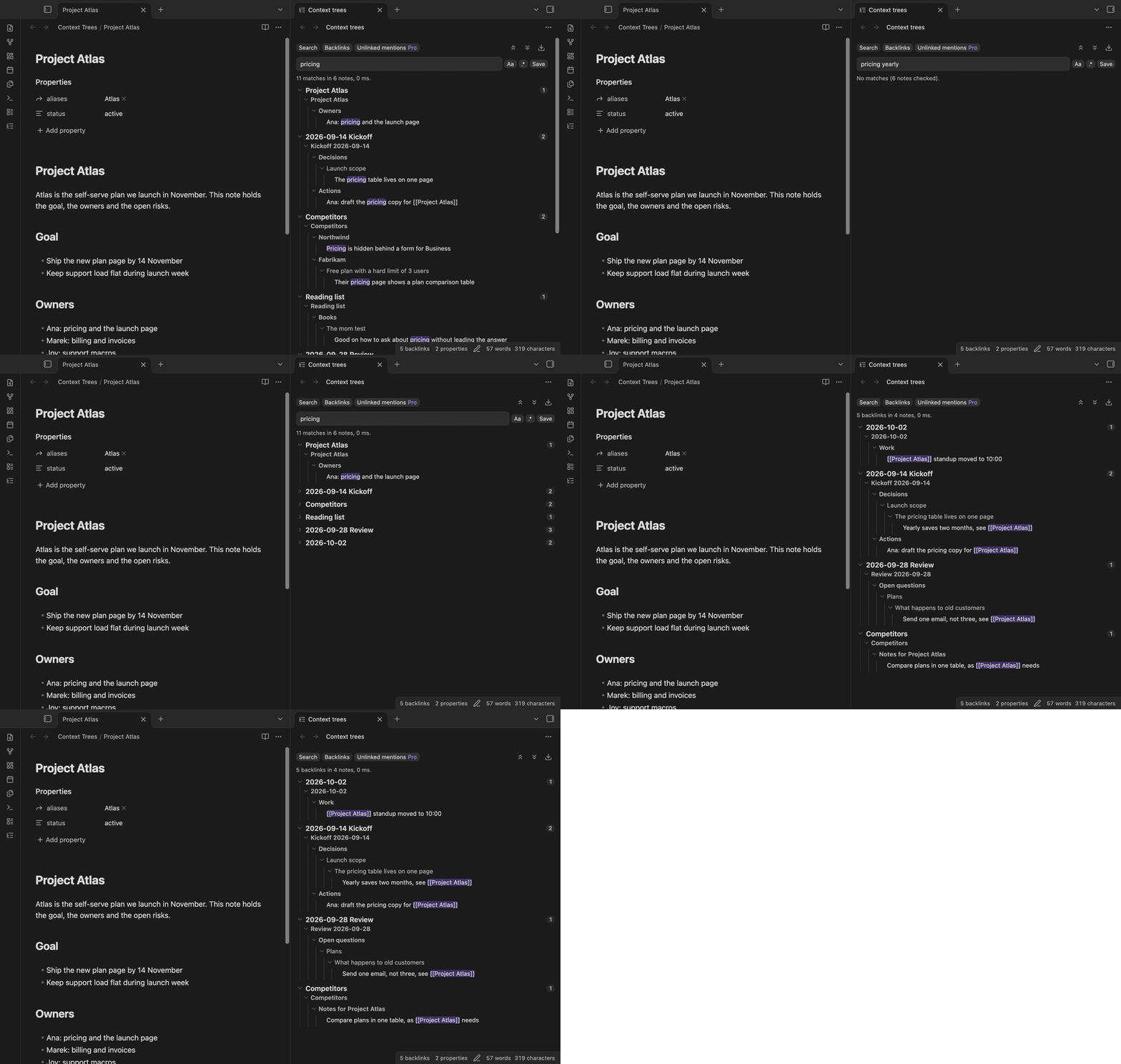
Context Trees is a side view for Obsidian that shows where each search result and each backlink sits in its note. Under every hit you see the heading path and the parent list items above the matching line. Hits that share a parent show that parent once, so a note with five matches reads as one small outline.
Context Trees is a separate view. It does not patch, wrap or hide the core Search pane or the core Backlinks pane, and it does not change them. Those panes stay as they are. Context Trees opens next to them and reads your notes with the public Obsidian API only. For that reason an Obsidian update cannot break it by moving private code.
Features
Search with context trees
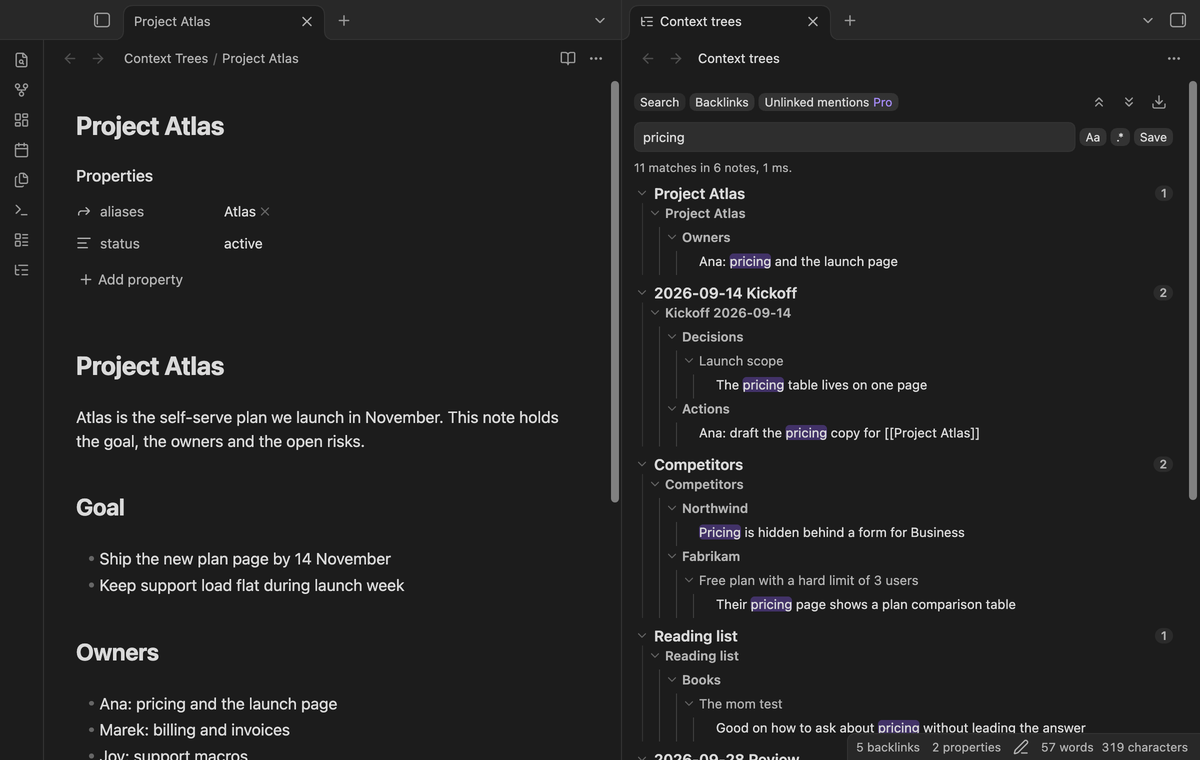
Type a word or a quoted phrase. Every word must be on the same line. Each result note shows a tree: the headings above the match, then the parent list items, then the matching line with the hit marked. Two matches in the same list share the parents above them. The status line says how many matches were found in how many notes, and how long the search took.
Backlinks with context trees
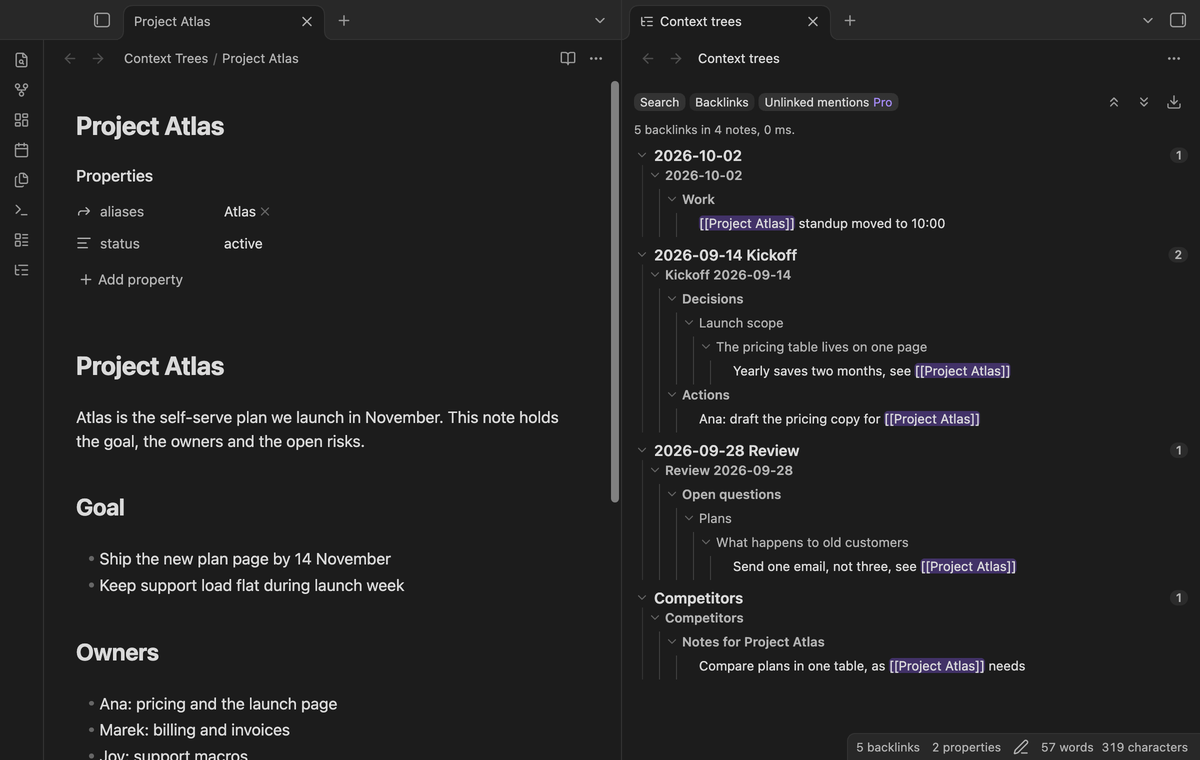
Open the Backlinks tab to see the notes that link to the open note. Each linking line comes with its heading path and its parent items, so you see why a note links here without opening it. The view follows the open note and updates when links change. Embeds count as links.
Fold, unfold and open at the line
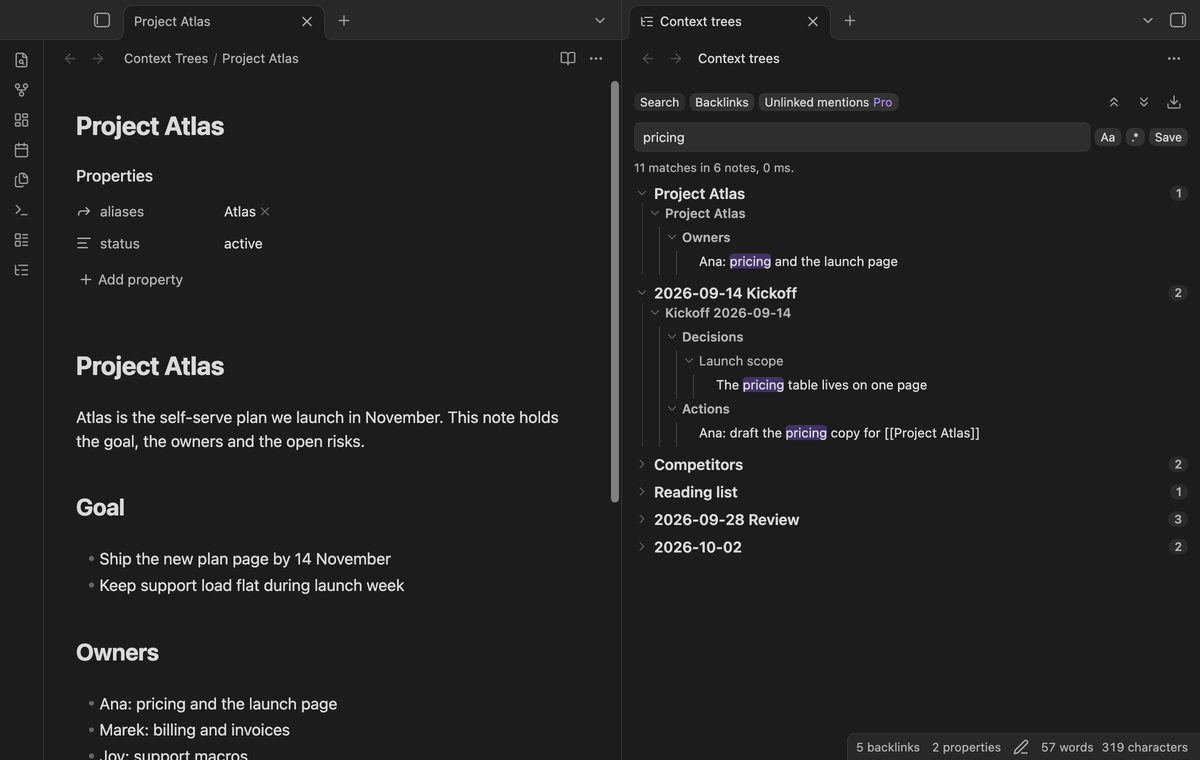
Select the arrow of a note or of any branch to fold it. The two buttons above the results fold or unfold everything. Select a line to open its note with the cursor on that line. Hold Ctrl (Cmd on macOS) to open it in a new tab. Select a note name to open the note at the top.
Regular expressions and saved queries (Pro)
Switch on the regular expression button to search each line with a pattern. A bad pattern shows an error and no results. Select Save to keep a query as a chip above the results. Select a chip to run it again, or its cross to delete it.
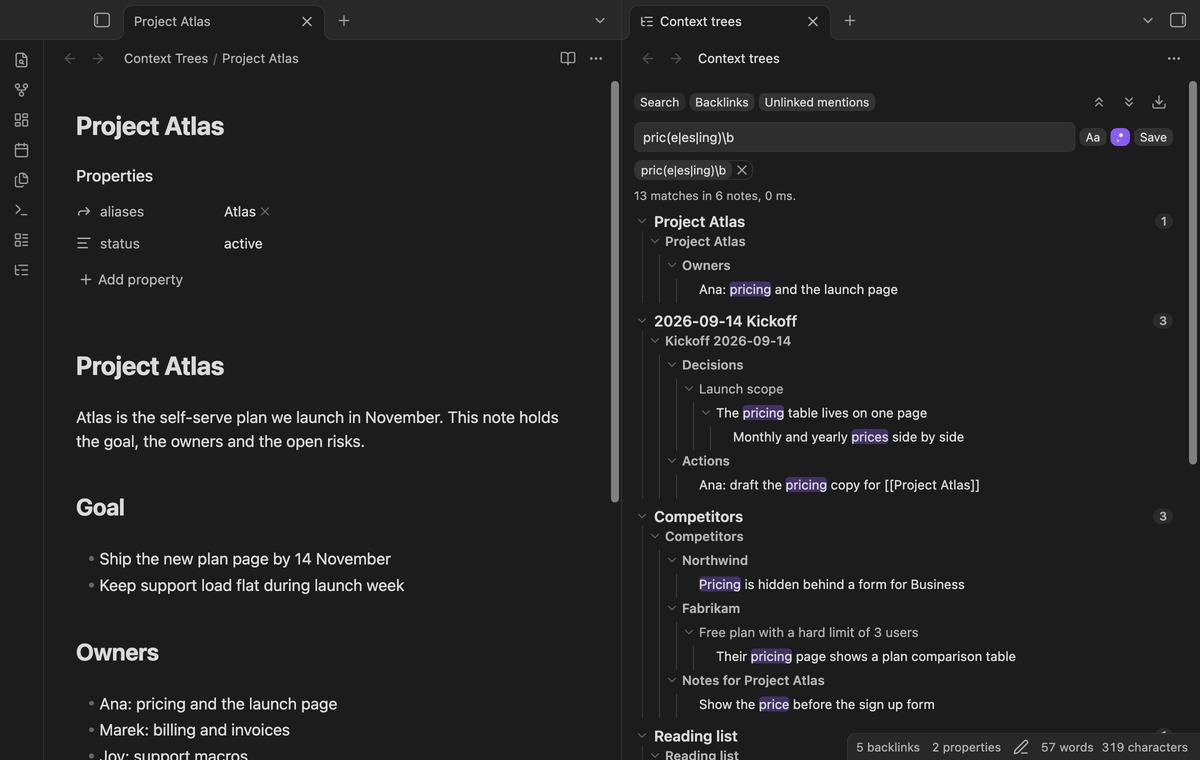
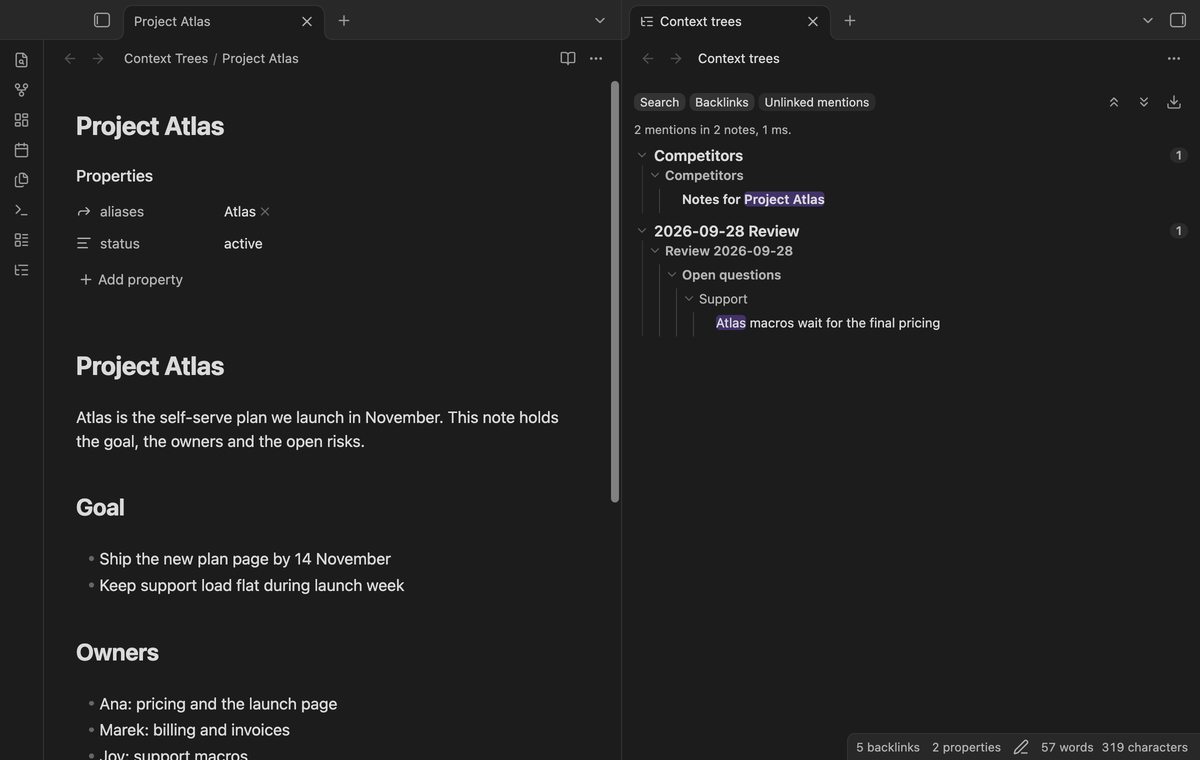
Unlinked mentions with context (Pro)
The Unlinked mentions tab lists the notes that name the open note, or one of its aliases, as plain text without a link. The name must be a whole word, and text that already is a link does not count. Each mention shows its context tree.
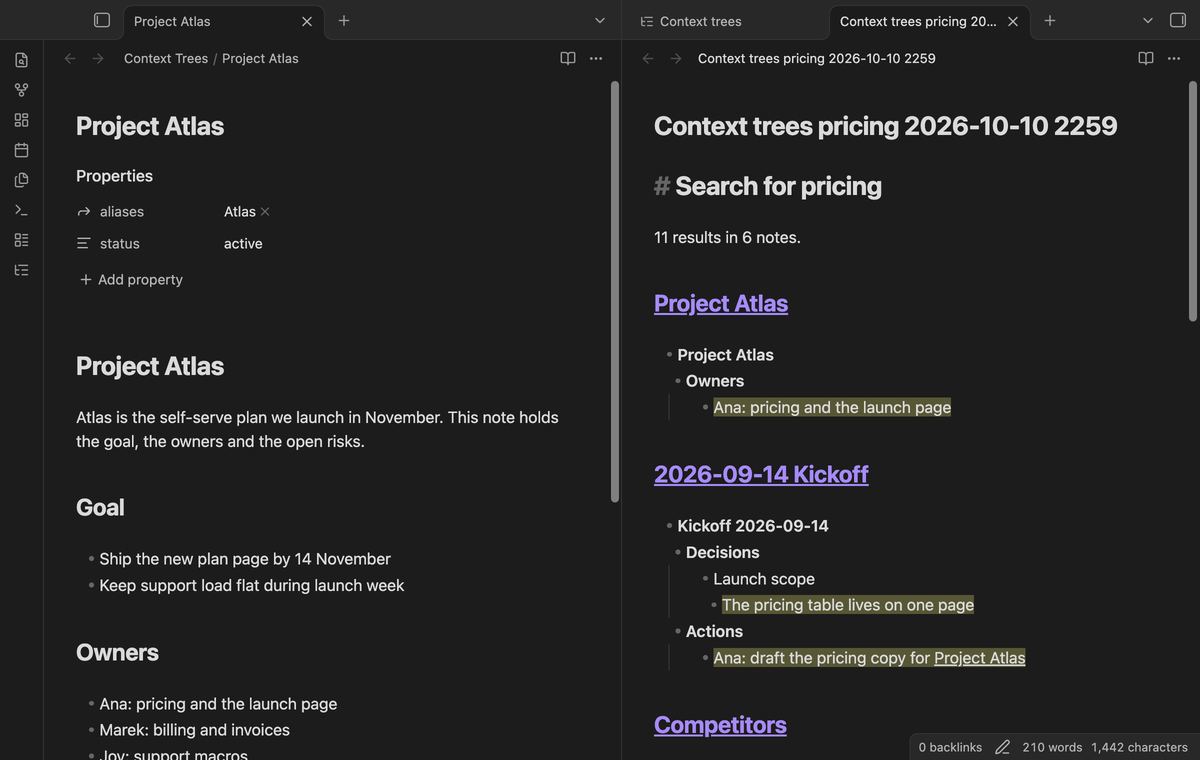
Export the results (Pro)
The download button, or the command "Export the results as a note", writes the current results to a new Markdown note. Each result note is a heading with a link, and below it the tree as a nested list. The matching lines are highlighted with ==.
Install
- Open "Settings → Community plugins" and turn off restricted mode.
- Select "Browse", search for "Context Trees", then select "Install" and "Enable".
To install by hand, copy main.js, manifest.json and styles.css from the latest release into <vault>/.obsidian/plugins/context-trees/. Then enable the plugin. You need Obsidian 1.13.4 or later. The plugin works on desktop and on mobile.
Usage
- Select the tree icon in the ribbon, or run "Open the side view". The view opens in the right sidebar.
- Type in the search box and wait a moment, or press Enter.
- Select Backlinks to see the links to the open note.
- Use the command "Search the vault" to open the view with the cursor in the search box.
Context Trees reads the headings and the list items from the Obsidian metadata cache, so it uses the same idea of a list item that Obsidian uses. The properties block of a note is not searched. If a note has no cache yet, for example a note that you made a moment ago, the view reads its headings and lists from the text.
Settings
| Setting | What it does |
|---|---|
| Fold notes at start | Each note starts folded to its name and match count. Default off. |
| Notes per page | How many notes are listed before "Show more", from 10 to 500. Default 50. Every match is counted. |
| Search delay | Milliseconds to wait after you stop typing, from 100 to 1500. Default 250. |
The settings tab also has the Pro section: sign in with GitHub, the status and Refresh.
FAQ
Is this a fork of Better Search Views?
No. Context Trees has no code from Better Search Views and its author did not make it. It solves a similar job in a different way. Better Search Views changes the core panes by patching private parts of Obsidian. Context Trees is its own view and uses only the public API.
Does it change the core Search pane?
No. The core Search and Backlinks panes work as before. Their syntax, such as path: and tag:, is not available here. Context Trees searches the text of each line.
How fast is it?
In the end-to-end test on a vault of 2,001 notes (11 MB) on an M3 Pro Mac, the first results draw in 1 to 10 ms and a full search takes about 200 ms. The backlinks of a note with 1,795 linking notes and 7,231 links took 190 ms. A note with a few backlinks takes 1 ms.
Does it change my notes?
No. It only reads notes. Export creates a new note.
Payment, account and network
The core features are free and stay free. Pro features need a GitHub Sponsors sponsorship of theluckystrike: $5 a month or more, or $15 once. When you have paid $15 in total, Pro stays on. Your notes stay readable and editable with or without Pro.
GitHub handles the payment. Sponsor at https://github.com/sponsors/theluckystrike. You need no account for the free features. Pro needs the GitHub account that sponsors.
Until you select "Sign in with GitHub" in the settings, Context Trees makes no network requests. Sign in uses the GitHub device flow. Context Trees sends its public client ID and the scope read:user to https://github.com/login/device/code and shows you a code. While you enter the code at https://github.com/login/device, it asks https://github.com/login/oauth/access_token every few seconds whether sign in is done. The scope read:user is read-only access to your profile, which GitHub needs to show the sponsorship tier. It gives no access to repositories and no write access.
After sign in, Context Trees sends one query to https://api.github.com/graphql: does the signed-in account sponsor theluckystrike, at which tier, and how much it has paid theluckystrike in total. It asks again at most once every 7 days, or when you select Refresh. It sends no note content, file names or other vault data, and it has no telemetry.
Pro keeps working for 14 days without a successful check. The GitHub token stays in the secret storage of Obsidian on this device. It is not written to data.json or other vault files, so it does not sync or reach a git repository. The local storage of this device keeps your GitHub login, the tier and the time of the last check. Sign out deletes the token. You can also revoke the access in your GitHub settings, under Applications.
Support
Report bugs and ask for features in the GitHub issues of this repository. Add your Obsidian version and a small sample note.