Search...Search plugins and themes...
⌘K
Sign in
  • Get started
  • Download
  • Pricing
  • Enterprise
  • Account
  • Obsidian
  • Overview
  • Sync
  • Publish
  • Canvas
  • Mobile
  • Web Clipper
  • CLI
  • Learn
  • Help
  • Developers
  • Changelog
  • About
  • Roadmap
  • Blog
  • Resources
  • System status
  • License overview
  • Terms of service
  • Privacy policy
  • Security
  • Community
  • Plugins
  • Themes
  • Discord
  • Forum / 中文论坛
  • Merch store
  • Brand guidelines
Follow us
DiscordTwitterBlueskyThreadsMastodonYouTubeGitHub
© 2026 Obsidian

Confluence Link

bungarazvanbungarazvan1k downloads

Upload files to Confluence pages

Add to Obsidian
  • Overview
  • Scorecard
  • Updates12

Welcome to the Confluence Link project. The objective of this project is to make it easy to write documentation on Obsidian and quicky create a Confluence page to share with you team members.

Setting things up

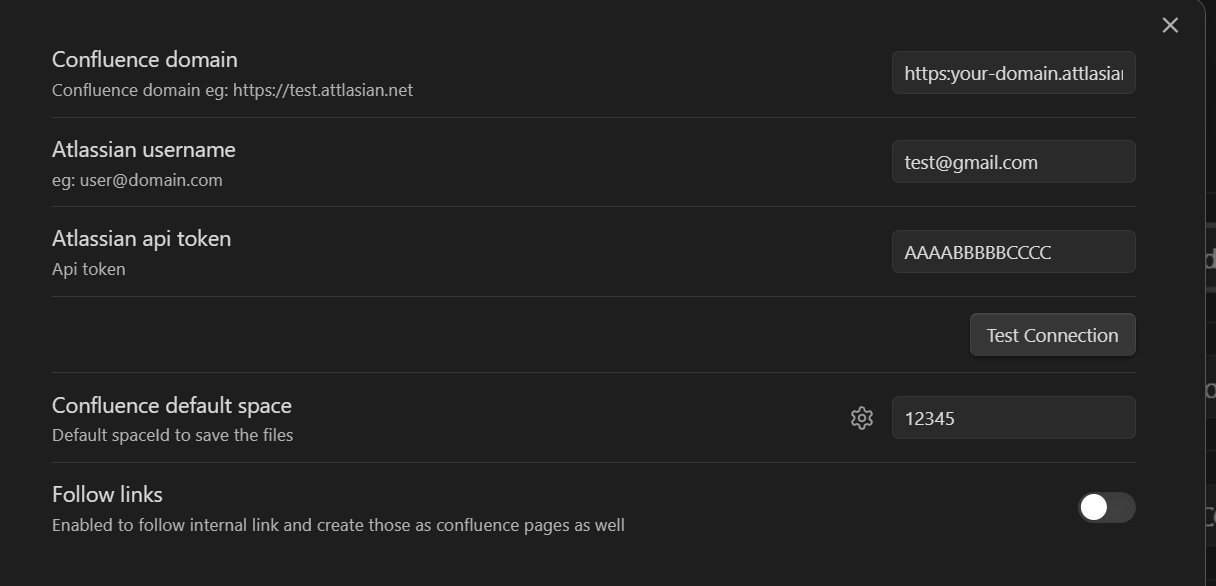
  1. Open the plugin settings and configure the following fields:
  • Confluence Domain: The URL of your Atlassian Confluence instance
  • Atlassian User Name: Your Atlassian account's email address
  • Atlassian API Token: Your Atlassian API token. You can generate one from your Atlassian Account Settings.
  • (Optional) Confluence Default Space: The space identifier where all you confluence pages will be created
Settings

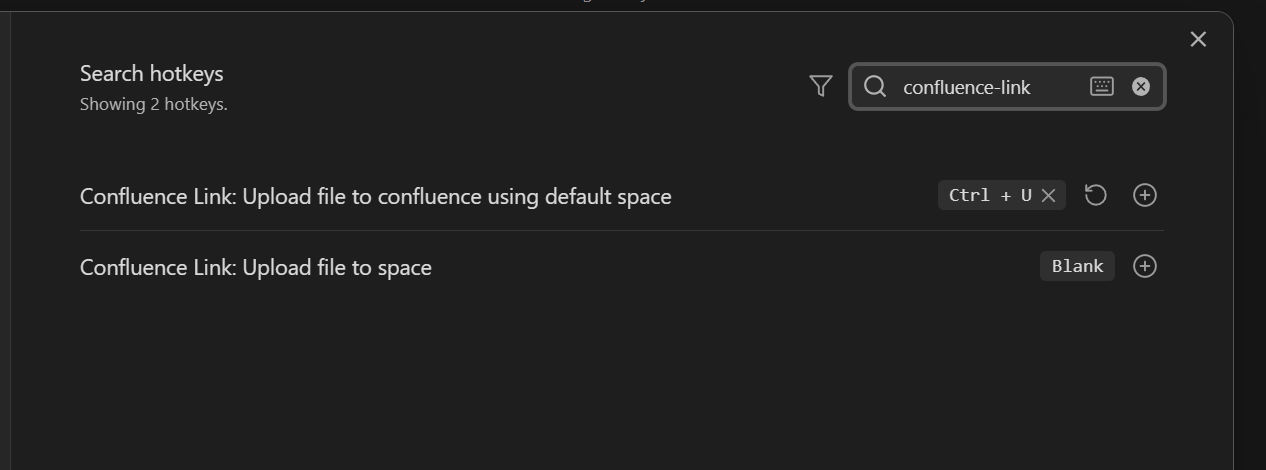
  1. (Optional) Open the default obsidian hotkeys settings:
  • search for confluence-link
  • add hotkeys

Hotkeys

Usage

  1. Open a md file
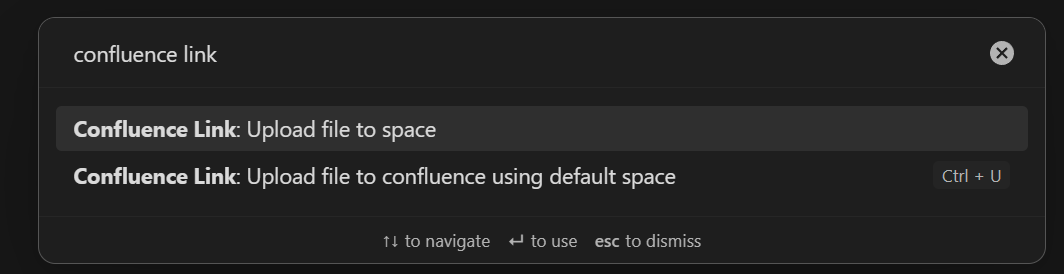
  2. Press the hotkey set at step 2 in Settings things up section or use the command pallet (Ctrl/Cmd + P ) and search for Confluence Link commands to execute

Commands

Nice to know

While the spaces modal is opened you can mark or unmark spaces as favorites by clicking the star icon. This will make them appear as the first results the next time you open this modal.

Favorite_Spaces

If a space is not in the initial list you can type ?? followed by the space title for a "fuzzy search" using all the spaces you have access to, not just the up to 250 that the confluence API can return in one request.

Search

Issues

Please log issues or feature requests to https://github.com/BungaRazvan/confluence-link/issues as this is where the code is being developed

70%
HealthGood
ReviewCaution
About
Publish Obsidian notes as Confluence pages and share them with your team using a single command. Choose a space, mark favorites for quick access, and use fuzzy search to find spaces beyond the initial listing.
PublishingIntegrations
Details
Current version
1.4.3
Last updated
Last year
Created
2 years ago
Updates
12 releases
Downloads
1k
Compatible with
Obsidian 0.15.0+
Platforms
Desktop only
License
Unlicense
Report bugRequest featureReport plugin
Author
bungarazvanbungarazvan
GitHubbungarazvan
  1. Community
  2. Plugins
  3. Publishing
  4. Confluence Link

Related plugins

GitHub

Share as Gist

Share a note as a GitHub.com Gist.

Quartz Syncer

Manage and publish your notes to Quartz, the fast, batteries-included static-site generator.

Local REST API & MCP Server

Unlock your automation needs by interacting with your notes over a secure REST API.

BRAT

Easily install a beta version of a plugin for testing.

Maps

Adds a map layout to bases so you can display notes as an interactive map view.

Self-hosted LiveSync

Sync vaults securely to self-hosted servers or WEBRTC.

Zotero Integration

Insert and import citations, bibliographies, notes, and PDF annotations from Zotero.

Readwise Official

Sync highlights from Readwise to your vault.

Agent Client

Chat with Claude Code, Codex, Gemini CLI, and more via the Agent Client Protocol — right from your vault.

Fast Note Sync

Real-time sync of your vaults across server, mobile, and web; shareable with anyone; supports REST and MCP integrations to build your personal AI knowledge base.