Search...Search plugins and themes...
⌘K
Sign in
  • Get started
  • Download
  • Pricing
  • Enterprise
  • Account
  • Obsidian
  • Overview
  • Sync
  • Publish
  • Canvas
  • Mobile
  • Web Clipper
  • CLI
  • Learn
  • Help
  • Developers
  • Changelog
  • About
  • Roadmap
  • Blog
  • Resources
  • System status
  • License overview
  • Terms of service
  • Privacy policy
  • Security
  • Community
  • Plugins
  • Themes
  • Discord
  • Forum / 中文论坛
  • Merch store
  • Brand guidelines
Follow us
DiscordTwitterBlueskyThreadsMastodonYouTubeGitHub
© 2026 Obsidian

Completed Area

dahawongdahawong8k downloads

Move completed to-do items to a separate completed area.

Add to Obsidian
  • Overview
  • Scorecard
  • Updates3

En | 简

⚠️ This plugin may contain bugs, and more features are developing.
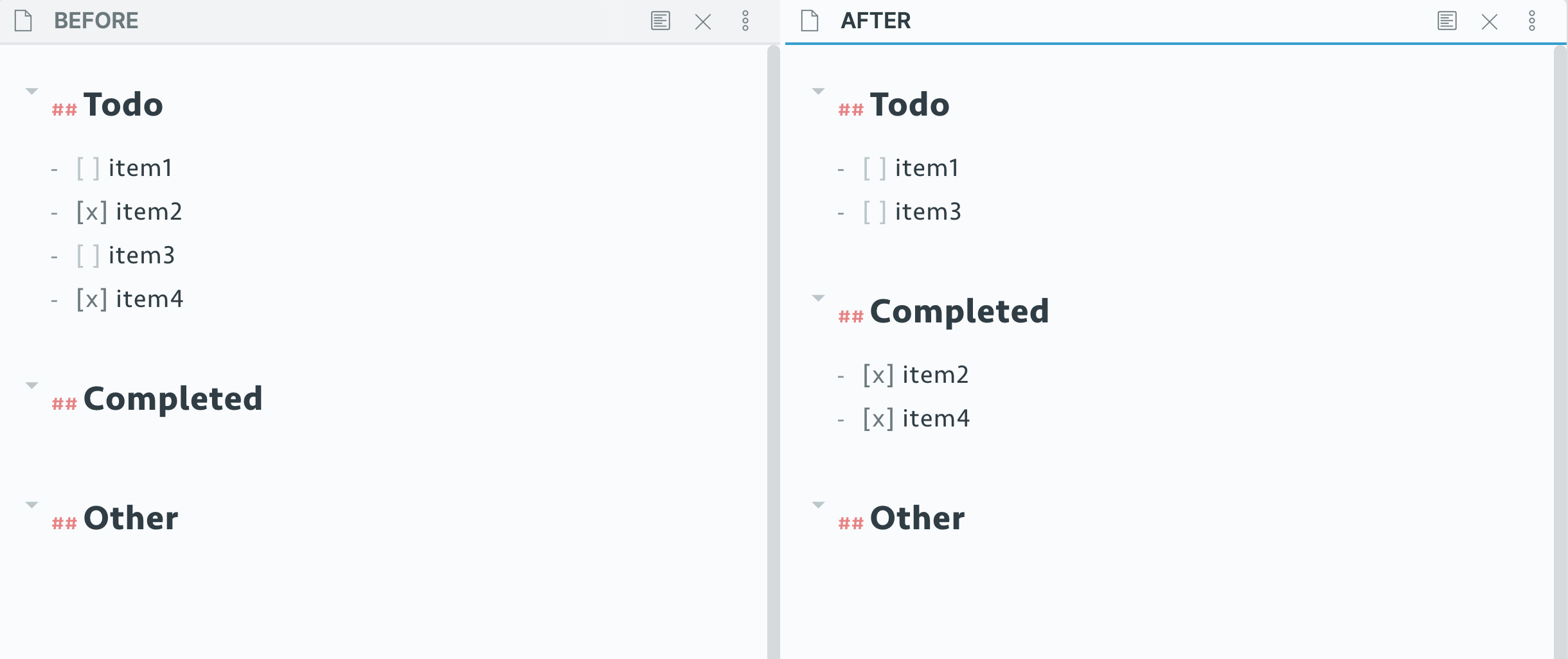
Demo

Use

It toggles the item and moves the completed to-do items to a seperate completed area, by:

  • Clicking the icon on left sidebar, or
  • Using shortcut: Control + Enter (default)

Preference

Set header level

You can set the level of completed area with number from 1 to 6, standing for h1 to h6.

Default is 2, i.e.h2.

Set header name

Default is Completed.

Show icon or not

You can turn sidebar icon off and use command instead, if you don't like sidebar icons.

Credits

  1. Hotkey++ Plugin

☕️ To express your thankfulness: Buy Me a Coffee

62%
HealthFair
ReviewSatisfactory
About
Toggle a to-do to move completed items into a separate "Completed" section within the note. Trigger via the left-sidebar icon or a shortcut to keep finished tasks grouped and out of your main list.
TasksSidebarCommands
Details
Current version
0.2.0
Last updated
5 years ago
Created
5 years ago
Updates
3 releases
Downloads
8k
Platforms
Desktop, Mobile
License
MIT
Report bugRequest featureReport plugin
Author
dahawongdahawong
GitHubdahawong
  1. Community
  2. Plugins
  3. Tasks
  4. Completed Area

Related plugins

Checklist

Consolidate checklists across all files into a single view.

Task Collector (TC)

Change task status and collect tasks within a document using hotkeys and context menus.

Text Block Timer

Add a timer to text block to track task time consumption.

Completed Task Display

Controls for displaying or hiding completed tasks.

Notebook Navigator

A better file browser and calendar inspired by Apple Notes, Bear, Evernote and Day One.

Recent Files

Display a list of recently opened files.

TaskNotes

Note-based task management with calendar, pomodoro and time-tracking integration.

Day Planner

Day planning from a task list in a Markdown note with enhanced time block functionality.

Quick Switcher++

Enhanced Quick Switcher, search open panels, and symbols.

Commander

Customize your workspace by adding commands everywhere, create macros and supercharge your mobile toolbar.