Colorful Heading Underlines
 greetclammy1k downloads
Add colorful underlines to identify heading levels.
- Overview
- Scorecard
- Updates3
Add colorful underlines to identify heading levels.
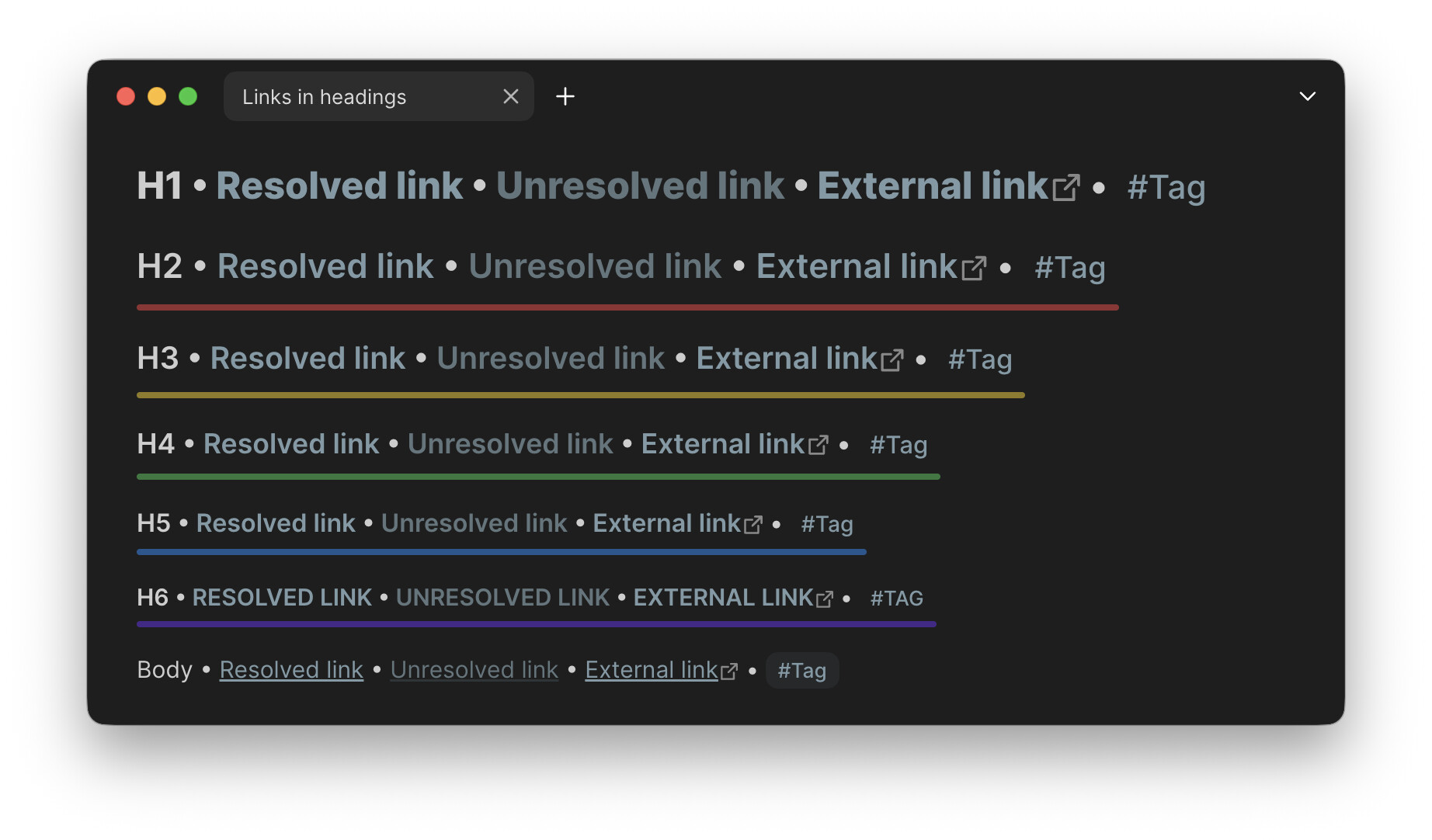
Appearance options can be tweaked in Style Settings.
Why not a CSS snippet?
CSS alone can't set the underline width to the width of the last line or the widest line in a multi-line heading. The plugin provides both options.
Installation
Until Colorful Heading Underlines is made available in the plugin directory, to install it:
- Download and enable the BRAT plugin.
- Install via BRAT.
- Select Add plugin.
Install manually
Note: To get updates for Colorful Heading Underlines, you will have to check for and install them manually.
- Download
colorful-heading-underlines.zipin theAssetsof the latest release. - Open the vault folder in the system file manager.
- Open your Obsidian configuration folder (
.obsidianby default, hidden on most OSes). - Unzip
colorful-heading-underlines.zipand place it in thepluginsfolder. - Reload plugins or app.
- Enable Colorful Heading Underlines in Obsidian settings → Community plugins → Installed plugins.
Support
- Found a bug or have a feature request? Open an issue.
- Have a question? Start a discussion.
- PRs welcome.
HealthGood
ReviewSatisfactory
About
Add colorful underlines to headings to visually identify heading levels. Set underlines to the width of the last line or the widest line in multi-line headings, and adjust colors and appearance in Style Settings.Details
Current version
1.1.0
Last updated
5 months ago
Created
10 months ago
Updates
3 releases
Downloads
1k
Compatible with
Obsidian 1.0.0+
Platforms
Desktop, Mobile
License
GPL-3.0
Author