Search...Search plugins and themes...
⌘K
Sign in
  • Get started
  • Download
  • Pricing
  • Enterprise
  • Account
  • Obsidian
  • Overview
  • Sync
  • Publish
  • Canvas
  • Mobile
  • Web Clipper
  • CLI
  • Learn
  • Help
  • Developers
  • Changelog
  • About
  • Roadmap
  • Blog
  • Resources
  • System status
  • License overview
  • Terms of service
  • Privacy policy
  • Security
  • Community
  • Plugins
  • Themes
  • Discord
  • Forum / 中文论坛
  • Merch store
  • Brand guidelines
Follow us
DiscordTwitterBlueskyThreadsMastodonYouTubeGitHub
© 2026 Obsidian

Checkbox Context Menu

carbongocarbongo142 downloads

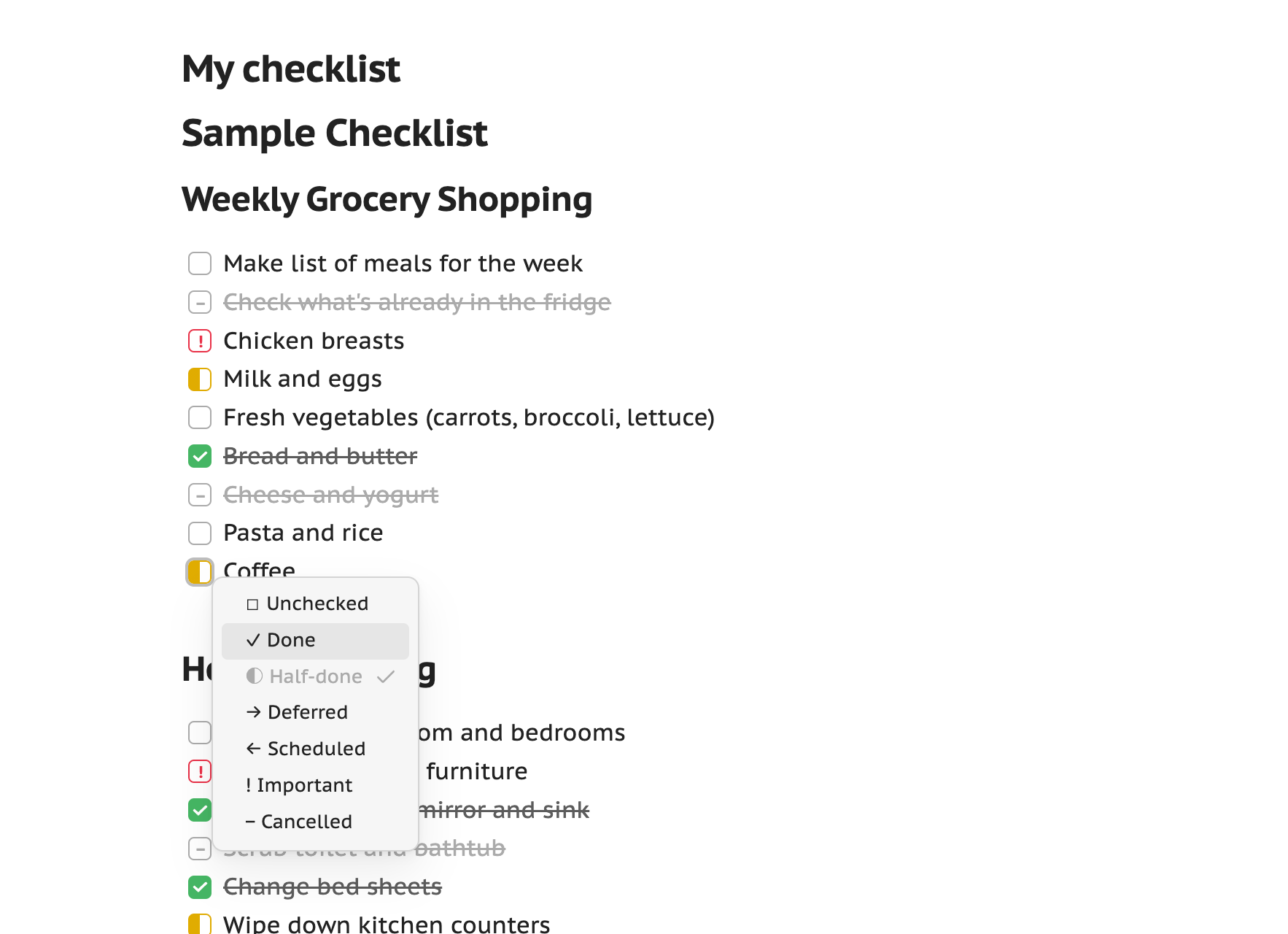
Right-click context menu to toggle checkbox states

Add to Obsidian
Checkbox Context Menu screenshot
  • Overview
  • Scorecard
  • Updates5

screenshot

Obsidian plugin that adds a right-click context menu to any task checkbox for switching between states — unchecked, done, half-done, deferred, scheduled, important, cancelled, and any custom states you define.

Works in both editing / Live Preview (via the editor menu) and Reading mode (via right-click on desktop, or long-press on mobile/touch). A Cycle checkbox state command steps through the enabled states — bind your own hotkey in Obsidian's hotkey settings.

Status styling

The plugin ships CSS that gives each built-in state a distinct colour and glyph in the note, so switching states is actually visible instead of every state showing the same box. Colours use Obsidian's theme variables, so they adapt to your theme and light/dark mode. See docs/status-styles.md.

Settings

  • Toggle which built-in states appear, and override each one's label/icon.
  • Add custom states (single character + label + icon).
  • Menu appearance: show icons, highlight the current state, sort alphabetically.

Development

npm install
npm run dev

Then copy the plugin folder to your vault's .obsidian/plugins/ directory and enable it in Settings → Community plugins. See AGENTS.md for the docs map.

Author

carbongo

HealthExcellent
ReviewPassed
About
Add a right-click context menu to any task checkbox to switch between states (unchecked, done, half-done, deferred, scheduled, important, cancelled) or any custom states you define. Cycle states with a command and apply theme-adaptive colors and glyphs so statuses are visible in editor/Live Preview and Reading mode (right-click on desktop, long-press on mobile).
TasksAppearance
Details
Current version
1.1.1
Last updated
3 weeks ago
Created
3 weeks ago
Updates
5 releases
Downloads
142
Compatible with
Obsidian 1.13.0+
Platforms
Desktop, Mobile
License
MIT
Report bugRequest featureReport plugin
Author
carbongocarbongocarbongo
GitHubcarbongo
  1. Community
  2. Plugins
  3. Tasks
  4. Checkbox Context Menu

Related plugins

TaskNotes

Note-based task management with calendar, pomodoro and time-tracking integration.

Minimal Theme Settings

Control the colors and fonts in Minimal Theme.

Hider

Hide interface elements such as tooltips, status bar, titlebar, and more.

Tasks

Track tasks across your vault. Supports due dates, recurring tasks, done dates, sub-set of checklist items, and filtering. Maintained by Clare Macrae and Ilyas Landikov, created by Martin Schenck.

Day Planner

Turn tasks from daily notes, the Tasks plugin, and calendars into time blocks on an editable timeline, with built-in time tracker.

Style Settings

Adjust theme, plugin, and snippet CSS variables.

Note Toolbar

Add customizable toolbars to your notes.

Project Manager

Full-featured project management: stunning Gantt charts, Kanban boards, Table views, customizable fields, due date notifications.

Link Favicons

See the favicon for a linked website.

Chat View

Chat View lets you quickly and easily create elegant Chat UIs in your Markdown Files.