Character Companion
 DevilSurvivor2149 downloads
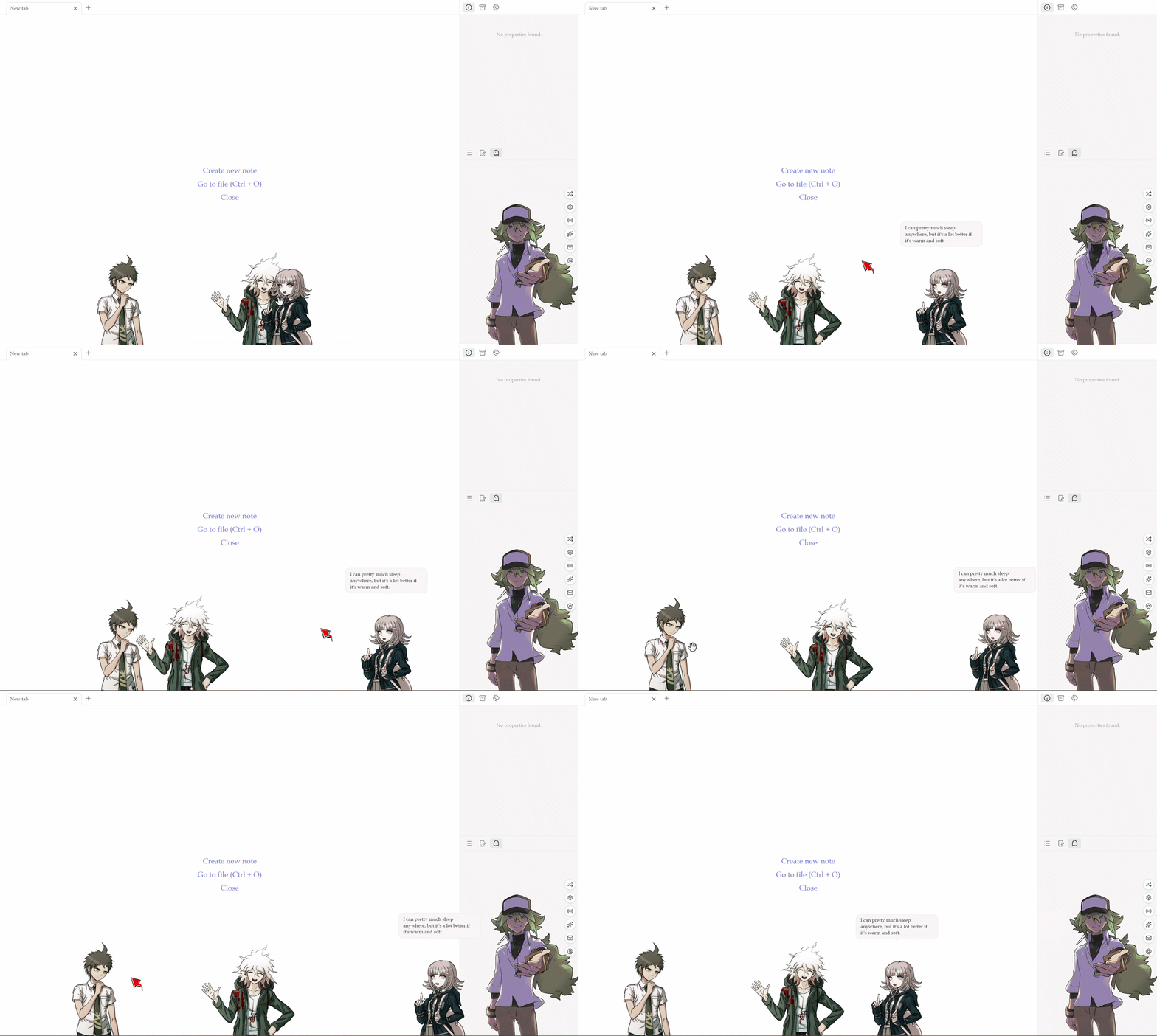
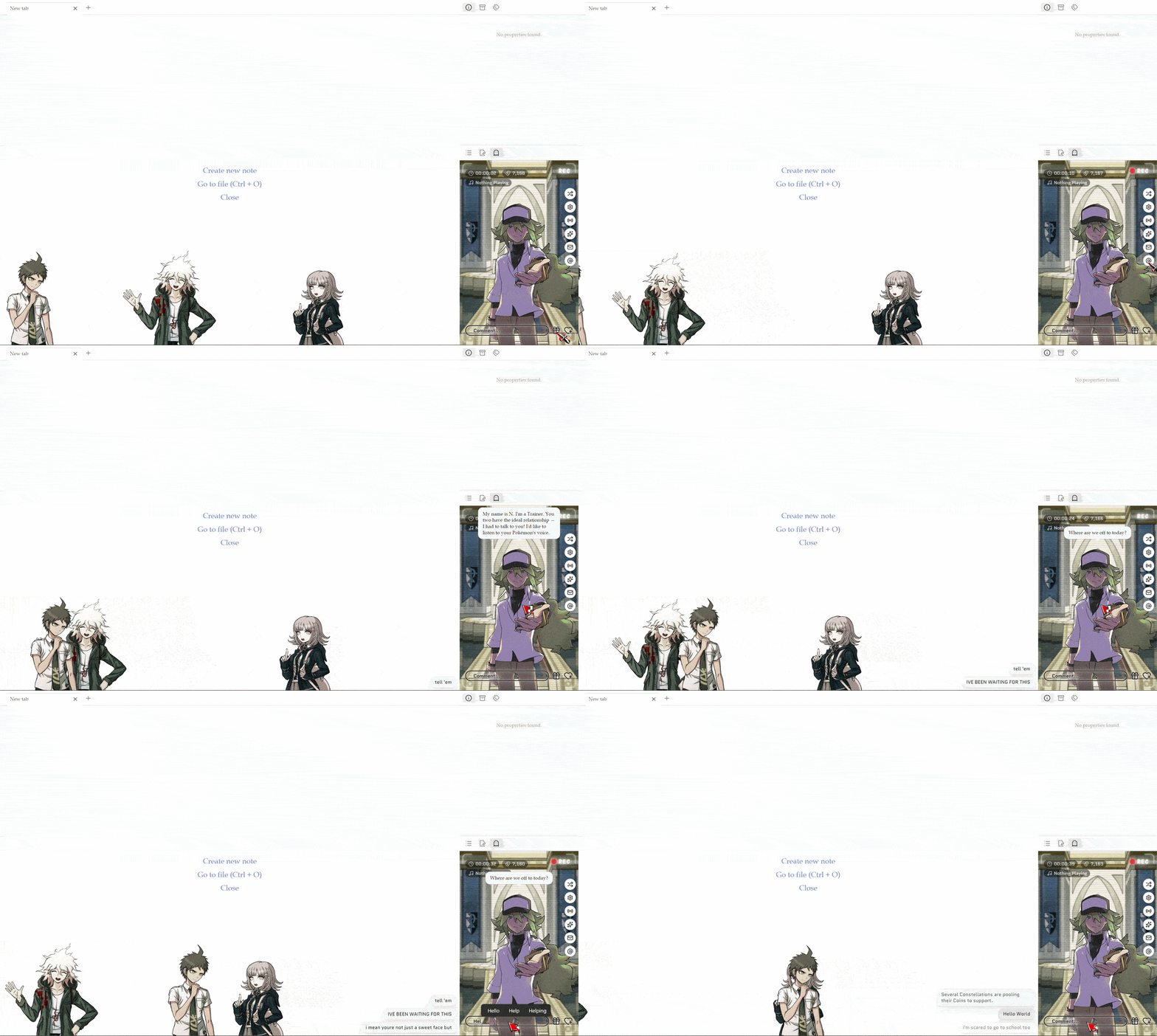
A customizable stage for your own characters, living in the side panel and walking along the bottom edge, with click animations, speech bubbles, and an optional reactive comment feed.
- Overview
- Scorecard
- Updates5
A customizable stage for your own characters, living in the side panel and walking along the bottom edge, with click animations, speech bubbles, and an optional reactive comment feed.
Features
- Two surfaces: a character framing in the right side panel, plus a row of characters that stroll along the bottom of the whole window.
- Sprites: point a character at an image (or folder of frames) in your vault.
- Behaviors: walking, resting, speaking, idle animations, click reactions, all tunable.
- Quotes: characters may speak when idling or clicked.
- Feed sources: the side panel includes six independent feed sources:
- Stream: regular netizens that hype about the streaming character.
- Oracle: otherworldly patrons that riff on what you’re typing, inspired by the Star Stream from “Omniscient Reader’s Viewpoint”.
- Mail: timed emails.
- Blog: ambient microblogs.
- News: scrolling headlines.
- Shows: scheduled scene takeovers.
- Roleplay: interactive prompts that make the sidebar character (or one of the walking characters) respond.
The feed sources are powered by a bundled language engine (RiTa + compromise), locally-generated, no AI or Internet needed, and are desktop-only.
Getting Started
- Enable the plugin. On first run, two sample characters (Hero 🦸 and Villain 🦹) start walking along the bottom of your window, and the side panel opens so you can meet one up close.
- Open the panel. From the ghost ribbon icon, or the command Character Companion: Open panel.
Adding New Characters
Settings → Character Companion. In the character tab, add a character and set its sprite path. Four ways to provide character art:
| You type… | You get… |
|---|---|
Attachments/hero.png |
the single image (a bare filename works if it’s unique in your vault) |
Attachments/hero.png, Attachments/hero2.png |
a random image from that comma-separated list on each shuffle |
Attachments/HeroFrames |
a random image from all images inside that folder |
🦸 |
the emoji itself as the sprite. |
Select either a folder path or a comma-separated list for this field. The other character fields (Epithet, Role, Pronouns, Quotes, etc.) are optional. Blanks fall back to sensible defaults.
Variables, Constants, and RiScript
Templated feed content and roleplay rolls use RiScript, powered by the bundled RiTa and compromise libraries.
Core Variables
Variables dictate how the engine reacts to user inputs and system states.
The Stream mode:
$name: the character’s name.$epithet: the character’s title or nickname.$role: the character’s occupation.$they/$them/$their: pronouns parsed from the character’s settings.$deed: verb phrases defining what the character has done.$topic: noun phrases defining what the character is associated with.
The Oracle mode:
$system: the channel brand (e.g., “Star Stream”).$patron/$patrons: the audience entity, automatically singular or plural (e.g., “Constellation” / “Constellations”).$modifier: the patron’s specific title.$topic: the patron’s specific domain, echoed from what you’re typing.- Note that
$topicin the Oracle mode uses noun slots, such as “the $topic" or "the mortal's $topic”, but accepts both verb and noun in the list. Verbs automatically change to their “-ing” form. - The engine always sets
$topic. If no matching in what you’re typing,$topicfalls back to pick from the list randomly.
- Note that
The Mail and Blog mode:
$to: the addressee in Mail mode.$handle: the random username for Blog mode.- You can define custom variables (constants) such as
$city,$npc, or$brand.
Inline Choices
Insert random variations directly into a sentence with square brackets, e.g., good [morning | evening]. Avoid using round brackets. Add a number in parentheses to increases the likelihood, e.g., [scoffs (3) | weeps | cackles] makes “scoffs” three times as likely to appear.
Transforms
Modify the output of a variable.
| Built-in RiTa Transforms | Custom Plugin Transforms |
|---|---|
.cap() capitalizes the word |
.s() 3 rd-person singular (e.g., “saves”) |
.uc() converts the word to UPPERCASE |
.ed() simple past tense (e.g., “saved”) |
.art() prefixes the word with “a” or “an” |
.ing() gerund form (e.g., “saving”) |
.pluralize() makes the word plural |
.fut() future tense (e.g., “will save”) |
.qq() wraps the word in curly quotes |
.adv() adjective to adverb (e.g., “coldly”) |
String and Lexicon
String Fillers
- Use randomized text generation with
$type<low-high>, e.g.$num<3-6>creates a string of digits from 3 to 6 length,$num<4>yields exact 4 digits. Available types:$numdigits,$letletters,$mixmix of digits and letters. $let<3-4>$num<2-3>outputs “Wq7” and “abZ42”.- Append
-loweror-upperto force a case, e.g.,$let-upper<5-6>,$mix-lower<6-11>.
Lexicon Fillers:
$rndAdj,$rndNoun,$rndVerbpull raw lexicon words.$rndGrandpulls a 3-syllable adjective, reserved for absurdity.
Installing
Recommended: Settings → Community plugins → Browse → search “Character Companion” → Install → Enable.
Manually: Download main.js, manifest.json, and styles.css from the latest release into <vault>/.obsidian/plugins/character-companion/, then enable it in Community plugins.
Credits & License
This plugin bundles three self-contained language engines. They are compiled into main.js at build time, loaded locally, and never fetched from a network at runtime:
| Library | Author | License |
|---|---|---|
| RiTa | Daniel C. Howe | GPL-3.0 |
| compromise | Spencer Kelly | MIT |
| whichx | Rudi Kershaw | MIT |
Because RiTa is GPL-3.0, this plugin is also distributed under the GPL-3.0 (see LICENSE). Anyone is free to use, study, modify, and redistribute it under GPL-3.0.
Acknowledgements
Built with Deepseek and ChatGPT.