Canvas Current Node Auto Size
 fengzhe638 downloads
Automatically resize the current Canvas text node to fit its content.
- Overview
- Scorecard
- Updates8
Canvas Current Node Auto Size is an Obsidian plugin that automatically resizes only the Canvas text node you are currently editing.
It resizes width while you type, then measures rendered Markdown for an accurate final width and height. Text, callouts, tables, lists, code blocks, and CJK content are supported without moving neighboring nodes.
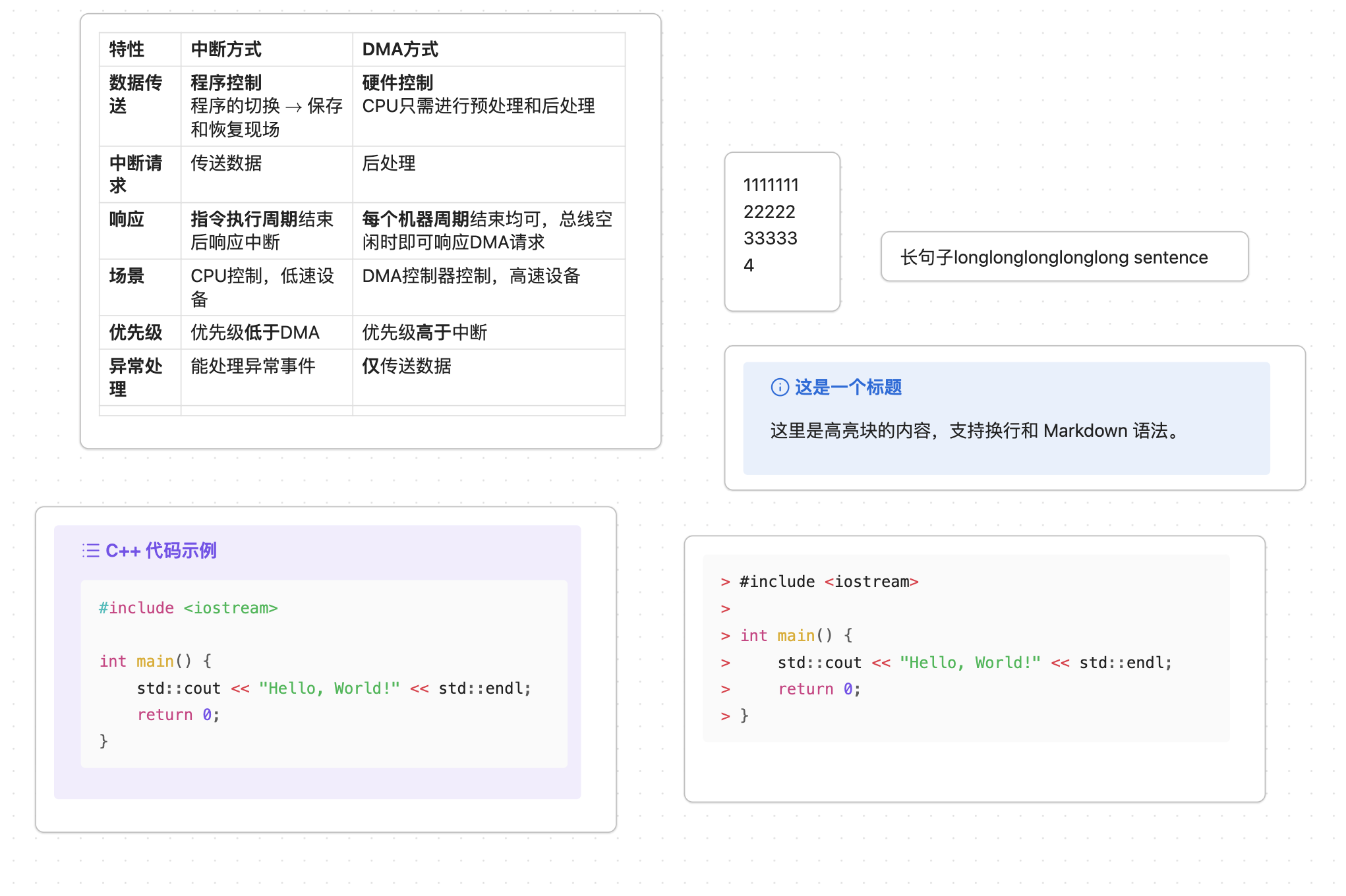
Features
- Auto-size only the currently edited Canvas text node.
- Grow right, grow left, or grow from the center.
- Keep other Canvas nodes untouched.
- Add CJK-friendly width padding for Chinese, Japanese, and Korean text.
- Add temporary anti-wrap width while editing.
- Tighten width from rendered Markdown after leaving edit mode.
- Measure rendered Markdown height for callouts, tables, lists, and code blocks.
- Configure fallback line height and vertical padding.
- Show debug information from the Obsidian command palette.
Use Cases
This plugin is useful when you:
- Build mind maps in Obsidian Canvas.
- Create many short text nodes.
- Want nodes to grow while typing.
- Want Chinese text to be less likely to wrap at the last character.
- Do not want automatic layout logic to push other nodes away.
This plugin does not try to provide full automatic layout, collision avoidance, or graph rearrangement.
Installation
From Obsidian Community Plugins
After the plugin is accepted into the Obsidian community plugin directory, you will be able to install it from Obsidian:
- Open Settings.
- Go to Community plugins.
- Search for Canvas Current Node Auto Size.
- Install and enable the plugin.
Manual Installation
For manual installation, download the release assets and place them in your vault:
.obsidian/plugins/canvas-current-node-auto-size/
├── main.js
├── manifest.json
└── styles.css
Then reload Obsidian and enable the plugin.
This plugin requires Obsidian 1.12.0 or newer.
Development
Install dependencies:
npm install
Build the plugin:
npm run build
The build command runs TypeScript type checking and then bundles src/main.ts into main.js.
Settings
Basics
Expansion direction
Controls how the node expands when its width changes.
- Grow right keeps the left edge stable.
- Grow from center expands both sides.
- Grow left keeps the right side more stable.
Only the current node is moved or resized.
Tighten width on exit
When enabled, the plugin shrinks the node width once after you leave edit mode. The final width is measured from an off-screen clone of the rendered Markdown, including the node's real horizontal DOM insets.
This option is enabled by default. Disable it if you prefer nodes to keep their widest editing width.
Maximum width
The largest width the plugin can assign to a node. The internal minimum width is 60 px.
Default: 520
Width
Base width padding
Extra width used with editor text measurement while editing and as a fallback. Rendered Markdown tightening uses Exit tighten padding instead.
Default: 20
CJK extra width
Extra editor-measurement width added only to lines that contain Chinese, Japanese, or Korean text.
Default: 18
Increase this value if CJK text still wraps too early.
Editing anti-wrap width
Temporary extra width while editing.
Default: 28
This helps avoid accidental wrapping at the right edge while typing.
Exit tighten padding
Extra safety width added after measuring the Markdown content box and the real difference between its inner and outer frames.
Default: 5
This setting is shown only when Tighten width on exit is enabled.
Height
After editing, the plugin measures an off-screen Markdown clone at the final node width. This captures rendered structures such as callouts, tables, lists, and code blocks. The line-height formula remains as a fallback when rendered Markdown is unavailable.
Minimum line height
Minimum per-line height while editing and the final height floor for empty or one-line nodes.
Default: 30
Increase this value if one-line nodes look compressed.
Vertical padding
Extra total height added to editor and rendered Markdown measurements.
Default: 10
Increase this value if a Canvas node shows a vertical scrollbar after editing.
Advanced
Resize delay
Delay after typing before resizing, in milliseconds.
Default: 40
Restart Obsidian or reload the plugin after changing this setting.
Debug notices
Show temporary debug notices whenever the plugin evaluates a Canvas node.
This is mainly useful while troubleshooting.
Commands
The plugin adds this command to the Obsidian command palette:
- Show last Canvas auto-size debug
The debug output includes the current node id, line count, original width, live width, tighten width, maximum height, and target size.
Limitations
- The plugin is focused on Canvas text nodes.
- It does not move neighboring nodes.
- It does not perform automatic Canvas layout.
- It does not directly edit
.canvasJSON files. - Height measurement is intentionally conservative for stability.
- Existing saved settings are not overwritten when plugin defaults change.
Documentation
Additional Chinese documentation is available in the repository:
License
MIT