Canvas Art Ref
 CliveG2 downloads
Arrange and resize reference images, and choose asset folders, in native Canvas.
- Overview
- Scorecard
- Updates1
Inspired by PureRef, you can use obsidian canvases with this plugin to easily manage references.
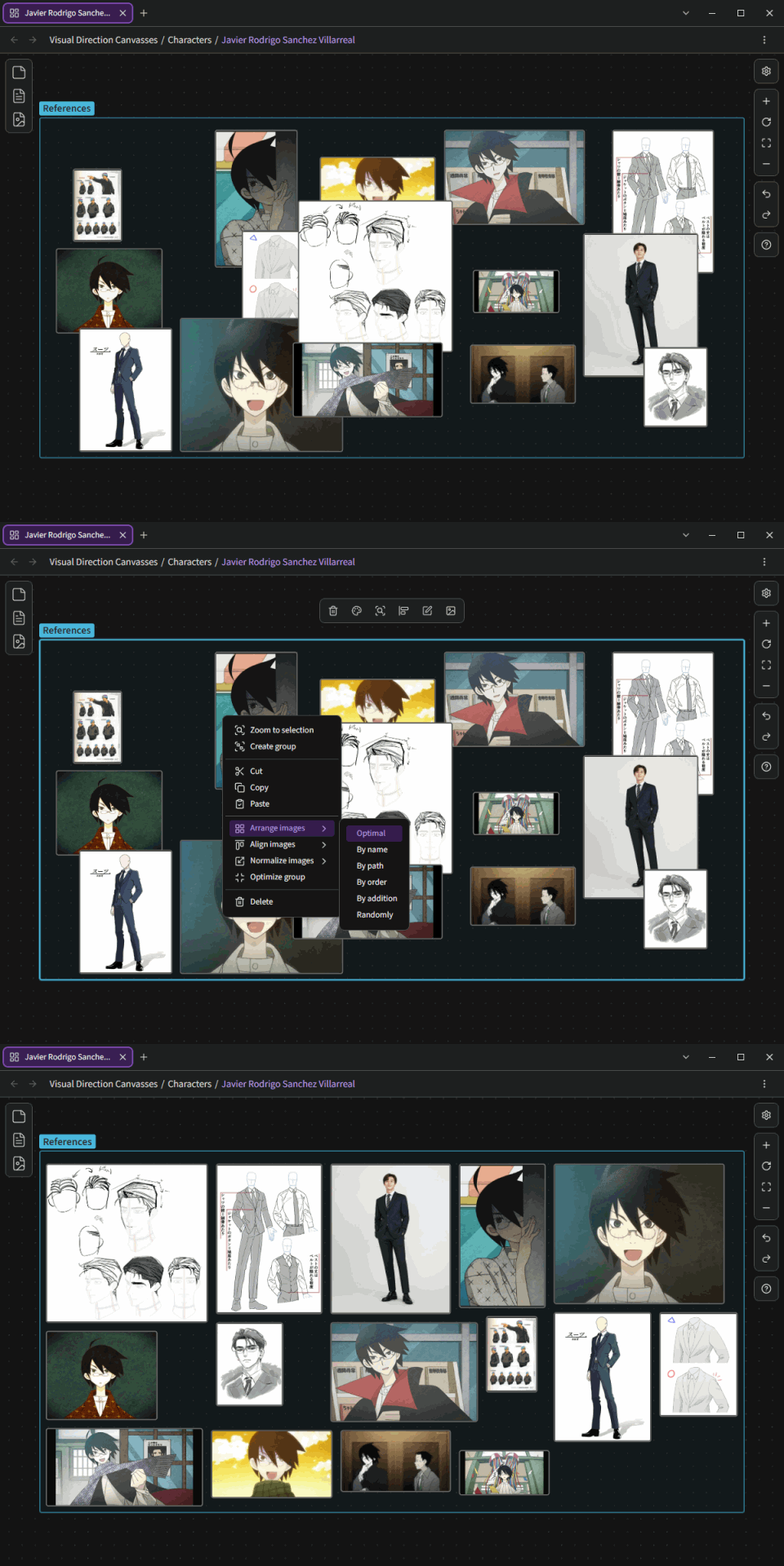
Image actions
Create an Obsidian group or make a selection with your cursor and right click it to get the following options:
| Menu | Options |
|---|---|
| Arrange images | Optimal, By name, By path, By order, By addition, Randomly |
| Align images | Left, Right, Top, Bottom, Stack, Distribute horizontal, Distribute vertical |
| Normalize images | Height, Width, Size, Area, Scale, Scale selection… |
| Optimize group | Fit a group's boundary to its contents |
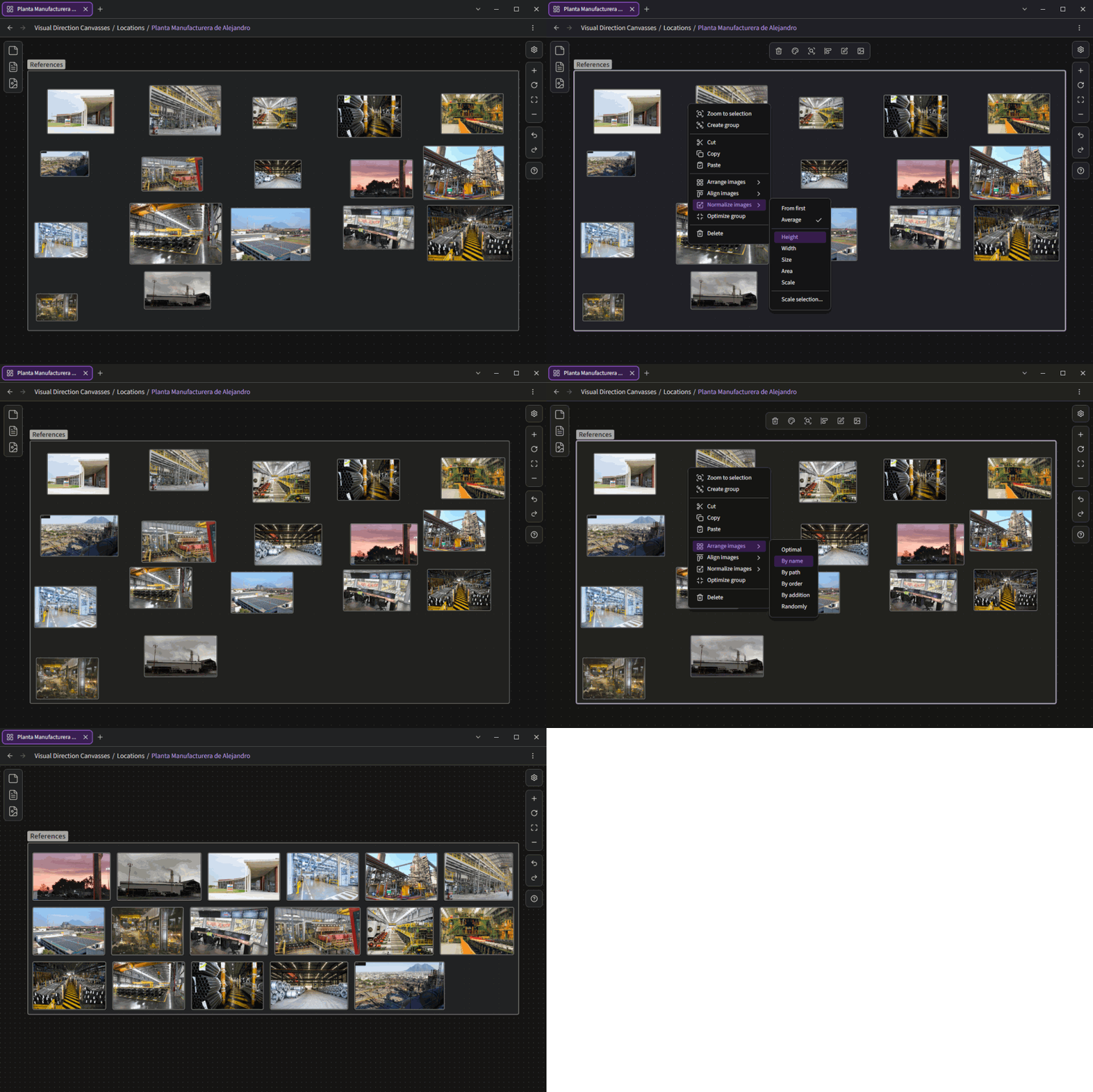
- Optimal packs images into the collage that shows them largest when zoomed to fit the current view, around any other cards.
- By name, By path, By order, By addition and Randomly lay images out in rows. Repeat a sort to reverse it.
- By order follows selection order: selected cards first, then each group's images top to bottom, left to right. By addition follows the order the plugin first saw each card.
- Normalize matches the From first image or the Average, chosen at the top of the submenu. Size matches the longest side; Scale matches size relative to each image's resolution.
- Stack piles images on their shared center. Distribute lines them up with the spacing set in settings.
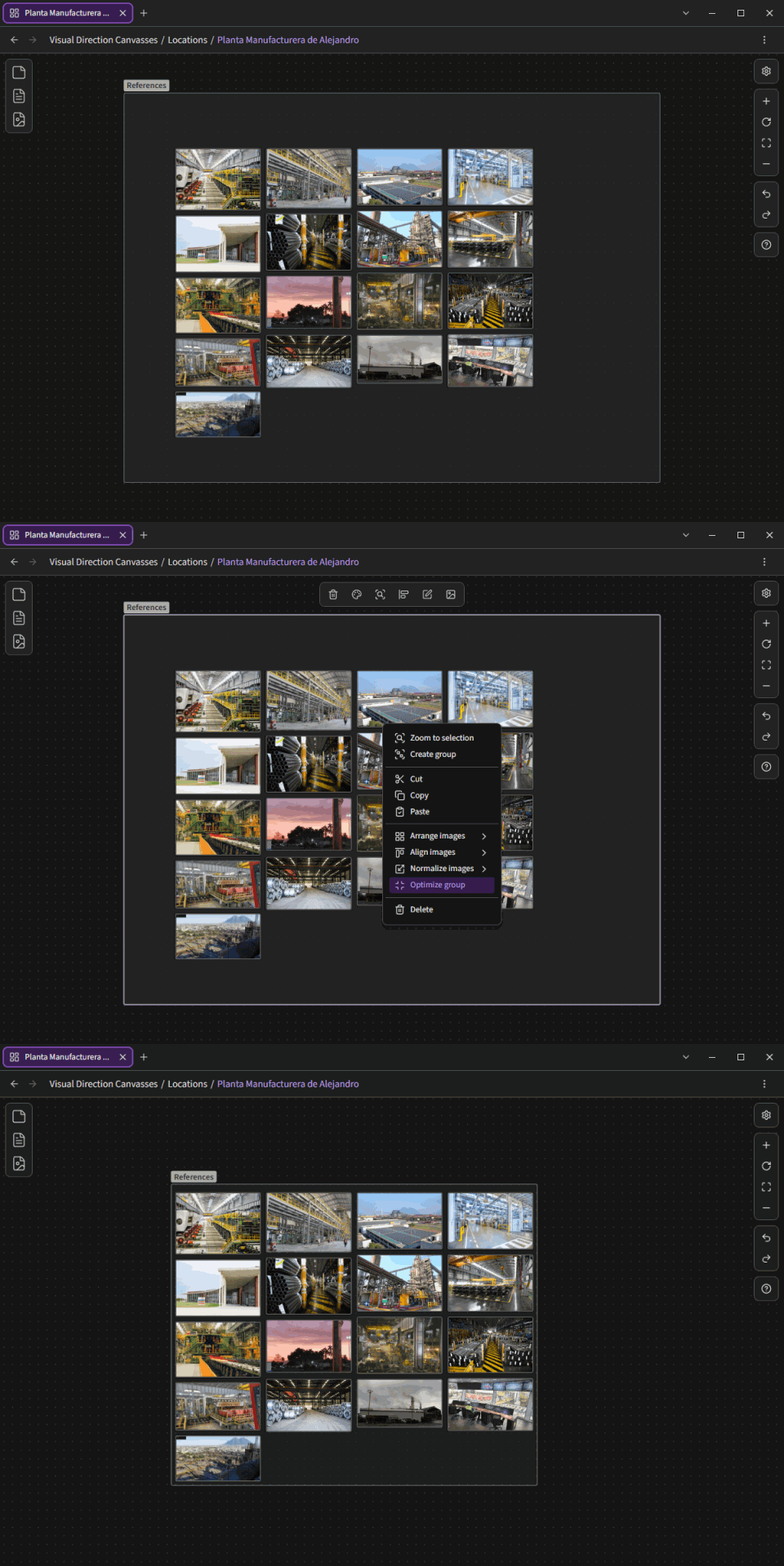
Optimize group fits a group around everything fully inside it, including notes and nested groups, without moving its contents.
Asset folders
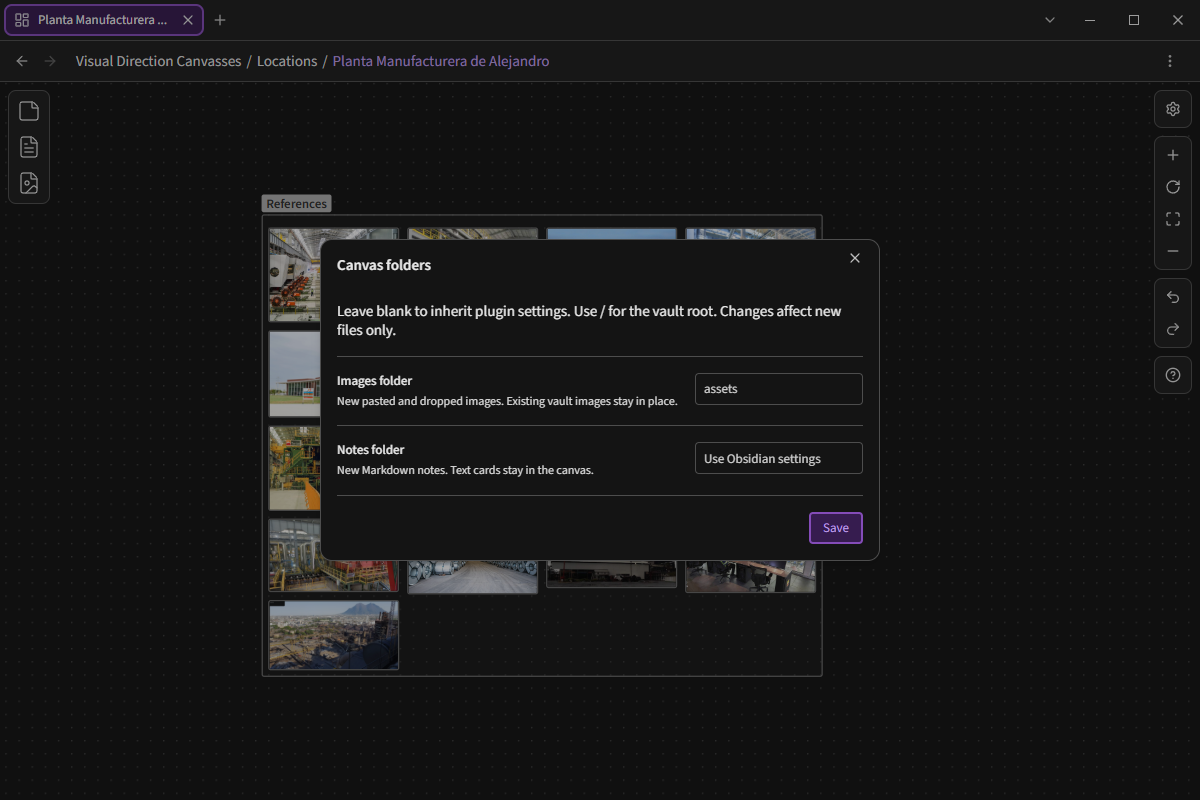
- Images folder: you can specify where obsidian can put your newly inserted images, be pasted or dragging from outside the vault.
- Notes folder: same but with note files created in the canvas.
You can set defaults in Settings → Canvas Art Ref.
If you want to override them for one specific canvas, right-click empty space and choose Canvas folders…. Leave a field blank to inherit from defaults, or enter / for the vault root.
Development
npm install
npm run build
npm run lint
npm test
Live testing, native checks and releasing are covered in docs/development.md.
License
HealthExcellent
ReviewSatisfactory
About
Manage image references on Obsidian canvases with PureRef-inspired tools. Arrange, align, normalize and pack images, optimize group boundaries, stack or distribute selections, and set default folders for pasted/dragged images and created notes.Details
Current version
1.0.0
Last updated
19 hours ago
Created
Last month
Updates
1 release
Downloads
2
Compatible with
Obsidian 1.12.3+
Platforms
Desktop, Mobile
License
MIT