Calibre Bridge
 p24l548 downloads
Import books from a Calibre (Content Server) as Markdown notes.
- Overview
- Scorecard
- Updates7
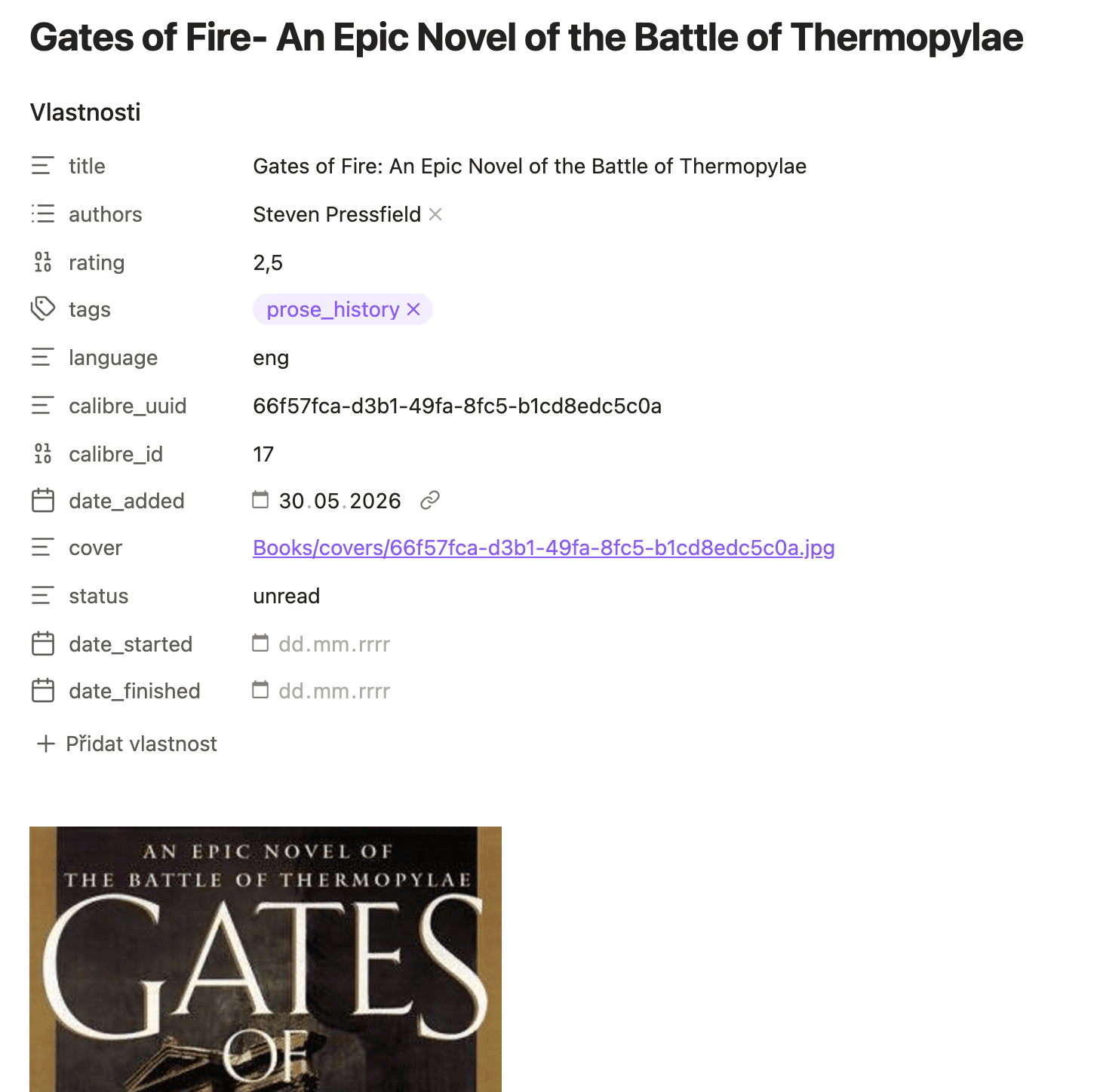
Bring your Calibre library into Obsidian — one structured note per book, with cover, metadata, description, and your Kobo highlights, kept in sync without ever touching the notes you write yourself.
What you get
- One note per book — cover image, title, authors, series, rating, tags, publisher, ISBN, and more, all in frontmatter
- Kobo highlights, if you've fetched them into Calibre — quoted passages grouped by chapter, kept separate from the book description
- Safe re-import — re-running the import only refreshes Calibre-owned data; your
status,date_started,date_finished, and anything you write below the managed section are never touched - Library overview — a ready-made Bases view with Reading / Unread / Read / Did Not Finish tabs
Getting started
In Calibre, open Connect/share → Start Content Server.
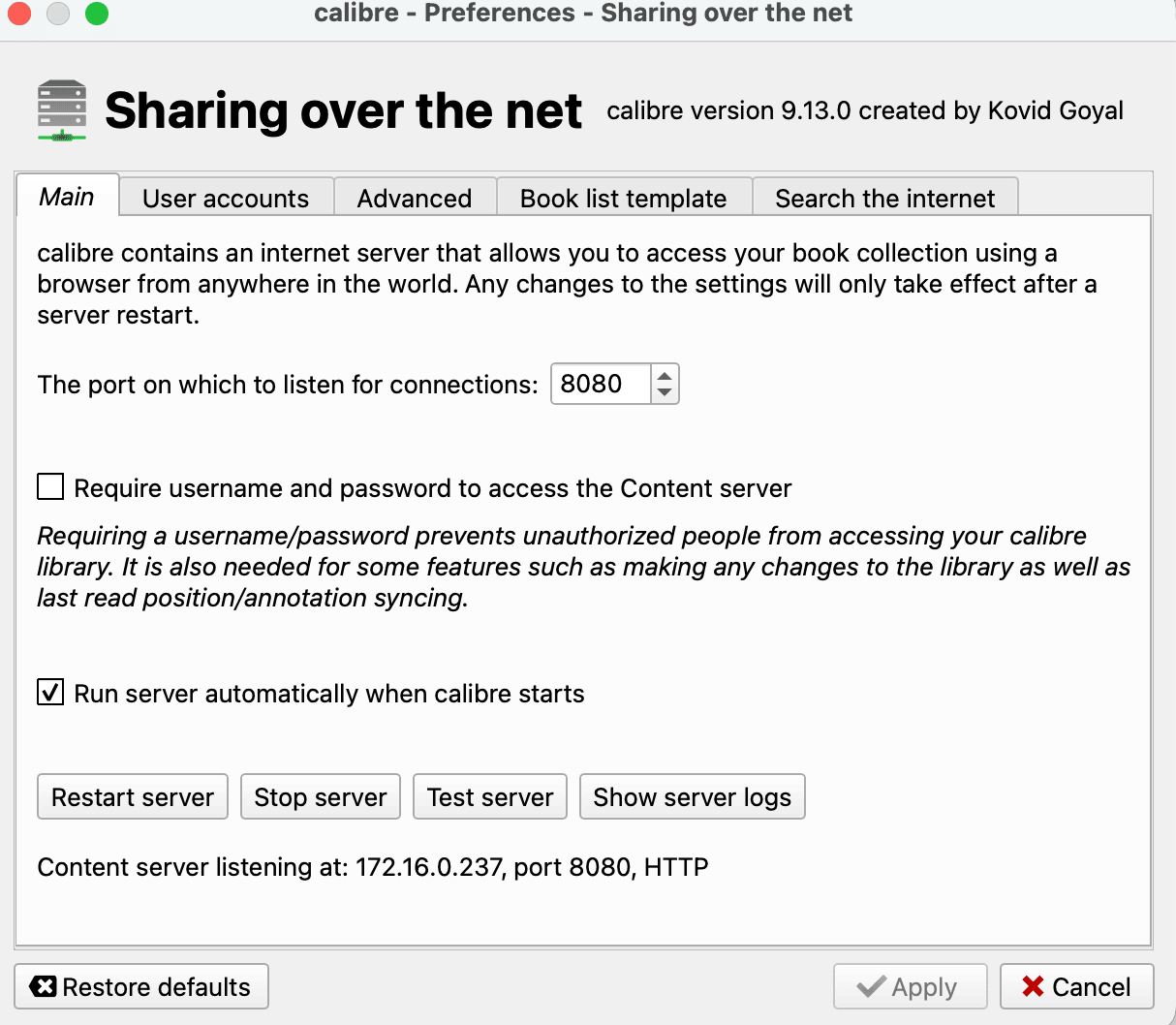
In Obsidian, open the plugin settings and point it at your server (
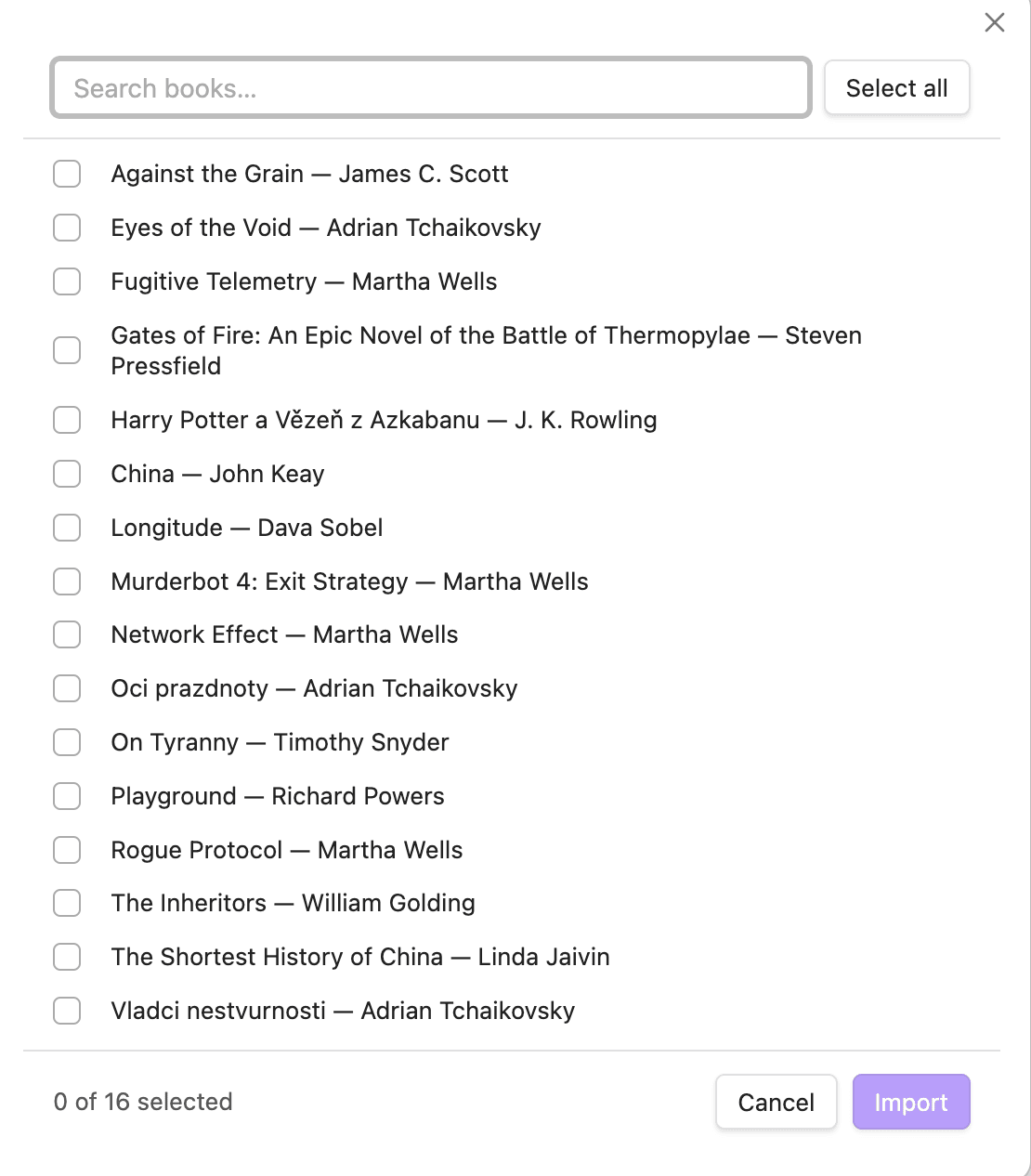
http://localhost:8080if Calibre runs on the same machine). Click Fetch libraries to pick your library.Run Import books from Calibre from the command palette, select the books you want, and they'll appear in your vault.
Run Create library overview any time to (re)generate the Bases file with pre-built views.
Run Sync all imported books to refresh every already-imported book from Calibre in one go — handy after fetching new highlights from your Kobo.
Note on tags: The
tagsfield is sourced from Calibre and overwritten on re-import. Use a separate field (e.g.my_tags) for your own tags.
Installation
The recommended way to install Calibre Bridge is to search for it in the community plugin browser (Settings → Community plugins → Browse).
Pre-release versions can be installed via BRAT using P24L/calibre-bridge, or manually by copying main.js, styles.css, and manifest.json from the latest release into .obsidian/plugins/calibre-bridge/.
Permissions and data access
The plugin connects only to the Calibre Content Server you configure — no external services are contacted. It also scans frontmatter in your book folder to detect already-imported notes; no files outside that folder are read or modified. If you use a Calibre password, credentials are stored in plaintext in the plugin's data file.
License
MIT — see LICENSE.