By Ear
 bas-vr20 downloads
Learn songs by ear: loop, slow down and pitch-shift audio and video, keeping your progress in your notes.
- Overview
- Scorecard
- Updates3
By Ear
A transcribing player for Obsidian. Loop the hard bit, slow it down without changing the pitch, shift the pitch without changing the tempo, and watch the player's hands while you do it. On your Mac, your iPad and your phone. Everything you work out is saved in the song's own note.
Made by a guitarist who wanted one thing: to learn songs from the record, anywhere, for free.
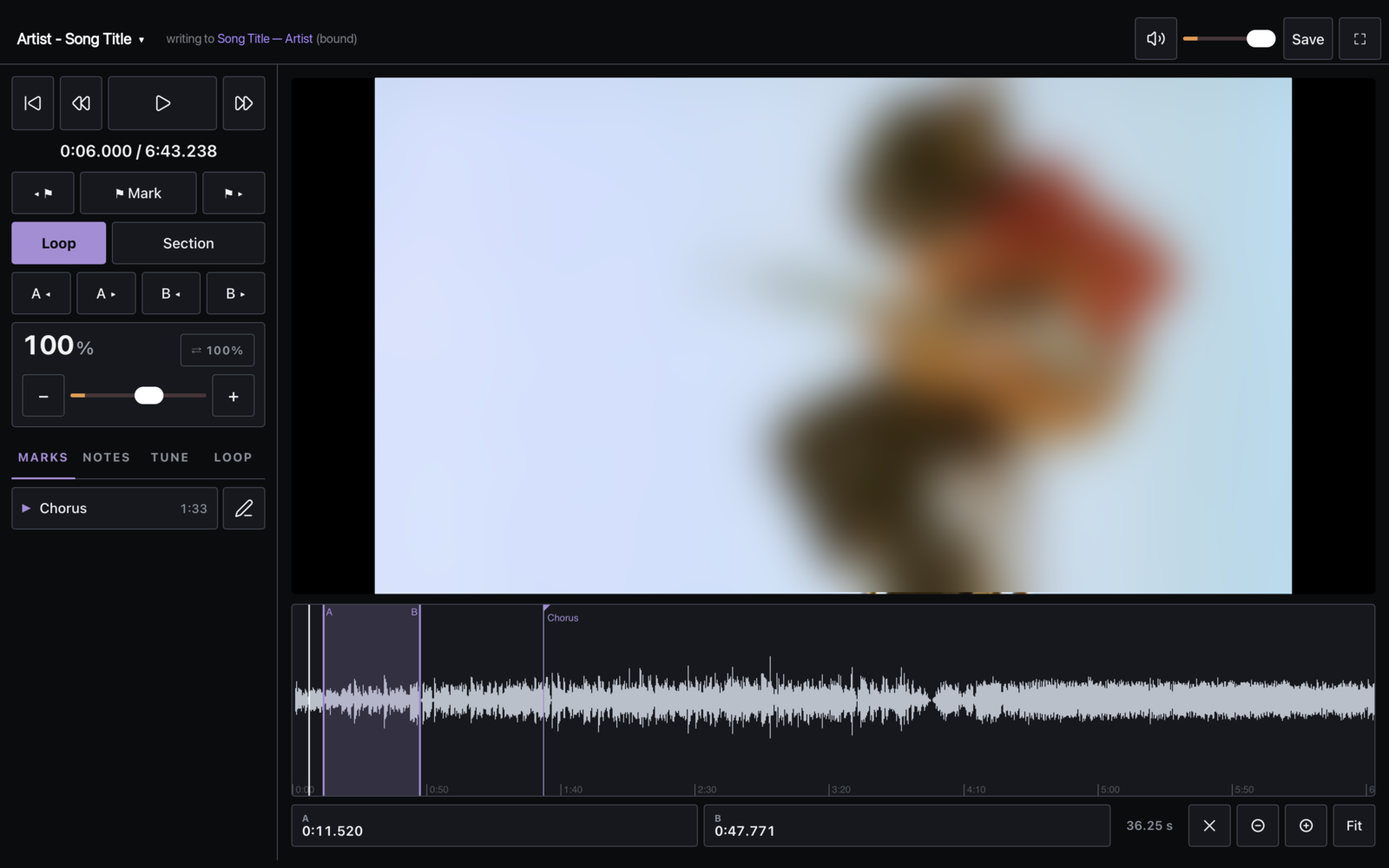
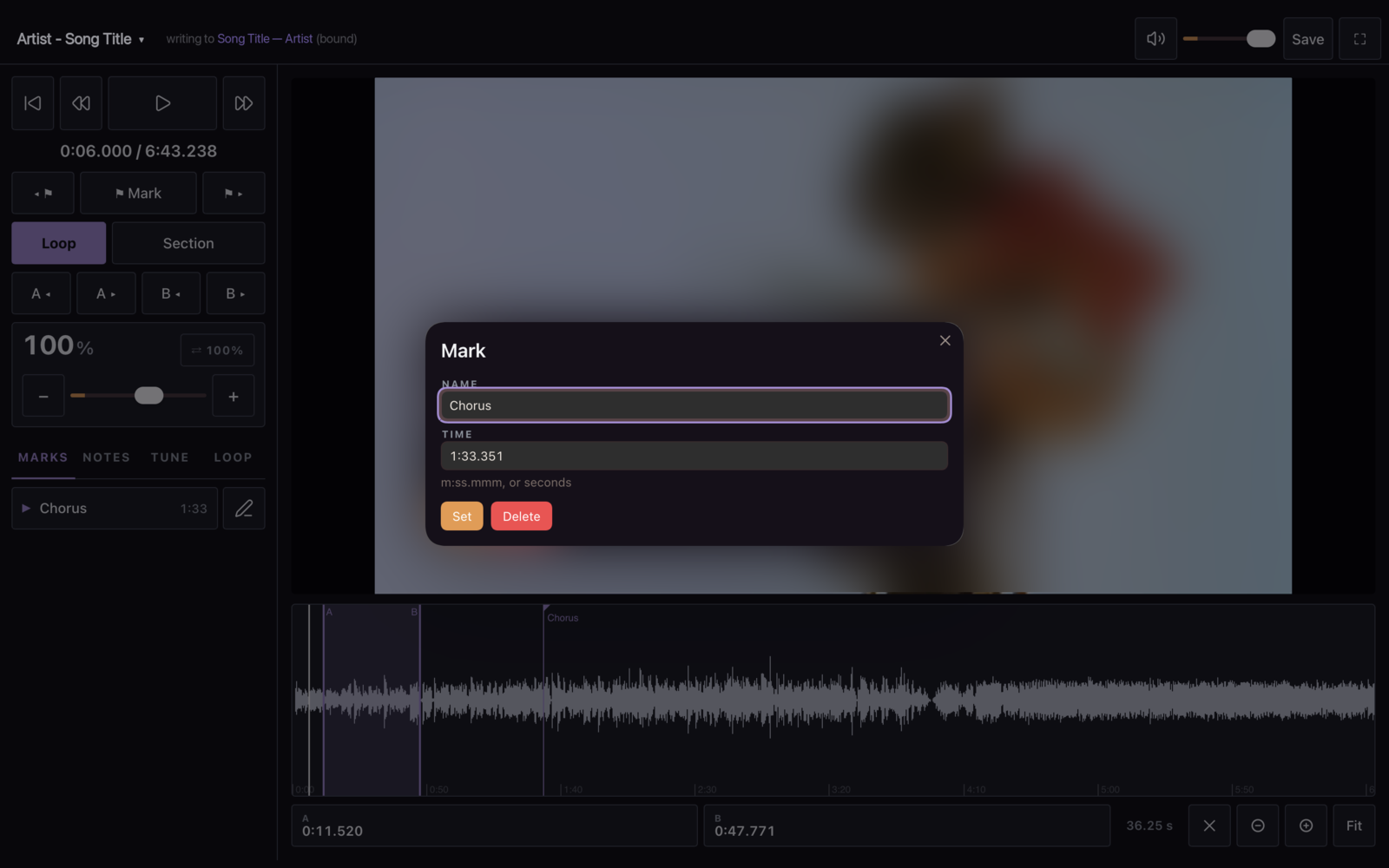
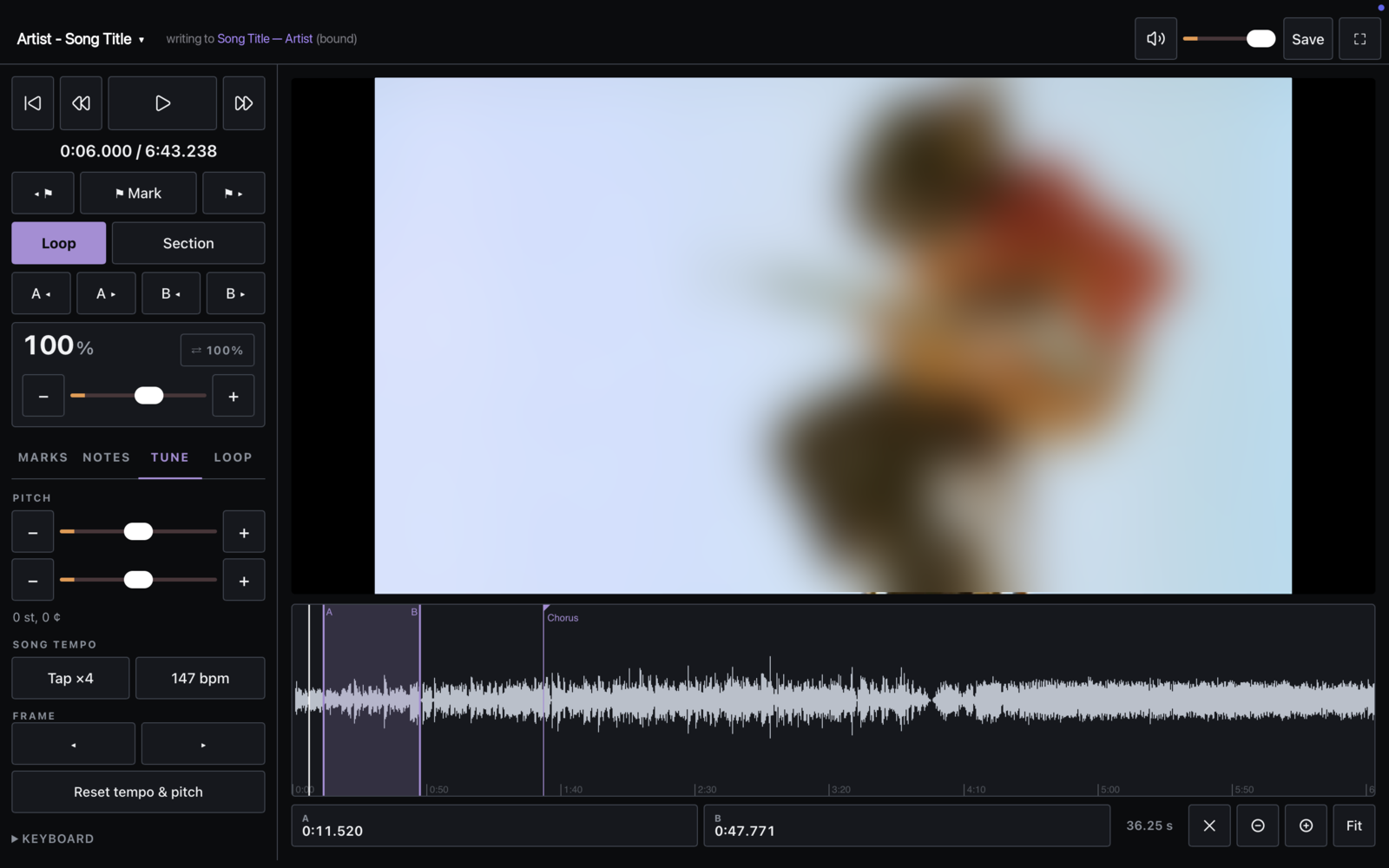
| Rename or re-time a mark | Pitch in semitones and cents | Call & response, channel mixer |
|---|---|---|
 |
 |
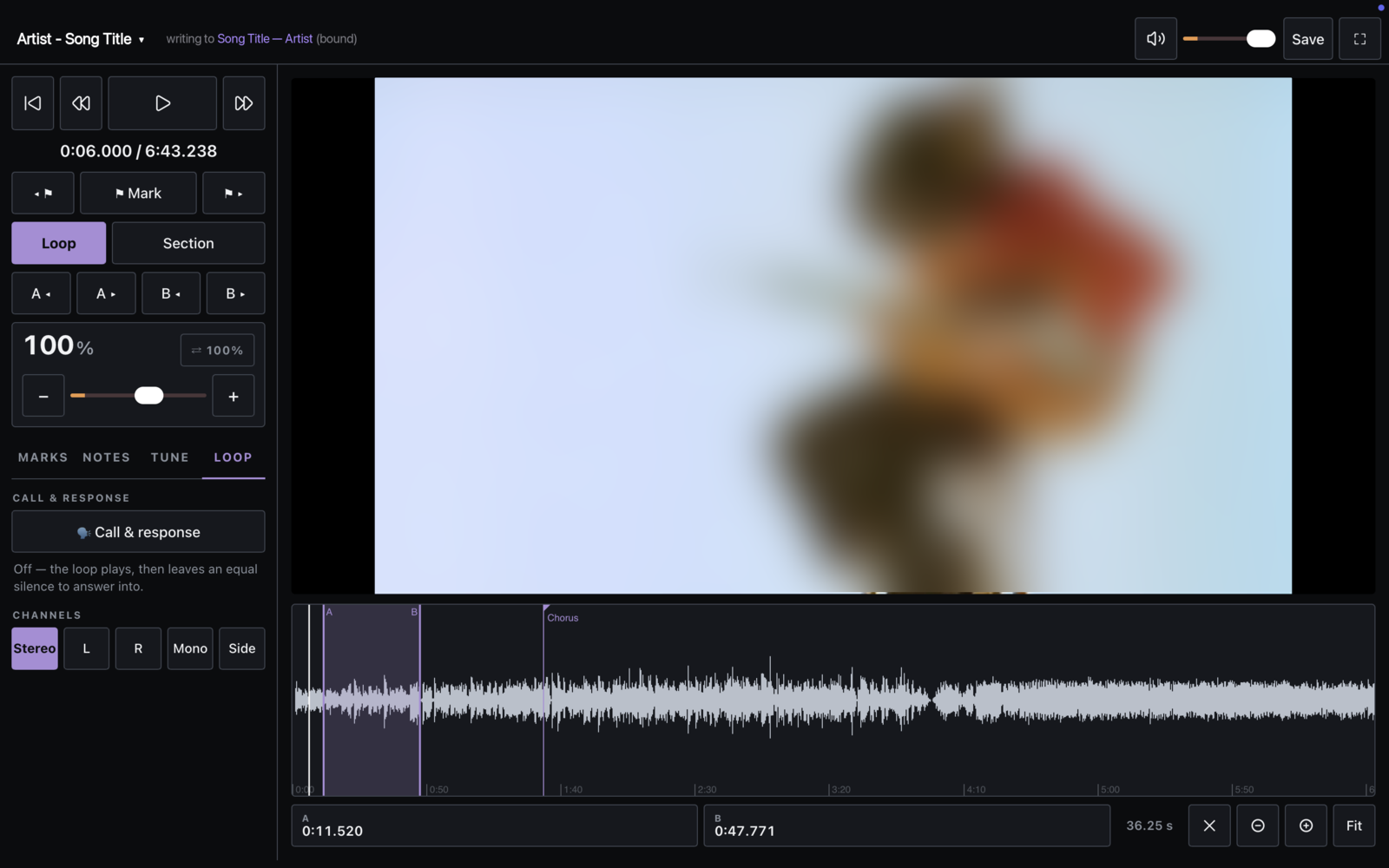 |
Screenshots taken on a Mac in full screen. The video is blurred here only because it is someone else's footage.
Why
The good transcribing apps each leave a hole. Transcribe! is excellent but desktop-only. Transcribe+ needs an Apple Silicon Mac and a subscription. The free browser tools can't show video. Nothing free runs everywhere.
And they all keep your progress locked in their own format. But the loop points are the cheap half. What costs a whole session to rebuild is the understanding: the tuning, the position, the bar you still can't name. That belongs in text, on every device you own.
Obsidian already runs on all of them, and already syncs. So the player lives there.
What it does
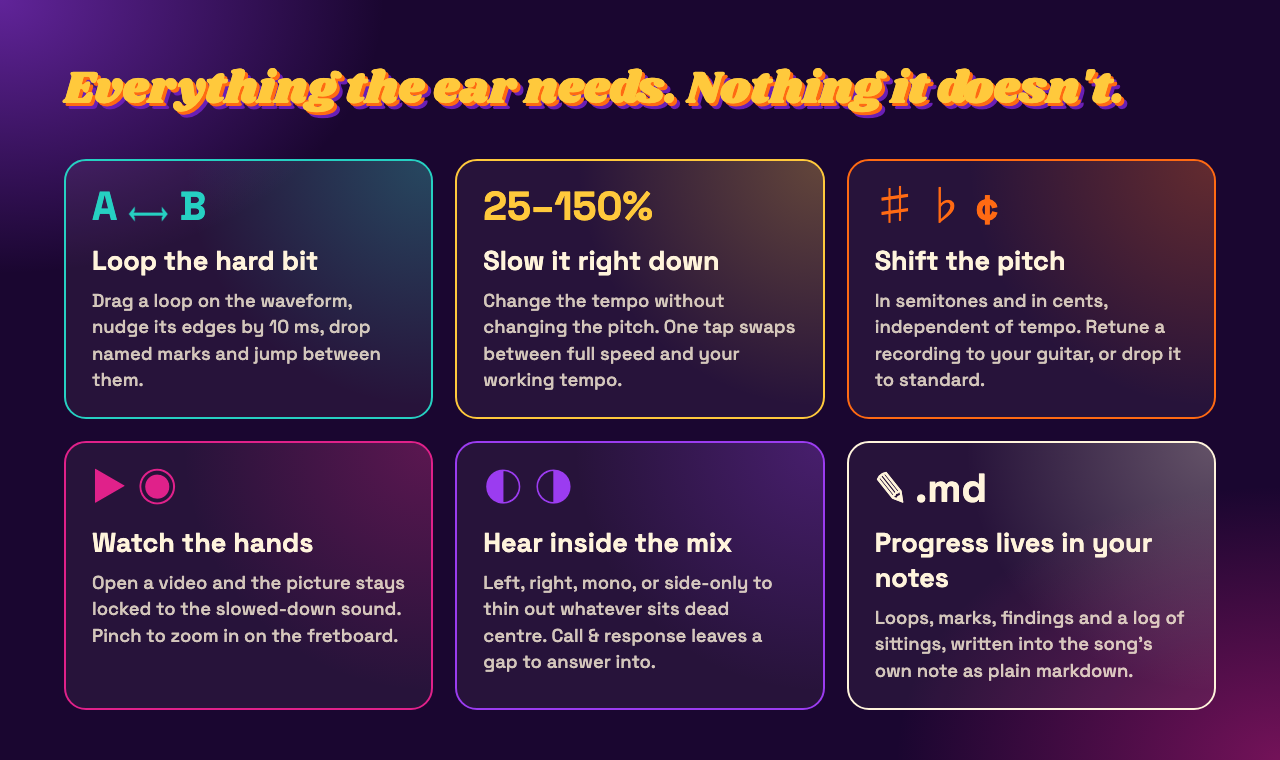
- Loop: drag an A→B loop on the waveform, nudge its edges by 10 ms, drop named marks and jump between them, loop mark to mark with one key
- Slow down: tempo from 25% to 150% with the pitch kept, and one tap to swap between full speed and your working tempo
- Shift pitch: in semitones and cents, independent of tempo, for detuned records and half-step-down bands
- Video: open an mp4 and the picture is locked to the stretched audio, so it never drifts. Pinch to zoom in on the fretboard on iPad and iPhone. Full screen, with the controls in reach
- Hear inside the mix: left, right, mono, or side-only, which thins out whatever sits in the centre (often the vocal and the bass)
- Call & response: the loop plays, then leaves an equal silence for you to answer into
- Volume and mute, remembered per device
- Your notes: marks, saved loops, your findings and a dated log of sittings, written into the song's note as plain markdown, below a marker, never touching what you wrote above it
- Keyboard first, so your hands stay near the instrument
What it will never do
These are the point of the project, not missing features:
- No chord, key or BPM detection. A tool should assist the ear, not answer for it. If it tells you the chord, it has deleted the part you were trying to learn.
- No streaks, no stats, no scoreboard. The log records what you worked on, never a count.
- No lyrics, no bundled media, and no network access at all.
Getting started
- Install By Ear from Settings → Community plugins → Browse, and enable it.
- On a computer: in the plugin's settings, set the media folder: where your songs live. Keep it outside your vault. Songs are big, and Obsidian Sync caps files at 5 MB. On Apple devices a folder in iCloud Drive is ideal, and the plugin offers one if it finds it.
- Click the 🎧 headphones icon in the ribbon (or run By Ear: Open the player), then click the song name at the top to pick a song.
- On iPad or iPhone: tap the song name, then Add songs…, and pick files (or the whole folder) from Files. They stay on the device until you remove them. Your notes sync as usual.
Plays mp3, m4a, wav, flac, aac, ogg, opus, aiff, mp4, m4v, mov and webm.
Where your progress goes
When you open a song, By Ear looks for its note: one with media: set to the file's name, or one
whose title (or song: in frontmatter) matches the song. Name files Artist - Title and it will
usually find the right one. If there is none, it creates a note in the folder for new song
notes (default By Ear/). Press ⌘/Ctrl S or Save to write it.
Everything it writes sits below this line at the bottom of the note:
%% by-ear:ledger — written by the By Ear plugin. Everything above this line is yours. %%
Your chart, your lyrics, your essay above it are never touched.
Links into the player
obsidian://by-ear?song=Artist%20-%20Title.mp4&t=83 opens the player on that song at 1:23. Put
one in a note to jump straight to the solo.
Keyboard
space |
play / pause |
← → |
nudge 1 s (shift: 5 s) |
M / S |
drop a mark here / loop this section, mark to mark |
A B |
set the loop start / end at the playhead |
L / X |
loop on-off / clear the loop |
C |
call & response on / off |
V |
mute / unmute |
F / esc |
full screen, and back |
⌘/Ctrl S |
write the ledger to the note |
[ ] |
nudge A by 10 ms (shift: nudge B) |
↑ ↓ |
tempo ± 5% |
- = |
pitch ± 1 semitone (shift: ± 10 cents) |
0 |
reset tempo and pitch |
| wheel | zoom the waveform around the pointer (shift: pan) |
Getting songs: the optional /by-ear skill
By Ear plays files you already have. If you use Claude Code, this repo also ships a skill that fetches them for you:
/by-ear Jimi Hendrix - Little Wing
/by-ear the live version of Red House
/by-ear https://www.youtube.com/watch?v=...
It searches YouTube, picks the right upload, and saves it to your media folder. It keeps the
video when there are hands to watch, and only the mp3 when the picture is a still album cover.
It lives in skill/by-ear/ and needs yt-dlp, ffmpeg and deno.
The easy way: paste this setup prompt into Claude Code. It installs the plugin, the tools and the skill, sets your song folder, fetches a first song, and gives you a short tour of the player.
It runs on a computer only: there is no dependable way to run yt-dlp on iOS. Downloading from YouTube is against YouTube's terms of service. The skill is for personal practice material on your own machine, and that call is yours.
Platforms
| macOS (Intel and Apple Silicon) | ✅ used daily |
| iPadOS | ✅ used daily |
| iOS | ✅ works. A phone screen is tight for this; landscape helps |
| Windows / Linux | should work, untested. Reports welcome |
| Android | ⚠️ unknown. Obsidian audio plugins are reported not to work there |
Privacy and disclosures
- No network access. Nothing is sent anywhere, and there is no telemetry.
- Every release is built and signed by GitHub Actions from the tagged source, with a
build-provenance attestation you can check:
gh attestation verify main.js --repo BasvanRzdl/obsidian-by-ear. - Reads files outside your vault on desktop: only the media folder you choose in settings, and only to play them.
- On iPad and iPhone, songs you add are cached in the app's storage on that device, and can be removed from the song list.
- Writes to your vault in two moments. When you open a song, it links it to its note: it
adds a
media:line to that note's frontmatter, or creates a short note if there is none. When you save, it writes below the marker shown above. It never edits anything else. obsidian://by-earlinks can open the player on a song that is already in your media folder, so opening one can do the linking above. They cannot reach any other file, start playback, or run anything.
Building from source
npm install
npm run build
npm test
./install.sh "/path/to/your/vault"
⚠️ minify: false in esbuild.config.mjs is load-bearing, and so is numberOfInputs: 1 in the
engine. Why, and the rest of what building on Signalsmith Stretch inside Obsidian taught me, is
in docs/ENGINEERING.md.
Built on
Signalsmith Stretch (MIT) for time-stretching and pitch-shifting.
Licence
MIT. See LICENSE.