Brain Atlas
 colorpulse66k downloads
Render your vault as an animated 3D anatomical brain.
- Overview
- Scorecard
- Updates9
Install Brain Atlas from the Obsidian community plugin directory
Brain Atlas is an Obsidian plugin that renders your vault as an animated 3D anatomical brain. Notes become nodes, links become neural pathways, and note types are grouped into brain regions.
Brain Atlas is designed primarily for desktop Obsidian. Mobile support is experimental and depends heavily on vault size, device GPU, and Obsidian's mobile canvas performance. On phones and tablets, use the Mobile preset to cap rendering load, reduce label density, and keep touch interaction more predictable.
The animated preview below uses synthetic demo vault data.
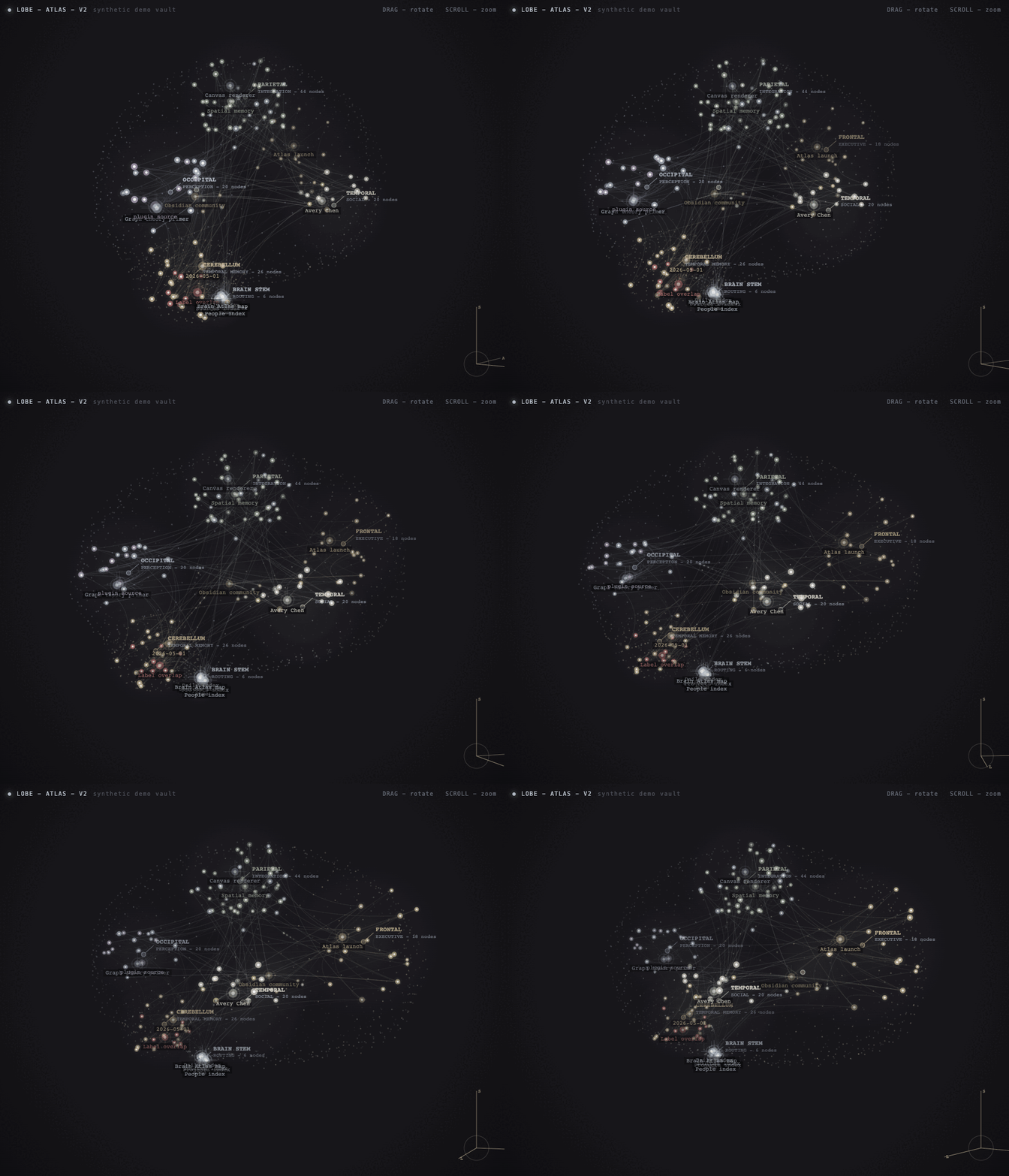
What's New in 0.2.0
This release replaces the Canvas2D path on desktop with a hand-rolled WebGL2 renderer, cutting idle-rotation CPU usage by roughly 70%. Canvas2D remains available as an automatic fallback on mobile, when WebGL2 is unavailable, or after a context loss event. A new Renderer setting lets you force either backend.
- GPU-accelerated WebGL2 renderer on desktop — ~70% lower CPU at idle, fixing issue #2.
- Automatic Canvas2D fallback on mobile and unsupported devices; no configuration needed.
- New
Renderersetting:Auto(default),WebGL2, orCanvas2D. - Pixel output verified identical between backends by an A/B pixel-diff CI gate.
What's New in 0.1.5
This release focuses on making Brain Atlas work with real vault taxonomies instead of requiring users to rename notes, folders, tags, or frontmatter.
- Map custom frontmatter values to categories, such as
type:wiki=source. - Map custom frontmatter values directly to regions, such as
type:person=temporal. - Map folders directly to regions, such as
Wiki=occipitalorChannels=frontal. - Use the new Classification report in settings to see why notes landed in each region and which frontmatter values are still unmapped.
- Reduce dense label piles by capping automatic labels while keeping hover, focus, and major hub labels available.
- Use
DAYLIGHT,Balanced, orBattery saversettings for light-mode and lower-idle-CPU workflows.
Features
- Animated 3D brain view inside Obsidian.
- Renders the 3D scene on the GPU via WebGL2 on desktop for much lower CPU usage, with an automatic Canvas2D fallback on mobile or unsupported devices.
- Vault-native graph data from
app.metadataCache; no separate app or export step. - Region mapping for projects, people, concepts, sources, daily notes, indexes, and related note kinds.
- Editable categorization settings for frontmatter keys, frontmatter value mappings, tag mappings, folder mappings, link inference, and the default category.
- Region override settings for placing specific notes, frontmatter values, tags, or folders in specific anatomical regions.
- Classification report that explains how notes are being categorized and surfaces unmapped frontmatter values.
- Region toggles for dimming or restoring anatomical lobes.
- Label toggle and density guardrails for hiding labels or preventing dense label piles.
- Light
Daylightpalette for users who prefer a brighter workspace. - Optional performance presets, including a
Mobile preset, for reducing idle animation frame rate on machines that run hot or small touch devices. - Click a node to open the backing note.
- Drag a node to pin its position in the atlas.
- Local-only rendering. Brain Atlas does not send vault data to a server.
Install
Brain Atlas is available in Obsidian's community plugin directory:
https://community.obsidian.md/plugins/brain-atlas
- Open
Settings -> Community plugins. - Search for
Brain Atlas. - Install and enable the plugin.
- Run Brain Atlas: Open atlas from the command palette.
Manual Install
Download these files from the latest repo version or release:
manifest.jsonmain.jsstyles.css
In your vault, create:
.obsidian/plugins/brain-atlas/Put the three downloaded files in that folder.
Reload Obsidian.
Enable
Brain AtlasinSettings -> Community plugins.Open the command palette and run
Brain Atlas: Open atlas.
Build from Source
npm install
npm test
npm run build
mkdir -p /path/to/your/vault/.obsidian/plugins/brain-atlas
cp manifest.json main.js styles.css /path/to/your/vault/.obsidian/plugins/brain-atlas/
Then reload Obsidian and enable the plugin.
Usage
Run Brain Atlas: Open atlas from the command palette or click the brain ribbon icon.
Controls:
- Drag empty space to rotate.
- Drag a node to pin it in place.
- Scroll to zoom.
- Right-click to reset the camera.
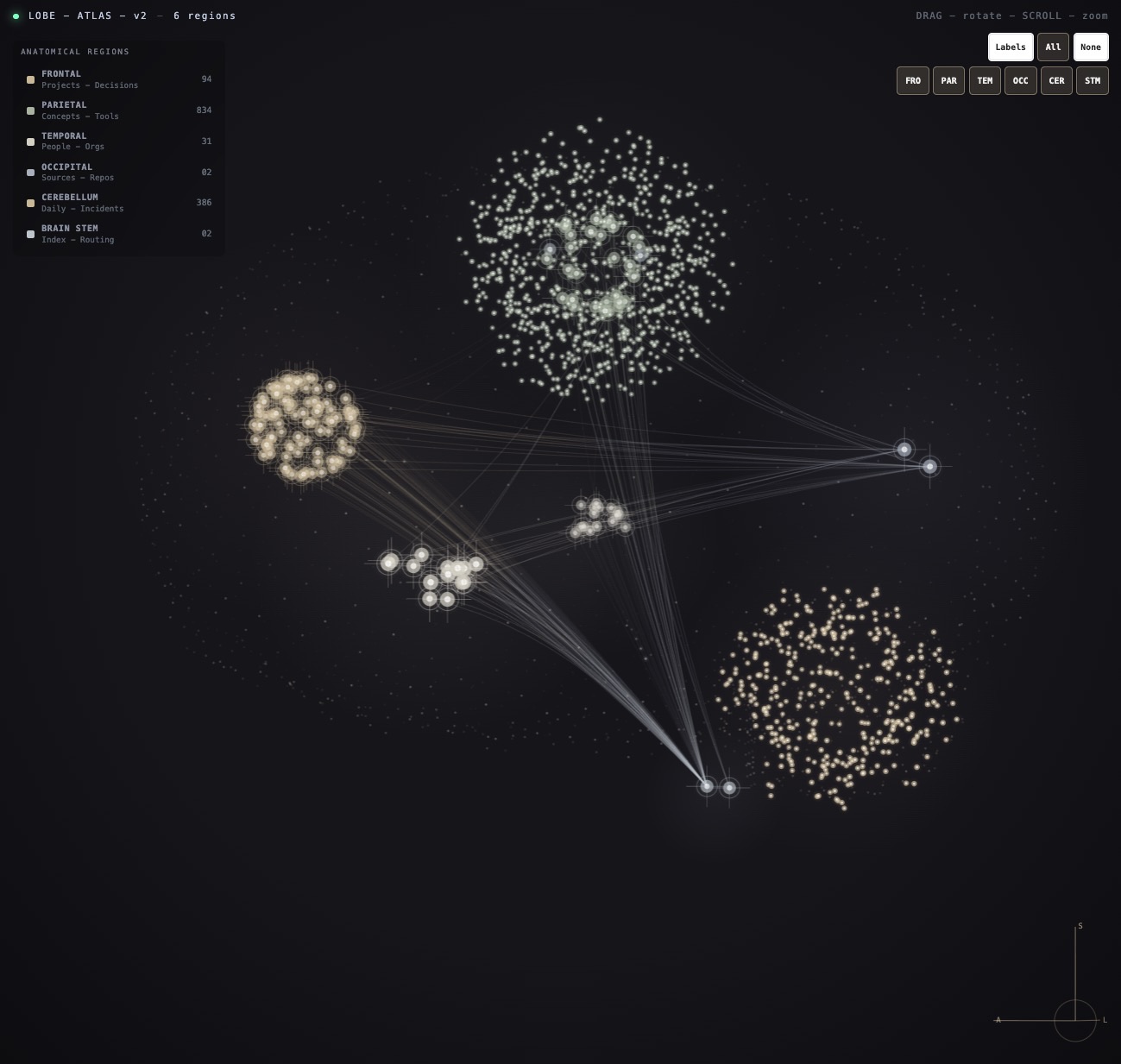
Labelstoggles all canvas labels.Allrestores every region.Nonedims every region.FRO,PAR,TEM,OCC,CER, andSTMtoggle individual brain regions.
Settings:
Rendererselects the rendering backend.Auto(default) uses WebGL2 on desktop and Canvas2D on mobile. ForceWebGL2orCanvas2Dfor testing or if WebGL has issues. WebGL2 is GPU-accelerated and uses much less CPU; Canvas2D is the universal fallback.Theme paletteincludes the lightDAYLIGHTpalette.Performance presetdefaults toSmooth (current)on desktop.Mobile,Balanced, andBattery saverkeep interactions responsive while reducing idle redraw rate.Classification reportexplains how notes were grouped and suggests mappings for unknown frontmatter values.Frontmatter value mappingslet existing vault metadata drive categories without renaming fields or values.Folder region mappingshelp folder-heavy vaults spread notes across anatomical regions.
How Notes Are Classified
Brain Atlas assigns each note to a lobe using this order:
- Frontmatter value mappings, such as
type:wiki=source. - Frontmatter keys:
kind,type, orcategory. - Tags such as
#project,#person,#source,#daily, or#index. - Folder names such as
Projects,People,Sources,Daily,Concepts, orIndex. - Date-like filenames for daily notes.
- Link behavior inference, when enabled.
- Fallback to the configured default category.
After a note is categorized, optional region overrides can place it in a specific anatomical region without changing its category or color. Region override precedence is:
- Exact note path mappings, such as
Projects/Big Idea.md=frontal. - Frontmatter value mappings, such as
type:wiki=occipital. - Frontmatter region fields, such as
brain_region: temporal. - Tag region mappings, such as
client=temporal. - Folder region mappings, such as
Wiki=occipital. - The default category-to-lobe mapping below.
You can edit the mapping in Settings -> Brain Atlas -> Categorization:
Default categorycontrols where unmatched notes go.Infer categories from linkslets heavily connected unmatched notes use graph behavior as a hint.Frontmatter fieldscontrols which frontmatter keys are checked for kind values.Frontmatter value mappingsaccepts onefield:value=categorypair per line.Tag mappingsaccepts onetag=categorypair per line. Tags do not need#.Folder mappingsaccepts onefolder=categorypair per line. Folder names can match any path ancestor.
Frontmatter category examples:
type:wiki=source
type:person=person
class:meeting=workThread
You can edit anatomical placement in Settings -> Brain Atlas -> Region overrides:
Frontmatter region keyscontrols which frontmatter fields are checked for region names.Frontmatter region value mappingsaccepts onefield:value=regionpair per line.Tag region mappingsaccepts onetag=regionpair per line. Tags do not need#.Folder region mappingsaccepts onefolder=regionpair per line. Folder names can match any path ancestor.Note region mappingsaccepts onenote/path.md=regionpair per line.- Supported regions are
frontal,parietal,temporal,occipital,cerebellum, andstem.
Region override examples:
type:wiki=occipital
type:person=temporal
Wiki=occipital
Channels=frontal
Inbox=stem
Use the Classification report in settings when a vault lands mostly in one lobe. It shows note counts by region and classification source, plus unmapped frontmatter values with suggested mapping strings.
Default lobe mapping:
| Region | Notes |
|---|---|
| Frontal | projects, decisions, questions |
| Parietal | concepts, tools, work threads |
| Temporal | people, organizations |
| Occipital | sources, repos |
| Cerebellum | daily notes, incidents |
| Brain stem | indexes, routing notes |
Privacy
Brain Atlas reads Obsidian's local vault metadata and renders it in a local canvas view. It enumerates Markdown files in the vault with Obsidian's vault API, then uses each note's path, basename, frontmatter, tags, links, and embeds from Obsidian's metadata cache to build the graph. It does not read full note contents, make network requests, upload vault data, or require an account. The WebGL2 renderer executes entirely on the local GPU; no vault data or render output leaves the device.
Because note names and paths appear visually in the graph when labels are enabled, use the Labels toggle before screensharing if your vault contains private note titles.
Development
npm install
npm test
npm run build
During development, you can copy manifest.json, main.js, and styles.css into a vault plugin folder after each build.
Release
Release assets are built and attested by GitHub Actions. Do not upload locally built main.js or styles.css for public releases unless you are intentionally replacing the automated provenance flow.
Update the version in
manifest.json,package.json,package-lock.json, andversions.json.Run:
npm test
npm run build
Commit and push the version bump.
Create and push a semver tag that matches
manifest.json, for example:git tag 0.2.0 git push origin 0.2.0The
Releaseworkflow creates or updates the GitHub release, uploadsmanifest.json,main.js, andstyles.css, and generates artifact attestations for those assets.
For an existing release that needs assets rebuilt or re-attested, run the Release workflow manually with the version input set to the release tag, for example 0.1.5.
To verify release asset provenance locally:
gh attestation verify main.js -R colorpulse6/brain-atlas
gh attestation verify manifest.json -R colorpulse6/brain-atlas
gh attestation verify styles.css -R colorpulse6/brain-atlas
Demo Capture
The README animation is generated from synthetic data, not a real vault:
npm run demo:build
open demo/index.html
Test Vaults
Generate local Obsidian vaults for checking different user setups:
npm run build
npm run test-vaults:seed
This creates ignored vault folders in test-vaults/brain-atlas/ and installs the current local plugin build into each vault:
01-folder-heavy-raw: sparse tags, broad folders, mostly default classification.02-folder-heavy-configured: same structure with folder category and region mappings.03-frontmatter-heavy-raw: arbitrary frontmatter values such astype: wiki.04-frontmatter-heavy-configured: same structure with frontmatter value mappings.05-tag-heavy-pkm: canonical tag-heavy PKM setup.06-messy-import: imported/UUID-like notes for label-density testing.
Open any generated folder as an Obsidian vault, then run Brain Atlas: Open atlas.
Author
Built by Nichalas Barnes, a software engineer and composer. More work at nichalasbarnes.com/projects.
You might also like Cerebro Mycelium, which renders your vault as a 2D living fungal network.
License
MIT