BoardHydra
 madebysaints61 downloads
Sync BoardHydra boards with your vault, both ways. Each card becomes a note.
- Overview
- Scorecard
- Updates14
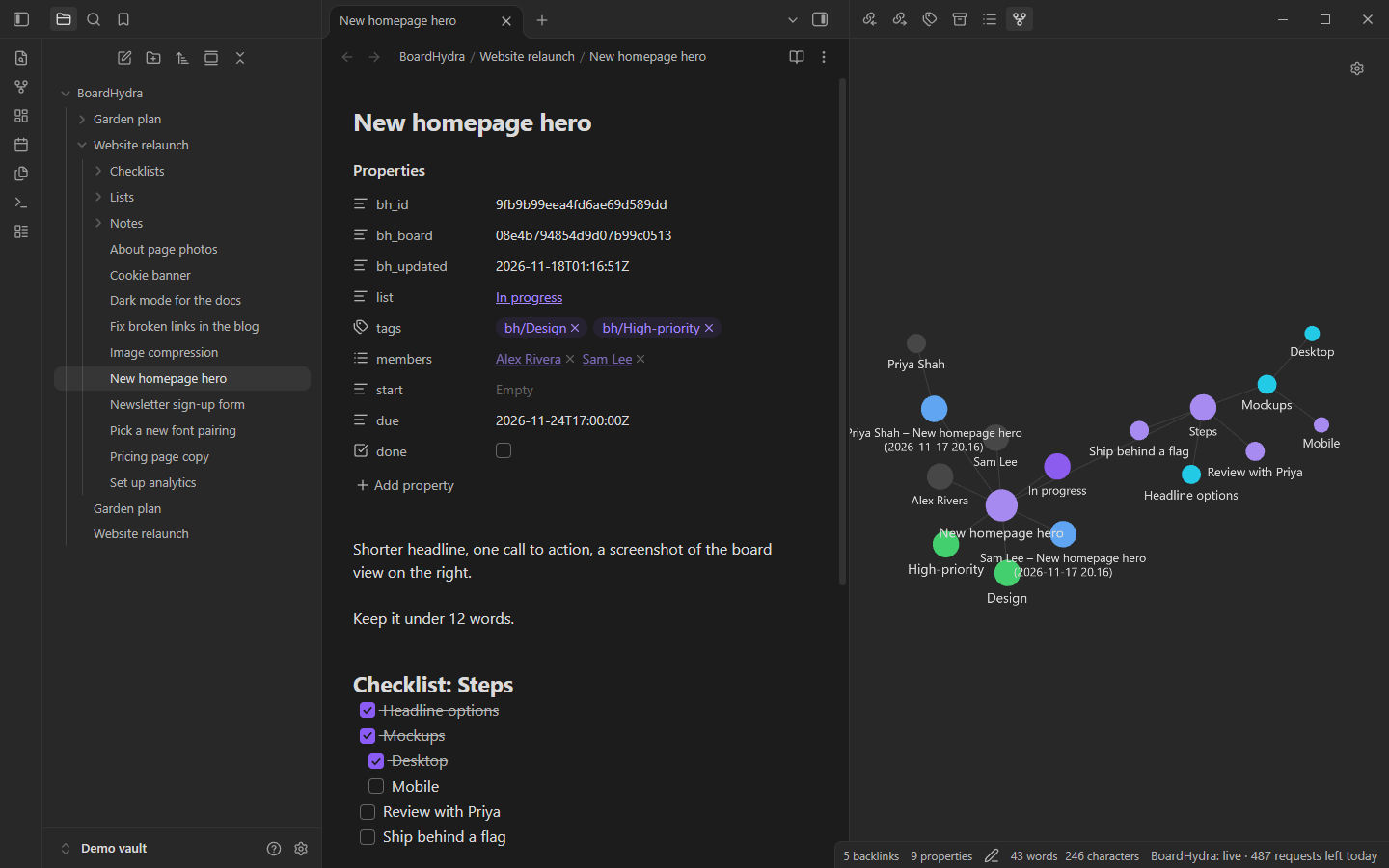
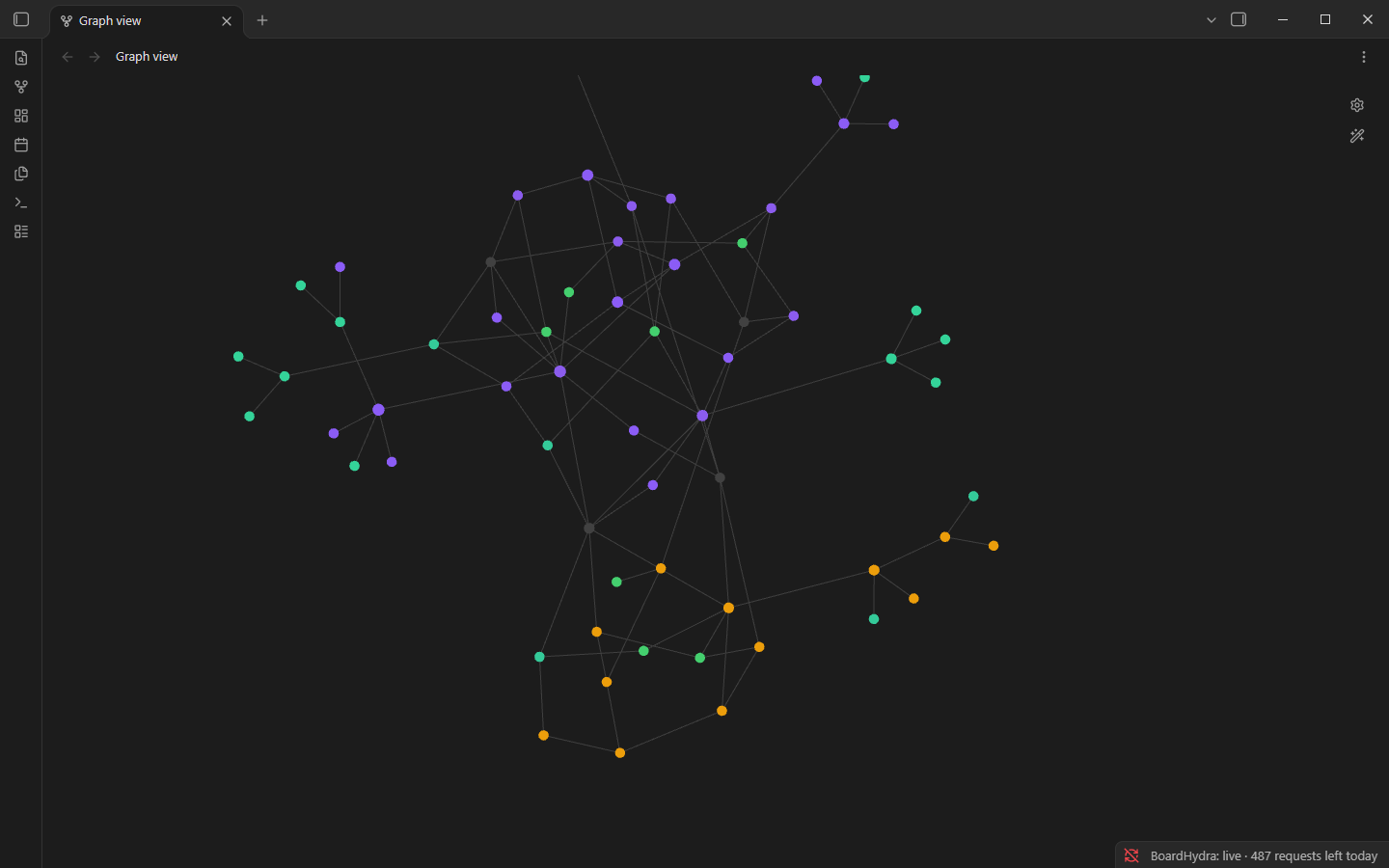
Sync your BoardHydra boards with your vault, both ways. Each board, list and card becomes
a note, linked board → lists → cards, so the graph view shows your boards as trees. Labels become #bh/… tags.
Needs BoardHydra Pro or Business.
Connect
- Install the plugin and turn it on.
- Settings → BoardHydra → Connect. Your browser opens BoardHydra. Sign in and choose Connect.
- Obsidian opens again and finishes. If it doesn't, copy the code from the page into Paste code.
- Choose the boards to sync.
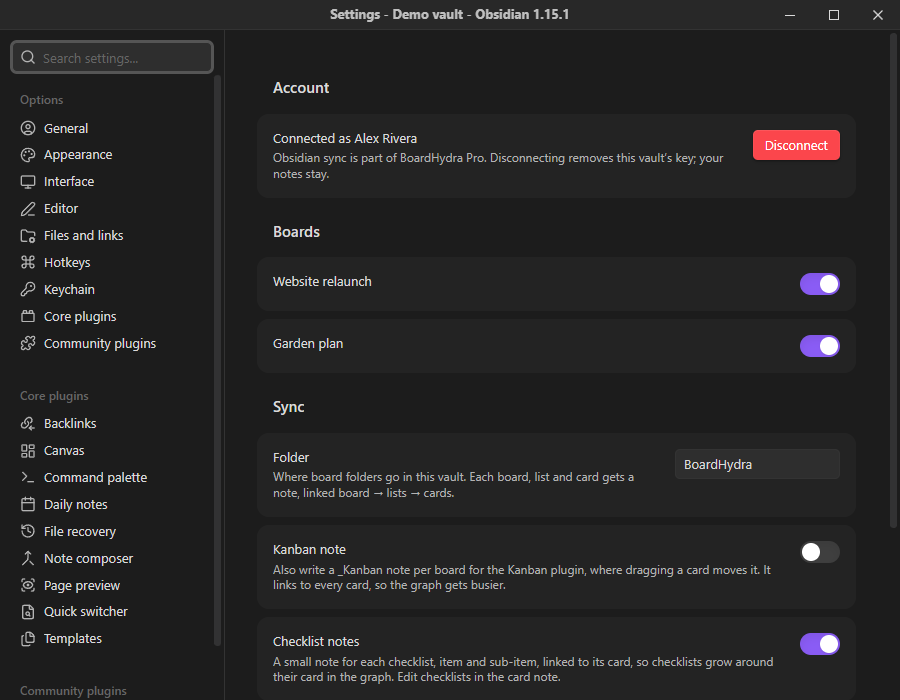
Disconnect any time in the plugin settings, or on the website under Account → Integrations.
What you get
BoardHydra/
  My board.md            ← the board: links to its lists
  My board/
    Lists/
      To do.md           ← a list: links to its board and its cards
    Fix login.md         ← one note per card (links back to its list)
    Notes/
      Sam Lee – Fix login (2026-11-17 14.38).md   ← each note someone wrote on a card
    _Kanban.md           ← optional, for the Kanban plugin (Settings → Kanban note)
    _archive/            ← cards archived in BoardHydra
    _conflicts/          ← your version, when both sides changed a card at once
Board and list notes are rewritten by the plugin; edit cards, not them.
A card note:
---
bh_id: 6f1c…            # don't edit
bh_board: 2a9e…
bh_updated: 2026-11-17T10:00:00Z
list: "[[BoardHydra/My board/Lists/To do|To do]]"
tags: [bh/Bug, idea]
members: ["[[Sam Lee]]"]
start:
due: 2026-11-21T17:00:00Z
done: false
---
The description, in Markdown.

## Checklist: Steps
- [x] one
- [ ] two
  - [ ] a sub-item

## Links
- [Example](https://example.com)
Edit a note: the card updates in BoardHydra about 2 seconds after you stop typing.
Rename the file: the card is renamed.
Change
list:(the list's name or a link to its note), or drag a card in the Kanban note: the card moves.Labels are tags starting with
bh/(spaces become-, so "High priority" is#bh/High-priority). Add or remove them to change the card's labels. Your own tags, and any properties you add, are kept.Members are links, so each person shows up in the graph next to their cards.
Notes on cards (the Notes section at the bottom of a card in BoardHydra) each get their own note in
Notes/, linked to the card and to the person who wrote it. Edit or delete your own there and it syncs; other people's notes are read-only. To write one, open a card note and run Add a note to this card.Graph colors: boards, lists, checklists, notes and archived cards each get a color; checklist items are red until they're done, then green; cards take their first label's BoardHydra color (in board order), and gray-green without one. The groups update when labels change. Your own color groups are kept and come first. Turn it off under Color the graph by label.
In the graph view, turn on Tags under Filters to see labels as nodes too.
Checklists in the graph: each checklist, item and sub-item gets a small note in
Checklists/<card>/, linked card → checklist → items → sub-items, so checklists sprout around their card in the graph. They're read-only (edit checklists in the card note) and havedone: trueonce ticked, so a graph group like[done:true]can color finished items. Turn them off under Checklist notes in settings.New note in a board folder: a new card in the
list:you give (or the first list).Delete a note: the card is archived in BoardHydra, never deleted. Restore it from the board's archive.
Archived cards move to
_archive/witharchived: true, linked from the board'sArchived cardsnote, so they leave their list but stay connected in the graph.Changes in BoardHydra show up live.
Both changed at once: the note shows the BoardHydra version, and yours is saved in
_conflicts/.New lists and labels come from notes too:
- A new note in
Lists/makes a list with the note's name (or itsname:property). The note then becomes the list's note. - A card whose
list:names a list the board doesn't have makes that list. - A card tagged
bh/…with a label the board doesn't have makes that label, in a color the board isn't using yet. To choose the label's exact name and color, addnew_labels:to the card:
Colors: green, yellow, orange, red, purple, blue, sky, lime, pink, black.tags: [bh/Needs-review] new_labels: - { name: Needs review, color: sky } - Turn this off with Create lists and labels from notes in the settings; then unknown lists and labels are skipped, with a notice. Making them needs permission to manage lists and labels on the board.
- A new note in
Members are added in BoardHydra. A member name in the note that isn't on the board is skipped, with a notice.
Tidy up a board with AI
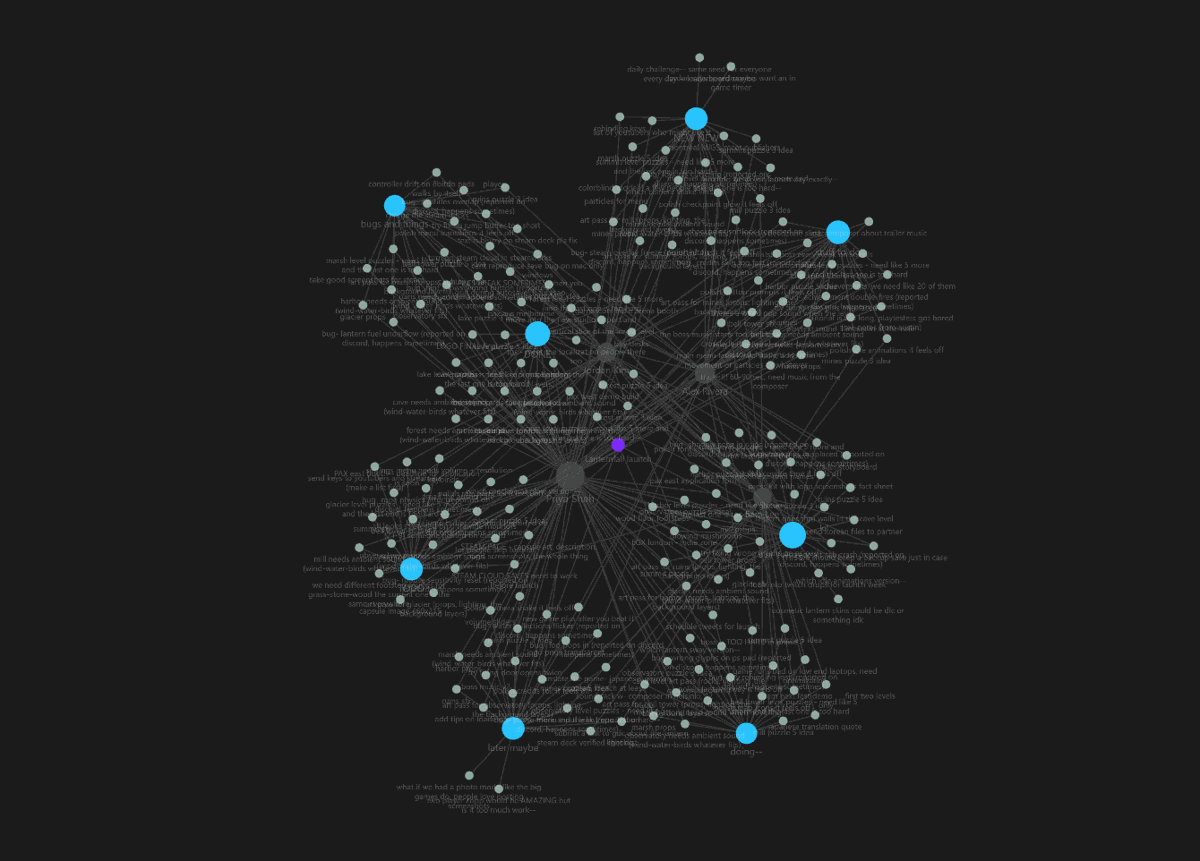
prompt.md is a ready-made prompt for Claude, Codex, Gemini or another AI. It turns a messy board into a clean graph: every card linked to its list, short names, a label on every card, and big tasks broken into checklists with sub-items. The AI shows you its plan first and only changes notes after you say yes.
| Before | After |
|---|---|
 |
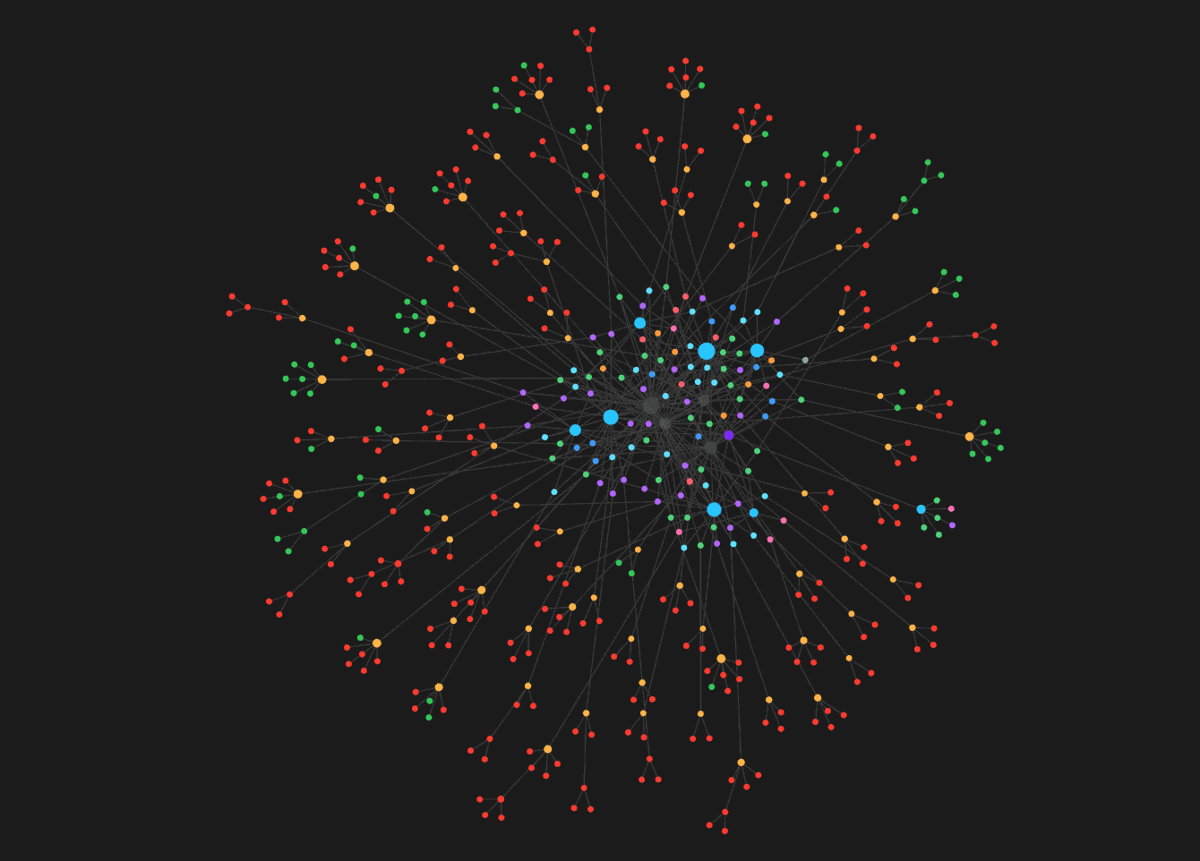 |
More before/after pictures, of the board, table, calendar, timeline, dashboard and map, are in prompt.md.
Requests
Sync uses your plan's API requests: one per board when Obsidian starts, one per change you make. Live updates are free. Pro includes 500 requests a day.
Disclosures
- Account required: you need a BoardHydra account (boardhydra.com).
- Payment required: syncing needs a paid BoardHydra plan, Pro or Business. The plugin itself is free and open source (MIT).
- Network use: the plugin connects only to your BoardHydra server (
boardhydra.comunless you change Server in the settings), to read and update your boards and receive live updates. It sends nothing anywhere else, and has no telemetry or ads. - Files: it only reads and writes inside the BoardHydra folder of your vault (set in the settings), plus its own settings file
and, while Color the graph by label is on, the color groups in the graph view's settings (
.obsidian/graph.json; only groups whose query starts withtag:#bh/or[bh_are changed).
Privacy
Its key is stored in this vault's plugin settings (.obsidian/plugins/boardhydra/data.json). Treat that file like a
password, and leave it out of public vault backups.
Develop
npm install
npm run dev      # rebuilds main.js on change
npm test         # note format tests
npm run build    # type-check + production bundle
Copy main.js, manifest.json and styles.css into <vault>/.obsidian/plugins/boardhydra/ to try it.
Set Server in the settings to a local BoardHydra (http://localhost:8080) for testing.
Release
- Bump
versioninmanifest.jsonandpackage.json, and add it toversions.json. npm run build, then make a GitHub release whose tag is the version (nov), withmain.js,manifest.jsonandstyles.cssattached.- First listing only: at community.obsidian.md, sign in, link the GitHub account that owns this repo, and add the plugin ("Set up and claim"). Review is automatic; fix anything it flags with a new release. Later releases need no submission, Obsidian picks them up from GitHub.