Bionic Reading
 omeg-lu1k downloads
Applies a bionic reading effect in Reading View by bolding the first portion of each word for faster reading.
- Overview
- Scorecard
- Updates1
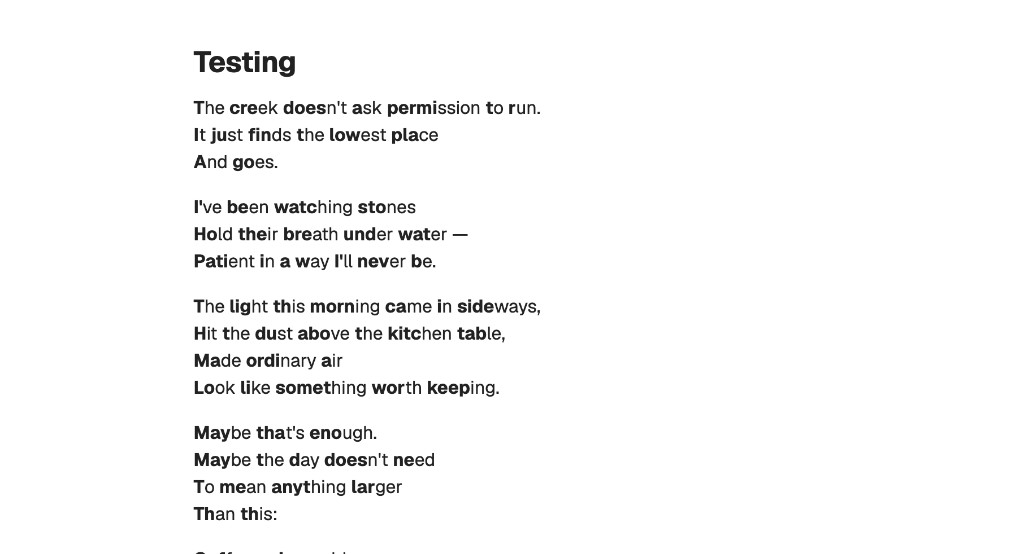
An Obsidian plugin that applies a bionic reading effect in Reading View -- the first portion of each word is bolded, creating artificial fixation points that help your eyes glide through text faster.
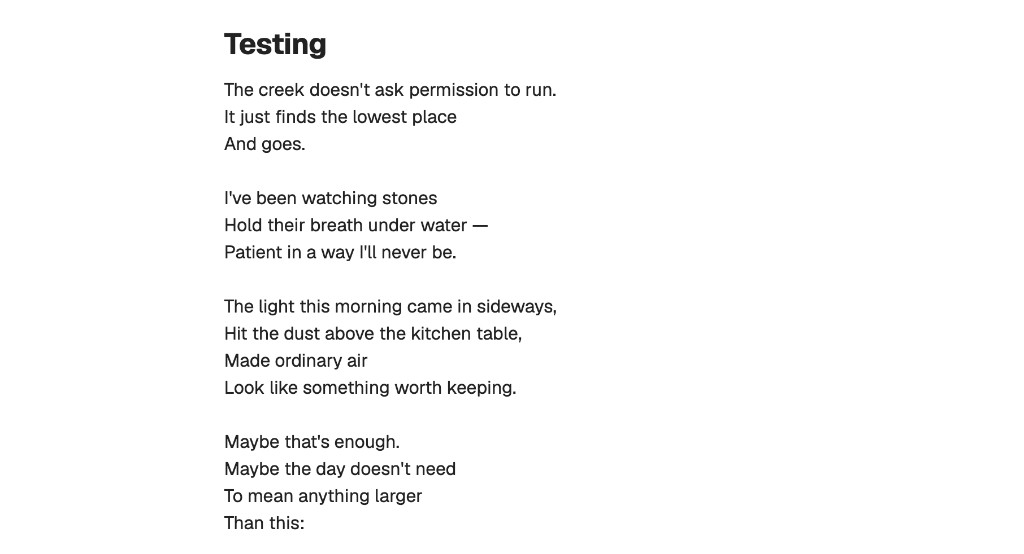
Before & After
Before -- normal Reading View:
After -- with Bionic Reading enabled:
Features
- Works automatically in Reading View (source/editor mode is untouched)
- Latin-only -- only processes English and other Latin-alphabet text; Chinese, Japanese, Korean, and other scripts are left untouched
- Skips code blocks, inline code, math blocks, and SVG elements
- Non-destructive -- your markdown files are never modified
- Configurable fixation strength
Settings
| Setting | Description |
|---|---|
| Enable bionic reading | Toggle the effect on/off without uninstalling the plugin |
| Fixation strength | Slider from 1 (light) to 5 (heavy) -- controls how many letters per word are bolded |
Installation
- Download
main.js,manifest.json, andstyles.cssfrom the latest release - In your vault, create the folder
.obsidian/plugins/bionic-reading/ - Copy the three downloaded files into that folder
- Open Obsidian, go to Settings > Community plugins, and turn off Restricted mode if it's on
- Enable Bionic Reading in the plugin list
- Open any note in Reading View to see the effect
Development
npm install
npm run dev    # watch mode
npm run build  # production build
HealthExcellent
ReviewSatisfactory
About
Apply a bionic reading effect in Reading View by bolding the initial portion of words to create fixation points and help eyes move through text faster. Process only Latin-alphabet text, skip code/math/SVG elements, keep Markdown files unchanged, and adjust fixation strength.Details
Current version
1.0.0
Last updated
5 months ago
Created
5 months ago
Updates
1 release
Downloads
1k
Compatible with
Obsidian 0.15.0+
Platforms
Desktop, Mobile
License
MIT