Binders
 Caleb Smith176 downloads
Write a novel in ordered folders: chapters and scenes on a corkboard of index cards, in an outliner, or as one editable manuscript. Word count targets, snapshots, export to EPUB, Word and PDF.
- Overview
- Scorecard
- Updates9
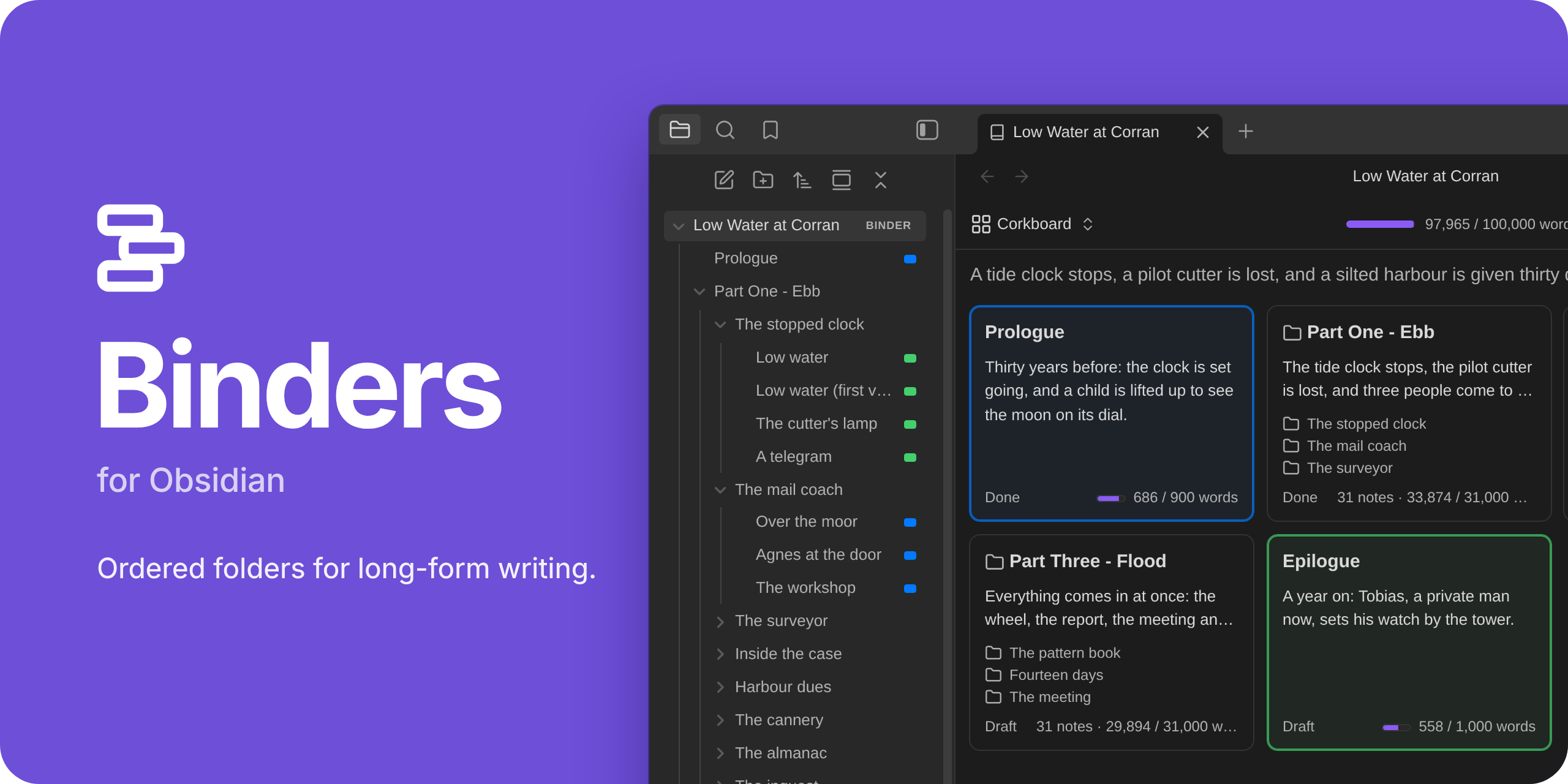
A binder in the file explorer · a corkboard · an outliner · an editable manuscript · a story timeline
Folders in Obsidian list their notes by name. Books don't work that way. Binders turns a folder into a binder: its chapters and scenes keep the order you give them, in Obsidian's own file explorer. Open a binder to see the same notes as a corkboard, an outliner, one continuous manuscript you can edit, or a timeline of the story.
Everything stays plain Markdown. A binder is a folder plus one note that holds its order, and everything about a scene is in that scene's own properties. Turn Binders off and your notes are still ordinary notes.
Public beta. Binders is in public beta. Phone and tablet support is new and has had little testing on real devices. Report what you find in the issue tracker.
This README and the manual follow the code on main, including features not yet released.
The Unreleased entries say what is coming in the next release. Installing through
Obsidian, BRAT or a release download gives you the published plugin; its documentation is in that release's tag.
What it does
- Order. Notes and folders keep the order you give them, in the file explorer and everywhere else.
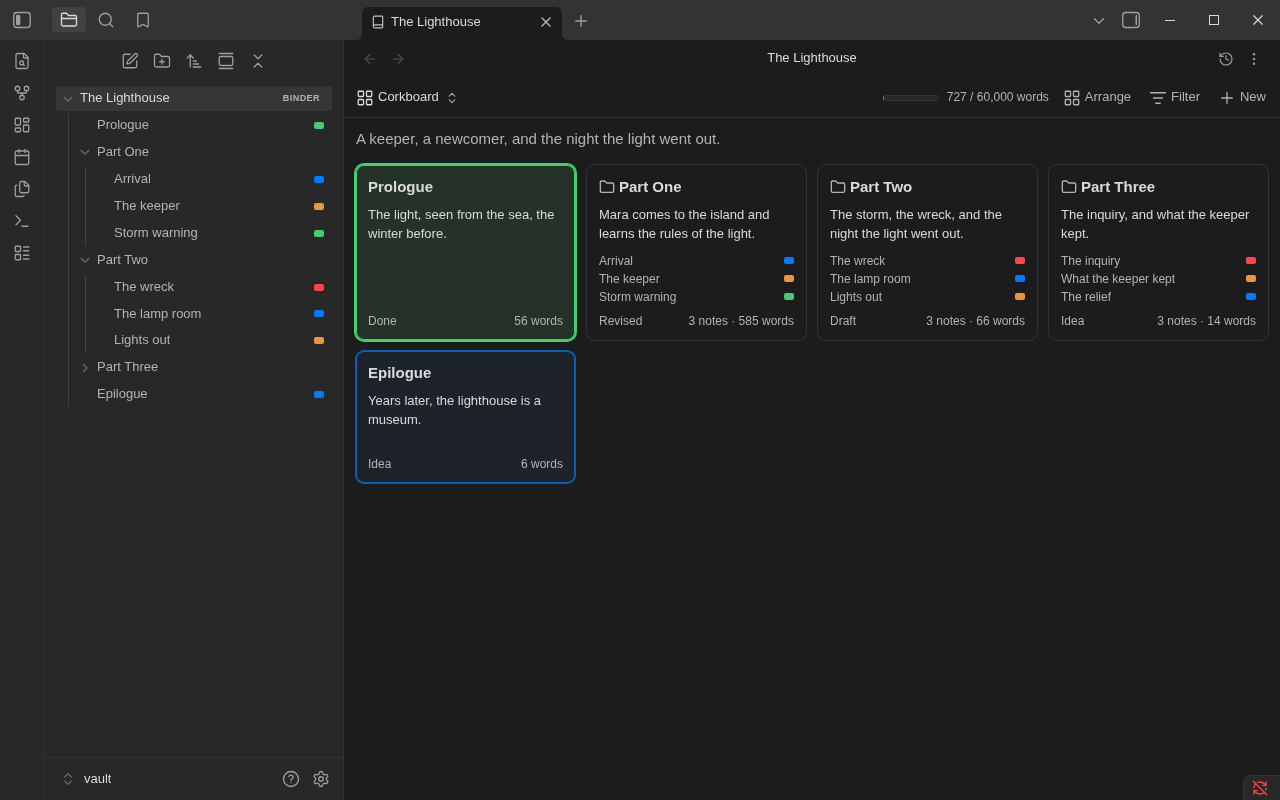
- Four views of one binder. A corkboard of index cards, an outliner with columns you pick, the whole manuscript as one page you can edit, and a timeline of its scenes by story date.
- Scrivener-style tools. Labels, statuses and word count targets; an inspector; split, merge, duplicate and group scenes; snapshots of a scene, a folder or the whole binder, so you can rewrite without losing the old text; undo and redo of moves, properties, renames, new notes, deletes, merges and splits.
- Export. A submission manuscript in standard manuscript format (Word or PDF), an ebook (EPUB) for Kindle, Apple Books and Kobo, a print-ready paperback PDF, the binder itself as a Scrivener project, or the whole binder as one note. Book styles you can change, with the real pages beside them.
- Import from Scrivener. A Scrivener 3 project, or a zipped backup of one, as a new binder: you see it before it is made.
- Import a manuscript. A Word file, a Markdown note or a text file as a new binder, split at its chapters, with a preview you can put right before anything is made. The source stays as it is.
- Find and replace. Search every note of a binder; replace one match (taken back with Undo in the editor), or replace all after a review and a snapshot, with Undo.
- Focus mode. The text and nothing else, with typewriter scrolling.
- Longform. Longform projects open as binders, and convert to them.
- Phones and tablets. The same views, by touch, on iOS and Android.
The manual covers all of it.
Installation
Binders needs Obsidian 1.13.4 or later, on a computer, a phone or a tablet.
- From Obsidian: open Settings → Community plugins → Browse, search for Binders, then Install and Enable. Binders is in Obsidian's community plugin directory.
- With BRAT, to try versions as they come out: install BRAT from Settings → Community plugins → Browse, run its command Plugins: Add a
beta plugin for testing, give it
fyresmith/bindersand choose the newest version. BRAT installs Binders and can keep it up to date. - By hand: download
main.js,manifest.jsonandstyles.cssfrom the newest release, put them in<your vault>/.obsidian/plugins/binders/, and enable Binders under Settings → Community plugins. - From source:
npm install, thennpm run build; see Development.
More in Installation.
Getting started
- Make a folder a binder. Right-click a folder in the file explorer and choose Make this folder a binder. Its notes and subfolders keep the order they show in now.
- Arrange its scenes. Click the folder. The binder view opens on it as a corkboard. Drag the cards into the order you want.
- Switch to Manuscript and write. Click Corkboard at the top left of the view and choose Manuscript. The whole binder is one page, and each section is the note itself.
The walkthrough goes on from here to a first exported file.
Four views
Corkboard
One index card per note, with its title, synopsis, status, label color and word count. Drag cards to reorder them, or lay them out by label to see how a book's threads take turns. More
Outliner
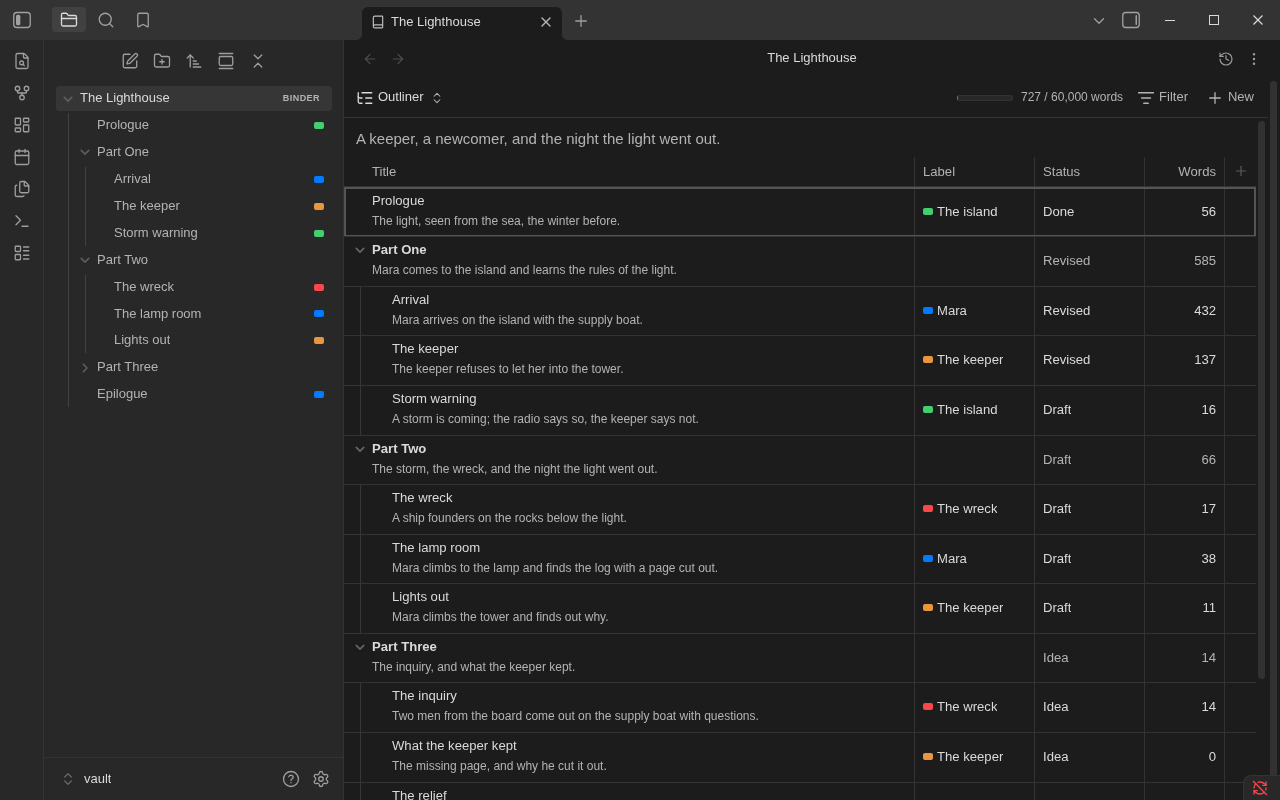
The same notes as rows of a table, folders with their notes under them, with columns you pick: label, status, words, target, progress, or any property of your notes. More
Manuscript
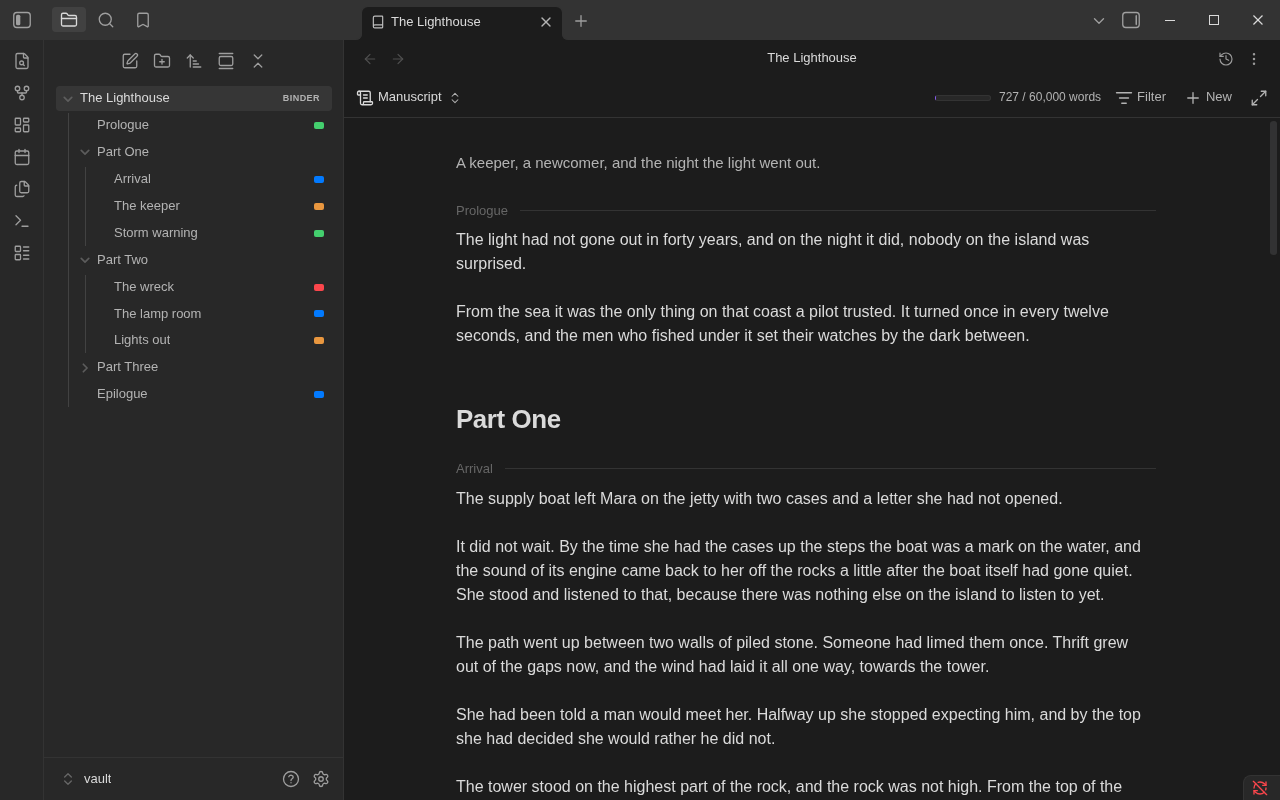
Every note in order as one page. Each section is a real Obsidian editor on that note, so typing, undo, links and formatting work as they do in the note itself. More
Timeline
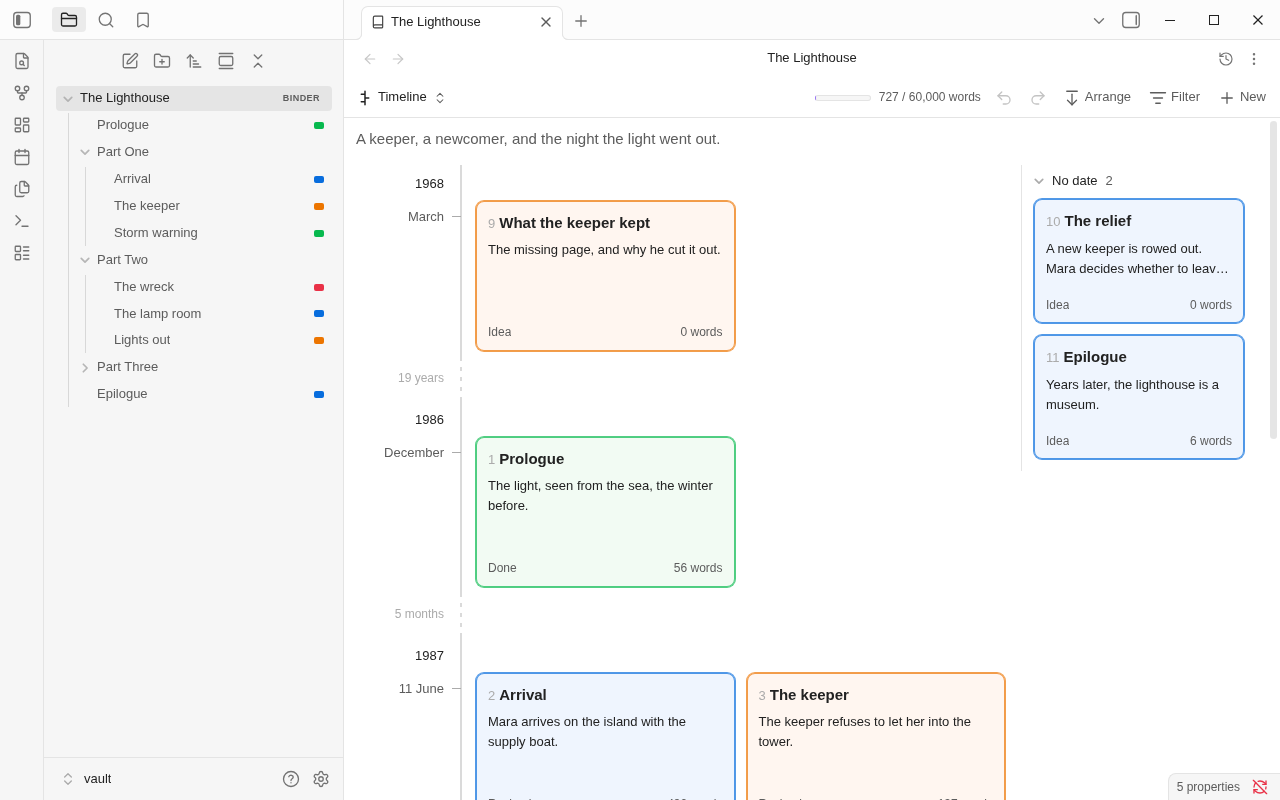
Scenes along story time, each at its story date and numbered as the manuscript has it. Long empty stretches are drawn short, and scenes with no date wait in a tray. Time runs down, or across on a computer or tablet. Set dates from the menu, outliner or inspector; dragging to set a date is not built yet. More
Import a manuscript
Run Import a manuscript... to bring in a .docx, Markdown or text file. Chapters and scene breaks become notes
and folders, shown before they are made. Join, rename or split them in the preview. A note outside a binder has
Make a binder from this note... in its file explorer menu. More
Find and replace
Press Ctrl+F in a binder view to search every note of the binder, in binder order: in the manuscript as one page, on the corkboard and timeline, and in the outliner, by lighting the cards and rows that match. A link's target and a tag are not touched unless you type them, and Replace all shows every change in context first, takes a snapshot, and can be undone; Replace changes one match, and the editor's Undo takes it back. More
Import from Scrivener
Run Import from Scrivener... from the command palette and choose a project, or a zipped backup of one. The dialog shows the binder as it will be, and any note of it as it will read, before anything is made. The order, synopses, notes, labels, statuses, targets and snapshots come across; Research can be left behind. The project itself is never changed, and every original file is kept beside the notes. More
Your files
A binder is a folder with a binder note, named like the folder, whose contents property is the order:
---
binder: 1
contents:
  - Prologue
  - Part One/
  - Part One/Arrival
  - Epilogue
---
Each scene is an ordinary note, and what its card shows (synopsis, status, label, target) are its
properties. Binders writes its own properties and the ones you edit through its views. Text changes where you
type or ask for a split, merge, rewrite, snapshot restore or replacement. A whole snapshot restore can also put
properties, names and locations back, after review. Links on tab-led paragraphs follow an Obsidian-approved rename.
How your files look has the whole account.
Limitations
- Public beta. The maintainer uses an iPhone; iPad and Android coverage is still through desktop emulation. What hasn't been tried is listed in full.
- Other file explorers. Plugins that replace the file explorer, such as Notebook Navigator, don't show binder order. The binder view works either way.
- Obsidian internals. Binder order in the file explorer and the editable manuscript rely on parts of Obsidian outside its plugin API. If an update changes one, Binders falls back (name order, a read-only manuscript) and says so.
- Snapshots, export styles and Obsidian Sync. Sync carries them only with "Sync all other types" turned on.
- PDF on a computer. A paperback, or a manuscript as a PDF, is made on a computer. A phone or tablet shows its pages.
The full list is in Known limitations.
Privacy
Binders makes no network requests and has no telemetry. Nothing is downloaded: the typefaces and hyphenation patterns export uses are inside the plugin.
It reads and writes outside your vault only through the files and places you choose:
- Export on a computer writes the file you export (a Word file, an EPUB, a PDF, a Scrivener project, a copy of a style to share) to the place you choose in the save dialog, and to that place again when you export again.
- Import reads the manuscript or Scrivener project you choose in the file picker or project dialog. It never changes it.
Documentation
| Manual | Everything Binders does, a page per topic |
| Getting started | From an empty folder to a first exported file |
| The binder view | Corkboard, outliner, manuscript, timeline, the inspector |
| Import a manuscript | Word, Markdown or plain text as a new binder |
| Story date · Timeline | When scenes happen, and how that reads against manuscript order |
| Undo and redo | What can be taken back, and when it is safe to do so |
| Export · Styles | Manuscript, ebook, paperback, Scrivener project, one note |
| Import from Scrivener | A Scrivener 3 project as a new binder |
| Snapshots · Focus mode | Rewriting safely, and writing with nothing else on the screen |
| Find and replace | Searching the binder, and changing a word in every note |
| Coming from Scrivener · Coming from Longform | Where each thing you know is |
| Commands · Settings | Reference |
| Troubleshooting · Questions and answers | When something isn't as you expect |
| Roadmap · Changelog | What's planned, and what changed |
| Contributing · Design and architecture | For contributors |
| Issues | Report a problem or ask for something |
License
MIT. The hyphenation patterns, typefaces and libraries inside the plugin are others' work, under their own licences: third-party notices.