Bibliography Path Audit
 theluckystrike1 downloads
Find invalid local bibliography paths saved in citation tool settings.
- Overview
- Scorecard
- Updates1
A citation tool can stop loading references when its saved file path has a small fault. Bibliography Path Audit reads the known local path fields and shows what to check. Use it when a bibliography exists in your vault but Citations or Citation Extended cannot find it.
The audit is read-only. It shows a path candidate for you to copy after review. It does not change citation settings, rename files, or import reference records. This release contains the free audit. Named reports and batch checks are planned work.
Features
Read known local fields
Choose Citations or Citation Extended in the audit window. Citations uses its saved export path and format. Citation Extended lists entries with an explicit local-file or vault-file source and a supported format. Select one local profile and check it. The list uses database numbers; it does not read custom database names.
Remote and unknown sources are skipped. The window shows a skipped-source count without their stored values. A missing settings file, invalid JSON, or an unknown schema gives an unsupported-settings message. The plugin reads the two known settings files under the vault configuration folder.
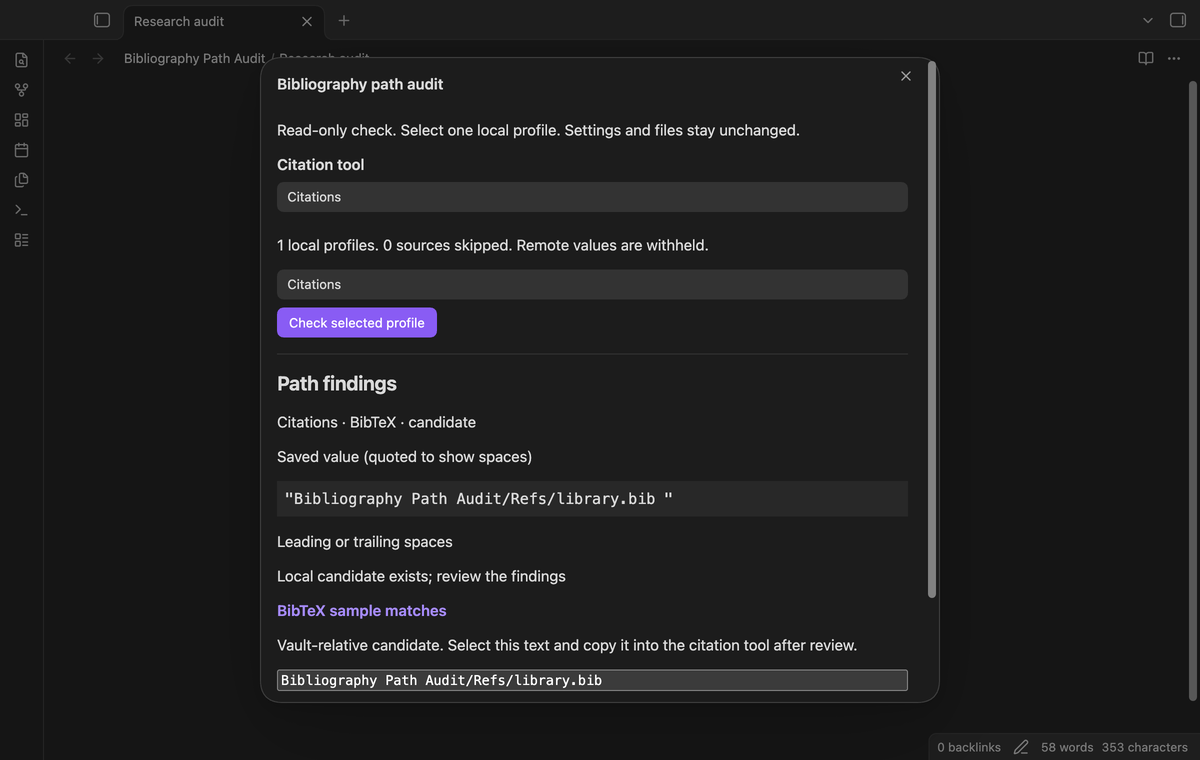
Show path faults
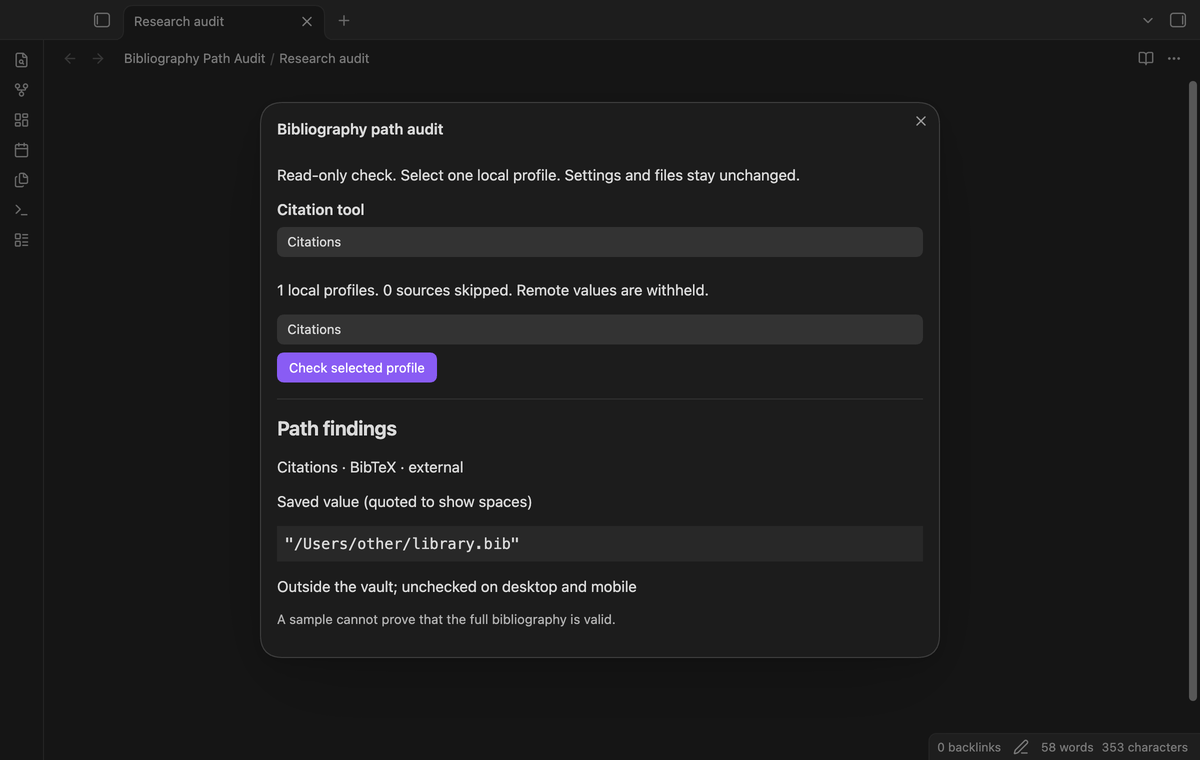
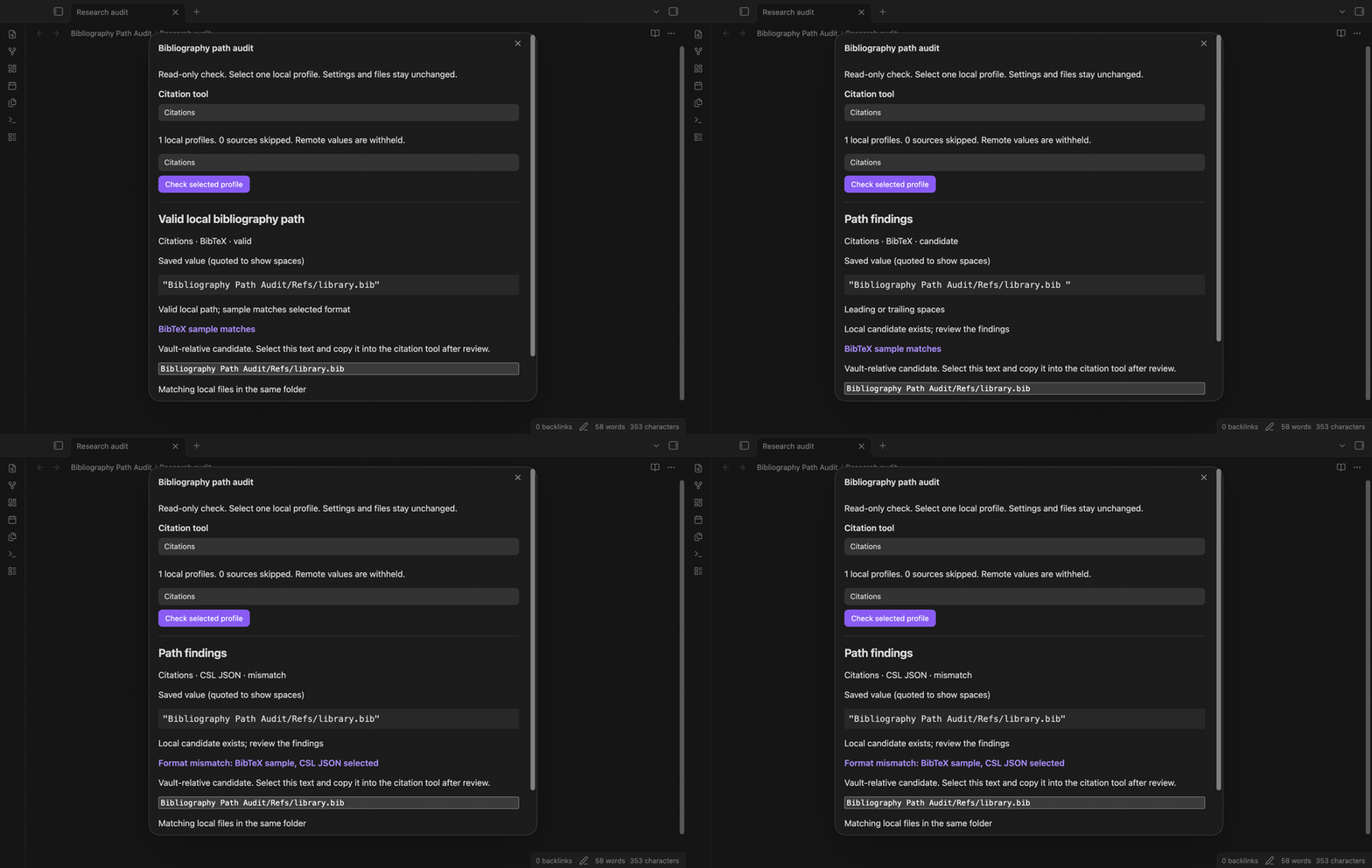
Quoted text shows leading and trailing spaces. The candidate removes edge spaces and normalizes vault separators. An initial slash gets a warning because a vault-relative match cannot prove that a desktop absolute path is valid. A file ending in .bib.md or .json.md gets a hidden Markdown suffix warning.
Review the warning before you copy the candidate. A hidden suffix can mean that a reference export was saved as a note. The audit keeps that suffix in the candidate when it is part of the existing file name. Decide which file your citation tool should use.
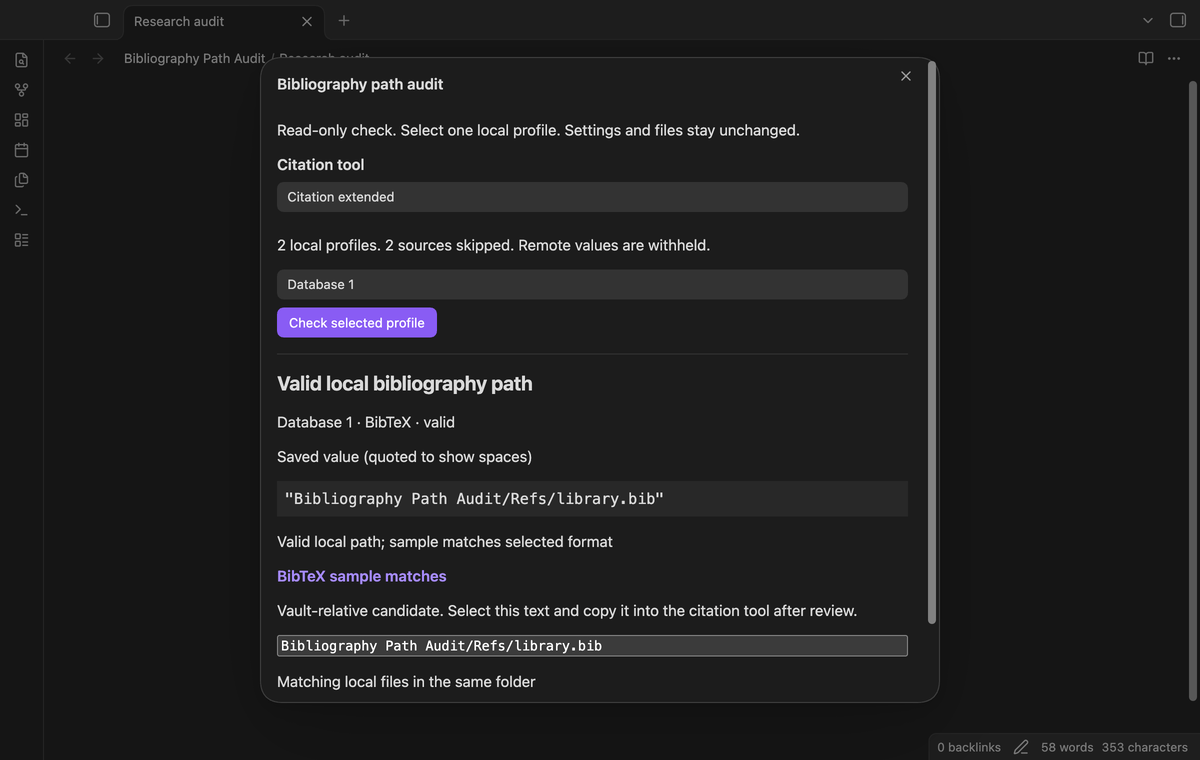
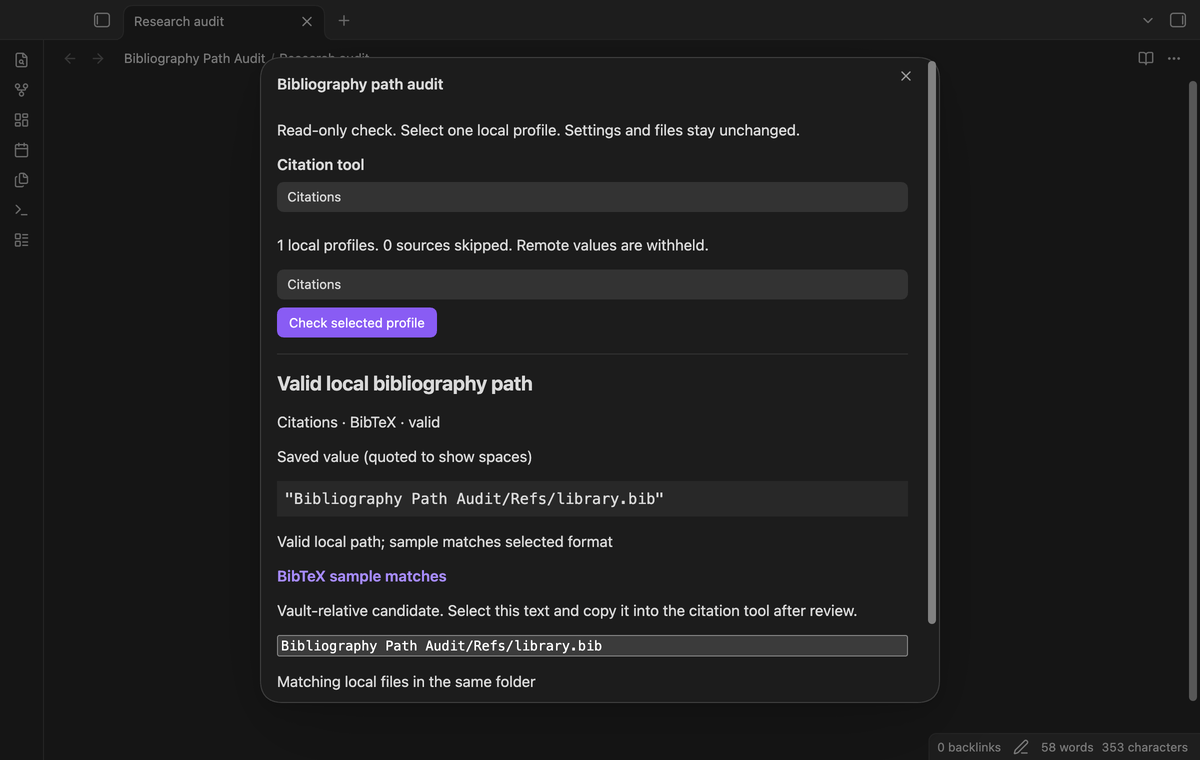
Check a format sample
The audit checks whether the vault-relative candidate exists and is a file. It then inspects up to 4096 characters for a BibTeX entry prefix or CSL JSON records. When the limit cuts a CSL JSON array, the audit checks the first complete record. A sample can match, disagree with the selected format, or be inconclusive. The selected format comes from the citation settings.
The public vault adapter reads a complete file. The plugin checks its size first and omits content reads above 2 MiB. A matching sample is a useful diagnostic clue. It cannot prove that later entries, required fields, or citation keys are correct.
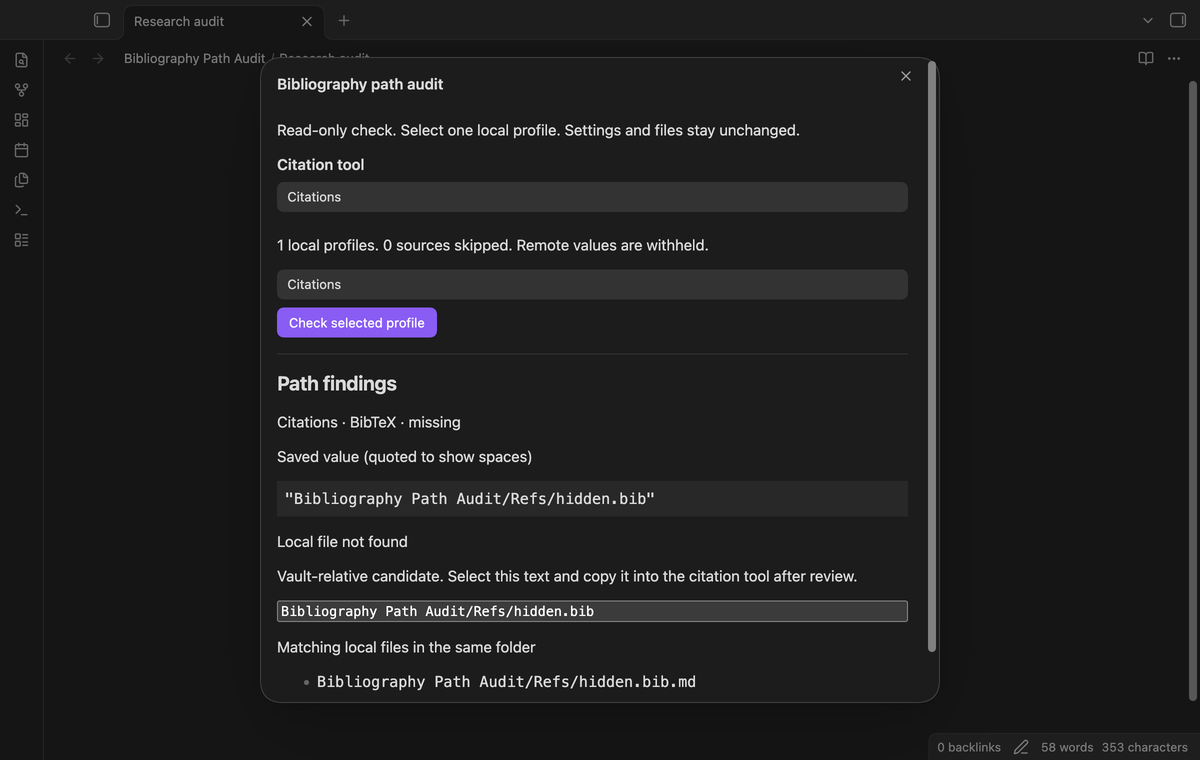
Offer local matches
When a candidate is missing, the audit can show matching files in the same folder. Matching compares the base name without a final Markdown suffix and ignores letter case. The list contains up to eight results. It does not search the whole vault.
The path candidate is a read-only text field. Select and copy its text with the normal keyboard or selection controls. A same-name file is a candidate for review, not a promise that its contents suit the citation tool. The report shows names without opening a browser.
Label external paths
Windows drive paths, UNC paths, home shorthand, and common desktop root folders are labeled outside the vault. They remain unchecked on desktop and mobile. The audit does not read these locations. Parent traversal and hidden path segments are rejected before adapter access.
This distinction matters when you sync a vault between devices. A path under another computer's user folder can refer to a real file there while it has no meaning in the current vault. Copy the bibliography into the vault through your normal file workflow if you need a vault-relative path.
Named local audit reports (Pro)
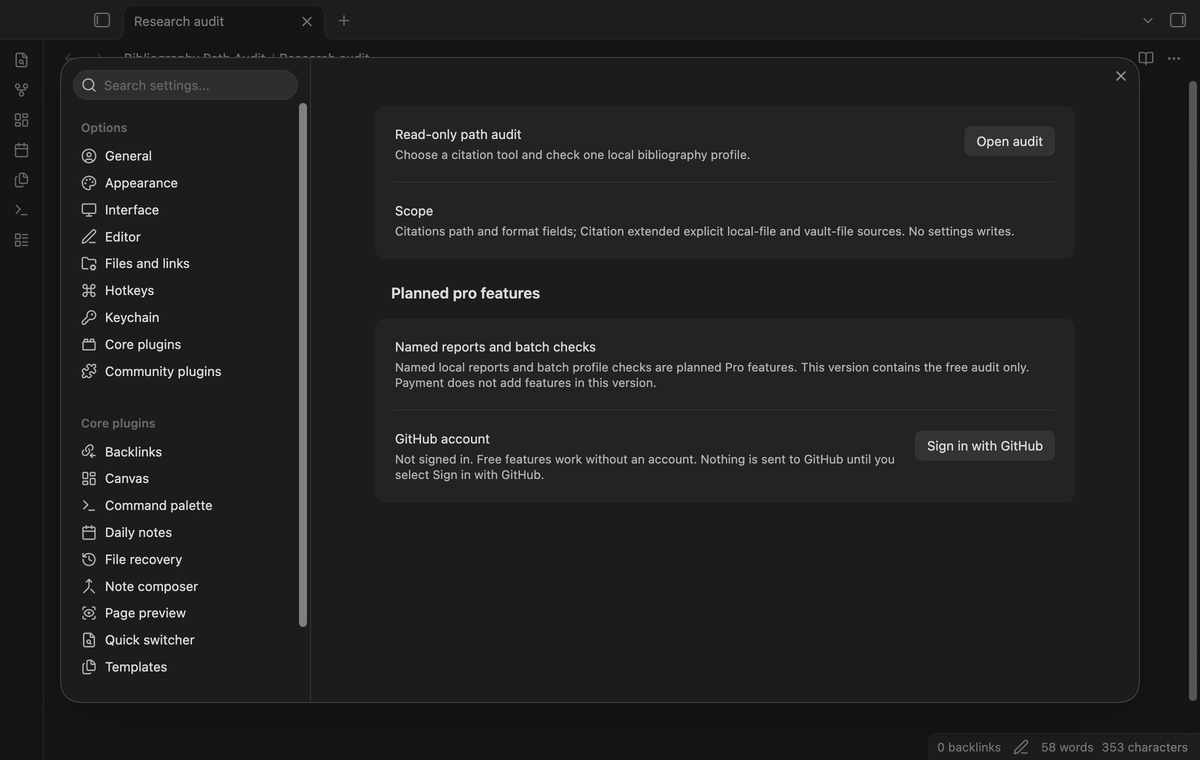
Named reports are planned. This version does not save audit reports. The GitHub Sponsors account controls are included for the planned tier. Payment does not add features in this version.
Several profiles in one run (Pro)
Batch checks are planned. This version checks one selected profile per run. You can select another profile and run a separate free check. A positive sponsorship check does not enable a batch command in this release.
Install
For a manual install, place main.js, manifest.json, and styles.css from one release in the bibliography-path-audit folder under your vault's plugins folder. Restart the app or reload community plugins, then enable Bibliography Path Audit. Use a matching set of release files.
This source tree is prepared for community review. A directory listing depends on that review and release. The manifest records the minimum supported app version. The plugin is licensed under MIT.
Usage
Open the command palette and run Bibliography Path Audit: Audit a bibliography path. Choose the citation tool. Select a local profile, then select Check selected profile. Read the saved value, warning text, sample result, and candidate path together.
If the candidate is correct, copy it into the citation tool yourself. Run the check again after you save the citation tool's settings. Close and reopen the audit to load changed settings. An unsupported-settings message can mean that the citation tool has not saved its configuration yet.
Settings
The plugin settings contain an Open audit button, the supported field scope, and planned Pro information. The audit has no saved preferences. Citation settings remain the source of the path and format. The GitHub account row has sign-in, refresh, and sign-out controls according to account state.
FAQ
Which formats are checked? BibTeX or BibLaTeX under the biblatex setting, and CSL JSON under csl-json. Hayagriva, Readwise, and Zotero API sources are outside this release's format check.
What was not tested? Linux CI, light themes, physical mobile devices, Windows desktop, symlink escapes, live citation plugin releases, real sponsorship payments, and large reference collections were not tested. Tests use local settings fixtures and format samples. The plugin uses no Node or Electron API, but that does not prove device behavior.
Can the sample validate my bibliography? No. Use your reference manager or bibliography parser for a full check. An incomplete JSON sample is reported as incomplete. A folder, unreadable file, or oversized file gets a separate result.
Payment, account and network
The core features are free. Pro features need a GitHub Sponsors sponsorship of theluckystrike: $5 a month or more, or $15 once. A total payment of $15 meets the payment requirement for Pro without further payment. Sign-in and the checks below still apply. Your notes stay readable and editable with or without Pro.
GitHub handles the payment. Sponsor at https://github.com/sponsors/theluckystrike. You need no account for the free features. Pro needs the GitHub account that sponsors.
Until you select "Sign in with GitHub" in the settings, Bibliography Path Audit makes no network requests. Sign in uses the GitHub device flow. Bibliography Path Audit sends its public client ID and the scope read:user to https://github.com/login/device/code and shows you a code. While you enter the code at https://github.com/login/device, it asks https://github.com/login/oauth/access_token every few seconds to check the sign-in status. The scope permits profile reads only. GitHub needs this access to show the sponsorship tier. It grants no repository scope and no write access.
After sign in, Bibliography Path Audit sends one query to https://api.github.com/graphql. It checks if the signed-in account sponsors theluckystrike. It asks for the tier and the total payment to theluckystrike. The plugin reuses a successful check for 7 days. Failed checks can retry after 6 hours. Select Refresh to request an earlier check. It sends no note content, file names or other vault data, and it has no telemetry.
After a successful check, Pro can work offline for up to 14 days. Sign out or a negative sponsorship answer turns Pro off. The plugin stores the GitHub token through the secret storage API of Obsidian. It does not put the token in its saved settings or its local sponsorship data. The local storage of this device keeps your GitHub login, the tier and the time of the last check. Sign out clears the token. You can also revoke the access in your GitHub settings, under Applications.
Support
Use the project issue tracker for a defect report after publication. Include the app version, citation tool, selected format, and the result label. Remove private paths and credentials before you share a report. The publisher is theluckystrike at notemods.com.