Better Edit
 Toby Chen1k downloads
A multi-feature editing toolbox for Obsidian — rich image arrangement, block drag and drop, slash commands, and more
- Overview
- Scorecard
- Updates4
Better Edit adds a visual editing layer to Obsidian Live Preview while keeping your notes local, portable, and Markdown/HTML-first. It helps you arrange images, move blocks, insert reusable structures, style inline text, and add symbols without turning your notes into a proprietary document format.
Why Better Edit?
- Work visually in Live Preview instead of hand-editing every Markdown marker.
- Keep notes readable in Source mode, Git diffs, exports, and Obsidian without the plugin.
- Use focused editing tools that stay close to the text, image, or block you are already working on.
Features
See docs/feature_list for the complete feature reference and additional screenshots.
Image arrangement
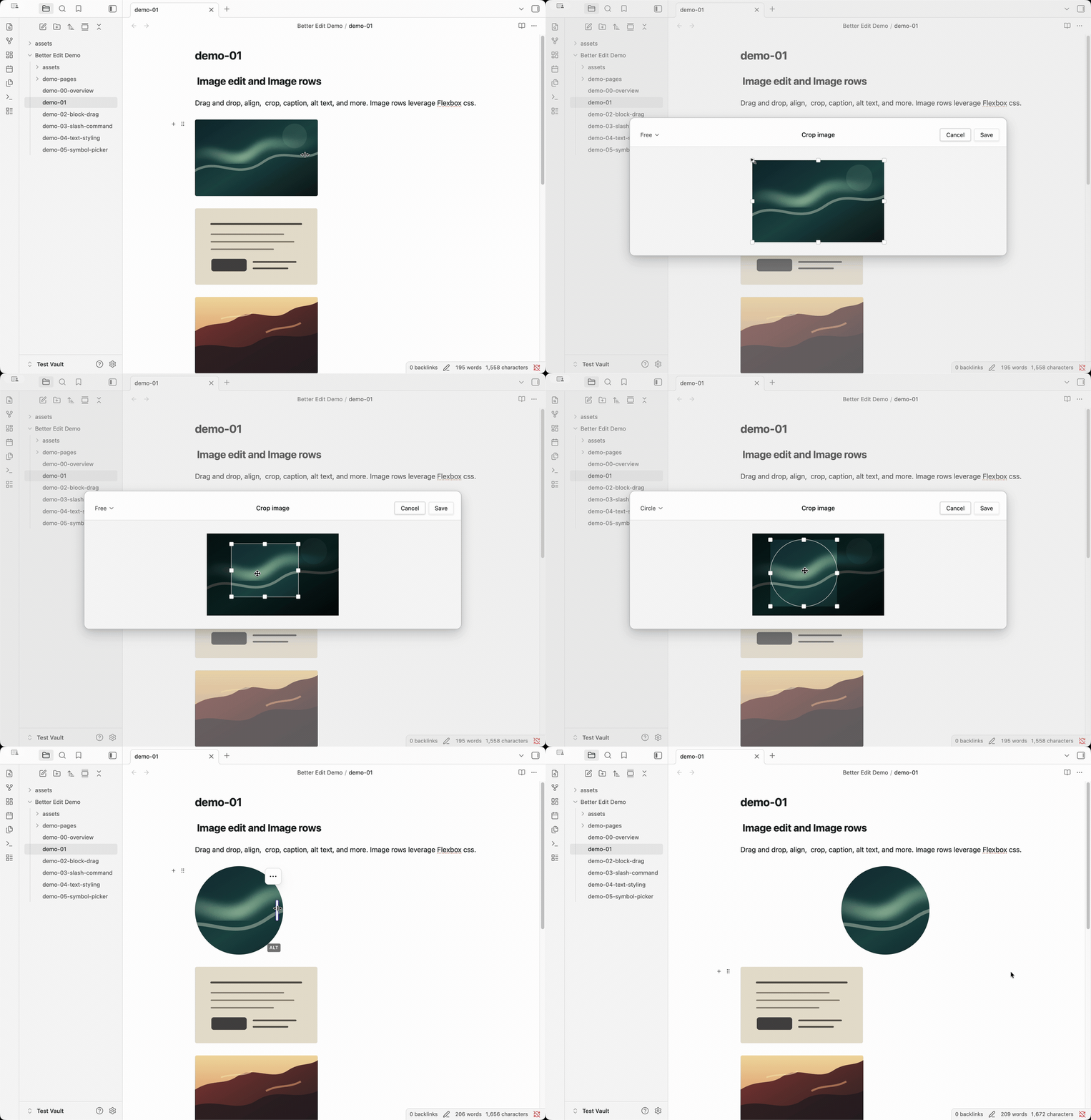
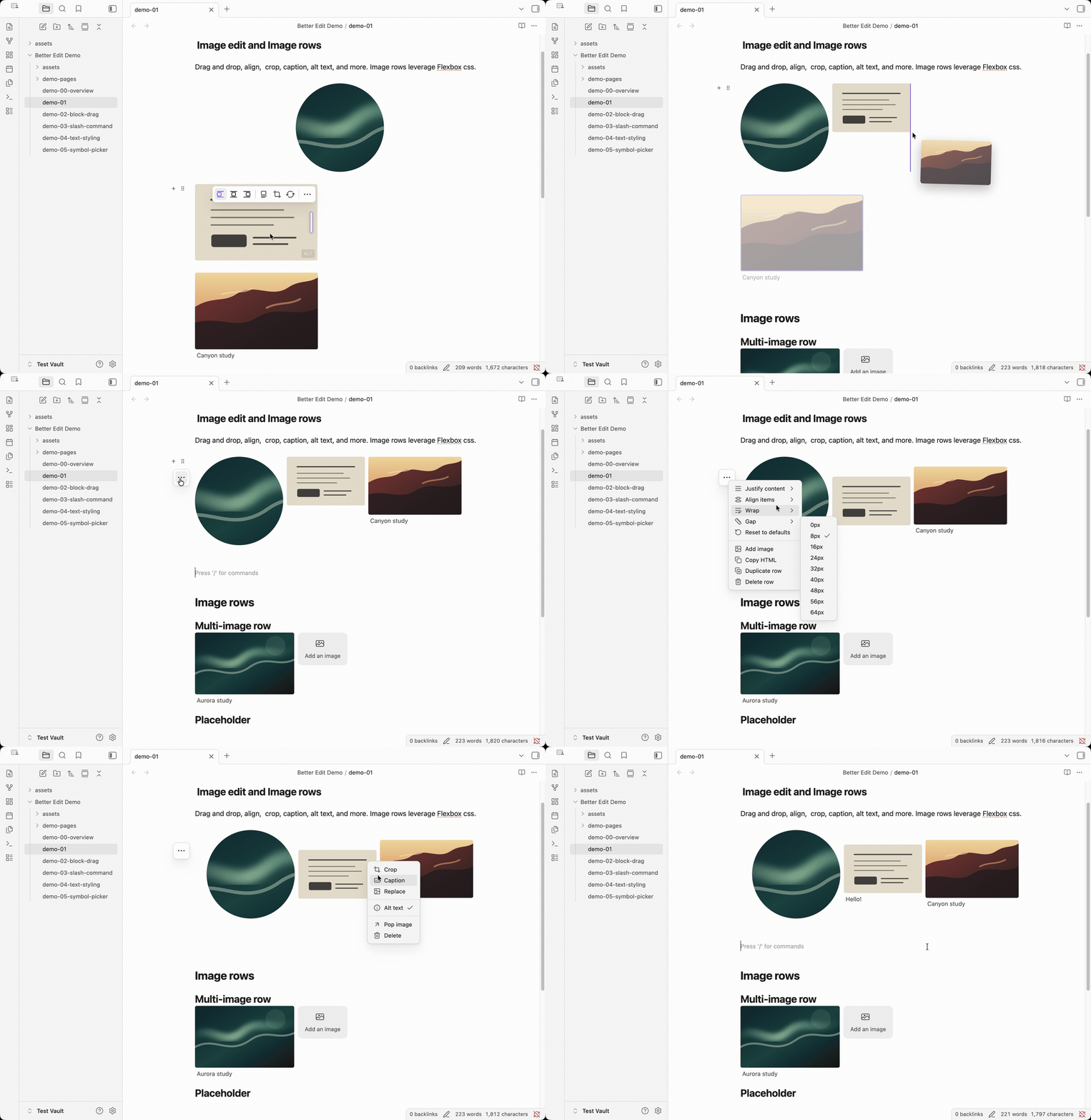
Use images as part of your writing surface, not as Markdown chores. Paste or drop an image, resize it, align it, crop it, add captions or alt text, replace the source, and organize related images into side-by-side rows.
Layouts stay portable. Better Edit saves image blocks and rows as visible Markdown/HTML with inline styles, so your notes remain readable in Source mode, Git diffs, exports, and Obsidian without the plugin.
Block drag and drop
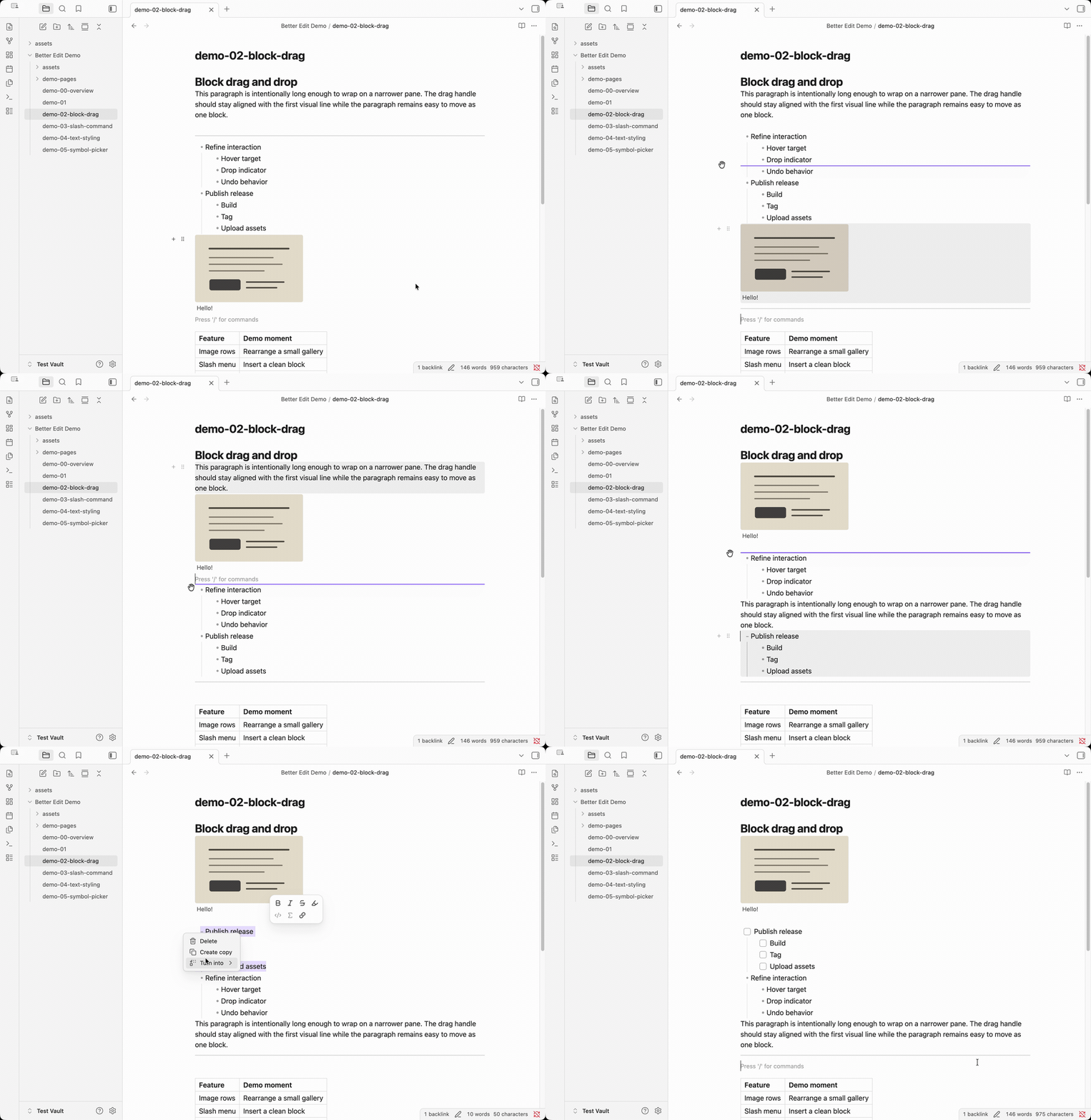
Reshape a note without cutting and pasting source text by hand. Hover near a block to add nearby content, drag it to a new position, duplicate it, delete it, or turn simple blocks into other Markdown block types.
Better Edit moves the note content you already have. Normal Markdown structures, tables, callouts, embeds, HTML blocks, and Better Edit image rows stay as source text instead of becoming hidden block records.
Slash commands
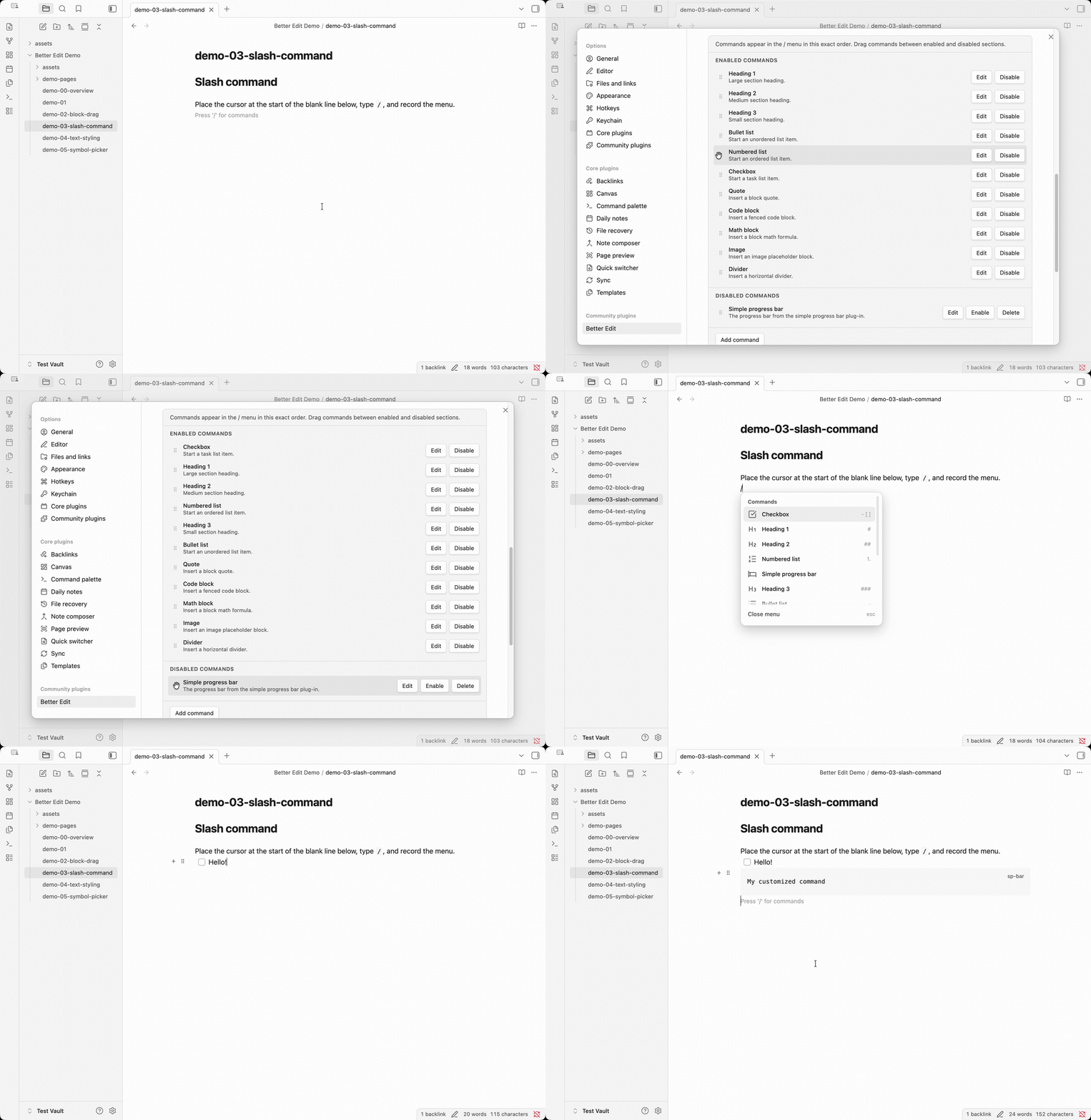
Build notes faster from the keyboard. Type / on a fresh line to insert common
structures such as headings, lists, checkboxes, quotes, code blocks, math
blocks, image placeholders, and dividers.
Slash commands are also customizable: enable, disable, reorder, and edit them in settings. Custom entries can insert reusable Markdown/HTML templates or execute registered Obsidian commands, which makes the menu a fast launcher for both note structure and existing workflows.
Text styling toolbar
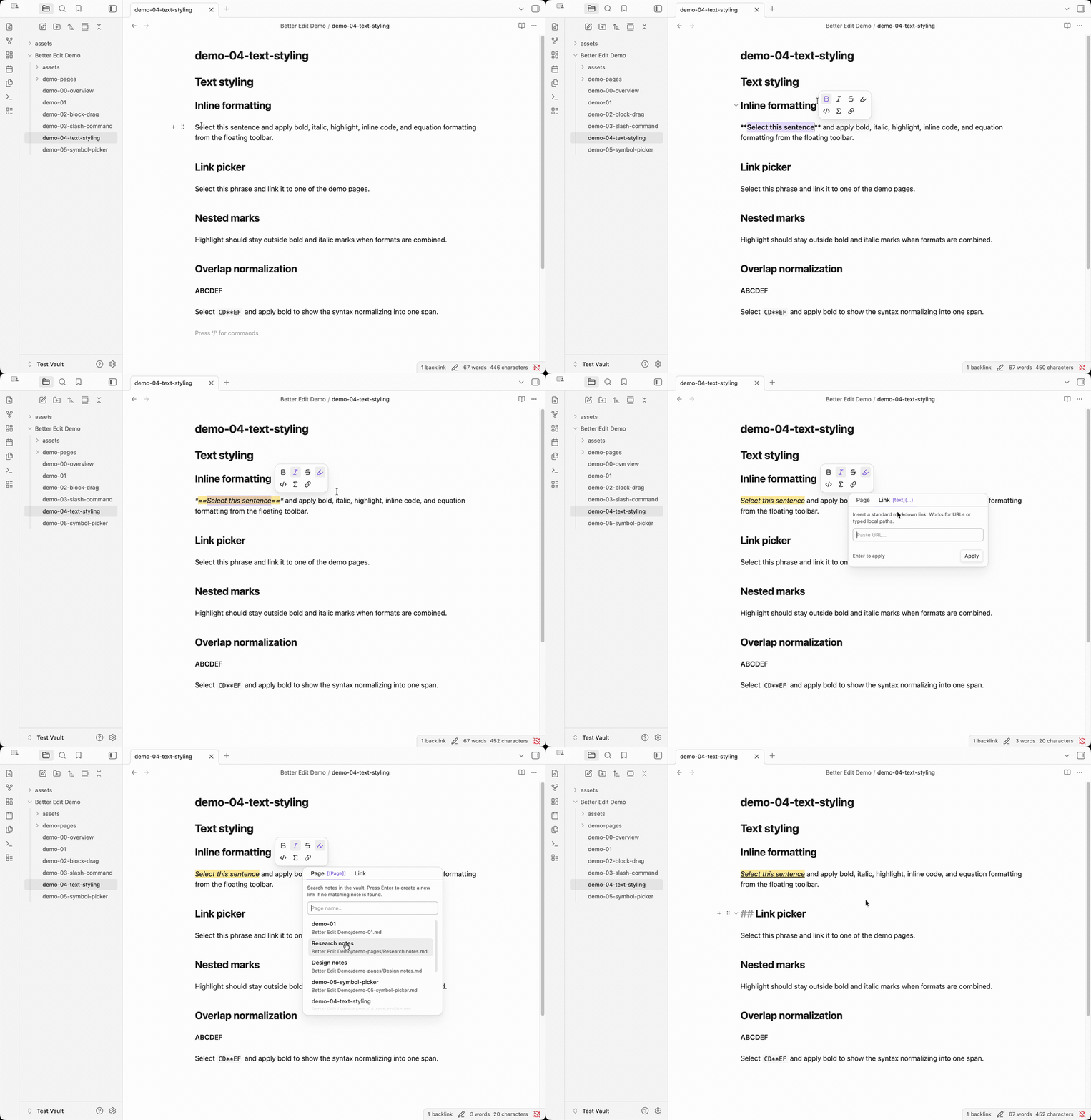
Format selected text without breaking your writing flow. The floating toolbar adds bold, italic, strikethrough, highlight, inline code, inline math, wiki links, and Markdown links from the current selection.
Better Edit writes standard Markdown markers, toggles formatting where possible, normalizes common nested marks, and includes a link picker for fast revision work.
Symbol and emoji picker
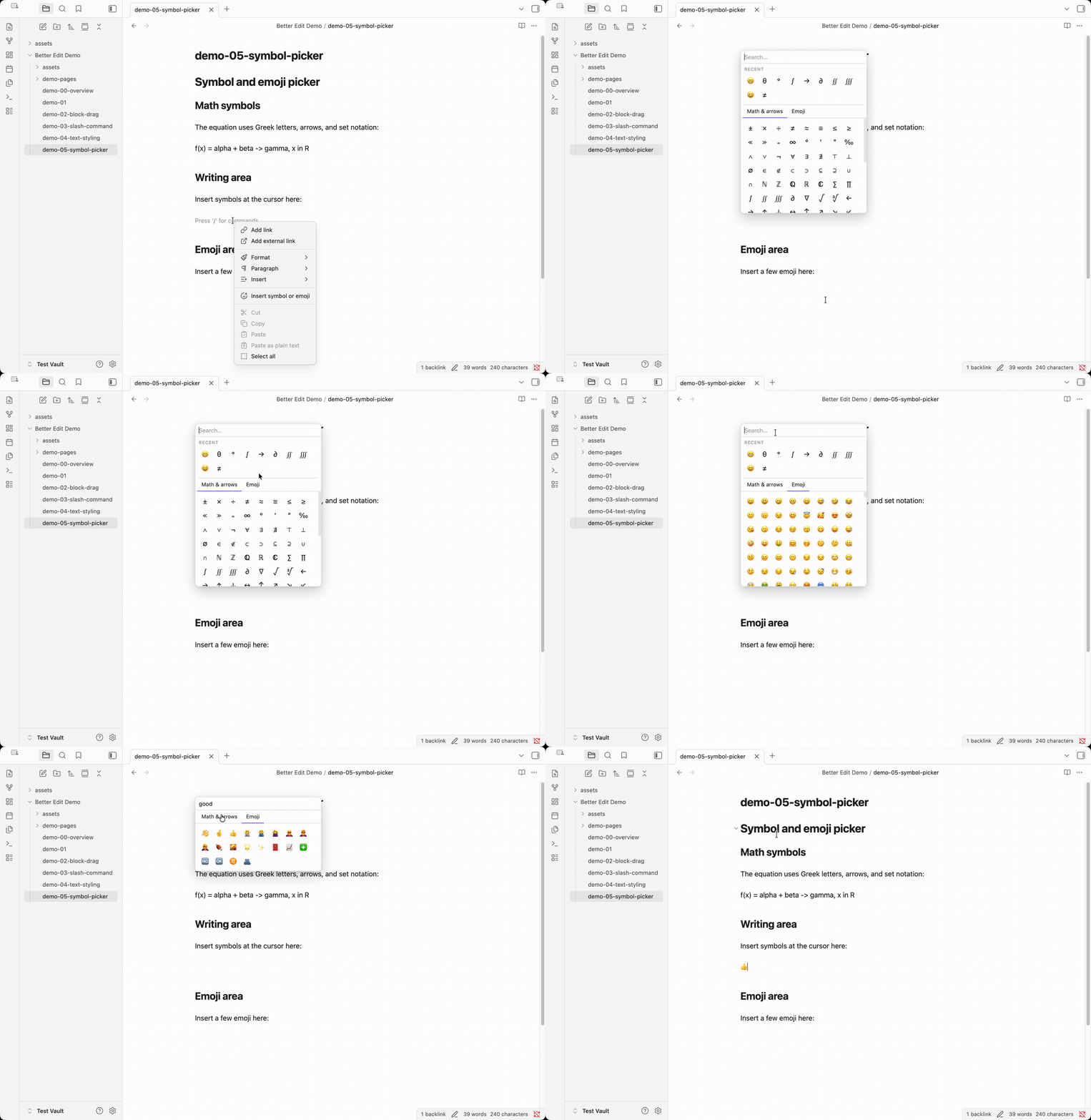
Insert hard-to-type characters without leaving the editor. Open a searchable picker for math symbols, Greek letters, arrows, comparison operators, and emoji from the context menu, command palette, or a configurable shortcut.
Everything inserted is ordinary Unicode text, which keeps math notes, research writing, annotations, and exported Markdown clean and portable.
Installation
Community Plugins
Community Plugins installation will be available after the plugin is accepted into the official Obsidian directory.
Manual install
- Download
manifest.json,main.js, andstyles.cssfrom a release. - Create
<vault>/.obsidian/plugins/better-edit/. - Copy those three files into that folder.
- Reload Obsidian and enable Better Edit in Community Plugins.
Compatibility
- Obsidian Live Preview is the primary editing target.
manifest.jsoncurrently declaresminAppVersion: 1.5.7.- Desktop support is expected.
- Mobile support is not fully verified yet even though the manifest is not desktop-only; this should be treated as provisional until tested.
Disclosures
- No account required
- No telemetry
- No ads
- No paid feature gating
- No network access required for core features
- Edits local note content in the current vault only
Known limitations
- The plugin is optimized for Live Preview, not Reading View.
- Some interactions depend on current Obsidian editor internals and should be regression-tested against new Obsidian releases.
- Regression testing is performed locally before release.
Documentation
- User-facing feature list:
docs/feature_list/ - Feature screenshots:
docs/feature_list/assets/ - Technical architecture and build notes:
docs/technical.md - Design principles and implementation rationale:
docs/technical_notes/project-architecture.md - Feature implementation notes:
docs/technical_notes/ - Release checklist:
docs/release-checklist.md - Development rules and Obsidian guidance:
docs/guidelines.md
Development
npm install
npm run dev
Useful commands:
npm run buildnpm run lintnpm run styles:build
License
MIT