Search...Search plugins and themes...
⌘K
Sign in
  • Get started
  • Download
  • Pricing
  • Enterprise
  • Account
  • Obsidian
  • Overview
  • Sync
  • Publish
  • Canvas
  • Mobile
  • Web Clipper
  • CLI
  • Learn
  • Help
  • Developers
  • Changelog
  • About
  • Roadmap
  • Blog
  • Resources
  • System status
  • License overview
  • Terms of service
  • Privacy policy
  • Security
  • Community
  • Plugins
  • Themes
  • Discord
  • Forum / 中文论坛
  • Merch store
  • Brand guidelines
Follow us
DiscordTwitterBlueskyThreadsMastodonYouTubeGitHub
© 2026 Obsidian

Bases Style Enhancer

uniquecloneuniqueclone488 downloads

Enhance the appearance of Bases views (starting with table font size)

Add to Obsidian
  • Overview
  • Scorecard
  • Updates1

Customize the appearance of Obsidian Bases views.

This first version focuses on table font size. It injects a custom CSS variable and rules so that all Bases table cells (and optionally headers) use a configurable font size. Future updates may add more style options for Bases views.

Features

  • Adjust Bases table cell text size globally.
    • Choose units: rem or px.
    • Optionally apply the same size to table headers.

How to use

  1. Install and enable Bases Style Enhancer from the Community plugins tab.
  2. Open a Bases table view.
  3. Adjust the settings until the table text is comfortable to read.

Settings

Open Settings → Community plugins → Bases Style Enhancer → Options:

  • Table font size value – numeric value like 1.0 or 16.
  • Units – rem (relative to base text size) or px.
  • Apply to table headers – when enabled, headers use the same font size as cells.

Compatibility

  • Requires Obsidian 1.5.0 or higher.

Screenshots

  • Before – Bases table text uses the default font size.
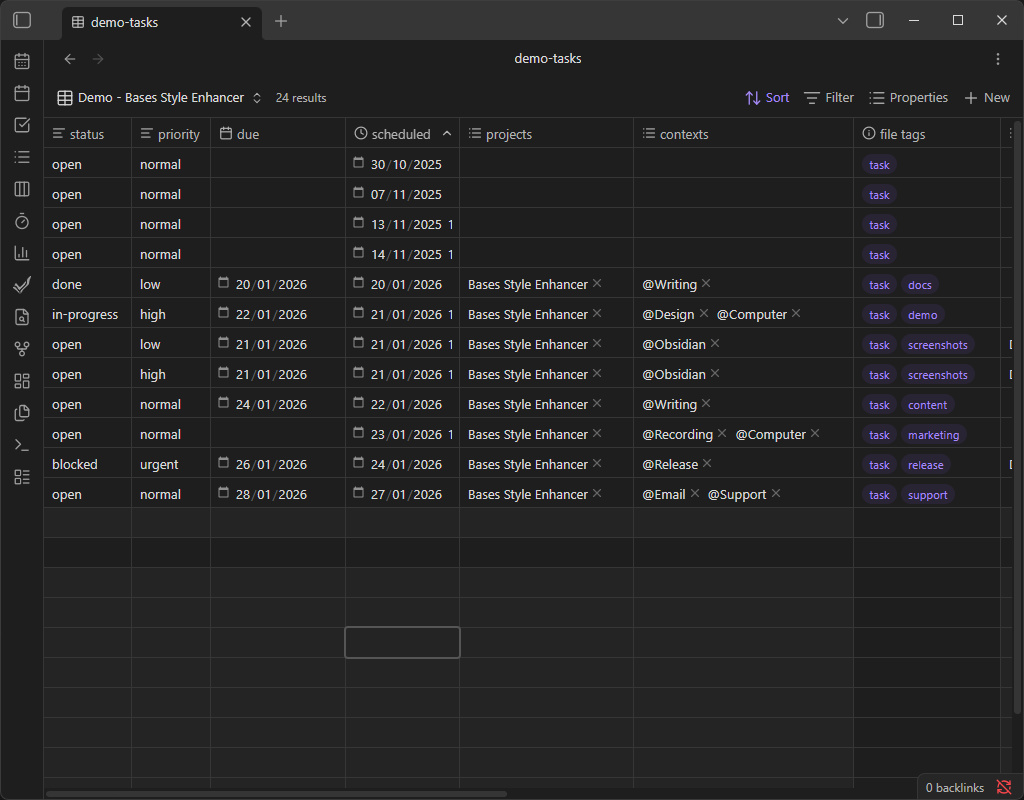
    Before – default Bases table font size

  • After (1.0rem) – table text will match the base text size of Obsidian.
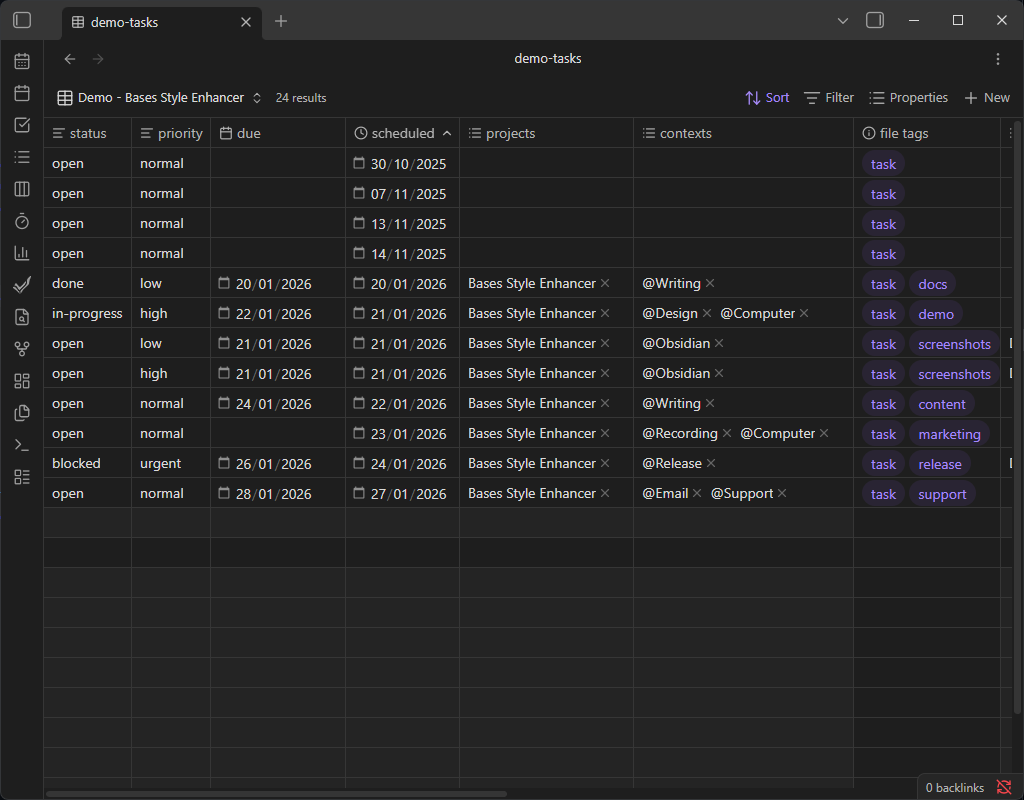
    After – 1.0rem Bases table font size

  • After (1.25rem) – table text is moderately larger for improved readability.
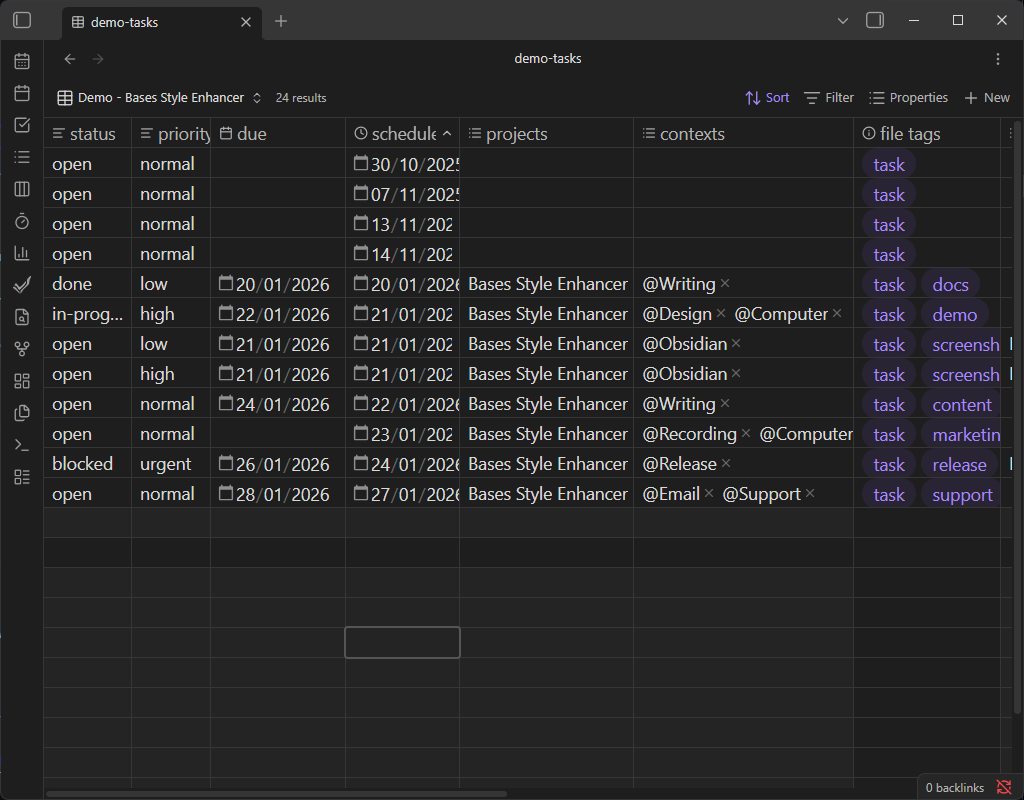
    After – 1.25rem Bases table font size

  • After (20px) – table text is significantly larger for maximum readability.
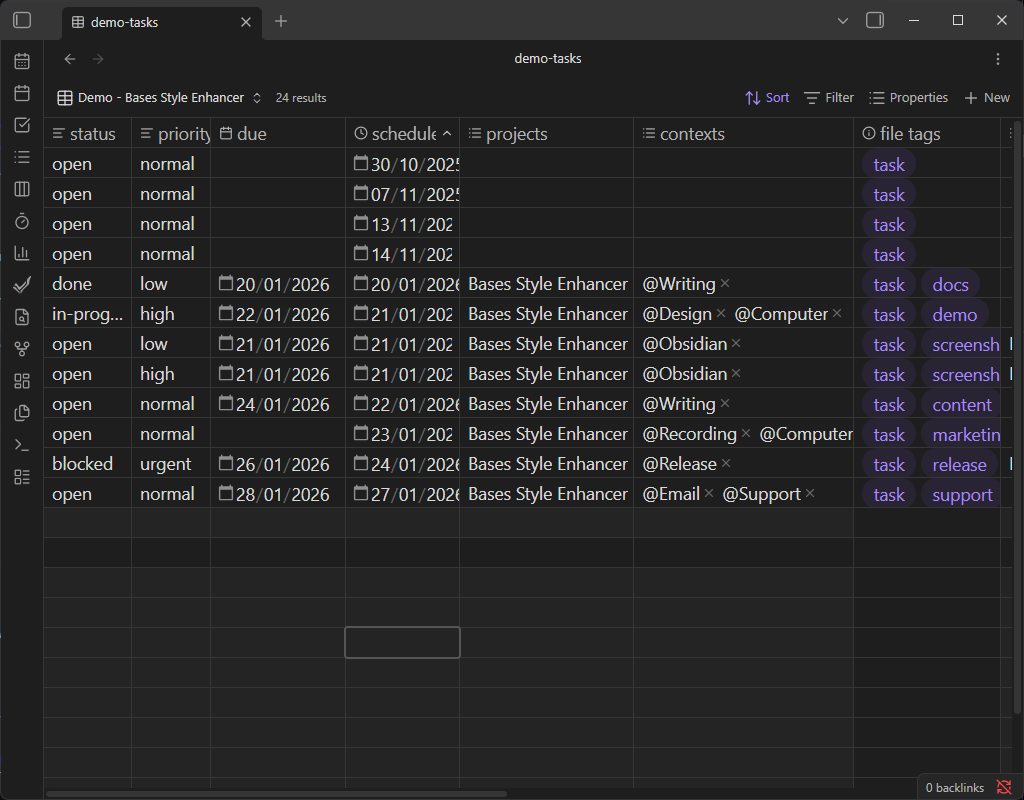
    After – 20px Bases table font size

Support

If this plugin improves your Bases experience and you’d like to support development, you can:

HealthExcellent
ReviewSatisfactory
About
Adjust Bases table font size globally to improve readability across all Bases views. Choose rem or px units and optionally apply the same size to table headers for consistent table styling.
BasesCSS
Details
Current version
1.0.0
Last updated
7 months ago
Created
7 months ago
Updates
1 release
Downloads
488
Compatible with
Obsidian 1.5.0+
Platforms
Desktop only
License
GPL-3.0
Report bugRequest featureReport plugin
Sponsor
Buy Me a Coffee
Author
uniquecloneuniqueclone
GitHubuniqueclone
  1. Community
  2. Plugins
  3. Bases
  4. Bases Style Enhancer

Related plugins

TaskNotes

Note-based task management with calendar, pomodoro and time-tracking integration.

Maps

Adds a map layout to bases so you can display notes as an interactive map view.

Style Settings

Adjust theme, plugin, and snippet CSS variables.

Admonition

Admonition block-styled content.

Custom Frames

Turn web apps into panes using iframes with custom styling. Also comes with presets for Google Keep, Todoist and more.

CSS Editor

Edit CSS snippet files.

Lapel

Show the heading levels in the gutter of the editor.

Kanban Bases View

A kanban-style drag-and-drop custom view for Bases.

Snippetor

Create and tweak common snippets.

Media Extended

Integrate, manage video or audio directly in your notes, with enhanced playback and timestamp support. (Closed source)