Bases Freeze Panes
 theluckystrike3 downloads
Keeps the header row and the first columns of a Bases table in view while you scroll, in base files and in bases embedded in notes.
- Overview
- Scorecard
- Updates2
Bases Freeze Panes keeps the header row and the first column of a Bases table in view while you scroll, like Freeze Panes in a spreadsheet. Scroll down and the column names stay at the top. Scroll to the right and the note names stay on the left, so you always know which row you are editing.
It works in base files, in bases embedded in notes, and in base code blocks. It changes how the table looks on screen and nothing else. Your notes and base files stay exactly as they are.
The header row and one frozen column are free. Pro adds 2 or 3 frozen columns, a column count for single files, and a pinned last column. Pro costs $5 a month, or $15 once, through GitHub Sponsors. When you have paid $15 in total, Pro stays on.
Features
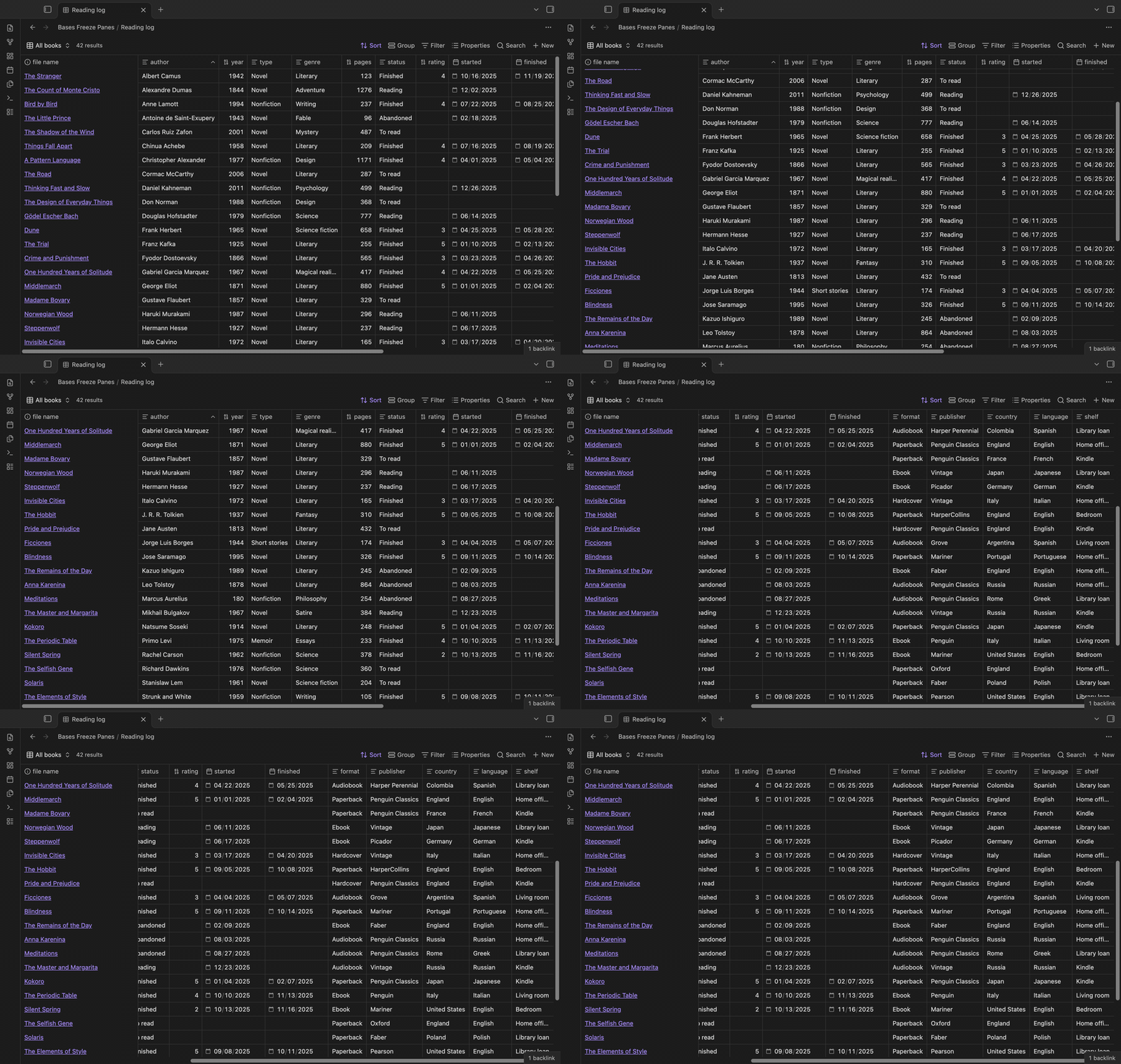
Frozen header and first column in base files
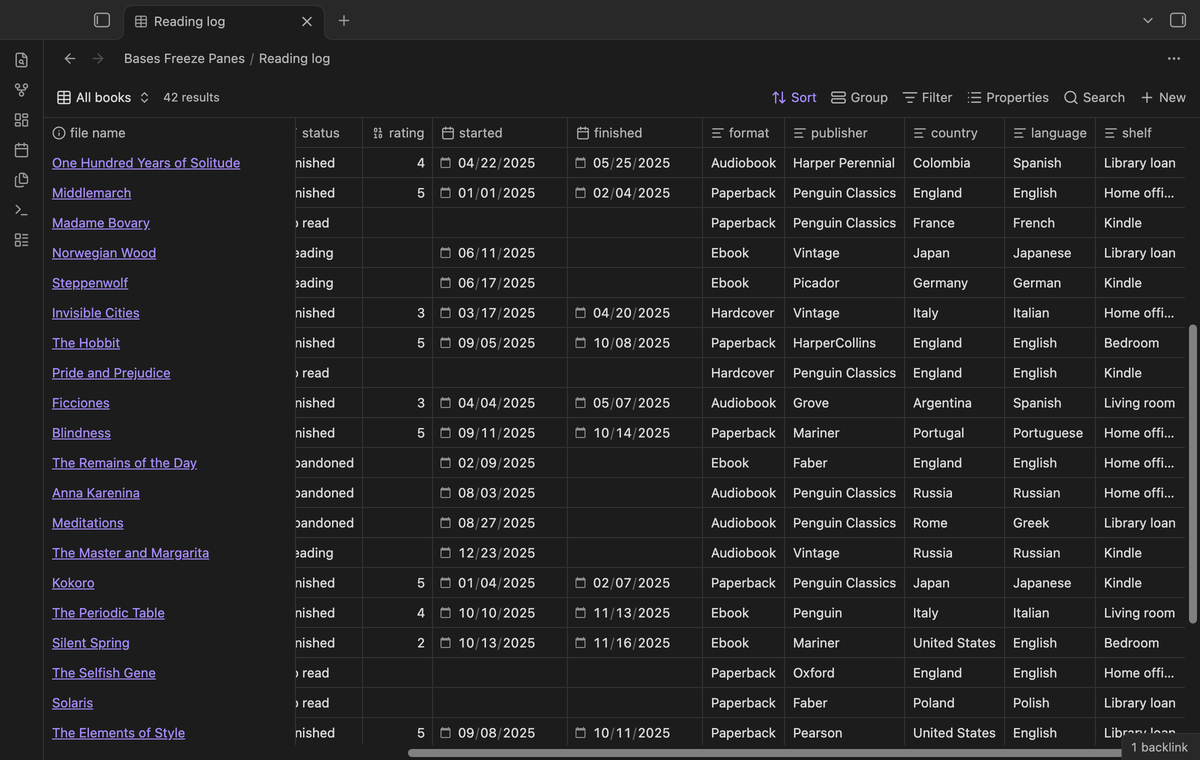
Open a base file with more columns than fit on the screen. Scroll to the right and the first column stays where it was. The other columns slide under it, and a thin line marks its edge.
A CSS snippet cannot do this. The core table draws only the columns that are in view, so once you scroll past the first column, its cells are gone from the page. Bases Freeze Panes keeps those cells on the page and pins them. It also gives the header row a solid background, so rows never show through it.
Embedded bases keep their header
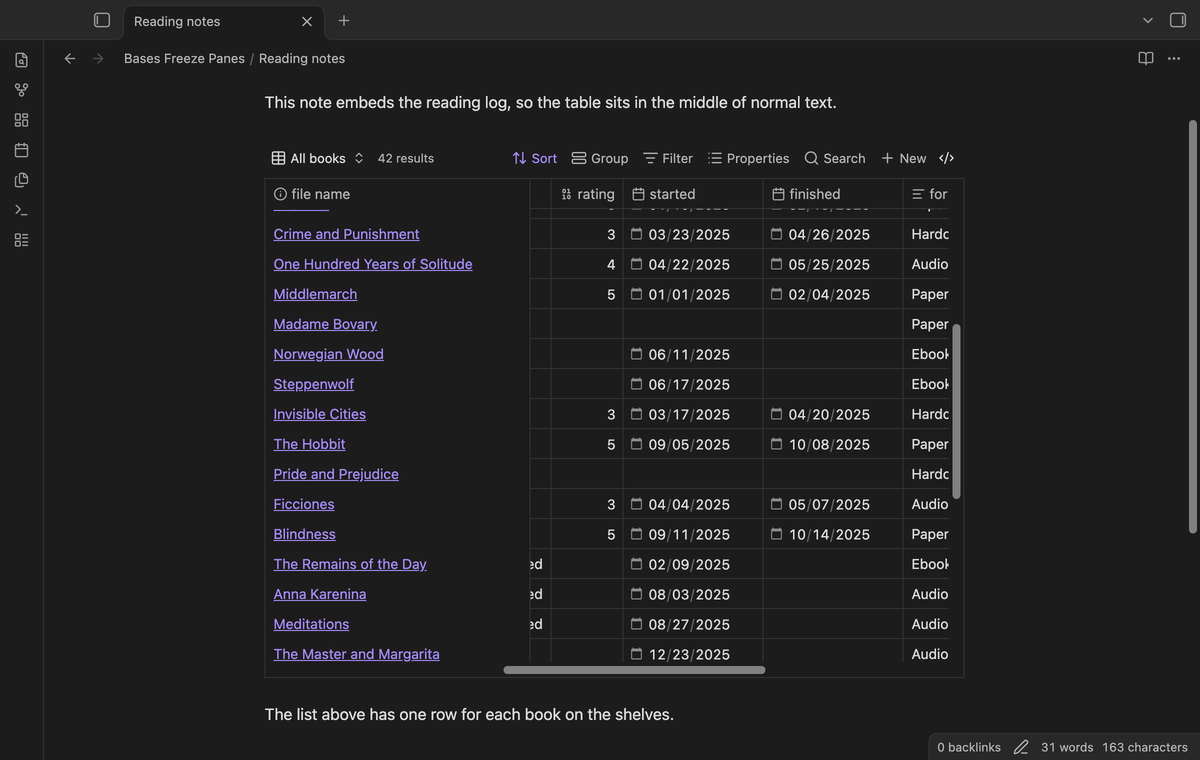
A base embedded in a note, such as ![[Reading log.base]], normally grows to the full height of all its rows. Then the note scrolls instead of the table, and the header row scrolls away.
Bases Freeze Panes gives embedded tables a maximum height, 500 pixels by default. A taller table scrolls inside this box, so its header row sticks to the top. Short tables keep their normal height.
Two or three frozen columns (Pro)
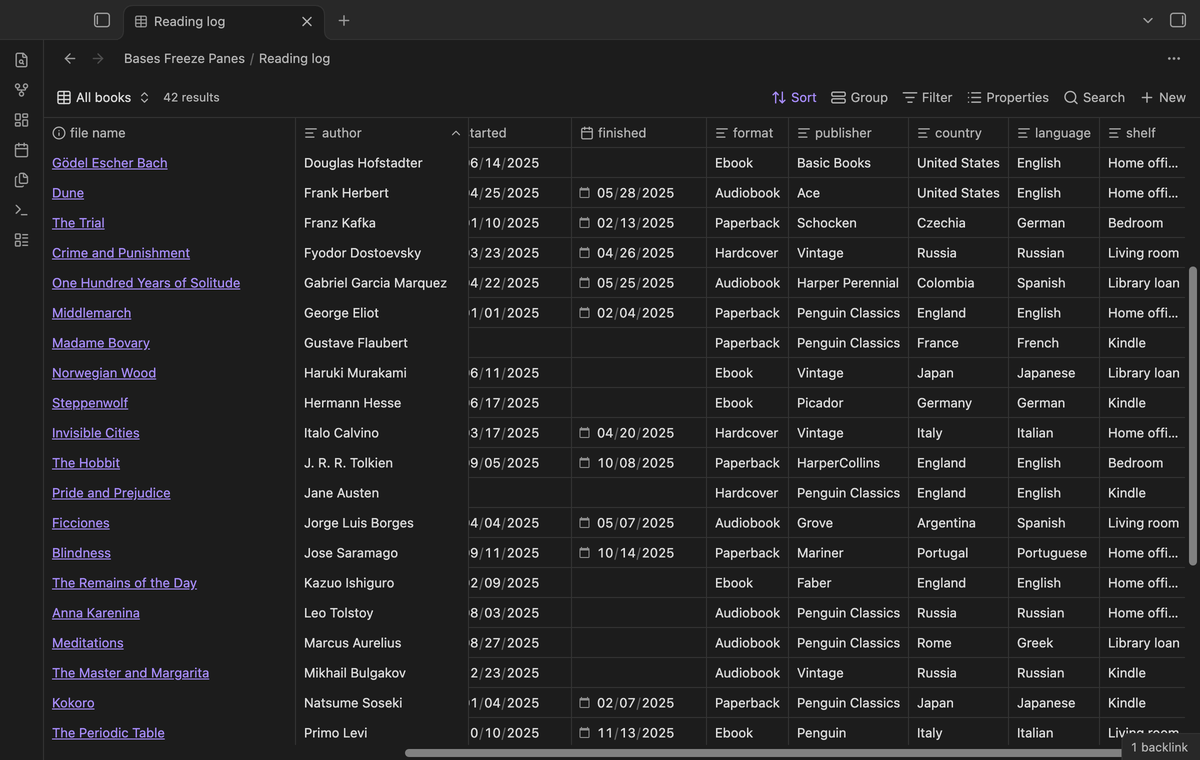
With Pro you can freeze 2 or 3 columns, for example the file name and the author of a book. Each frozen column keeps its own width and place. To choose which columns come first, change the column order in the base.
Pinned last column (Pro)
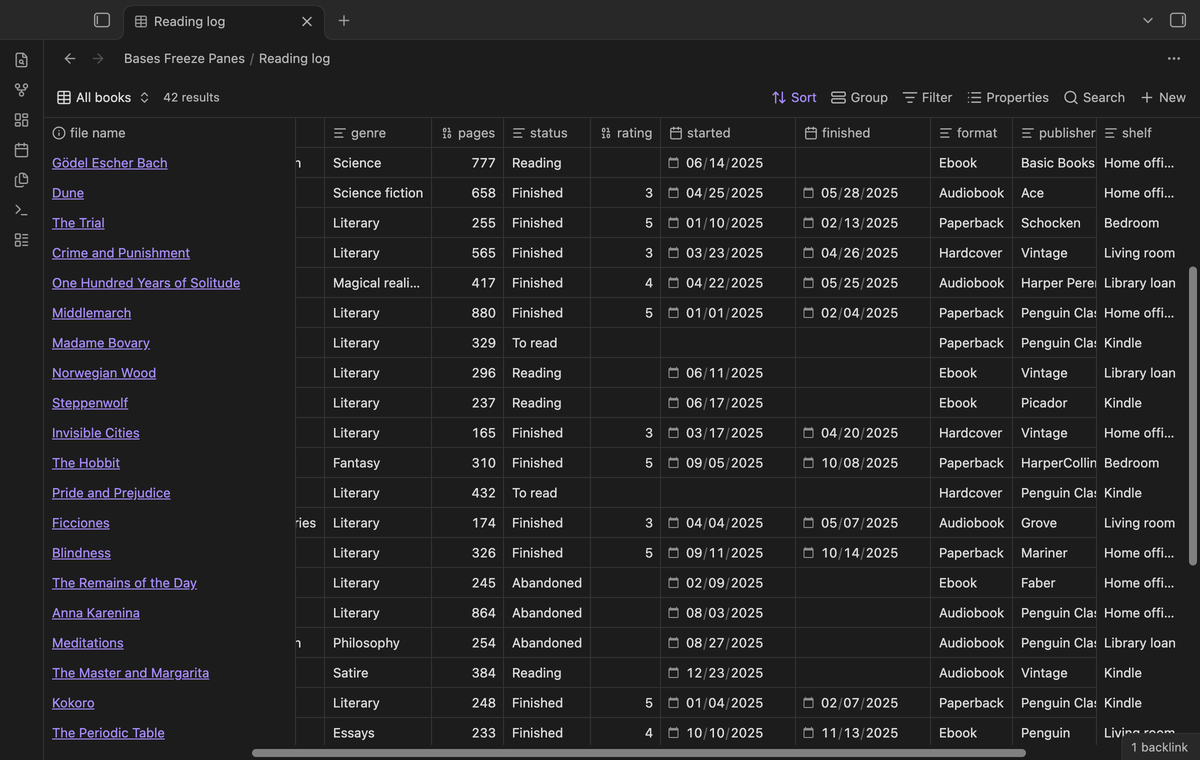
Turn on "Freeze the last column" and the last column stays at the right edge of the table, while the middle columns scroll between the frozen columns. Use it for a status, a total or a due date.
Reading view, live preview and code blocks
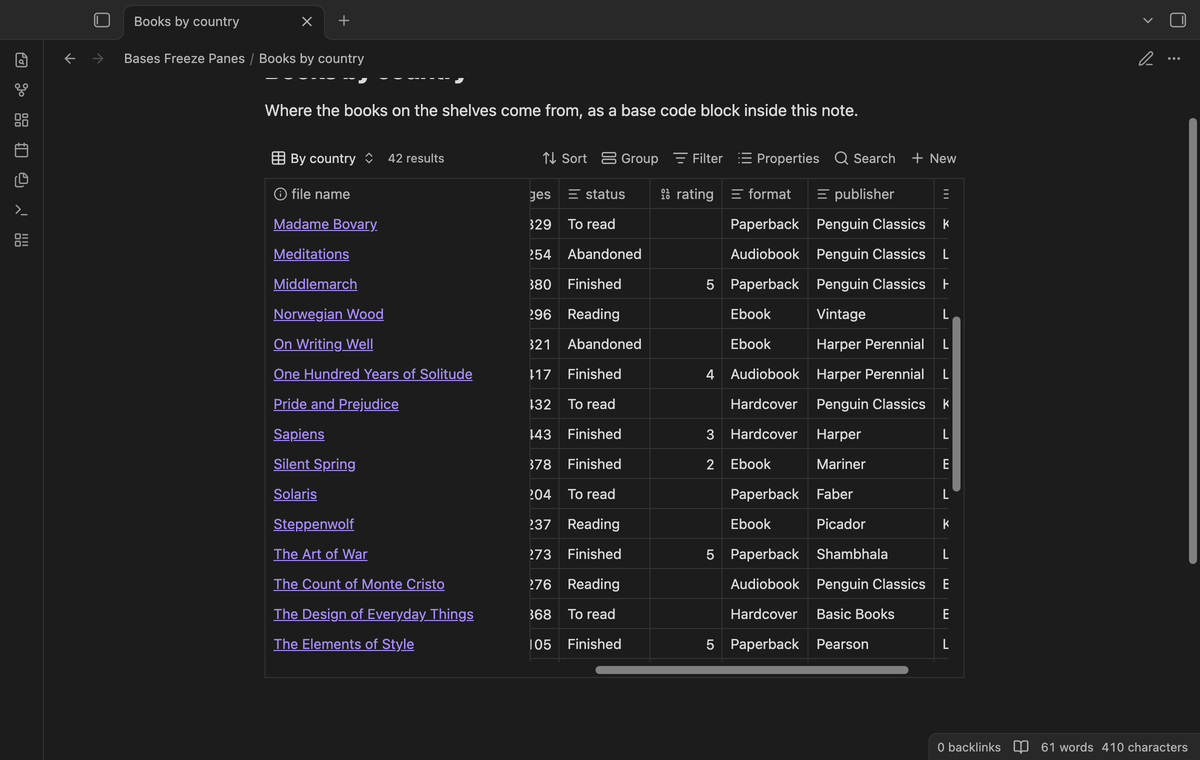
Freezing works wherever a table view of a base shows up in a note: embedded base files, base code blocks, live preview and reading view.
Solid cells in light and dark themes
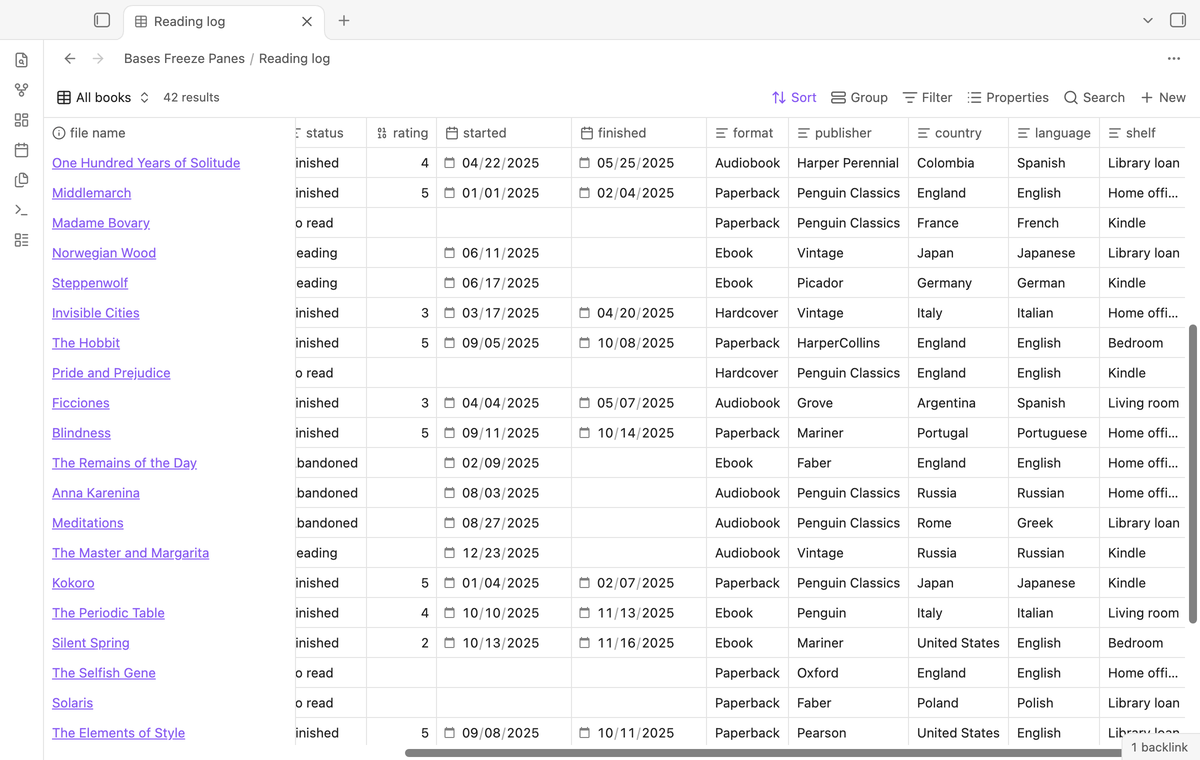
Frozen cells must cover the cells that slide under them. Bases Freeze Panes paints them with the background colors of your theme, for normal rows, the header, the row under the pointer and the summary rows.
Choices for one file
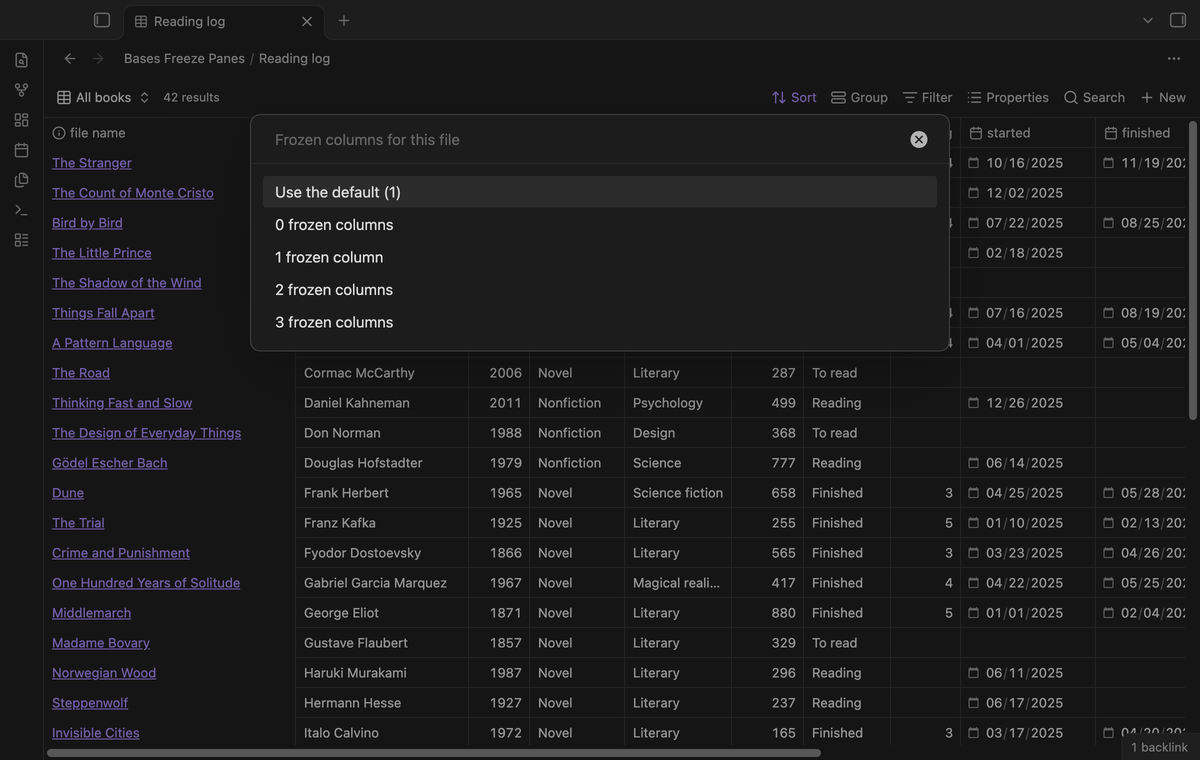
Two commands change one file only. The open file can be a base file or a note with embedded bases.
- "Turn frozen panes on or off for the current file" is free.
- "Set frozen columns for the current file" picks 0 to 3 columns for that file. This one needs Pro.
The plugin stores each choice under the file path, moves it when you rename the file, and lists all choices in the settings.
Install
When Bases Freeze Panes is listed in the community directory, open Settings, then Community plugins, then Browse, and search for "Bases Freeze Panes". Select Install, then Enable.
To install by hand, download main.js, manifest.json and styles.css from the latest release. Put the three files in <vault>/.obsidian/plugins/bases-freeze-panes/. Reload the list of community plugins, then turn on Bases Freeze Panes.
Bases Freeze Panes needs Obsidian 1.13.4 or newer and the Bases core plugin. It was tested on desktop with Obsidian 1.13.4 and 1.14.4.
Usage
- Turn on the plugin. Every table view of a base now has a frozen header row and one frozen column.
- Open a wide base and scroll down and to the right.
- To compare with the normal table, run "Turn frozen panes on or off". Run it again to turn freezing back on.
- For Pro, sponsor on GitHub, then open the settings and select "Sign in with GitHub".
The plugin sets no default hotkeys. You can give any command a hotkey in Settings, then Hotkeys.
Pro
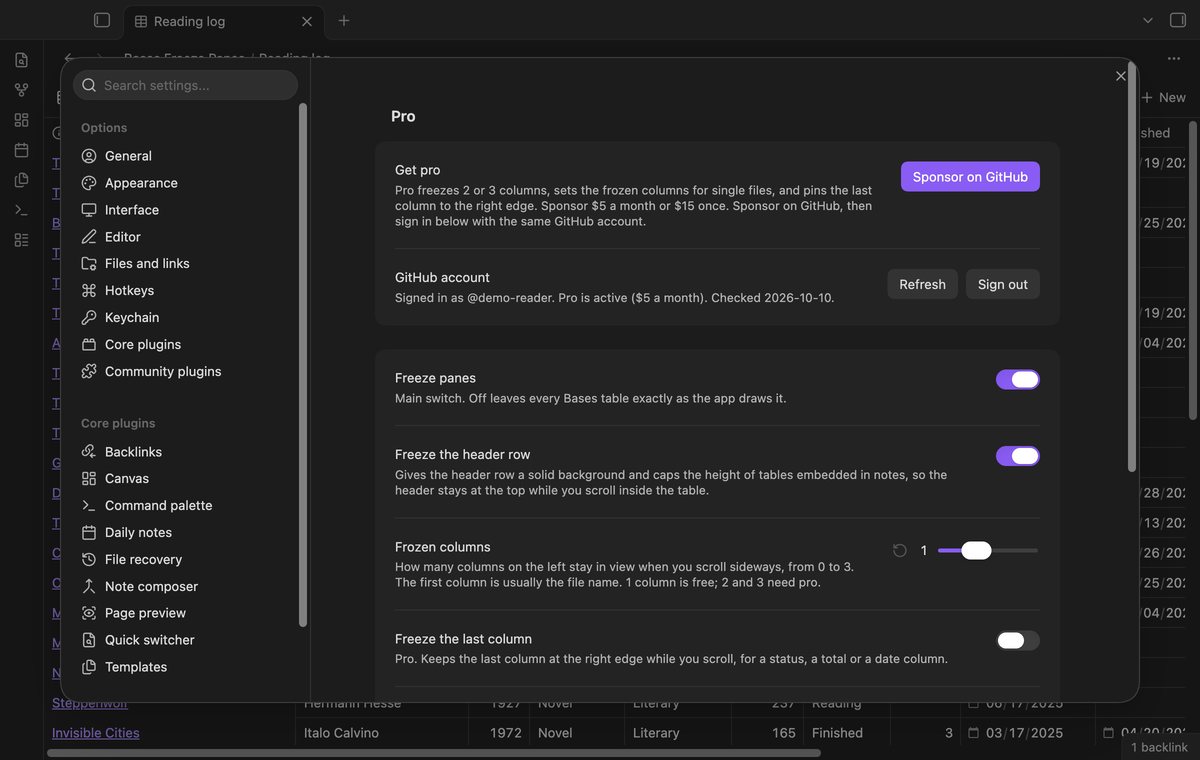
Pro unlocks 2 or 3 frozen columns, column counts for single files, and the pinned last column. To get it:
- Sponsor theluckystrike on GitHub Sponsors with $5 a month, or $15 once. When you have paid $15 in total, Pro stays on.
- In Obsidian, open the settings of Bases Freeze Panes and select "Sign in with GitHub".
- The plugin copies a code and opens github.com/login/device. Paste the code there and approve.
The status line then shows your GitHub login and the tier. If you sponsor after you sign in, select Refresh. If a monthly sponsorship ends before you have paid $15 in total, Pro turns off at the next check, within 7 days. Your choices stay saved and come back when Pro is on again.
Settings
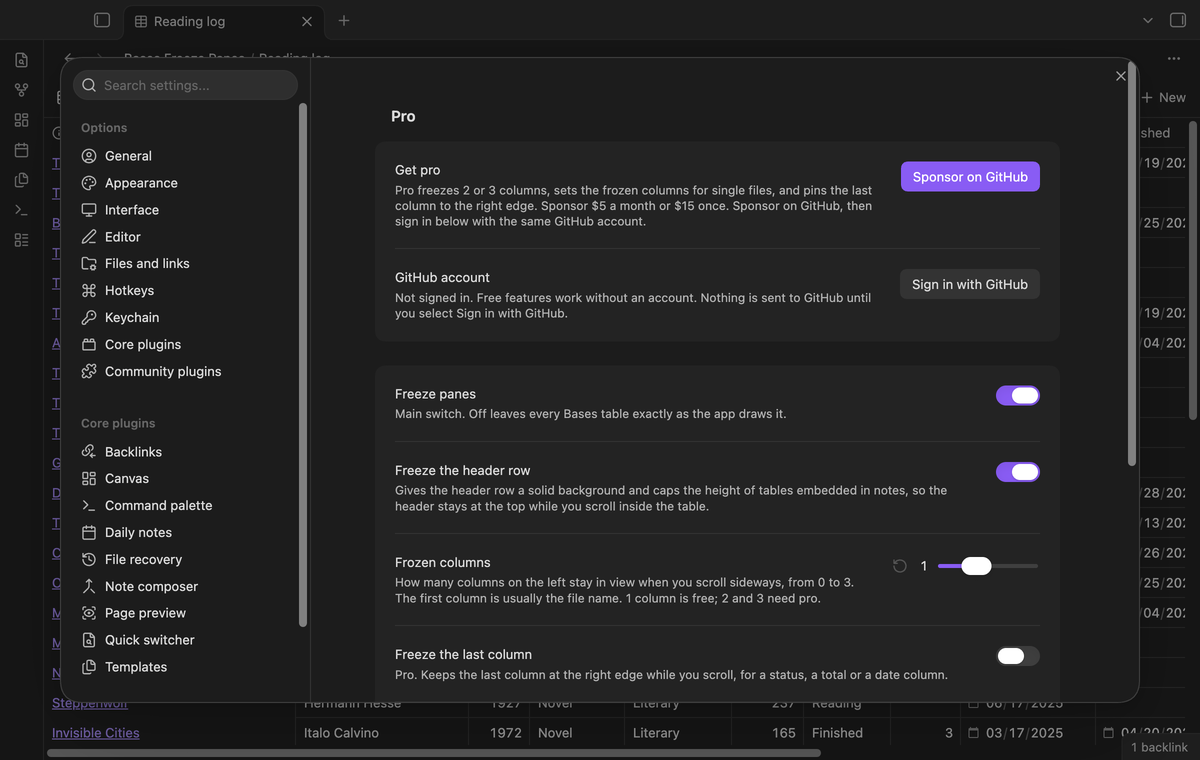
| Setting | Default | Allowed values |
|---|---|---|
| Freeze panes | On | On or off |
| Freeze the header row | On | On or off |
| Frozen columns | 1 | 0 to 3 (2 and 3 need Pro) |
| Freeze the last column | Off | On or off (Pro) |
| Embedded table height | 500 | 200 to 1200 pixels, in steps of 50 |
"Choices for single files" lists every file with its own choice; delete an entry to remove it. If a saved value is out of range, the plugin moves it to the nearest allowed value.
FAQ
Why did my CSS snippet for the first column not work?
The core table draws only the cells that are in view, to stay fast with large bases. After you scroll right, the cells of the first column no longer exist on the page. The plugin tells the table to keep the frozen cells, and then pins them.
Does it change my base files or notes?
No. It writes only its own settings file, data.json in the plugin folder.
What happens after an Obsidian update?
The Bases table has no public interface for this, so the plugin checks that the table looks as expected before it changes anything. If a future update changes the table, the columns are no longer frozen and the settings tab says so. The header row keeps working.
Why is the outline of the selected cell not visible in a frozen column?
The core app draws that outline in a separate layer that does not know about frozen columns. You can still click and edit the cell.
Does it work for cards and list views?
No. Only table views have rows and columns to freeze.
Payment, account and network
The core features are free and stay free. Pro features need a GitHub Sponsors sponsorship of theluckystrike: $5 a month or more, or $15 once. When you have paid $15 in total, Pro stays on. Your notes stay readable and editable with or without Pro.
GitHub handles the payment. Sponsor at https://github.com/sponsors/theluckystrike. You need no account for the free features. Pro needs the GitHub account that sponsors.
Until you select "Sign in with GitHub" in the settings, Bases Freeze Panes makes no network requests. Sign in uses the GitHub device flow. Bases Freeze Panes sends its public client ID and the scope read:user to https://github.com/login/device/code and shows you a code. While you enter the code at https://github.com/login/device, it asks https://github.com/login/oauth/access_token every few seconds whether sign in is done. The scope read:user is read-only access to your profile, which GitHub needs to show the sponsorship tier. It gives no access to repositories and no write access.
After sign in, Bases Freeze Panes sends one query to https://api.github.com/graphql: does the signed-in account sponsor theluckystrike, at which tier, and how much it has paid theluckystrike in total. It asks again at most once every 7 days, or when you select Refresh. It sends no note content, file names or other vault data, and it has no telemetry.
Pro keeps working for 14 days without a successful check. The GitHub token stays in the secret storage of Obsidian on this device. It is not written to data.json or other vault files, so it does not sync or reach a git repository. The local storage of this device keeps your GitHub login, the tier and the time of the last check. Sign out deletes the token. You can also revoke the access in your GitHub settings, under Applications.
Support
Support
Report a bug or ask for a feature in the issue tracker of this repository. Please include your Obsidian version, your theme, and the view settings of the base that shows the problem.
To build from source:
npm ci
npm run build
npm test
The tests check golden cases for the column layout and the GitHub Sponsors rules. An end-to-end test scrolls real tables in Obsidian and checks that the header and the first column stay in place.
License
MIT