Bases Card Wrap
 theluckystrike1 downloads
Wraps long property values in Bases card views onto more lines, or clamps them to a set number of lines, for each base and view.
- Overview
- Scorecard
- Updates1
Bases Card Wrap shows long property values on more than one line in the cards view of Obsidian Bases. In the core cards view, each property gets one line. A long quote, title or summary stops after a few words. With this plugin you choose, for each view of a base, how many lines each property gets: from 1 to 10 lines with an ellipsis at the cut, or a box of up to 10 lines that shows the full value and scrolls for the rest.
The plugin changes how the core cards view looks. It does not add a new view type, and it does not change your notes or your .base files. Every card in a view keeps one height, so the grid stays in rows.
The rules for each view are free. Pro adds a vault default rule for each cards view that has no rule of its own. The vault default also covers base code blocks.
Features
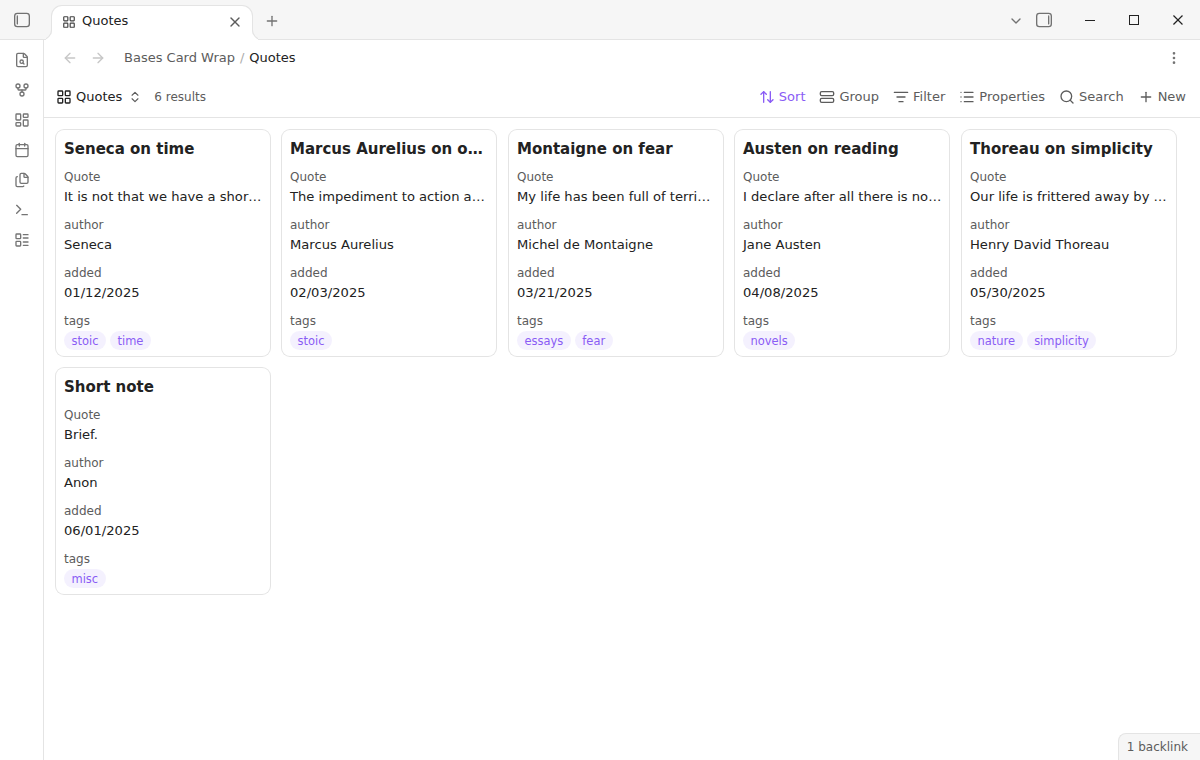
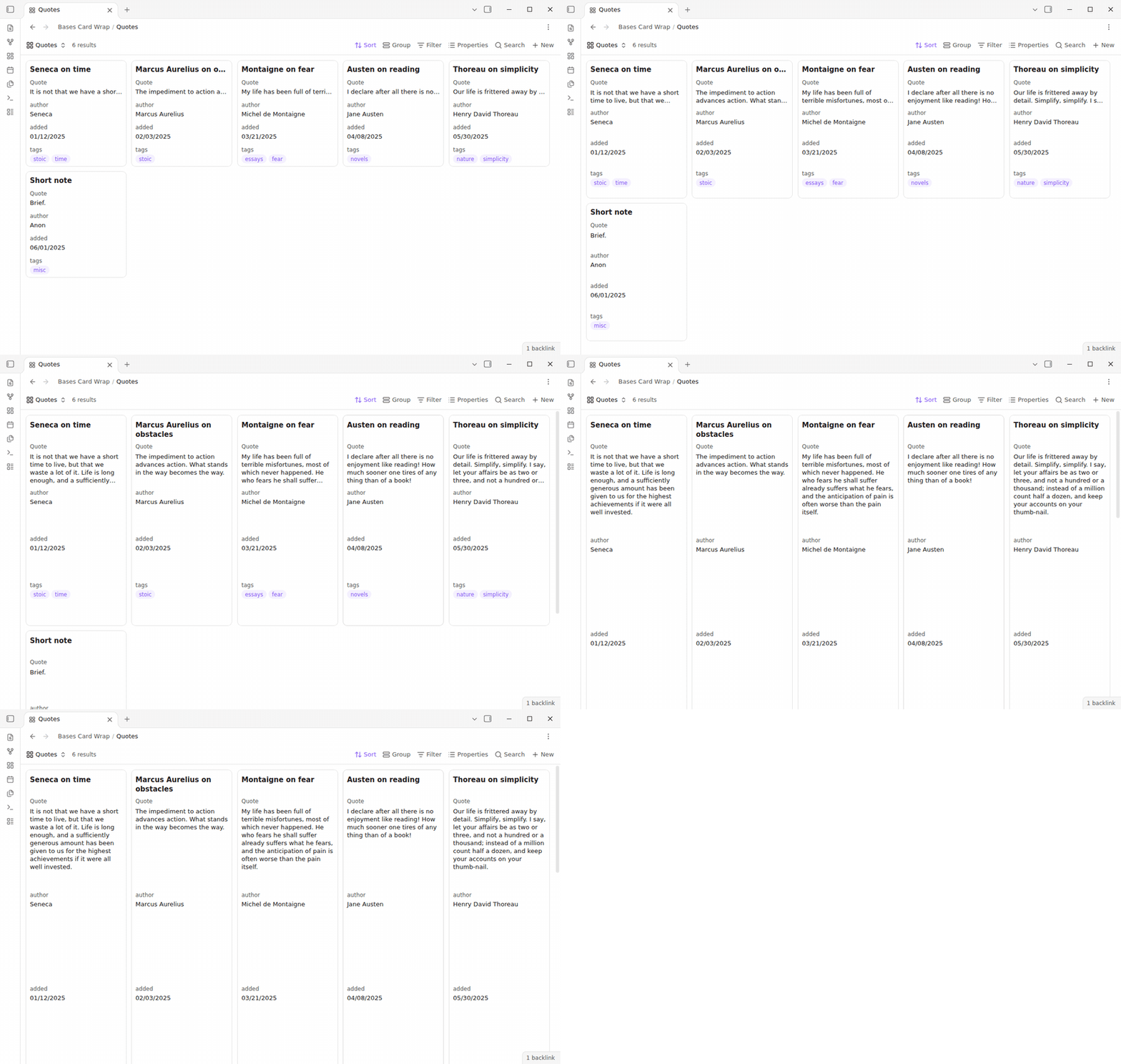
Without a rule
In the core cards view, each quote stops at the end of the first line.
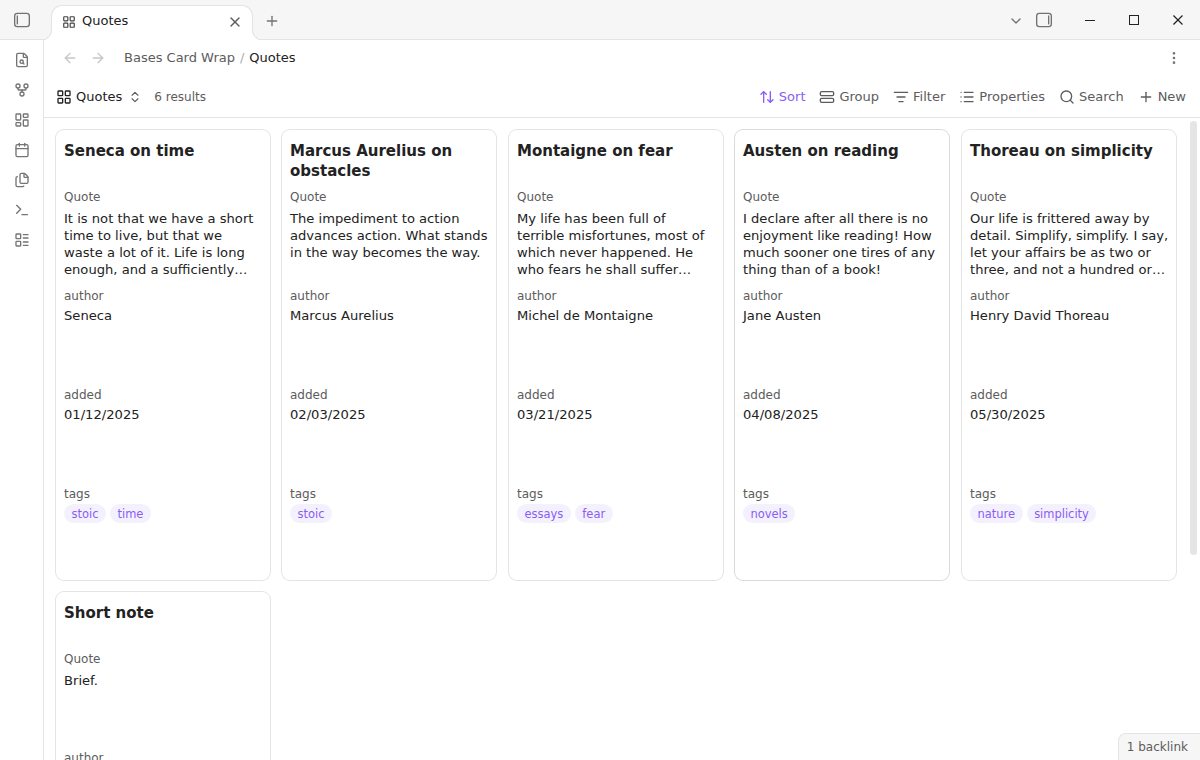
A number of lines for each property
Give the title 2 lines and the quote 4 lines. The text wraps, and an ellipsis shows where it stops. The other properties keep one line of text. All cards in the view get the same height, and each row of cards starts below the row above.
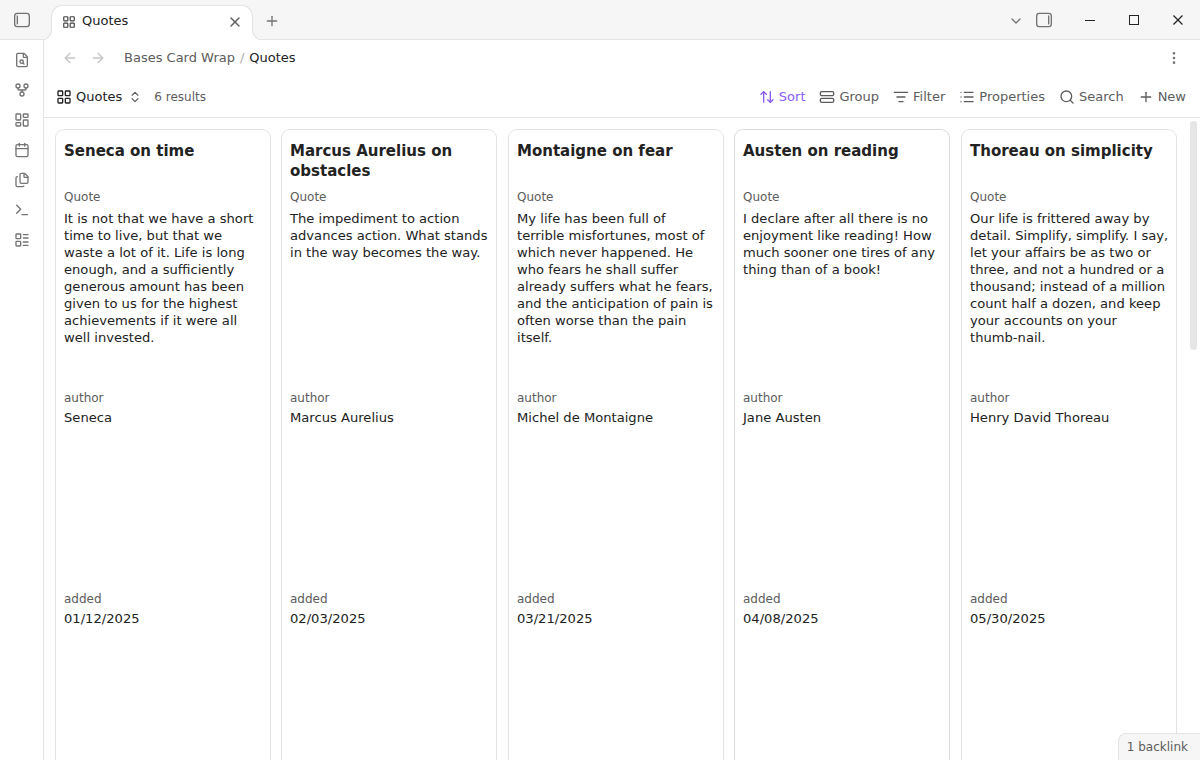
The full value
The wrap mode shows the value to its end in a box of up to 10 lines. When the value is longer than the box, scroll inside the box to read the rest. The test suite checks that a quote of about 40 words fits in a box of 10 lines on a card of the default size.
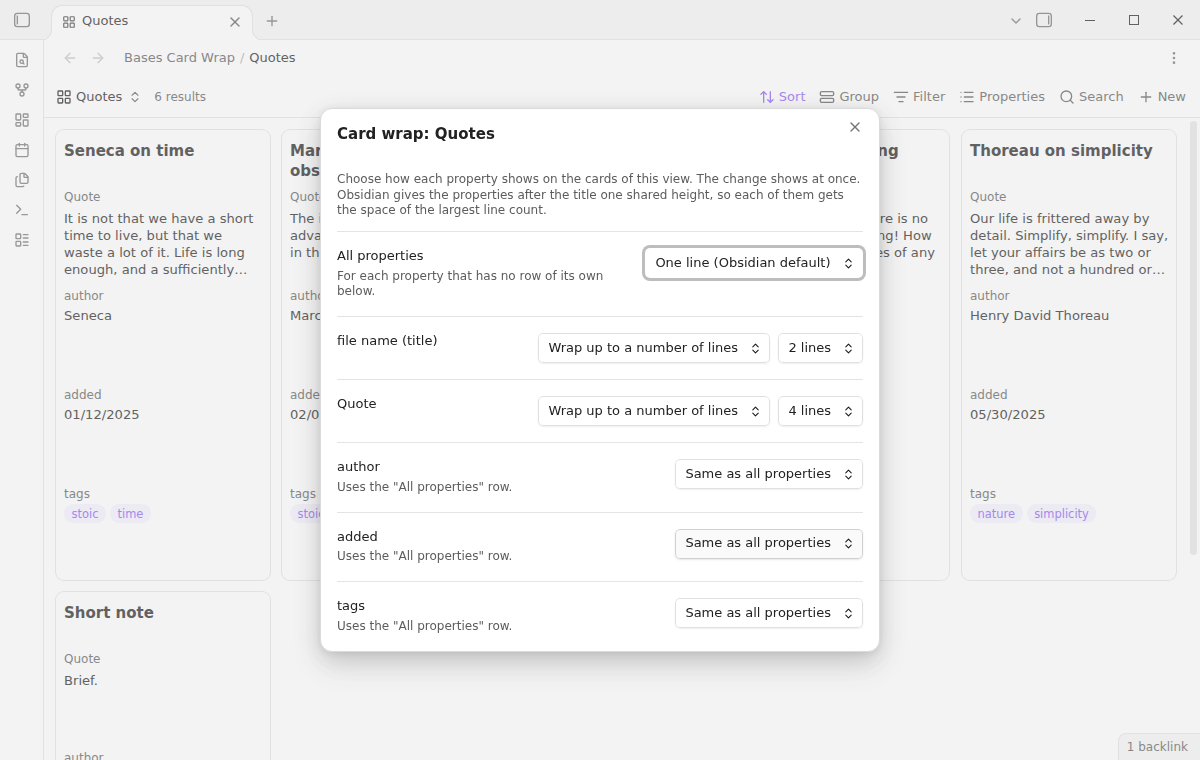
One rule for each view
Run the command "Set card wrap for this view" in a base. A window opens with one row for all properties and one row for each property of the view, in the order of the cards. The first property is the card title. A change shows on the cards at once. Other views of the same base keep their own rules.
Bases embedded in notes
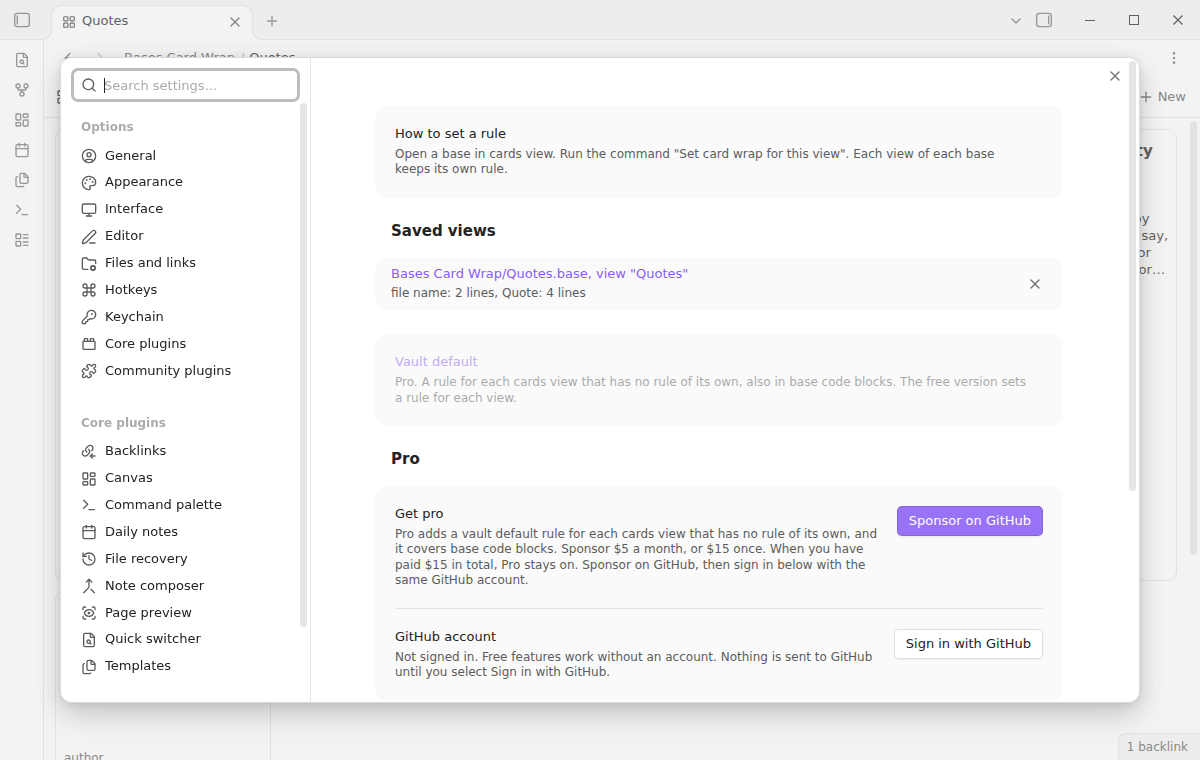
The rule of a view also applies where you embed the base in a note, such as ![[Quotes.base#Quotes]]. It works in Reading view and in Live Preview.
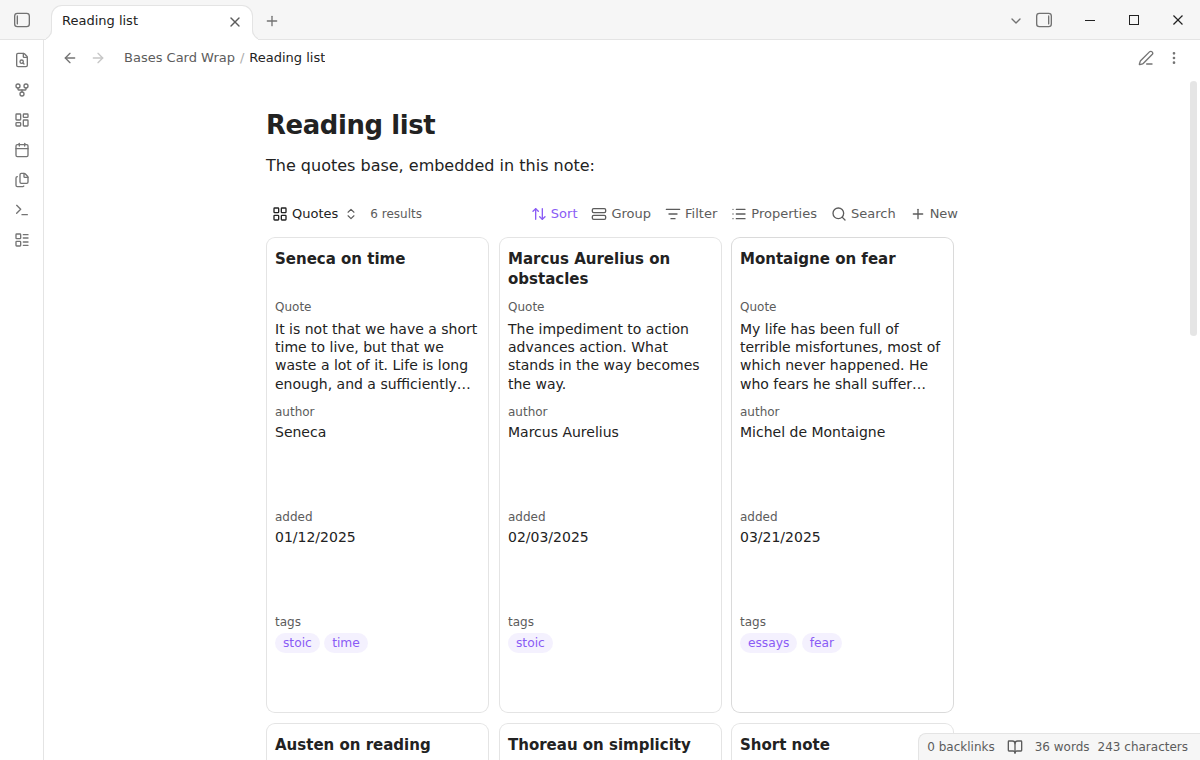
Saved rules in the settings
The settings list each view that has a rule. Select a row to edit the rule. Delete a row to get the core look back for that view.
Before and after
Install
- Open Settings, then Community plugins.
- Select Browse and search for "Bases Card Wrap".
- Select Install, then Enable.
The plugin needs Obsidian 1.13.4 or later. It is not desktop only, and it uses no desktop API. The tests run on desktop Obsidian only.
Usage
- Open a base file and select a cards view.
- Open the command palette and run "Set card wrap for this view".
- In the row "All properties", select a mode. Or select a mode in the row of one property.
- For "Wrap up to a number of lines", select the number of lines.
- Close the window. The plugin saves each change at once.
The command also works in a note that embeds a base. It opens the rule of the first embedded cards view.
A property row can also say "Same as all properties". Then the property uses the mode of the "All properties" row.
Settings
- Saved views: one row for each view with a rule. The row shows the base file, the view name and the rule. Select the row to edit it. Delete the row to remove the rule.
- Vault default (Pro): the rule for each cards view that has no rule of its own, also in base code blocks.
The plugin keeps the rules in its own data file in your vault, under the base path and the view name. When you rename or move a base file or its folder, the rule moves with it. When you rename a view in the base, the rule moves to the new name.
Pro
Pro adds a vault default rule. It applies to each cards view that has no rule of its own, in each base file and in each base code block. A base code block has no file, so the free rules for each view do not reach it.
FAQ
Why is there empty space under short values?
The core cards view gives every card in a view one height, and it draws only the cards that are on the screen. This keeps a base with thousands of notes fast. Core also gives all properties after the title one shared height. The plugin keeps this design, so each property after the title gets the space of the largest line count in the view. A property with one line, or a short value, leaves empty space below it. The title has its own height. To keep cards short, give the long property the lines and put it last, or hide properties that you do not need on the cards.
Does it change my .base files or notes?
No. The .base file format has no documented key for styles, so the plugin does not write one. The rules stay in the data file of the plugin.
Why is a property still on one line?
Check that the view is a cards view and that the rule belongs to this view. A rule belongs to one view of one base file. A base code block uses only the Pro vault default. The plugin styles the first 40 properties of a card.
Does it work with dates, lists and links?
Yes. The plugin changes the line count and the wrap of the value line. A date, a list or a link keeps its core look. The test suite checks that a date shows the same text with and without a rule.
What happens when I disable the plugin?
The core look comes back at once. The cards get their core height again without a reload. Your rules stay saved for the next time that you enable the plugin.
How is this different from the CSS snippets in the forum?
The snippets in the forum topic change the title of every base. This plugin sets lines for each property, for each view of each base, and it keeps the card height correct for the lines that you choose.
Payment, account and network
The core features are free. Pro features need a GitHub Sponsors sponsorship of theluckystrike: $5 a month or more, or $15 once. A total payment of $15 meets the payment requirement for Pro without further payment. Sign-in and the checks below still apply. Your notes stay readable and editable with or without Pro.
GitHub handles the payment. Sponsor at https://github.com/sponsors/theluckystrike. You need no account for the free features. Pro needs the GitHub account that sponsors.
Until you select "Sign in with GitHub" in the settings, Bases Card Wrap makes no network requests. Sign in uses the GitHub device flow. Bases Card Wrap sends its public client ID and the scope read:user to https://github.com/login/device/code and shows you a code. While you enter the code at https://github.com/login/device, it asks https://github.com/login/oauth/access_token every few seconds to check the sign-in status. The scope permits profile reads only. GitHub needs this access to show the sponsorship tier. It grants no repository scope and no write access.
After sign in, Bases Card Wrap sends one query to https://api.github.com/graphql. It checks if the signed-in account sponsors theluckystrike. It asks for the tier and the total payment to theluckystrike. The plugin reuses a successful check for 7 days. Failed checks can retry after 6 hours. Select Refresh to request an earlier check. It sends no note content, file names or other vault data, and it has no telemetry.
After a successful check, Pro can work offline for up to 14 days. Sign out or a negative sponsorship answer turns Pro off. The plugin stores the GitHub token through the secret storage API of Obsidian. It does not put the token in its saved settings or its local sponsorship data. The local storage of this device keeps your GitHub login, the tier and the time of the last check. Sign out clears the token. You can also revoke the access in your GitHub settings, under Applications.
Support
Report a problem or ask for a feature at https://github.com/theluckystrike/bases-card-wrap/issues. Tell us your Obsidian version, the view type and the rule that you set.