AXXA Agent
Chat with AI, ask your vault with RAG and let an agent edit your notes, built mobile-first. Works with OpenAI GPT, Claude, Gemini, OpenRouter, NVIDIA NIM or local Ollama. Bring your own API key.
- Overview
- Scorecard
- Updates388
English · Português (Brasil)
Chat, ask your vault, and let an agent edit your notes, on your phone as well as your desktop.
Six providers, your own API keys, every conversation saved as Markdown.
Install · Quick start · Privacy · FAQ · Discussions
What it does
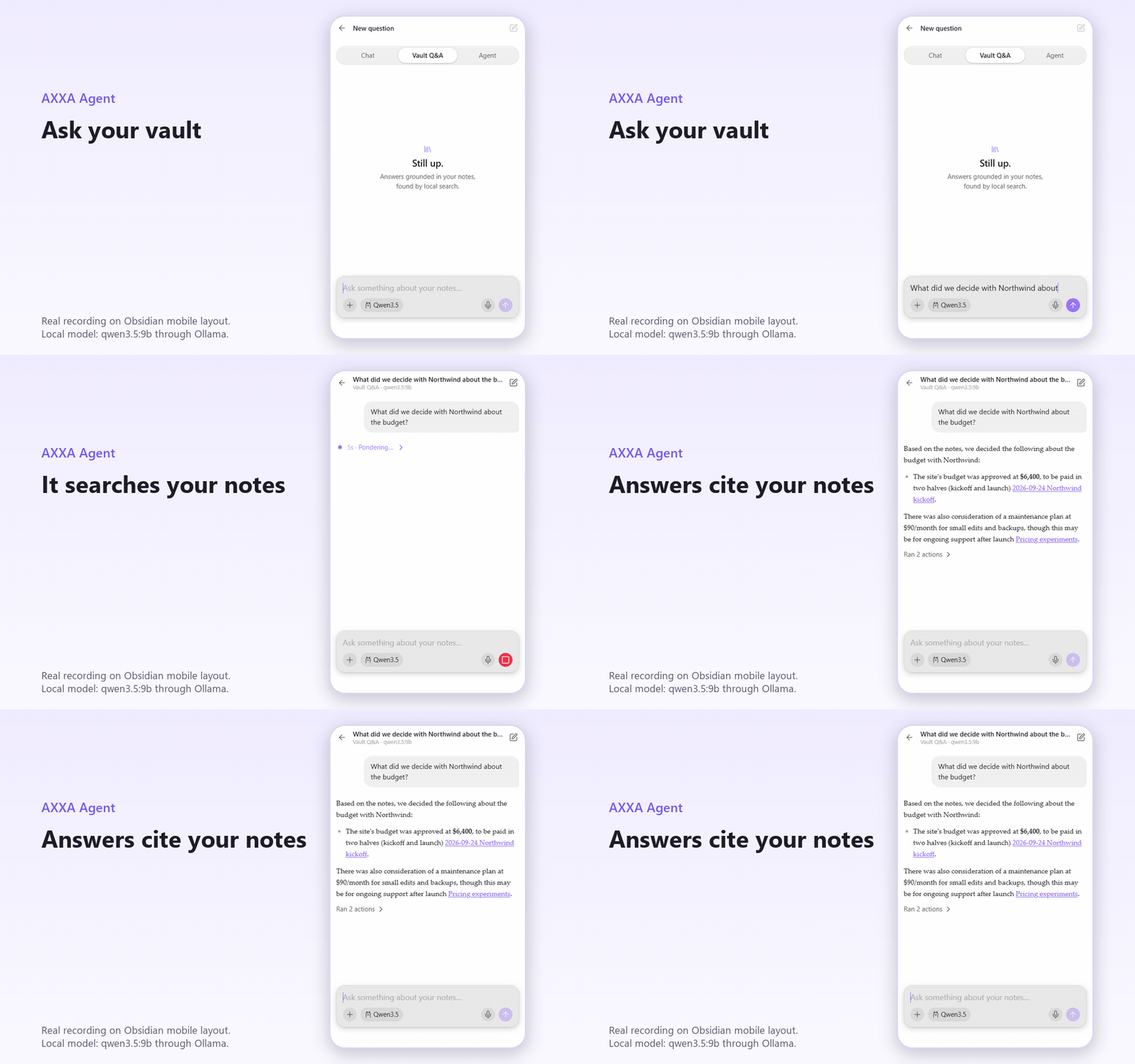
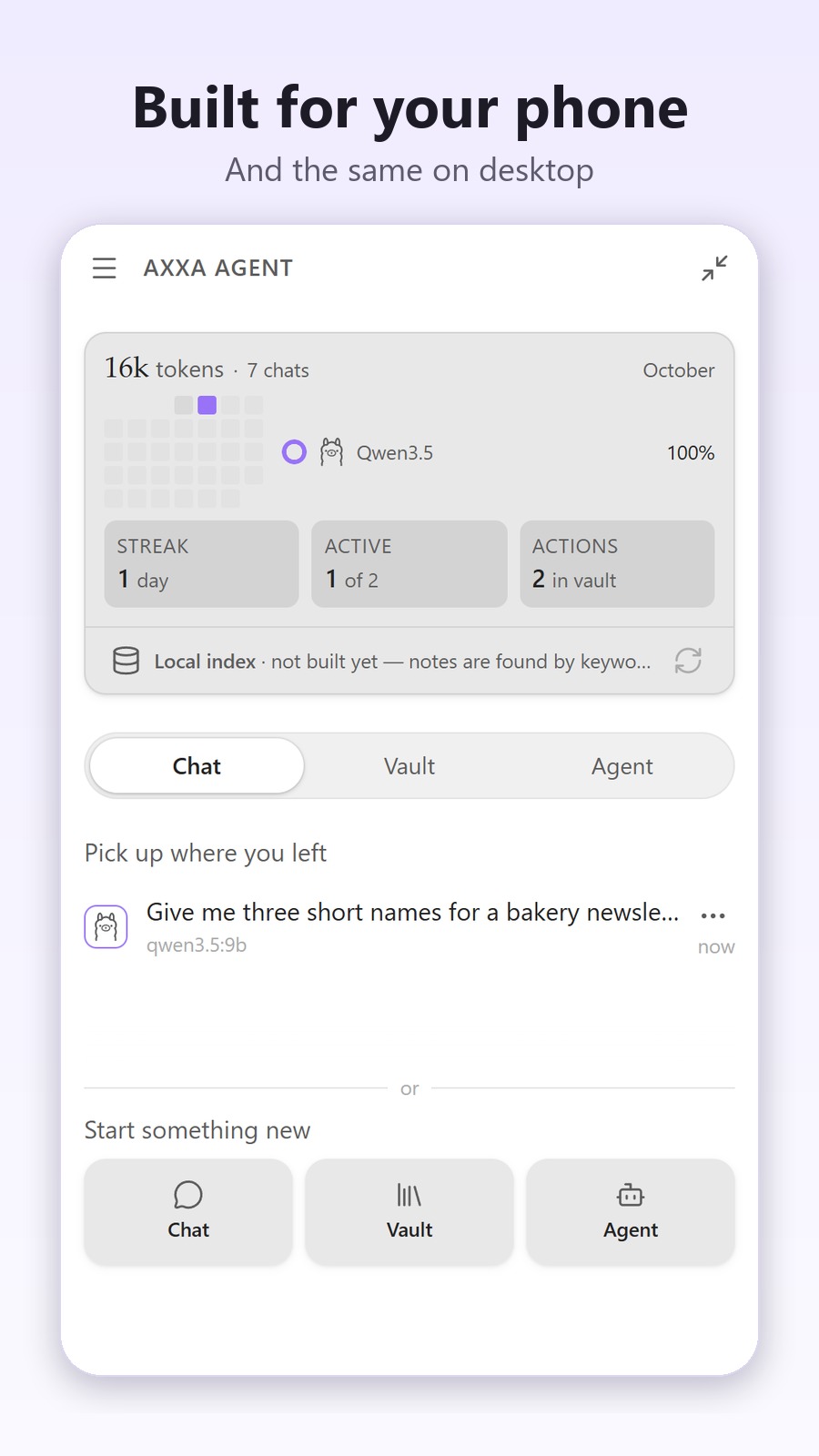
- Three modes, one panel. Chat, Vault Q&A over your notes, and an Agent that works on your files.
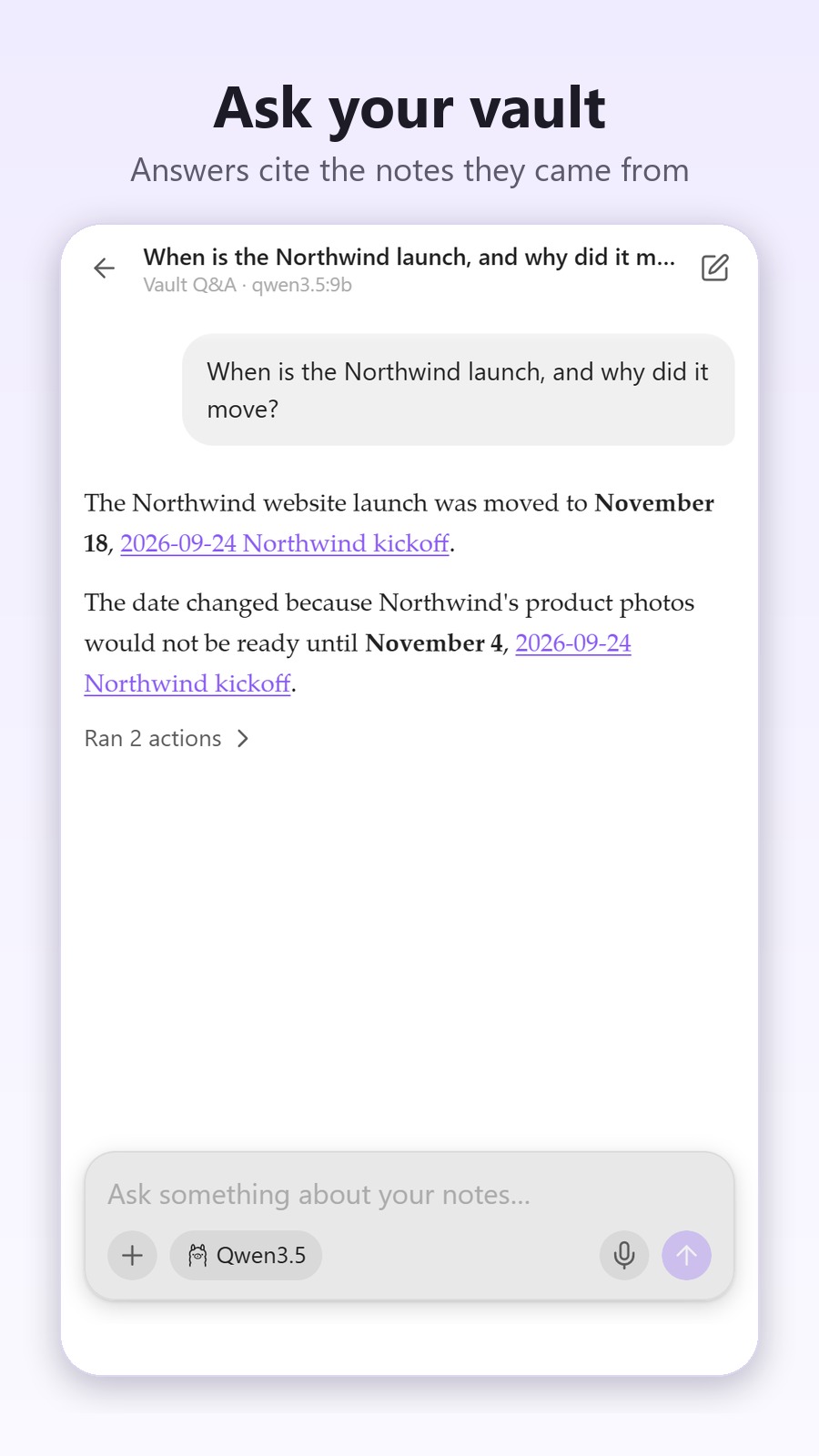
- Answers that cite your notes. Vault Q&A runs hybrid search (keyword + vector, re-ranked by your links) and cites the notes it used as wikilinks you can open.
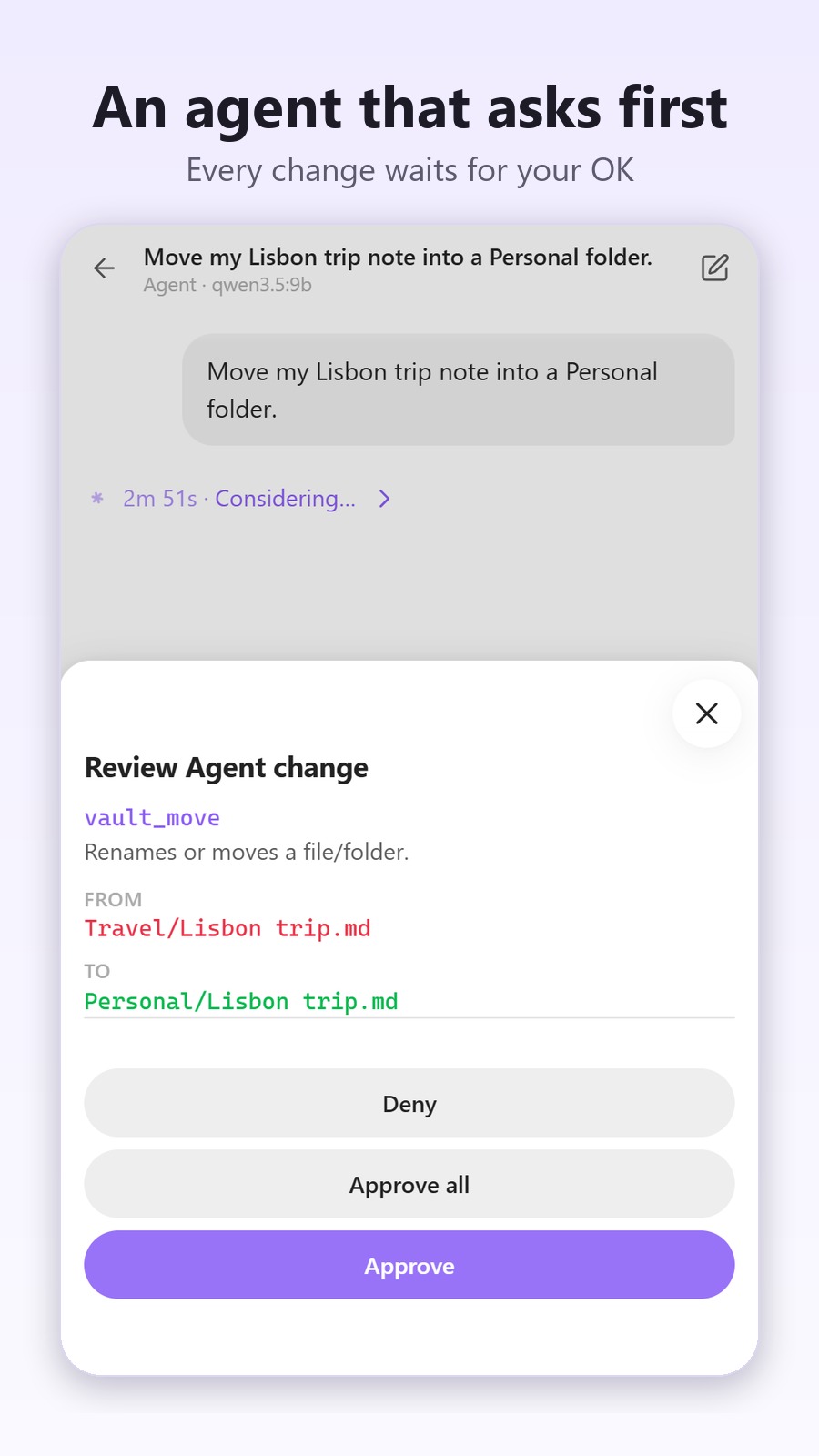
- An agent that asks first. It creates, edits, moves and deletes notes through a small set of tools. Changes wait for your OK, deletes go to your trash, and moves rewrite your
[[links]]. - Made for your phone. Designed for the Obsidian mobile drawer first: the composer follows the keyboard, there is an optional fullscreen mode, and the agent works on the phone too.
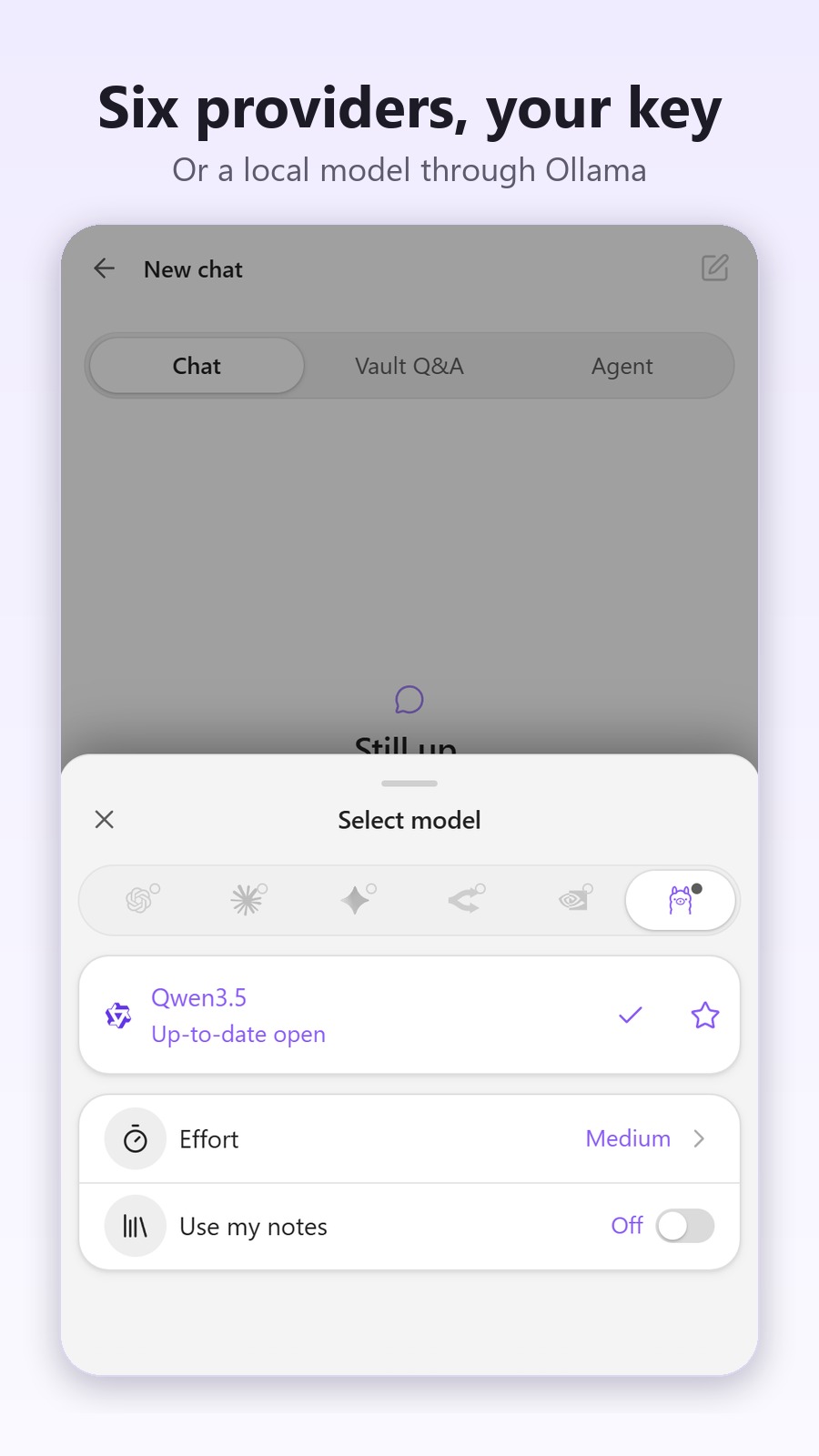
- Six providers, your keys. OpenAI, Anthropic, Google Gemini, OpenRouter, NVIDIA NIM and local Ollama. Keys live in your OS keychain.
- Small and fast.
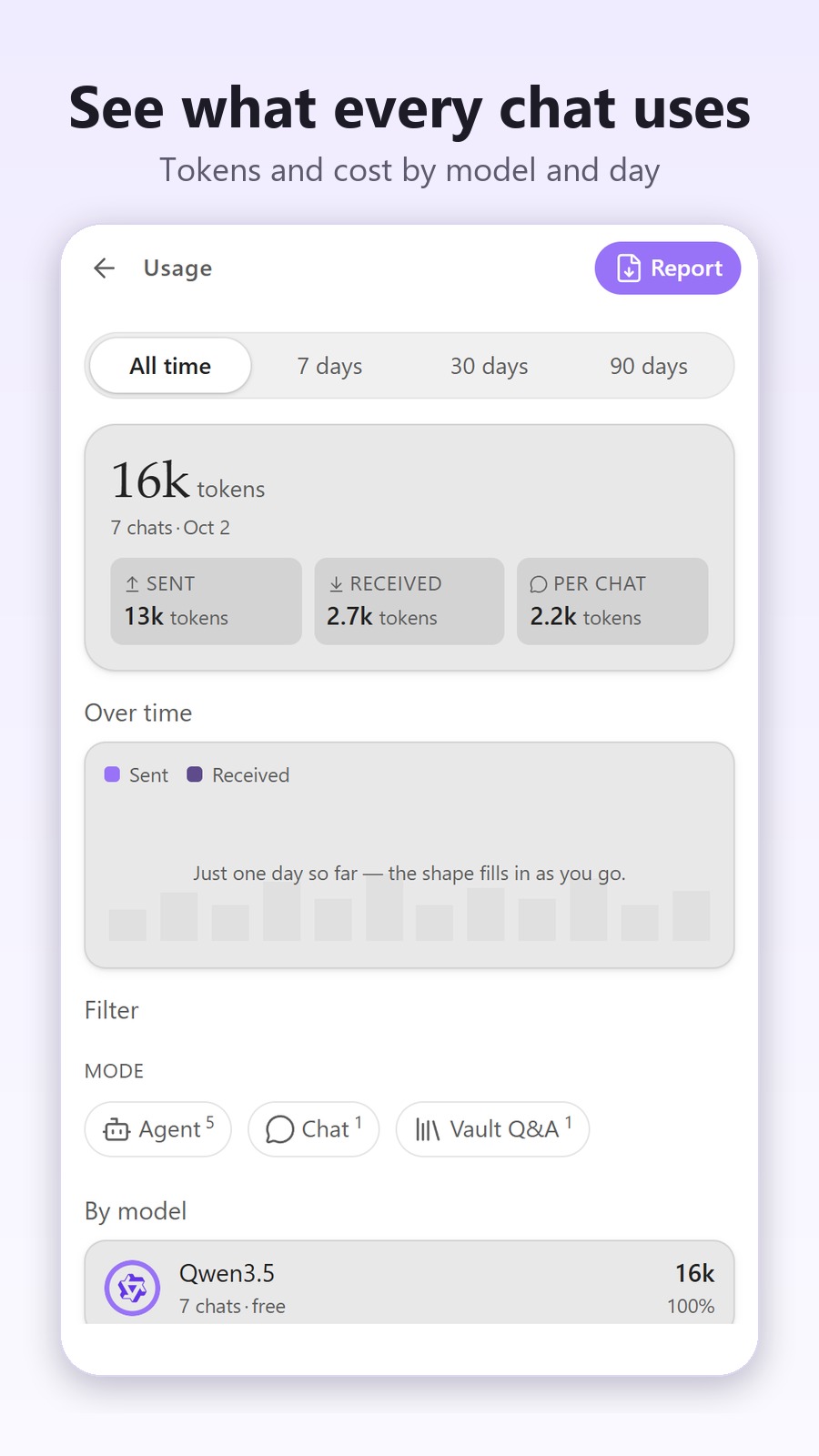
main.jsis about 440 KB, smaller than each of the 12 most-downloaded AI plugins (0.56 to 14.6 MB, median about 3.8 MB, measured October 2026). - Everything is Markdown. Chats, skills and cost reports are files in your vault, and a usage dashboard shows what you spend by provider, model and day.
More screenshots
Install
Requires Obsidian 1.11.4 or newer, on desktop or mobile, and either an API key for one provider or a local Ollama server.
- Open the AXXA Agent page in the community directory and choose Add to Obsidian, or in Obsidian go to Settings → Community plugins → Browse and search for AXXA Agent.
- Select Install, then Enable.
- Open it from the ribbon icon or the command palette (AXXA Agent: Open).
Beta builds (BRAT)
Test builds are published as GitHub pre-releases. Install BRAT, add axxalab/axxa-agent, and BRAT keeps you on the latest beta. Betas can break; the community directory always serves the stable release.
Manual install
- Download
main.js,manifest.jsonandstyles.cssfrom the latest release. - Copy them into
<vault>/.obsidian/plugins/axxa-agent/. - Reload Obsidian and enable the plugin in Settings → Community plugins.
Quick start
- Open Settings → AXXA Agent → Providers.
- Add a key for one provider (where to get one), or set your Ollama server address (usually
http://localhost:11434). - Start a chat from the home screen, pick a mode, and send.
Free ways to start: Google Gemini's free tier, OpenRouter's free models, or a local model through Ollama, which needs no key and no account. The first message locks the provider, model and mode for that conversation.
The three modes
| Mode | What it does |
|---|---|
| Chat | A conversation with the model you pick: streaming answers, Markdown, code blocks with copy buttons. No vault access unless you turn it on. |
| Vault Q&A | Answers grounded in your notes. Search finds the relevant passages and the answer cites them. |
| Agent | The model uses tools on your vault: search, list, read, create, edit, move and delete notes and folders, with confirmations. |
How Vault Q&A searches
- Hybrid search: semantic similarity plus keyword (BM25) ranking, re-ranked with your vault's link graph.
- 8 embedding models across 4 providers: OpenAI (
text-embedding-3-small/large,ada-002), Gemini (gemini-embedding-001,text-embedding-004), NVIDIA NIM (nv-embedqa-e5-v5,llama-3.2-nv-embedqa-1b-v2) and OpenRouter's free Nemotron VL. - The index is stored in your vault and updates incrementally, only for changed files. Without an embedding model (or offline), search falls back to keywords.
Providers
All providers use your own key. You only need one.
| Provider | Type | Free option | Get a key |
|---|---|---|---|
| OpenAI | Cloud | No | platform.openai.com/api-keys |
| Anthropic (Claude) | Cloud | No | console.anthropic.com |
| Google Gemini | Cloud | Free tier | aistudio.google.com/apikey |
| OpenRouter | Cloud, many models | Free models | openrouter.ai/keys |
| NVIDIA NIM | Cloud | Free credits | build.nvidia.com |
| Ollama | Local, no key | Free | ollama.com, then set the server address in Settings |
Model lists come live from each provider. Badges show what each model can do (vision, tools, free tier, image or audio generation), and a banner warns you when a model can't do what the current mode needs.
Agent safety
The agent uses eight tools: vault_search, vault_list, vault_read, vault_create, vault_edit, vault_move, vault_delete and vault_create_folder. Three permission levels decide what it can do without asking:
- Ask (default): every change waits for your OK.
- Vault: creates, edits and moves run on their own; deletes still ask.
- YOLO: everything runs on its own except deletes, which always ask.
File paths are sandboxed to your vault, and the confirmation shows exactly what will change.
Privacy and data
- No telemetry, no account, nothing sent to us. Requests go only to the providers you configure and to web pages you ask it to read.
- Keys stay on your device in your OS keychain (Obsidian's
secretStorage), never indata.json, so they don't travel through Sync or backups. - Your notes leave the device only to the provider you chose, as part of a conversation or the Vault Q&A index. The index itself is stored in your vault.
- Offline with Ollama. Chat and the agent run fully on your machine with a local model; Vault Q&A then searches by keyword, because the embedding models are cloud services.
When you use a third-party provider, its own terms and privacy policy apply.
Disclosures
Per Obsidian's developer policies, in plain terms:
Network use. Requests go only to the AI providers you configure (OpenAI, Anthropic, Google Gemini, OpenRouter, NVIDIA NIM, ElevenLabs for optional read-aloud voices, and your own Ollama endpoint) and to any web page you ask it to fetch with + › Link. What each one receives:
- the chat provider: your messages, the notes, files, images, PDFs and web pages you attach, and the vault excerpts described under Automatic context;
- the embedding provider (Vault Q&A): the text of your notes while the index is built, and the images too if you pick an image-capable embedding model, plus each search query;
- OpenAI's transcription API: your voice recordings, when you dictate;
- OpenAI or ElevenLabs: the text of an answer, when you press Listen.
There is no telemetry and nothing is sent to us. Answers are rendered as Markdown, so an image link inside an answer is loaded from wherever it points.
Accounts and payment. The plugin is free, but it needs your own key for at least one provider (Ollama, running locally, needs none). Most providers bill API usage per token; some offer free models or quotas.
Vault enumeration. The plugin reads your vault's file list (Obsidian's
getMarkdownFiles/getFiles) to build the Vault Q&A index, for the keyword half of vault search (Vault Q&A, Agent context and the agent'svault_search), for the note picker (+ › Notes,[[mentions and project sources) and, only if you turn on Let it see your note names (off by default), so the creation assistant can suggest notes for a project. The list itself stays on your device, with three exceptions: in that last case the paths of up to 300 recent notes (never their content) go to the assistant's model; in Agent mode thevault_listtool sends the names of the files in a folder (the vault root included) to the chat model, without asking; andvault_searchsends the paths and excerpts of the notes it finds.Automatic context. In Vault Q&A and Agent conversations, a per-chat vault switch starts on: excerpts of the notes that match your message are sent with it to the chat provider. In Chat it starts off.
Files read and written. Chats and the Vault Q&A index are saved inside your vault, in the hidden
.axxa/folder by default. When you ask for them, exports go toaxxa-ai/exports/, usage reports toaxxa-ai/reports/and skills toaxxa-ai/skills/. In Agent mode the model can read any text file in your vault and create, edit, move and delete notes and folders through its tools. Changes ask for confirmation according to the permission level you set (and Approve all in that dialog stops asking for reversible changes until the session ends), but deletes always ask.
Why the plugin uses fetch, and the one Node API it touches
Obsidian recommends its own requestUrl for network requests, and AXXA uses it everywhere it can. But requestUrl returns the whole response at once and cannot stream, and streaming is what makes an answer appear as it is written (and what lets Stop actually stop the model). So chat replies from OpenAI, Anthropic, Gemini, OpenRouter and Ollama stream through the browser's fetch, in a single helper (fetchStream in src/providers/_shared.ts). That helper calls it as window.fetch, the very same function as fetch (the bare name is just a shortcut to it). Obsidian's review linter only checks the bare name, so it no longer flags this call; we would rather say so here than let the review read as "no fetch". If streaming can't connect (for example, blocked by CORS on mobile), the plugin falls back to requestUrl and shows the answer in one piece.
The NVIDIA NIM provider asks Electron for Node's https to stream on desktop (nim.ts). It is gated behind Platform.isMobile, wrapped in try/catch, checked for shape, and falls back to requestUrl; on mobile that branch is never reached.
FAQ
Is it free?
Yes. Every feature in the plugin today is free, with no tier, no account and no license key, and it stays that way. If paid options appear later, they will be new things built on top, never a lock on something that already worked. You pay your AI provider directly; the plugin takes no cut.
Does the agent work on mobile?
Yes. Chat, Vault Q&A and the agent with its confirmations all run in the Obsidian mobile app. Cloud providers work anywhere; Ollama runs on a computer, so using it from a phone needs an Ollama server the phone can reach.
What leaves my device?
Only what goes to the provider you chose: your messages, what you attach, and the note excerpts that Vault Q&A and the agent use. Nothing goes to us. The full list is under Disclosures.
Which models are free?
Gemini's free tier, OpenRouter's free models (marked in the model picker), NVIDIA NIM's free credits, and any local model through Ollama.
Can I keep other AI plugins installed?
Yes. AXXA runs in its own panel, its styles are scoped to that panel, and it doesn't depend on or replace other plugins.
How do I report a bug?
Use the bug report form. Your platform, Obsidian version and the steps to reproduce make it much faster to fix. Questions go to Discussions.
More: effort, usage and cost
- Effort (Low to Max) scales how hard the model works: max tokens, agent turn limits, temperature, parallel tool calls, retries, and how much of your vault goes into context. Every level is tunable in Settings.
- Usage reads your saved chats and estimates spend in USD by provider, model, mode and day, with a 30-day heatmap. Export the report as PDF, Markdown or HTML.
Roadmap
- Now: stability across all six providers, and the agent with local Ollama models.
- Next: PDFs on Gemini, NIM and Ollama; a Coder mode with diff previews; a Portuguese interface.
- Later: MCP connectors (Notion, Linear, GitHub); optional paid extras such as cross-device sync and automatic media transcription.
Ideas and votes live in Discussions › Ideas.
Feedback and community
- Found a bug? Report it.
- Have a question? Ask in Discussions.
- Built a useful skill? Skills are
.mdfiles, so share yours in Discussions. - If AXXA helps you, a star on GitHub helps other people find it.
License
GPL-3.0-or-later, see LICENSE. Use it for anything, including at work, and fork it freely; if you distribute a modified version, ship its source under the same terms. The provider logos come from lobe-icons (MIT) and are credited in NOTICE.md.
© 2026 AXXA Lab™.