Auto Link Creator
 Autumn Fox190 downloads
Create notes and links from list templates, repeated phrases, and NLP keyword detection across your vault with a preview before applying.
- Overview
- Scorecard
- Updates7
An Obsidian plugin that automatically creates links and notes from your writing. Unlike other linkers that only replace text matching existing notes, this plugin suggests new links — driven by list templates, repeated phrases, and NLP keyword detection — and shows you a preview before applying anything. Supports aliases, pluralization, and works great alongside obsidian-automatic-linker.
Features
Template-based linking
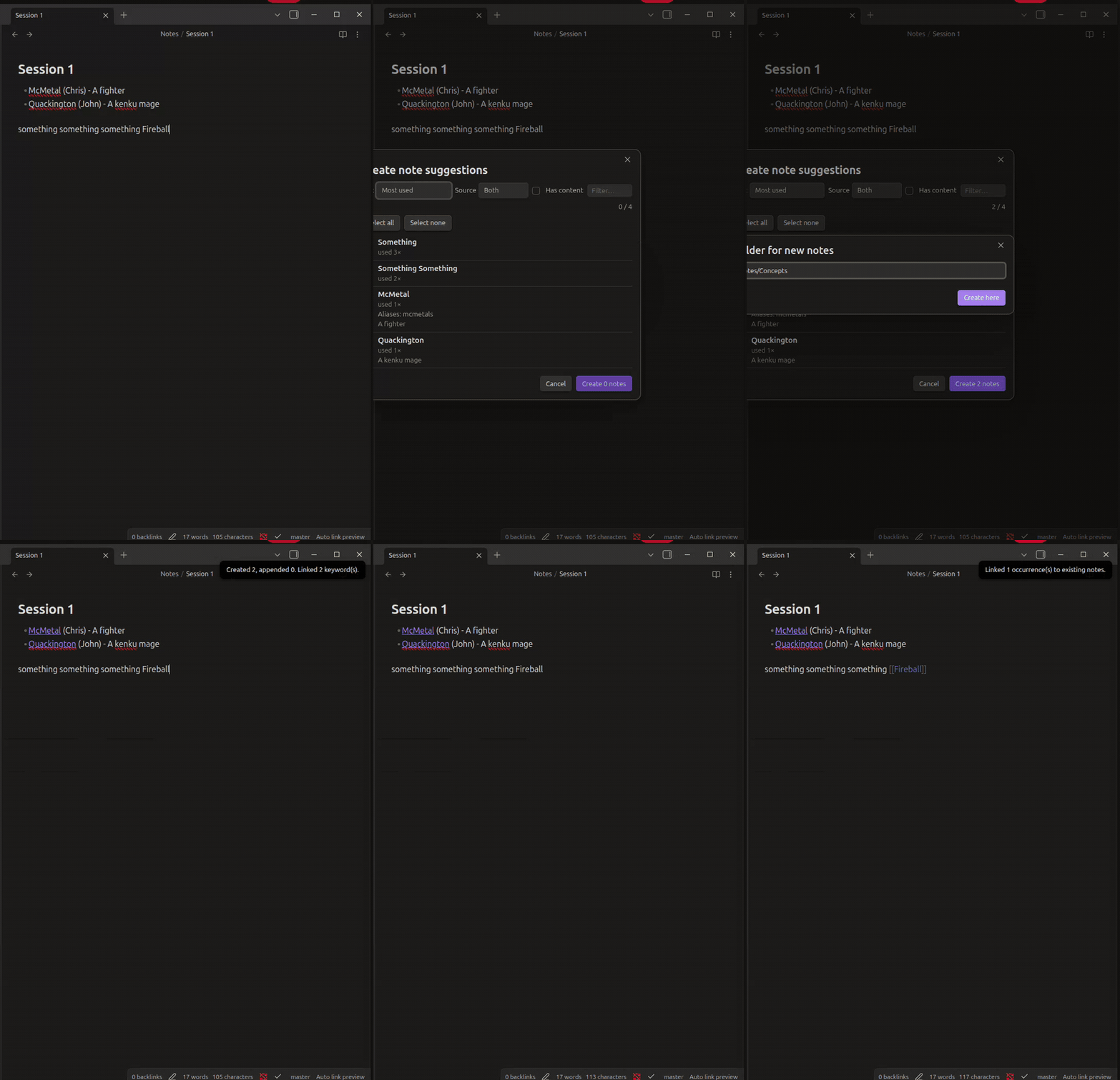
Write definition lists using templates; the plugin turns them into wiki links and creates the target notes with content.
Default templates (configurable, first match wins):
- {{Link Name}} ({{Link Alias}}) - {{Link Content}}
- {{Link Name}} ({{Link Alias}})
- {{Link Name}} - {{Link Content}}
Example input:
- Risk Appetite - Level of risk accepted by a company in terms of quantity and severity.
- Access control systems (ACS)
  - Identification
  - Authentication
  - Authorization
Result:
- [[Risk Appetite]] - Level of risk accepted by a company in terms of quantity and severity.
- [[Access Control Systems|ACS]]
  - Identification
  ...
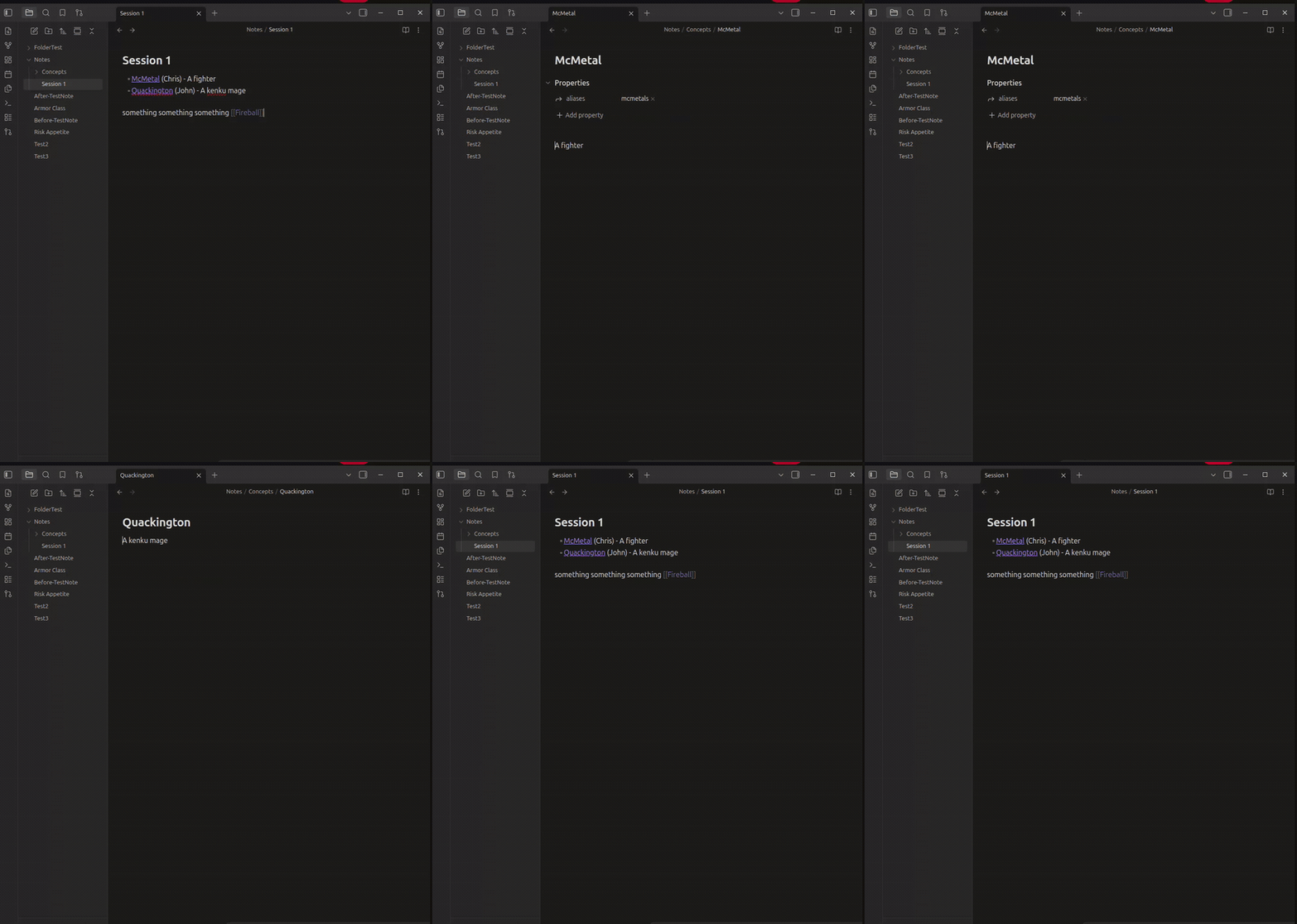
A note Risk Appetite.md is created containing the content, plus an acs alias on Access Control Systems.
NLP keyword detection
Scans note prose for repeated phrases worth linking:
- Frequency counting with stop-word removal (plus your own extra stop words)
- Lemmatization and singularization:
Cow⇄Cows,Party⇄Parties,Changed/Changing→Change - Variants are added as aliases so all forms resolve to the same note
- Code blocks are skipped
Linking to existing notes
Instead of only creating new notes, the plugin can detect phrases that match existing note names or aliases and link them — either by exact text match or by NLP root/variant match (cows links to a note named Cow).
Preview before applying
Destructive operations go through a preview modal first: see every suggested link, which file it came from and why it was suggested, select/deselect items, then apply. Undo is supported (updated notes can be opened in background leaves for native Ctrl-Z rollback).
Commands
| Command | Description |
|---|---|
| Process current file and preview links | Scan active note, preview suggested links |
| Process current file without preview | Apply directly (respects settings) |
| Link existing notes in current file | Only link phrases matching existing notes |
| Process whole vault and preview links | Scan all notes, batch preview |
With Link on save enabled, the active note is processed automatically when saved.
Settings
- Templates — line patterns with
{{Link Name}},{{Link Alias}},{{Link Content}} - Keyword sources — enable/disable template-based and NLP-based keywords; add extra stop words
- Ignore code blocks
- Link on save, Open files for undo
- Capitalize names — capitalize each word of note names/link text
- Existing notes — enable, choose exact vs NLP-root matching, optional on-save trigger
New notes are created in the same folder as the source note (or the highest common folder / vault root in vault-wide runs). If a note already exists, its content is appended instead.
Installation
From community plugins
- Open Settings → Community plugins → Browse.
- Search for Auto Link Creator.
- Click Install, then Enable.
Manual install
- Download
main.js,manifest.json, andstyles.cssfrom the latest release. - Copy them into
<Vault>/.obsidian/plugins/auto-link-creator/. - Reload Obsidian and enable the plugin in Community plugins.
Or via BRAT: add AutumnEvans418/Obsidian-Auto-Link-Creator as a custom repository.
Development
npm installnpm run dev— watch buildnpm run test— unit tests (node --test)npm run lint/npm run build— lint + typecheck + production bundle
License
0-BSD — see LICENSE.