Auto Filename
 rcsaquino8k downloads
Automatically rename files on the go based on the first x characters of files.
- Overview
- Scorecard
- Updates19
📁 Simplify your file naming workflow
🙌 Obsidian Auto Filename is a plugin that automatically renames files in Obsidian based on the first x characters of the file. This can save you a lot of time and effort, especially if you create a lot of new notes or files on a regular basis.
🔧 The plugin is easy to use. Simply install it from the Obsidian community plugins and configure the settings to your liking. You can choose the target folder where you want the plugin to rename files, the number of characters to use for the filename, and whether or not to hide the inline title for files in the target folder.
🚀 Once you have configured the plugin, it will automatically rename any new files that you create in the target folder. You can also rename all of the files in the target folder at once by clicking the "Rename All files" button in the plugin settings.
📝 Obsidian Auto Filename is a great plugin for anyone who wants to simplify their file naming workflow. It is especially useful for people who use Obsidian to create a lot of new notes or files on a regular basis.
😊 Try Obsidian Auto Filename today and save yourself time and effort!
Demo
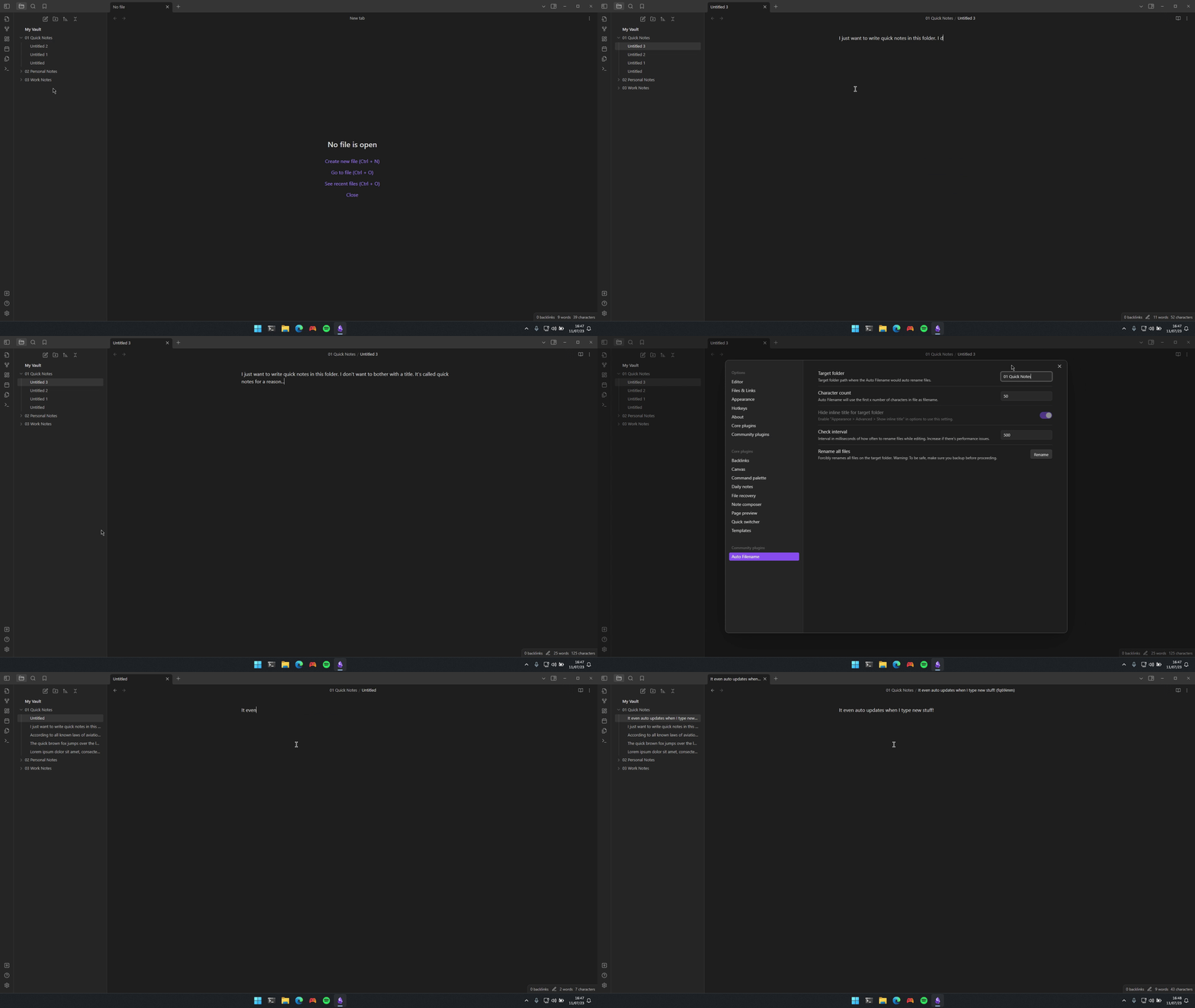
How to use
- Install from obsidian community plugins.
- Setup settings
- Include
- Field: accepts folder paths from vault.
- Folder paths where Auto Filename would auto rename files. Separate by new line. Case sensitive.
- Default: none
- Examples:
- My Folder
- Folder/Sub Folder
- /
- Use header as filename
- Toggle
- Uses the header as filename if the file starts with an H1.
- Default: on
- Only use the first line - Toggle - Ignore succeeding lines of text when determining filename. - Default: off
- Hide inline title for target folder
- Toggle
- This overrides "Appearance > Interface > Show inline title" for files on the target folder.
- You must enable "Show inline title" in options to use this setting.
- Default: off
- YAML Support
- Toggle
- Enables YAML support.
- Default: on
- Include Emojis
- Toggle
- Include or remove emojis in the filename.
- Default: on
- Character count
- Field: accepts number from 10 to 100.
- Auto Filename will use the first x number of characters in file as filename.
- Default: 50
- Check interval
- Field: accepts number
- Interval in milliseconds of how often to rename files while editing. Increase if there's performance issues.
- Default: 500
- Rename All files
- Button
- Renames all files on the target folder.
- Warning: To be safe, make sure you backup before proceeding.
- Include
Manual install
- Download
main.js,styles.cssandmanifest.jsonfrom the latest release. - Copy or move the downloaded files to
path_to_your_vault/.obsidian/plugins/obsidian-auto-filename.
Support my work
If you like Auto Filename, then please support my work and enthusiasm by buying me a coffee on https://ko-fi.com/rcsaquino😊.