Attachment Audit
 saiken404 downloads
Audit attachments for true orphans, duplicates, oversized files, bad names, and misplaced files, then clean them up safely.
- Overview
- Scorecard
- Updates6
Safe attachment cleanup with evidence, not guesswork.
Attachment Audit scans your vault for truly unused attachments, duplicates, oversized files, junk-named pastes, and misplaced files — then shows exactly what is reclaimable before you touch anything.
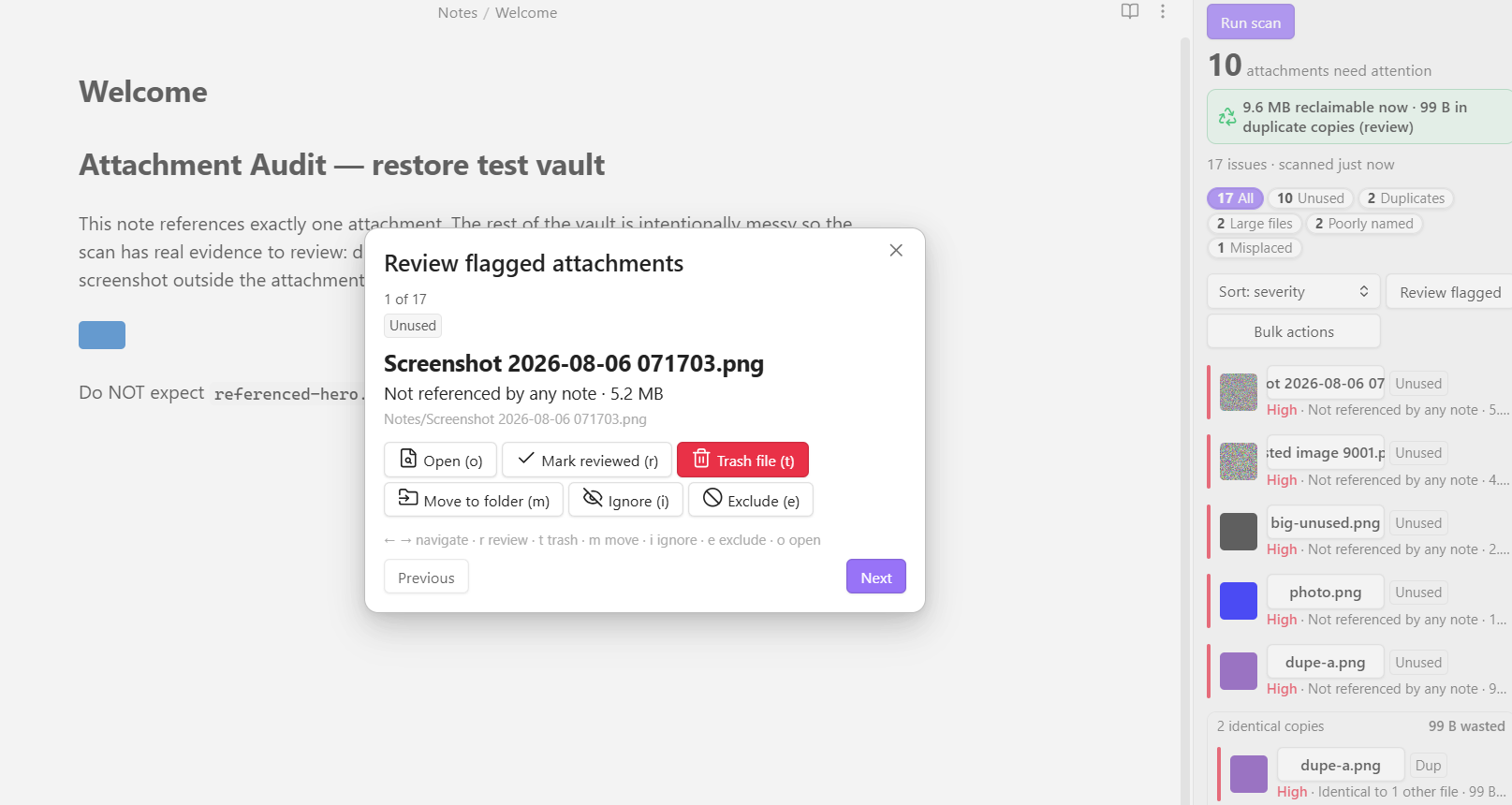
Hero image is a live Obsidian capture from the same scan: the review modal is open on a 5.2 MB misplaced screenshot, while the dashboard on the right shows 10 flagged attachments, 9.6 MB reclaimable, duplicate review, large-file hits, and junk-name detection.
Works offline · One-time payment · Unlimited future updates · No account
Attachment Audit gives you the part most vault tools avoid: enough evidence to clean attachments without guessing. Free lets you audit the vault properly and clean one file at a time. Pro unlocks bulk cleanup, saved scan profiles, custom rules, and severity tuning when the vault is too messy for babysitting.
- Buy once, unlock in seconds: Buy Attachment Audit Pro — automated key delivery, offline activation, no subscription.
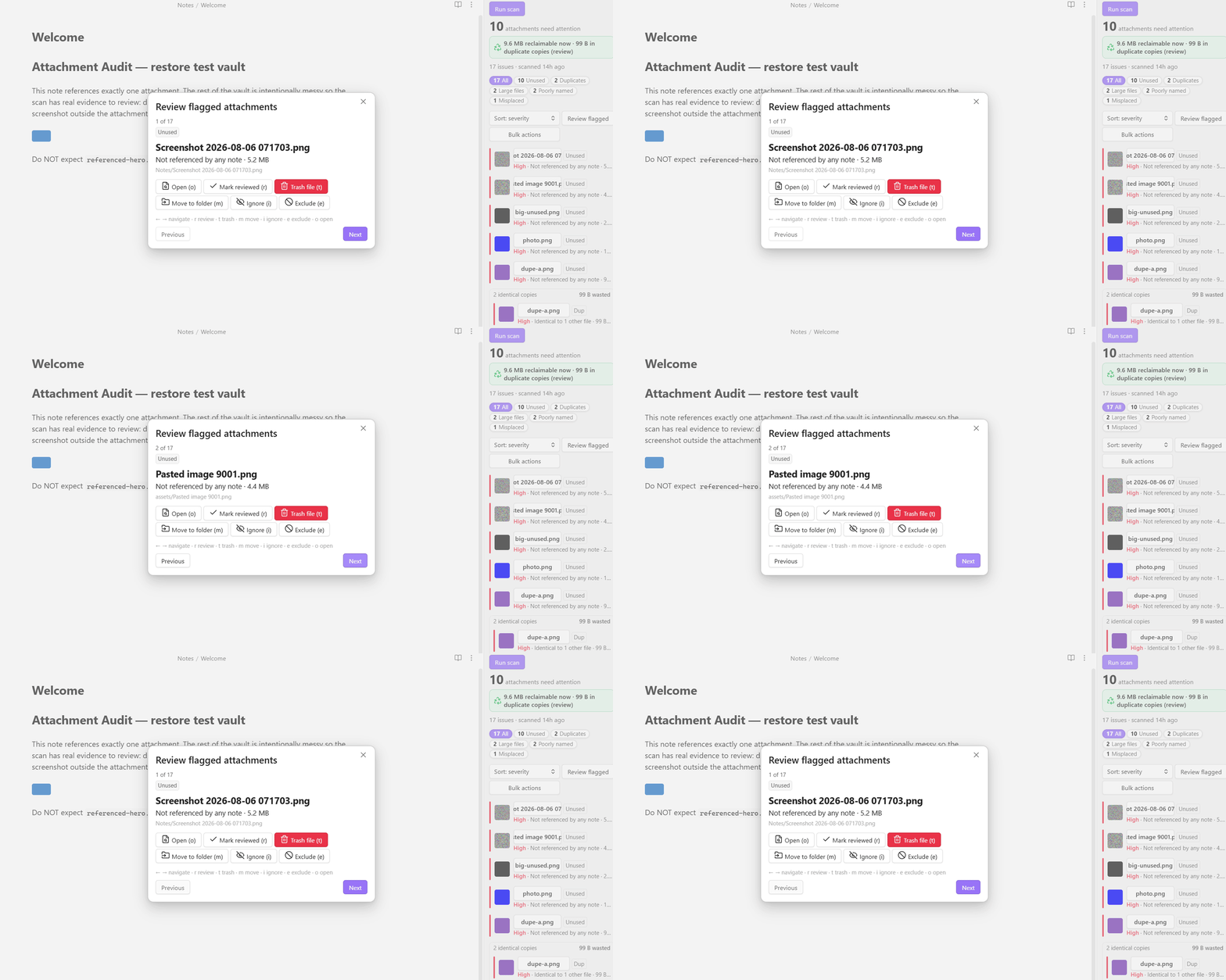
Motion proof: a live Obsidian capture from the restore test vault cycling through flagged files in the review flow. It moves from a 5.2 MB misplaced screenshot to another junk-named orphan while the same scan summary stays visible on the right.
Built for the moment when "I think these files are junk" is not good enough and you want evidence before you start deleting.
Best fit if you:
- have a vault full of screenshots, pasted images, PDFs, and mystery files you no longer trust
- want proof before deleting anything
- need to reclaim space without breaking notes or babysitting file cleanup one attachment at a time
Free vs Pro at a glance
Free is a complete audit tool. Pro is for changing many files at once.
| Feature | Free | Pro |
|---|---|---|
| All six detectors | ✓ | ✓ |
| Dashboard with reclaimable-space total | ✓ | ✓ |
| Image previews and duplicate grouping | ✓ | ✓ |
| One-file-at-a-time cleanup | ✓ | ✓ |
| Open / reveal / rename / ignore / exclude / mark reviewed | ✓ | ✓ |
| Per-detector thresholds and exclusions | ✓ | ✓ |
| Multi-select, bulk ignore and bulk mark-reviewed | ✓ | ✓ |
| Markdown report export | ✓ | ✓ |
| Cleanup history and restore | ✓ | ✓ |
| Your first bulk cleanup | ✓ | ✓ |
| Unlimited bulk trash, dedupe and move | ✓ | |
| Saved scan profiles | ✓ | |
| Custom rules | ✓ | |
| Severity tuning | ✓ |
- Free: audit the vault properly, inspect evidence, and clean cautiously one file at a time.
- Pro: stop babysitting cleanup and clear whole batches safely — with bulk actions, saved profiles, custom rules, severity tuning.
Why Pro is worth paying for
Free proves the audit is trustworthy. Pro makes cleanup practical at real vault size.
The paid value is not just "more settings." It is the difference between:
- checking suspicious files one by one
- actually reclaiming space across a large vault without turning cleanup into a part-time job
If your vault has become a landfill of screenshots, pasted images, duplicate exports, and old PDFs, the practical Pro win is:
- bulk trash, move, and dedupe instead of one-file babysitting
- saved scan profiles for recurring cleanup passes
- custom rules for your vault's own mess patterns
- severity tuning so the dashboard matches your standards, not a generic default
That is the upgrade story: not "extra knobs," but "I can finally clean this vault like an adult."
What problem it solves
Most attachment tools optimize for naming or filing. Useful, sure. But that is not the scary part.
The scary part is cleanup:
- which files are truly unused
- which ones are duplicated waste
- which giant files are eating your vault alive
- which ones can be moved or trashed safely
Attachment Audit exists to make that decision with evidence instead of vibes.
What it catches before cleanup
- Unused — attachments no note truly references
- Duplicates — byte-identical copies grouped with SHA-256, shown as one cluster with the recoverable total
- Large files — oversized attachments worth reviewing first
- Poorly named — junk like
Pasted image...,Screenshot...,IMG_1234, orUntitled - Misplaced — attachments living outside your chosen attachment folder
- Broken links — the inverse problem: links pointing at attachments that no longer exist, with the notes to fix
Why it is safer than a generic orphan finder
Attachment Audit does not flag an attachment as unused from resolved Markdown links alone.
It cross-checks two independent signals:
- resolved links
- a raw-content mention scan across note bodies, frontmatter, canvas files, and around forty text formats — including
.txt,.tex,.json,.excalidraw, SVG, HTML and CSS
It also reads Obsidian's own config folder, so an image used only by a CSS snippet or by another plugin's settings is not mistaken for junk.
That means a file referenced only in canvas, frontmatter, raw HTML, a LaTeX include, or a theme snippet is far less likely to be misclassified as trash.
It also keeps cleanup sane:
- nothing is hard-deleted
- moves and renames preserve links
- moves never flatten your subfolders
- duplicate cleanup only removes copies nothing links to, and never trashes every copy
- destructive actions re-validate before acting, and show you exactly which files they will touch
- if any source file cannot be read, nothing is flagged unused that run
- everything it changes is recorded, and you can put it back
Restore and rollback
Every trash, move and rename is recorded: which files, from where, to where, and when. Open it from the dashboard, the command palette, or settings — and click once to put a whole action back.
Restoring is free at any size. Pro is for doing cleanup at scale; recovering from cleanup is safety, not scale.
It is also honest about what it cannot do. Only files sent to the vault's .trash folder can be restored by a plugin:
| Your "Deleted files" setting | Can Attachment Audit restore it? |
|---|---|
Move to Obsidian trash (.trash) |
Yes, in one click — after verifying the file's content is the one you trashed |
| Move to system trash | No — it tells you to restore from there |
| Permanently delete | No, and it says so before you confirm |
Where a trashed file went is recorded at the moment of the action, so changing that setting later can never make the history offer a restore that would not work. Before putting a file back, its size and content are checked against what was recorded — if it cannot be identified with certainty, the restore refuses and says why rather than guessing. Moves and renames are always reversible, and reversing one re-updates every link it changed.
Activate Pro
- Purchase via Buy Me a Coffee — Attachment Audit Pro.
- Your license key is emailed to you automatically, within seconds — delivery is fully automated, no waiting.
- Paste it into the plugin's settings — Pro unlocks instantly, verified offline.
Install in 30 seconds
Community plugins
Open Settings → Community plugins, search Attachment Audit, and install it — one click, auto-updates.
Manual install
Copy main.js, manifest.json, and styles.css into .obsidian/plugins/attachment-audit/ in your vault, then enable the plugin.
Get to the first safe cleanup
- Run Attachment Audit: Run attachment scan from the command palette.
- Optionally set an attachment folder to enable misplaced-file checks and one-click moves.
- Review the reclaimable-space summary and work through the flagged files.
Practical safety notes
Attachment Audit touches files, so safety is the whole business model:
- trash respects your Obsidian deleted-files setting
- "unused" requires two signals to agree
- duplicate cleanup keeps at least one copy and never touches a referenced file — see How duplicate cleanup decides
- moves and renames use Obsidian's link-updating rename flow
- every destructive action confirms and re-checks before acting
What it is good for
- Reclaiming space from truly unused attachments without trusting a flimsy orphan list
- Finding duplicate waste before it quietly bloats sync time and mobile storage
- Cleaning junk names and misplaced files once you have evidence, not hunches
- Reviewing broken links and attachment-folder drift before the vault gets sloppier
How duplicate cleanup decides
"Trash duplicate copies" is not a merge action. It never rewrites a link, because it never trashes a file that anything links to. That is the whole design: declining to delete a file is safe, silently repointing links is not.
A duplicate copy is trashed only if all of these hold:
- It is selected. Unselected copies are never touched.
- The same scan flagged it Unused — the two-signal check: no note resolves a link to it, and its filename appears nowhere in any note body, frontmatter field, canvas, or other text source. Both signals have to agree.
- It still has zero inbound references at the moment you click. Re-checked live, per file, immediately before trashing.
So for a set of byte-identical copies:
| Your cluster | What happens |
|---|---|
| One copy linked, the rest orphaned | The orphans are trashed. The linked copy survives — it was never eligible. |
| Every copy is orphaned | One copy is kept and the rest are trashed. You never lose the content. |
| Two or more copies are linked | Nothing is trashed. You get a notice: "no safely-removable duplicate copies (all are referenced or would be the last copy)." |
There is no "smart" choice of which copy is better. Linked copies survive because they are ineligible, not because they were preferred. In the all-orphaned case the survivor is simply the first in the current list order — so if you care which specific file survives, deselect it before running the action.
To actually merge two linked duplicates: search your vault for the filename of the copy you want to lose, repoint those links at the copy you want to keep, then rescan. The loser is now Unused and can be trashed normally. Automatic cross-duplicate repointing is not implemented, and will not ship until it can't corrupt a vault.
Related: Move and Rename do update links — Markdown links, wikilinks, and canvas references, via Obsidian's own link-updating rename. They do not rewrite raw HTML <img src="..."> or path strings stored in frontmatter. Duplicate cleanup needs none of this, since it only ever removes files nothing points at.
Private by default
Everything runs locally in your vault.
- no network calls
- no telemetry
- no account
- offline license validation
FAQ
Why not just use a free orphan finder? Because "lists possible orphans" and "safe enough to bulk-delete" are not the same thing.
If I trash a duplicate, will links to it break? No. "Trash duplicate copies" only removes copies that nothing links to, so there is nothing to break and nothing to repoint. If two duplicates are both linked, neither is trashed. See How duplicate cleanup decides.
Does Pro require an account? No. Pro uses a one-time offline license key.
Does Attachment Audit upload my files anywhere? No. It runs locally in your vault.
Feedback and support
Bug reports, feature requests, and questions all go to the GitHub issue tracker. It is the only place I track them, so an issue will always get further than a review comment.
- Report a bug — please include your Obsidian version, your operating system, and the steps that reproduce it.
- Request a feature — describe the workflow you are trying to make faster; that is more useful than a proposed solution.
- Browse open issues — worth a look first, in case it is already tracked.
More plugins by the same author
Small, local-first Obsidian plugins that each do one job and keep your data in your vault. All of them are in the community directory — search the name under Settings → Community plugins.
Search and views
- Vault Spotlight — keyboard-first command center — fuzzy search, saved workflows, and result actions.
- Bases Power Pack — kanban, calendar, Gantt, and outline views over your notes or a
.basefile.
Vault health
- Vault Triage — find stale, orphaned, unfinished, and metadata-broken notes, then work through them.
- Patina — score every note's staleness from edits, opens, and inbound links.
- Vault Router — move new notes out of Inbox with fast local routing rules.
- FlowKit Health Dashboard — find which add-on is breaking your vault, and score every one installed.
Writing and research
- Prose Lens — live writing feedback — passive voice, adverbs, hedges, cliches, and a reading grade.
- Prior Art — show similar existing notes while you write, and merge duplicates without losing links.
- Standing Questions — track the open questions in your vault and surface new notes that may answer them.
- Unwritten — report the notes you never wrote — unexplained link pairs, stub hubs, unreasoned decisions.
- Effort Index — measure the editing time behind every note and resurface the expensive ones.
Time and billing
- Task Calendar Bridge — export dated Markdown tasks to standards-based ICS calendar files.
- Invoice Forge — turn
#billablenotes into numbered invoices, so nothing is missed or billed twice. - Time Tracker and Invoicing — track billable time against notes and projects, then invoice by client.