Atomic Tracker
 Justin715 downloads
Track exercise and hobbies with heatmaps, cues, timers, and a daily dashboard.
- Overview
- Scorecard
- Updates21
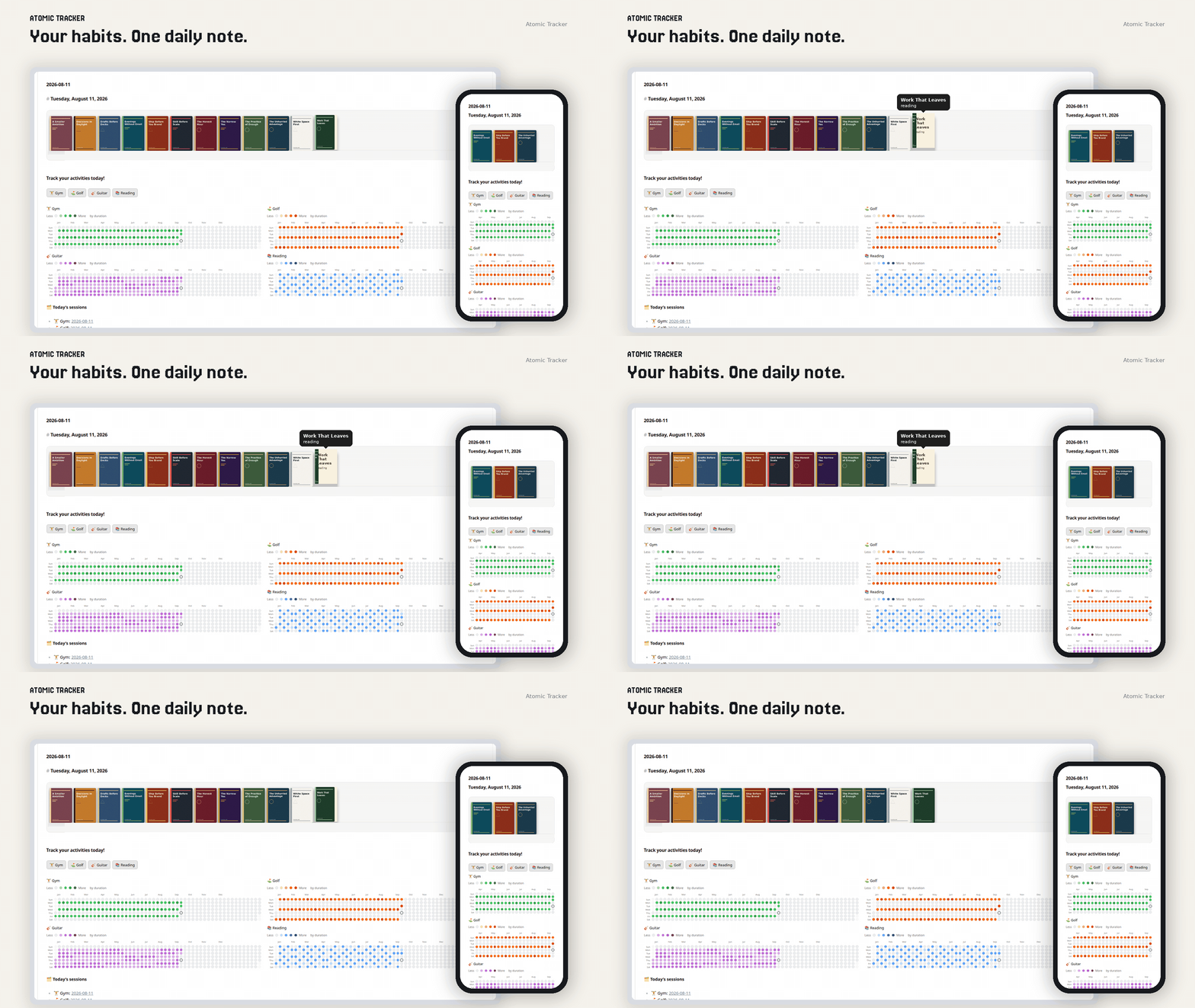
Habit tracking in Obsidian. Sessions, reading, heatmaps, one daily note.
Guide: docs/USER_GUIDE.md
Install: Community plugins (when listed), or copy main.js, manifest.json, and styles.css from the latest GitHub Release into .obsidian/plugins/atomic-tracker/. Do not use “Source code (zip)”. After an update, Atomic shows a short What's new notification once. Step-by-step: user guide.
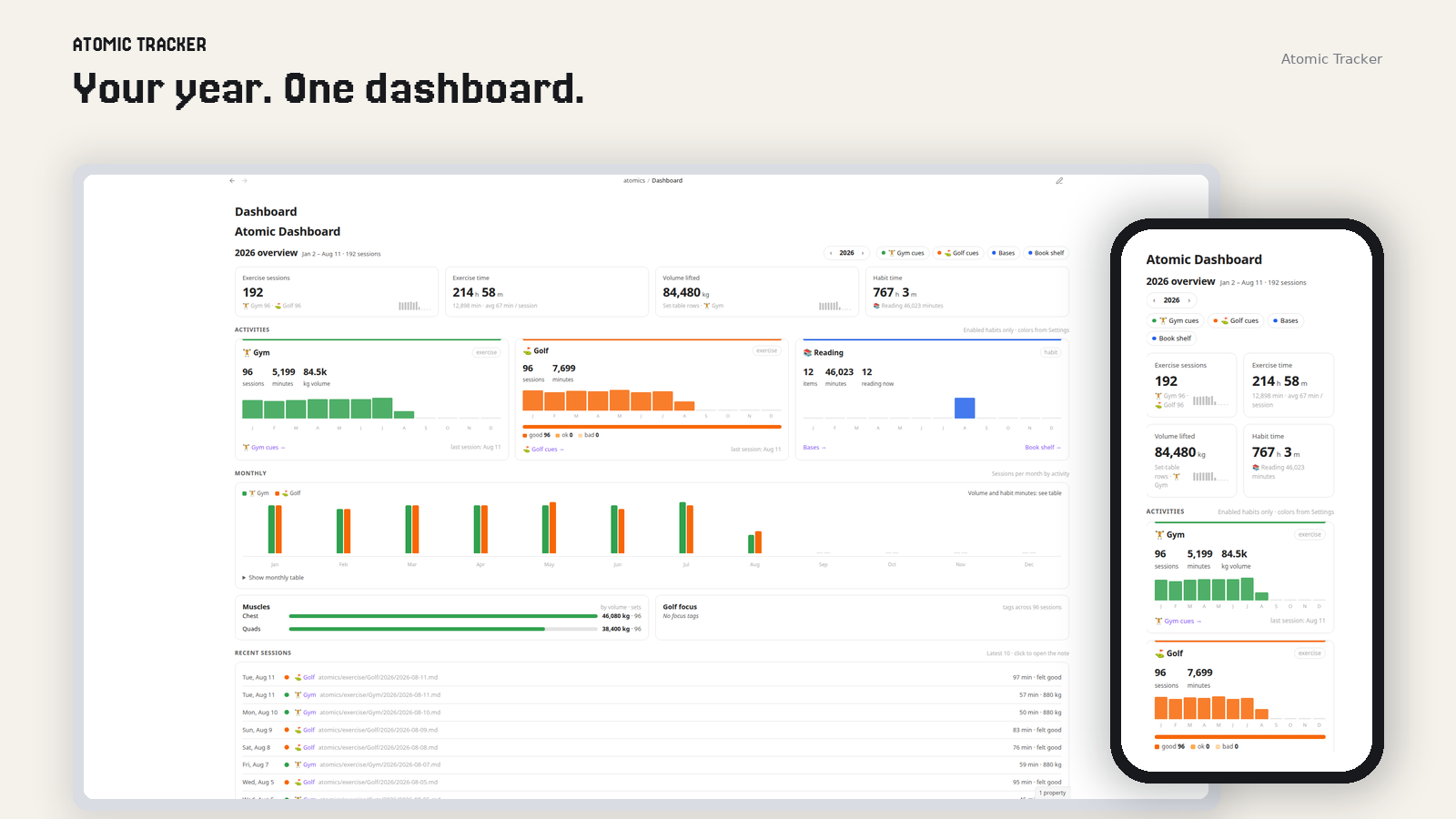
Dashboard
KPI cards, per-habit activity, a monthly chart, and recent sessions. Open atomics/Dashboard.md or Open dashboard.
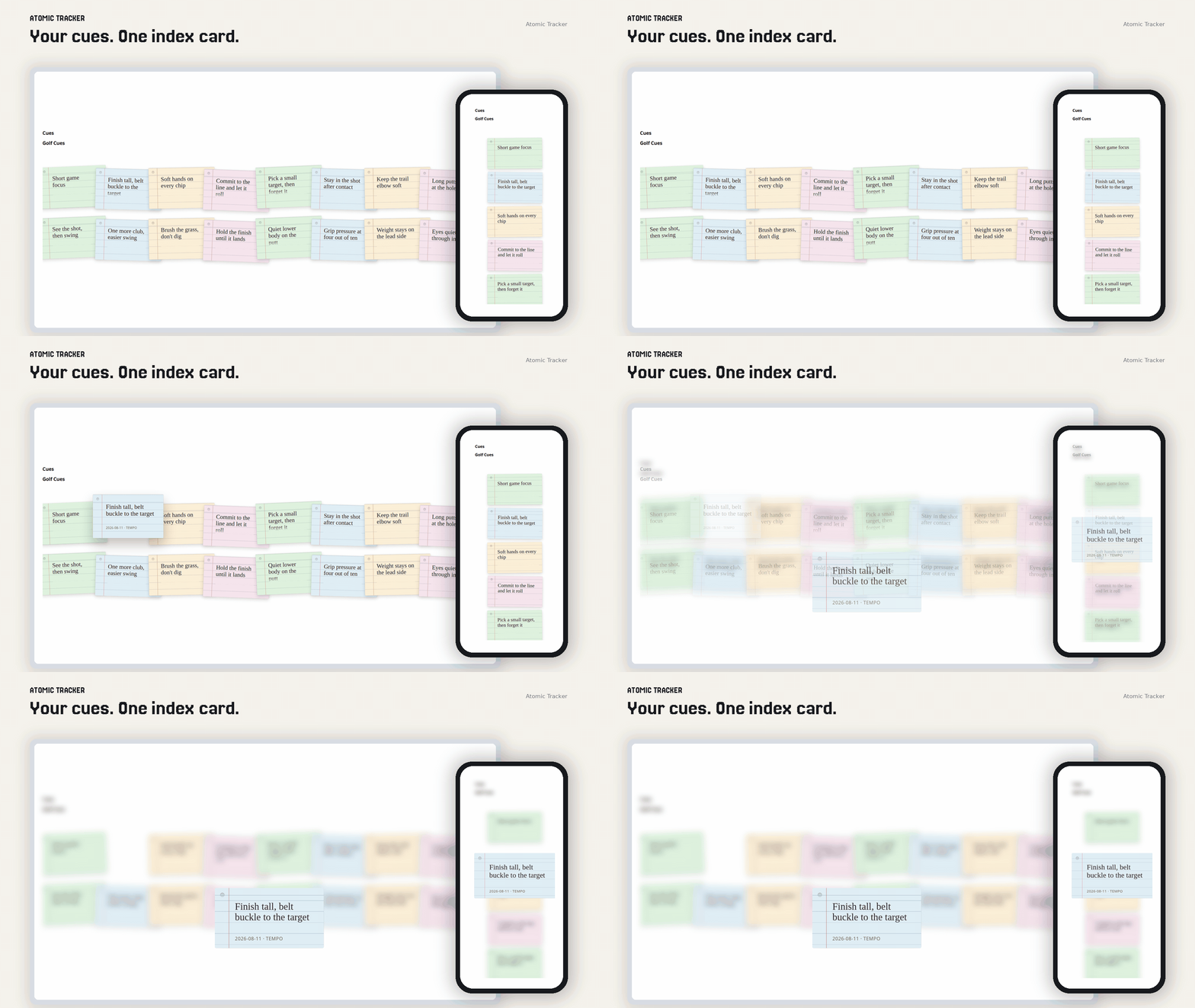
Cue cards
Every cue of the year as a fanned stack of index cards. Hover to preview, then click (or tap) to move the card to the center of the screen. Add a cue from the form on a session note.
Copy-paste notes: examples/daily-notes · examples/templates · examples/dashboard
Command palette: Create today's daily note and Create daily note template. Paths follow Daily Notes / Templates core settings (Obsidian defaults when unset). Wiring: examples/README.md.
What it does
- Exercise sessions and custom habits: enable/disable, one color picker → four heatmap shades
- Gym set log (
atomic-gym-log): pick an exercise, enter weight and reps, click Add set. You don't type the table row yourself - Cue log (
atomic-cue-log): type multiline markdown (English or Traditional Chinese) on a session note and click Add cue; logged cues show as the same index cards as the cue page - Cue pages (
atomic-cueswithactivity:): every cue of the year as an index card in a fanned stack; hover previews, click or tap opens a centered card that grows with the cue and scrolls if it is taller than the window - Exercise date notes (gym, golf, and peers) include a start/stop timer that writes
duration_min - Reading items with timers, book shelf, and Bases
- Heatmaps filterable with
activity: …, optional 2×2 grid (columns,rows, …) - Yearly dashboard: KPI cards, per-habit activity cards, monthly chart, and recent sessions
- Property dropdowns for Reading
status, golffelt/location, gymlocation/weight_unit(locationalso allows Custom…)
Settings → Atomic Tracker → Language: English (en, default) or Traditional Chinese & English (zh-Hant-en). Changing language never rewrites existing notes. Saved language is kept on existing installs.
Default vault layout
atomics/
├── Dashboard.md
├── exercise/
│   ├── Gym/
│   │   ├── Cues.md
│   │   └── YYYY/YYYY-MM-DD.md
│   └── Golf/
│       ├── Cues.md
│       └── YYYY/YYYY-MM-DD.md
└── hobbies/
    └── Reading/
        ├── Bookshelf.base
        ├── Book Shelf.md
        ├── Covers/
        └── Items/<Book>.md
Privacy
Atomic Tracker runs locally in your vault. It does not collect telemetry, require an account, or show ads. It does not call home. The only network fetch is if you set a book cover to an http(s): URL, which Obsidian loads like any other remote image in a note. It reads and writes notes under atomics/ and any other vault paths you configure (dashboard, activity folders, book covers).
License
Licensed under the Apache License 2.0.