Are.na Channels
 Francesco Bernini157 downloads
Render Are.na channels as live, responsive masonry grids inside your notes with a simple code block.
- Overview
- Scorecard
- Updates3
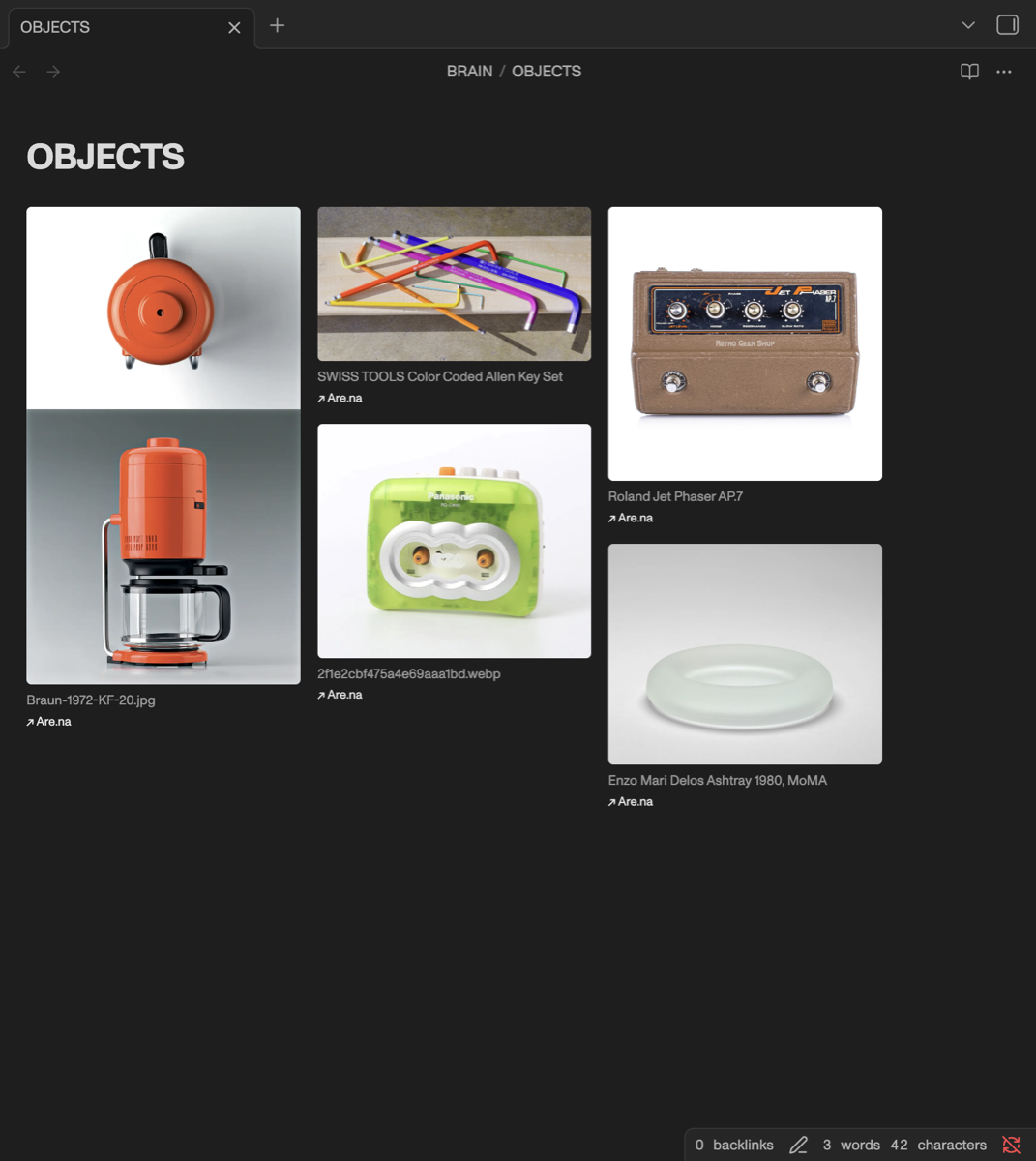
Render Are.na channels as live, responsive masonry grids inside your Obsidian notes with a single code block. Works in both Reading view and Live Preview.
Unofficial. This plugin is an independent community project. It is not affiliated with, endorsed by, or supported by Are.na. It uses the public Are.na API.
Usage
Add a code block to any note:
```arena
channel: arena-influences
```
The channel renders as a masonry grid that adapts its column count to the note width.
You can paste a full URL instead of a slug — it's extracted automatically:
```arena
channel: https://www.are.na/charles-broskoski/arena-influences
```
Per-block options
Any global setting can be overridden inside a block:
```arena
channel: arena-influences
columns: 300
gap: 20
variant: large
caption: description
description: true
link: false
fullwidth: false
```
| Key | Values | Default |
|---|---|---|
channel |
slug or Are.na URL (required) | — |
columns |
target column width in px | 240 |
gap |
space between items in px | 14 |
variant |
small / medium / large / original |
medium |
caption |
title / description / none (or on/off) |
title |
description |
true / false |
off |
link |
true / false |
on |
fullwidth |
true / false |
on |
caption chooses what text appears under each block. description adds the
block's description below the caption, collapsed to its first line — click it
to read the rest. caption: true / false still work as aliases for title /
none.
Settings
Access token — a Personal Access Token from are.na/settings/personal-access-tokens. Required only for private channels; public channels work without one.
Grid — default column width, gap, image quality, caption source, description preview, and Are.na links.
Full width — notes containing an Are.na grid use the full pane width, ignoring "Readable line length". No CSS snippet or
cssclassesfrontmatter needed; disable globally or per block withfullwidth: false.Open in Reading view — when you open a note that contains an Are.na block, switch it to Reading view automatically so the grid shows right away. Off by default. Press Ctrl/Cmd+E to edit.
Note: this conflicts with plugins that enforce a view mode, such as Force note view mode ("View mode by frontmatter"). If one of those sets a default mode, it overrides this setting. Use one or the other — not both.
Cache duration — how long fetched data is reused before refetching. Run Refresh Are.na grids from the command palette to force an update.
Network use
This plugin connects to the internet to do its job:
- api.are.na — to fetch the contents of the channels you embed.
Your access token, if set, is sent only here as an
Authorizationheader. - Are.na image CDN (images.are.na / CloudFront) — block images are loaded directly from Are.na's image servers.
No other servers are contacted. No telemetry or usage data is collected.
An Are.na account (Personal Access Token) is required only for private
channels. The token is stored locally in your vault's plugin folder
(data.json), in plain text.
Install
From the community store
Settings → Community plugins → Browse → search "Are.na Channels".
Manual
- Download
main.js,manifest.json, andstyles.cssfrom the latest release. - Copy them into
<vault>/.obsidian/plugins/arena-channels/. - Reload Obsidian and enable the plugin under Community plugins.
Development
npm install
npm run dev      # watch build
npm run build    # production build + typecheck
License
MIT