Arcade
 Parva Shah526 downloads
Play original games inspired by the Atari 2600 era in a monochrome arcade built for Obsidian.
- Overview
- Scorecard
- Updates4
Bring the feeling of Atari 2600-era gaming into Obsidian.
Arcade is a small love letter to the Atari 2600 era: immediate controls, tiny expressive sprites, simple sounds, surprising difficulty, and game variations that make a few mechanics feel endlessly replayable. It lives inside an Obsidian-native, keyboard-first library that follows your active theme instead of looking like a separate app.
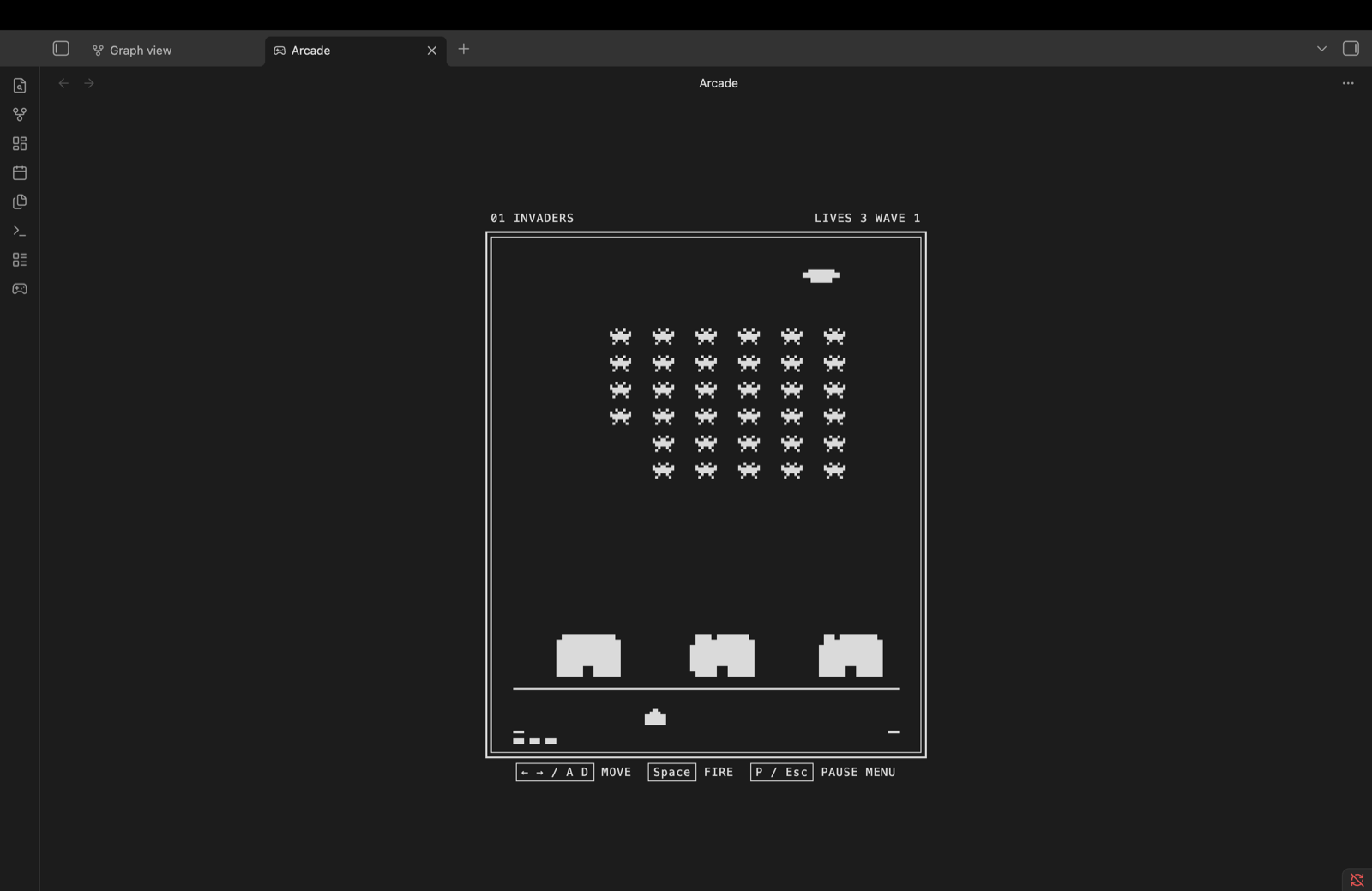
The first release includes Invaders, an original fixed-screen shooter inspired by the rhythm and variation-driven design of early home-console games.
Why does this exist? I was bored. Then I became fascinated by how much personality old games created with almost no hardware, and I wanted to learn by building that feeling myself.
The inspiration
Atari 2600 games had to do a lot with very little. Their limitations shaped the experience: bold silhouettes, readable motion, short feedback loops, physical-feeling controls, and rule variations instead of endless content. Arcade studies those ideas and reimagines them for Obsidian rather than emulating a console or loading original games.
If you remember that era, this should feel familiar. If you do not, this is an invitation to discover why those games were so memorable.
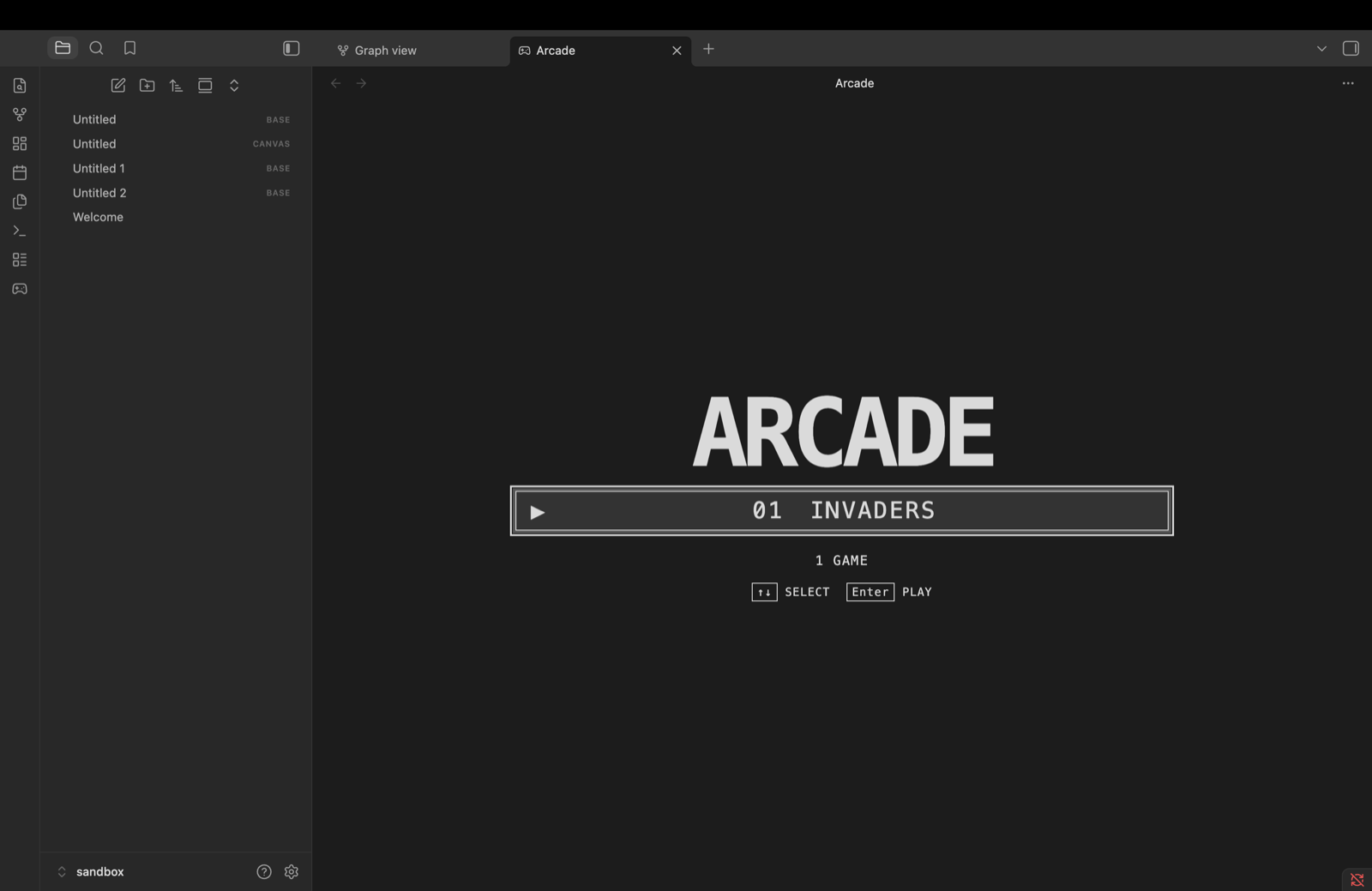
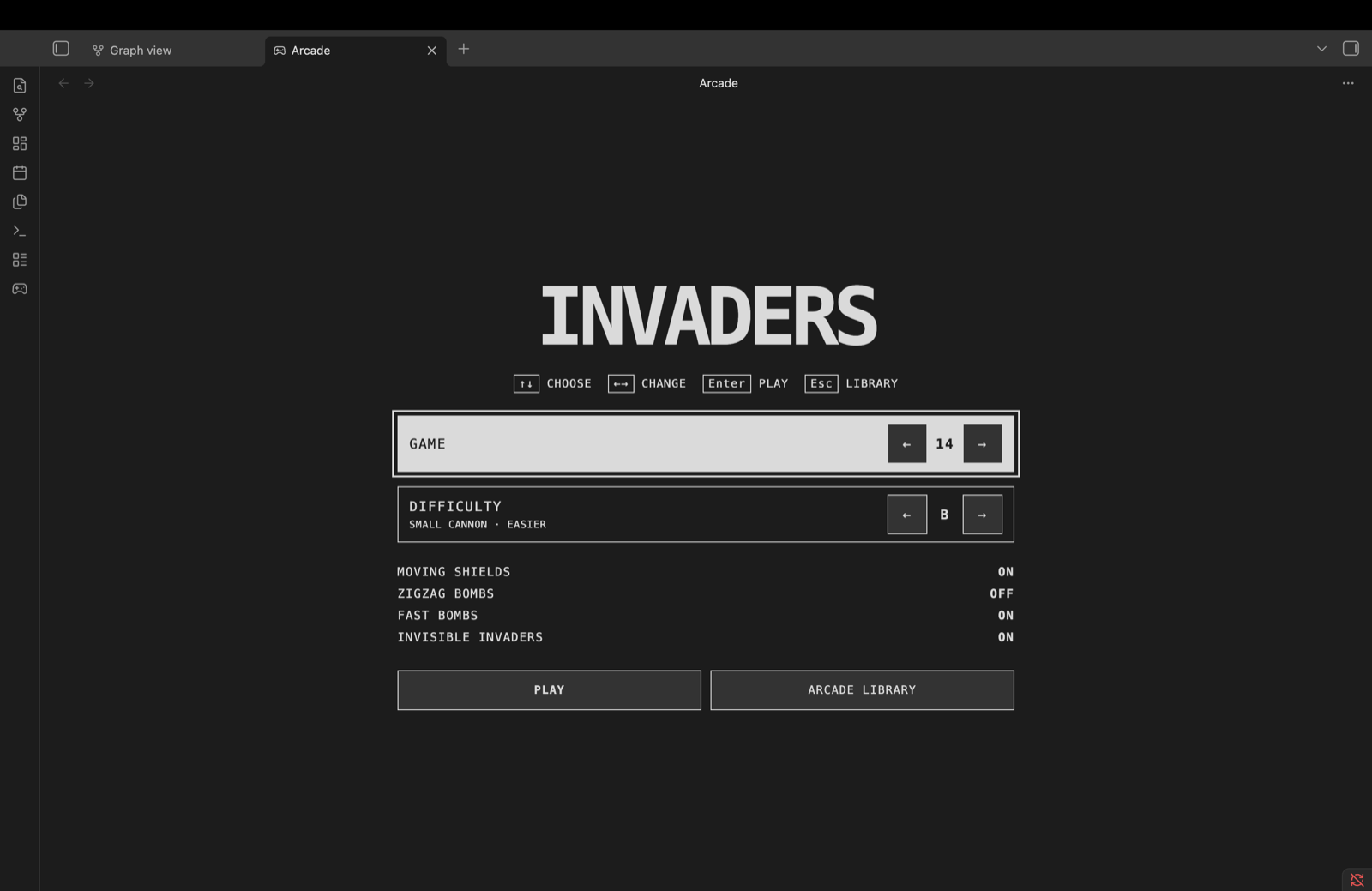
See it in action
| Arcade library | Invaders setup |
|---|---|
 |
 |
Features
- A monochrome interface derived from the active Obsidian theme.
- A gamepad ribbon action and the Arcade: Open game library command.
- Sixteen one-player Invaders variations.
- Two clearly explained difficulty settings.
- Keyboard-first library, setup, gameplay, and pause menus.
- Generated sound effects with a persistent sound preference.
- A local high score and remembered game setup.
- No accounts, ads, telemetry, network requests, or ROM loading.
Requirements
- Obsidian
1.9.12or newer. - Desktop Obsidian for the initial release. Gameplay currently requires a physical keyboard.
Installation
Community Plugins
After Arcade is accepted into the Obsidian Community directory:
- Open Settings → Community plugins.
- Select Browse and search for Arcade.
- Select Install, then Enable.
Manual installation
- Download
main.js,manifest.json, andstyles.cssfrom the latest GitHub release. - Create
<vault>/.obsidian/plugins/arcade/. - Place all three files directly inside that folder.
- Reload Obsidian and enable Arcade under Settings → Community plugins.
How to play
Open Arcade from the gamepad ribbon icon or the command palette.
| Screen | Controls |
|---|---|
| Library | Up / Down selects a game; Enter opens setup. |
| Setup | Up / Down moves between rows; Left / Right changes a value or switches between side-by-side actions; Enter confirms; Escape returns to the library. |
| Invaders | Left / Right or A / D moves; Space fires. |
| Pause menu | P or Escape pauses; arrow keys select an action; Enter confirms. |
For quick access, assign your preferred shortcut to Arcade: Open game library under Settings → Hotkeys. Arcade intentionally does not claim a default shortcut, which avoids conflicts with existing user hotkeys.
Difficulty
Buses a smaller cannon and is easier to keep out of enemy fire.Auses a wider cannon and creates a larger target.
One-player variations
The sixteen game numbers combine four rule modifiers:
| Modifier | Enabled in games |
|---|---|
| Moving shields | Even-numbered games |
| Zigzag bombs | 03–04, 07–08, 11–12, 15–16 |
| Fast bombs | 05–08, 13–16 |
| Invisible invaders | 09–16 |
Game 01 is the basic mode. Game 16 enables all four modifiers. Multiplayer variations are not included in the initial release.
Privacy and permissions
Arcade stores only these values in Obsidian's plugin data:
- Selected game variation.
- Selected difficulty.
- Sound preference.
- Local Invaders high score.
Arcade does not read or modify notes, access files outside the vault, connect to remote services, collect analytics, display ads, or update itself. Disabling or closing the plugin stops its input, animation loop, and audio.
Inspiration and originality
Arcade is an independent community project inspired by Atari 2600-era game design. It is not affiliated with or endorsed by Obsidian, Atari, Taito, or any game publisher.
All gameplay code, interface code, sprites, and synthesized sounds in this repository were created for Arcade. The plugin includes no commercial ROMs, copied source code, copied artwork, copied audio, or original game binaries. Historical product names identify design influences and mechanical research references; all third-party names and trademarks belong to their respective owners.
Development
Use a dedicated development vault rather than your main vault.
npm ci
npm run dev
Run the complete verification suite before opening a pull request:
npm run check
The project uses TypeScript, Canvas 2D, Web Audio, Vitest, ESLint, and esbuild. Runtime code uses Obsidian and browser APIs only; build tooling uses Node.js.
See CONTRIBUTING.md for development expectations and docs/RELEASING.md for the release process.
Support
- Report reproducible bugs through GitHub Issues.
- Include your Obsidian version, operating system, Arcade version, and reproduction steps.
- Review CHANGELOG.md before reporting an issue fixed in a newer release.
- Report security-sensitive problems privately as described in SECURITY.md.
Project documents
- Product specification
- Implementation and test plan
- Current test report
- Release guide
- Community submission checklist
License
Arcade is available under the MIT License.